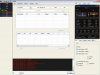
Mình down về rồi giải nén xong luôn rồi làm sao để mở lên được vậy bạn ?
1. Put them in the same forder
2. Edit loginlist.txt and add
l2saigon
203.113.174.10
3. Open L2NET.exe
4. Click on File -> Logon Window -> OOG.
5. Select Tehgamers from the drop list.
6. Write your login and password
7. Click on Select Server and select the one you want to log your character in
8. Select your character and click on Select Char.
If you get an error related to your DirectX download this
1. Put them in the same forder
2. Edit loginlist.txt and add
Quote:
Tehgamers
91.185.193.200
3. Open L2NET.exe
4. Click on File -> Logon Window -> OOG.
5. Select Tehgamers from the drop list.
6. Write your login and password
7. Click on Select Server and select the one you want to log your character in
8. Select your character and click on Select Char.
If you get an error related to your DirectX download this
http://download.microsoft.com/downl...-a475-5810f82def1f/directx_nov2007_redist.exe