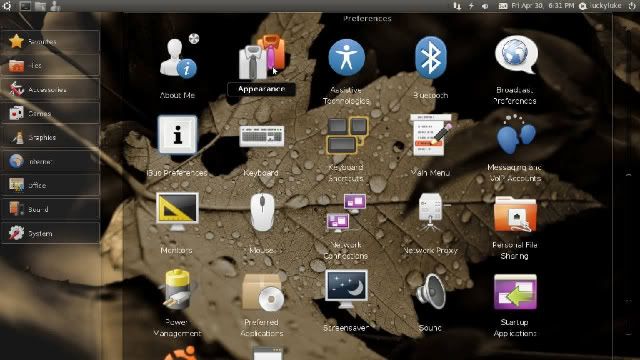
Ubuntu 10.04 LTS
Browse the web
Ubuntu includes Mozilla Firefox – for fast, safe web browsing. You can also choose alternative open-source browsers from the Ubuntu Software Centre.
Create professional documents and presentations
OpenOffice.org is fully compatible with Microsoft Office and has everything you need to create professional documents, spreadsheets and presentations. OpenOffice.org is easy to use, packed with the features you need and completely free.
Get free software
The Ubuntu Software Centre gives you instant access to thousands of free open-source applications. Browse software in categories including: education, games, sound and video, graphics, programming and office. Software is easy to find, easy to install and easy to remove.
Email and chat
Get chatting with Empathy. Quickly integrate your chat accounts from Yahoo, Gmail, MSN, Jabber, AOL, QQ and many more. Evolution Mail provides easy, intuitive email.
Social from the start
New in 10.04. Read and update your social networks instantly. Ubuntu's new Me Menu lets you access your Facebook and Twitter accounts (and more) straight away. Connect to your chat channels and make updates through a single window. Being sociable has never been so easy.
Buy music while you listen
New in 10.04. Ubuntu's new music player includes an integrated store, so you can buy and download new tracks with just a few clicks. And thanks to Ubuntu One's file-sharing magic you can store your music online and listen to it from other computers and music players. Ubuntu works with most music and media players.
View, store and edit photos
Ubuntu is ready for all your gadgets. Connect your phones and cameras to download your pictures. You can organise your photos with F-Spot and use popular tools like Picasa, Facebook and Flickr. For advanced photo editing, find a free application from the Ubuntu Software Centre.
Mobilise your digital life!
All Ubuntu users get a free Ubuntu One account. Ubuntu One allows you to store all kinds of files online so you can access them anywhere. Store bookmarks, contacts, music and pictures. Take everything everywhere with Ubuntu One.
Make, play and edit video
Watch all your favourite content from YouTube, iPlayer, and MSN Player. Play your own videos with Movie Player or use Pitivi to edit your videos
Start fast with Ubuntu
Ubuntu loads quickly on any computer, but it's super-fast on newer machines. After loading, opening a browser takes seconds, unlike other operating systems that leave you staring at the screen, waiting to get online.
Choose from hundreds of free games
The Ubuntu Software Centre offers hundreds of games, including puzzles, adventures, tactical challenges and more. All free to choose and free to use.
Accessibility
At the core of the Ubuntu philosophy is the belief that computing is for everyone and access should be free and complete whatever your economic or physical circumstances. Ubuntu is one of the most accessible desktop operating systems around.
Link download :
Server UK :
Mã:
[url]http://releases.ubuntu.com/releases/10.04/[/url]
Server VN (max bandwidth nhưng mà thỉnh thoảng bị die):
Mã:
[url]ftp://mirror-fpt-telecom.fpt.net//ubuntu-releases/10.04/[/url]
[/CENTER]



 có khá nhiều app cần HAL mà bỏ đi cơ à

 .
.