stup
The Warrior of Light
- 8/11/10
- 2,436
- 65
bàn phím IBM bền thật, cái bàn phím sản xuất năm 2001, dùng 2hand từ 2005 đến giờ( cường độ cực cao) mà giờ cái nút dùng nhiều nhất hơi nhạt 1 tí( nhìn kĩ mới thấy mờ) còn lại nút vẫn nét , thay bao đời chuột mà bàn phím còn nguyên, theo tình trạng hiện tại chắc còn được 5 năm nữa.( tự nhiên buồn quá khoe bàn phím chơi)
cần giới thiệu action RPG hay để chặt chém, ko quá nặng để khỏi phải vác quạt ra dùng, ko quá xấu vì mình cũng cần nhìn ngắm, tải dungeon seige 3 về mà nó vẫn giật, đếc hiểu bị lỗi gì nữa. Hồi trước chơi thì ko sao.
Là TBBP hã !! Mình thấy trên loverslab có bài chuẩn nếu ai muốn xài có thể xem thử:
Mã:Quick Guide(for the clueless like me) I am going explain how I installed it using the manual method, but if you are familiar with NMM you can use that too. FNIS you will first Need FNIS [url]http://skyrim.nexusmods.com/mods/11811[/url] Download both and install either using NMM or manually. Please read the description on the mod page for more details. Behavior files v3_3_2 -- Always necessary FNIS idle Spells V3_2 -- ADD-ON for the spells CBBE you mainly need this for the body texture (other compatible texture mods will work fine) and the bodyslider [url]http://skyrim.nexusmods.com/mods/2666[/url] and extract the file to a temp place on your hard drive I recommend installing this manually as some of the tools are not installed using NMM. There are various options please read the mod description on details of this. copy the "Meshes" folder in to your ...Skyrim\Data\ folder and overwright files. copy the "textures" folder in to your ...Skyrim\Data\ folder and overwright files. And copy the "CalienteTools" folder in to your ..Skyrim\ folder (NOT DATA) TBBP Download [url]http://www.mediafire...41qfpe7uojuxcc2[/url] and extract the file to a temp place on your hard drive Should be as simple as coprying the data folder and pasting it in to your ..Skyrim\ folder TBBP Compatible bodyslider first download Stuffed_bunny CB++ bodyslider [url]http://www.loverslab...t.php?aid=18803[/url] and extract the file to a temp place on your hard drive(I think this goes without saying now) copy the "Bodyslide" folder and paste in to ..Skyrim\CalienteTools\ Goto [url]http://www.loverslab...p?...#pid245163[/url] and download the "bodyslide Dragonfly's TBBP.zip" file Extract and copy the "Bodyslide" folder into the ..Skyrim\CalienteTools\. Eros Anims you know to do [url]http://filesmelt.com..._Motion_TBBP.7z[/url] Extract and copy "Data" folder in to your ..Skyrim\ folder ***IMPORTANT*** Goto your ..Skyrim\CalienteTools\BodySlide\ double click the "Bodyslide" App under "outfit/Body" select "CB++ TBBP" you can select any "preset" and then click on "Create Bodys" you should get a message "Body created Successfuly" and close the App ***ALSO IMPORTANT*** Run the "GenerateFNISforUsers" in the ..skyrim\Data\tools\Generation_for_Users click "update FNIS behaviour" and wait a few seconds till it finishes and then exit. Ok moment of truth, run the game and hope it doesn't crash. Should just be a case of now equiping FNIS idle selection in the left hand and FNIS player idles int the right. Cast the idle selection and select o1 and o1 or o2 and cast it with the player idle spell. All credit must goto Caliente for the orginal CBBE bodymod Dragonfly0124 for the animation goodness and skellys StuffedBunny for the extra body sliders (Sorry If missed anyone) Without these hardworking people I would probably being doing something more productive.
++ Theo cách của mình thì:
Vậy muốn dùng TBBP với các animation khác thì sau??
- Đầu tiên là down một bộ cài chuẩn TBBP Main files (CBBE only) bao gồm body và animation. Và cái Option (gồm nhiều thứ như cho body UNP, kiểu đi ,đứng, chạy style khác Main f).
- Chép hết main file vào data.
- Các Option nếu muốn dùng style riêng thì chép theo cấu trúc dưới đây:
- Body : mesh\actor\character\character asset
- Animation: mesh\actor\character\animation\female
- Chạy FNIS. Cái Ero motion không cần dùng cũng được.
- Chọn 2 bộ phổ biến là XP32 animation Nexus Installer (lưu ý là xp32 có 2 bộ một cái cài thủ công -manual và một cái dùng Nexus cài) và Pretty Combat. Lý Do không dùng female animation pack của nonokusan là do nó không hỗ trợ TBBP và trên trang FNIS nói là dùng nó với Animation pack khác sẽ bị delay, hoặc double animation (tức là nó sẽ đứng một vài s và chém một nhát sẽ nghe tiếng thành nhiều nhát). Chỉ có cái Jump style là dùng chung với cái khác được cái này nói sau.
- Cài Pretty Combat trước bằng Nexus. Chọn
- Bow Style
- Crossbow style (style 2 giống Ada Wong rensident evil 6 xem pic)
- Dual w
- Sneak (style 3)
- Two hand (full animation là style 3)
- staff hoặc magic, one-hand không cài vì sẽ dùng Xp 32
** lưu ý là Two-hand cho female thì phải cài bằng tay vào animation\female. Bởi vì nếu cài nó bằng nexus thì chỉ cho Man thui (dual sun đặt sai thư mục của cái này thì phải)- Cài tiếp Animation của XP32:
- Xp 32 maxi skeleton (BBP, TBBP, UNPB, dùng chung được với tất cả body và clothing khác)
- One-hand
- Magic style
- Bow run style.
- Catwalk thì dùng TBBP nên mình không xài và cùng với các tùy chọn khác như momo jump v.v
- Get stand up.- Cuối cùng là Female nonokusan:
Chỉ chọn duy nhất cái jump style của pack vì nó nữ trông nữ tính hơn cho ai dùng char nữ, chép vào thư mục animtion, là các file có chử đầu là mt_jump 12 file gồm:
mt_jump.hkx
mt_jumpfall.hkx
mt_jumpfallleft.hkx
mt_jumpfallright.hkx
mt_jumpfast.hkx
mt_jumpfastleft.hkx
mt_jumpfastright.hkx
mt_jumpland.hkx
mt_jumplandleft.hkx
mt_jumplandright.hkx
mt_jumpleft.hkx
mt_jumpright.hkx
- Cuối cùng chạy FNIS 3.5 (new) stick vào :
- Skeleton Fix
- Xp32 1H-Weapon
- Xp32 Rung with Bow
Giờ mình đang cài body UNP .Muốn dùng TBBP thì làm như nào nhỉ

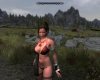
. À mà UNP thì dùng face gì đẹp nhỉ .Hồi trước dùng CBBE thì dùng pretty face pack 2.0 .Giờ muốn đổi cái khác mà không biết UNP có face gì đẹp không nữa
ps: cái này hình như cũng UNP này, không biết face gì nữa