congtu2512
T.E.T.Я.I.S
- 6/7/06
- 539
- 1
Cho mình HD logo dành cho RevoOF-V4 nhé!!!Thanks nhiều lắm


Follow along with the video below to see how to install our site as a web app on your home screen.
Note: This feature may not be available in some browsers.

Quái.Mình vừa lên được mà
Thử lại nè:
http://www.4shared.com/dir/1578515/f289435e/sharing.html
Nếu vẫn không được tí mình up lên filefront cho
Còn teamname thì đi tìm đã.Tại mình không dùng nên vứt đâu rùi không bít

vụ nay` mình cũng đã thắc mắc với sói con rồi,bạn down cái scoboard của mask hiep về rồi import.còn muốn có team name thì vô đây down nha:Ê bạn ơi .Cái link 4share ko down được .Bạn có link khác ko cho mình đi .
Tiện thể ai cho mình xin cái scoreboard mới có teamname đi ,hướng dẫn luôn mình cách import teamname với .THanks

vụ nay` mình cũng đã thắc mắc với sói con rồi,bạn down cái scoboard của mask hiep về rồi import.còn muốn có team name thì vô đây down nha:
http://www.gamevn.com/showthread.php?t=353404
cái này add vào bằng GSS(mình ko bít dùng)còn dùng Dkz thì bạn làm như sau:
Mở 0_text -> tìm file unknow_00535.flg->kick chuột phải ->change name->chuyển thành unknow_00535.bin->rồi import file unamed_535(đổi tên thành unknow_00535 cũng dc)rồi save as
Thế là xong rồi đó.Have fun
Scoreboards season 07/08 by Ma$k_Hi3p
Final Preview:
Star Sports

ESPN

Comment!
New Teamnames - Download
Thx to:


Bác MaskHiep giúp em xử dùm vụ này với:

Em down bộ score của anh Mask Hiep về dùng
nhưng của em nó hiện logo đội bóng trông xấu quá
Em muốn tên đội Bóng hơn
Thanks anh nhìu lắm
All National Teams In The World Patch
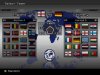
Hello! After almost half a year, they finished patch for all national teams in the world. By now, this is only for PC, but they will look to convert it for ps2, too. Patch has new opmov, all flags and corrected chants, new font and scoreboard and kitserver with 40 kits...All kits are done in option file also...+ updated squads of most of the national teams...
Screenshots


OF: http://files.filefront.com/KONAMI+WIN32PES6OPTrar/;8377162;;/fileinfo.html
Kitserver: KITSERVER
PES6.exe: http://files.filefront.com/PES6+Sve+Reprezentacijerar/;8377559;;/fileinfo.html
Here is the other exe file for those who have problem with first one. Hope this will work.
PES6.exe
Flags, 0_text: http://files.filefront.com/0+textrar/;8377164;;/fileinfo.html
Opmov: http://files.filefront.com//;8407458;;/
Here you can watch opmov: http://www.youtube.com/watch?v=bS4uMJZ6Hnc
Font: http://files.filefront.com/New+Fontrar/;8390468;;/fileinfo.html
E_TEXT: http://files.filefront.com/e+textrar/;8523072;/fileinfo.html
O_TEXT (scoreboard files): http://files.filefront.com/0+text+scoreboardrar/;8523191;/fileinfo.html
Installation:
Follow these steps and you shouldn't have any problems with installation of the patch:
You must have installed DKZ Studio(0.92) and Kitserver 6.5.3
1. Download all parts of the patch into one folder. Use winrar to extract all the files.
2. Make backup of your 0_text, e_text, opmov (in C:/Program files/KONAMI/Pro Evolution Soccer 6/dat folder), and Option file (in My Documents/Konami/save/folder1)
3. Copy the downloaded option file into My Documents/Konami/save/folder1
4. Copy PES6.exe from this patch over the existing one in C:/Program files/KONAMI/Pro Evolution Soccer 6/
(you can rename your old PES.exe as, for example, PES6 clubs, if you like, and then place this PES6.exe, because of chants)
5. Copy downloaded files e_text and opmov into C:/Program files/KONAMI/Pro Evolution Soccer 6/dat
6. When you put kitserver in C:/Program files/KONAMI/Pro Evolution Soccer 6, then put kits from downloaded "National 2" folder into GBD/uni of kitserver
7. Copy Map.txt into Pro Evolution Soccer 6\kitserver\GDB\uni folder
8. Install the kitserver
9. Open File "Flags, 0_text" with DKZ studio and then go to "Apply patch in folder". Choose your C:/Program files/KONAMI/Pro Evolution Soccer 6/dat folder and when asked, choose file 0_text, manually
10. Downloaded "O_TEXT (scoreboard files)" open with DKZ studio and then go to "Apply patch in folder". Choose your C:/Program files/KONAMI/Pro Evolution Soccer 6/dat folder and when asked, choose file 0_text, manually
11. Downloaded font open with DKZ studio and then go to "Apply patch in folder". Choose your C:/Program files/KONAMI/Pro Evolution Soccer 6/dat folder and when asked, choose file 0_text, manually
12. You must follow all the steps if you want the patch to work perfectly.
Makers of the patch:
Boca
Zilandi
Mracho
Tottimas
Special thanks goes to Pogoss, Lakifreestyle and Evil Nerd
Mình còn thiếu 2 sân :levante và valadolid .Ai có send cho mình cái .Up ở filefront nha .Thanks