
- 15/1/17
- 718
- 371
- Banned
- #2,441
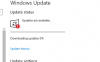
mới cài lại windows 10 mà sao nó update 0% hoài vậy 


Follow along with the video below to see how to install our site as a web app on your home screen.
Note: This feature may not be available in some browsers.

trong bios mình không biết xem kiểu gì. nó chỉ hiện tên ổ là hitachi + số serial ở trên. không hiện dung lượngNếu thế này thì bạn cắm lại rồi vào BIOS xem dung luợng hiển thị trong BIOS là bao nhiêu, nếu là 1tb thì restore setings BIOS thử xem, nếu lên đúng thì mới vào win mini làm tiếp.

Bạn xem có chỗ nào reset bios không? Nó thường nằm ở cuối giao diện của bios. Reset xong tính tiếp.trong bios mình không biết xem kiểu gì. nó chỉ hiện tên ổ là hitachi + số serial ở trên. không hiện dung lượng
hôm nọ mình format, gộp ổ rồi chia lại vẫn thấy chỉ có 1TB :(
mình main msi b75ma-e33

cho mình xin link down iso win7 ultimate 64 bit với, down bậy bạ trên mạng sợ dính hàng lởm quá
chán cái win10 quá trời chơi game crash miết


Đây bác, coi đúng hem, chọn os rồi down driver nhémain h81 plus

Xoá ký tự trùng thì văn bản còn gì nữa @.@Có cách nào tìm ký tự trùng trong văn bản nhanh không nhỉ? Tức là không cần biết nó là những ký tư gì chỉ cần tìm để xoá thôi.
VD. văn bản có 100 chữ a, 200 chữ b, 300 chữ c thì mình không cần biết còn những chữ nào bị trùng như thế nữa chỉ cần tìm những chỗ bị trùng để xoá.Xoá ký tự trùng thì văn bản còn gì nữa @.@
Tìm đuợc trang nàyMơ hồ thật
Theo ý trên thì mở Word, Ctrl+H, Find "ký tự", Replace with "", Replace all
Chỉ cần làm 26 lần
Mình thấy có cái macro này, nó sắp xếp rồi mới xóa trùng nên kết quả sau cùng là kết quả đã dc sắp xếp đó.
Sub removeDupWord()
    Dim AmountMoved As Long
    Dim myRange As Range
    Selection.WholeStory
    Selection.Sort ExcludeHeader:=False, FieldNumber:="Paragraphs", _
    SortFieldType:=wdSortFieldAlphanumeric, SortOrder:=wdSortOrderAscending, _
    FieldNumber2:="", SortFieldType2:=wdSortFieldAlphanumeric, SortOrder2:= _
    wdSortOrderAscending, FieldNumber3:="", SortFieldType3:= _
    wdSortFieldAlphanumeric, SortOrder3:=wdSortOrderAscending, Separator:= _
    wdSortSeparateByTabs, SortColumn:=False, CaseSensitive:=False, LanguageID _
    :=wdEnglishUS, SubFieldNumber:="Paragraphs", SubFieldNumber2:= _
    "Paragraphs", SubFieldNumber3:="Paragraphs"
'start with first paragraph and extend range down to second
    Set myRange = ActiveDocument.Paragraphs(1).Range
    AmountMoved = myRange.MoveEnd(unit:=wdParagraph, Count:=1)
'loop until there are no more paragraphs to check
    Do While AmountMoved > 0
'if two paragraphs are identical, delete second one
'and add the one after that to myRange so it can be checked
        If myRange.Paragraphs(1).Range.Text = _
        myRange.Paragraphs(2).Range.Text Then
        myRange.Paragraphs(2).Range.Delete
        AmountMoved = myRange.MoveEnd(unit:=wdParagraph, Count:=1)
    Else
'if two paragraphs aren't identical, add the one after
'that to my range, so it can be checked, and drop the first one,
'since it is no longer of interest.
        AmountMoved = myRange.MoveEnd(unit:=wdParagraph, Count:=1)
        myRange.MoveStart unit:=wdParagraph, Count:=1
    End If
Loop
MsgBox ("end")
End Sub
