NAEVIUS USB ANTIVIRUS
Site: http://www.naevius.com
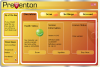
Screenshot:
 Gần đây có rất nhiều trường hợp được báo cáo cho rằng, "autorun" vi-rút lan truyền qua nhiều máy tính do sử dụng bộ nhớ flash hoặc pendrive, vì vậy chúng tôi cần phải có hành động phòng chống dịch để ngăn chặn vi rút này lây lan sang máy tính của chúng tôi! Naevius USB Antivirus (version 2.1).
Ổ đĩa USB được để phổ biến và thường được sử dụng để di chuyển dữ liệu giữa nhiều hệ thống thường xuyên. Mặc dù ổ đĩa USB rất hữu ích, họ có tiềm năng về chăn nuôi các loại vi-rút. Khi bạn dính vào các ổ đĩa flash của bạn lưu trữ trong máy tính sẽ xem xét cho các lệnh trong "autorun.inf" để được thực hiện tự động. Thông thường các lệnh trong "autorun.inf" là vô hại, nhưng nếu tập tin đã được sửa đổi, nó có thể gọi cho thực hiện một Trojan hay bất cứ chương trình trong ổ đĩa USB flash của bạn tự động.
Naevius USB Antivirus là một công cụ bảo vệ của bạn mà bút lái xe autorun-virus.
Các tính năng chủ chốt của Naevius USB Antivirus.
- Bảo vệ chống lại bất kỳ Trojans, phần mềm gián điệp, giun lưu trữ thông qua cổng USB.
- Tương thích với bất kỳ cư dân antivirus như ví dụ như: BitDefender, Nod32, Kaspersky, AVG, Norton, McAfee, Panda, Avast vv
- Bảo vệ trong realtime với.
- 100% bảo vệ từ bên ngoài có ghi bảo vệ dummy "autorun.inf" tập tin này.
Download: http://naevius.com/usb_antivirus.htm
The end, good luck and have fun!
.
.
Hijackthis
Trend Micro USA
http://free.antivirus.com/hijackthis/
Trend Micro HijackThis is a free utility that generates an in depth report of registry and file settings from your computer. HijackThis makes no separation between safe and unsafe settings in its scan results giving you the ability to selectively remove items from your machine. In addition to this scan and remove capability HijackThis comes with several tools useful in manually removing malware from a computer.
IMPORTANT: HijackThis does not determine what is good or bad. Do not make any changes to your computer settings unless you are an expert computer user.
Advanced users can use HijackThis to remove unwanted settings or files.
Using HijackThis
To analyze your computer, start HijackThis and run a scan. See the Quick Start Guide [link to Quick Start, FAQs and Feedback] for help in running a scan. HijackThis will display a list of areas on your computer that might have been changed by spyware. Do not change any settings if you are unsure of what to do. There are many popular support forums on the web that provide free technical assistance by using HijackThis log files to diagnose an infected computer.
Not an expert? Just save the HijackThis report and let a friend with more troubleshooting experience take a look. A large community of users participates in online forums, where experts help interpret HijackThis scan results to clean up infected computers.
Download
Version 2.0.3 (Beta)
Try the Beta version of HijackThis; include bug fixes, user feedback, and updated code base.
 Download HijackThis 2.0.3 (Beta)
____________________________________________________
Version 2.0.2
Scan your computer to find settings changed by spyware, malware or other unwanted programs. Trend Micro HijackThis generates an in-depth report to enable you to analyze and fix your infected computer.
HijackThis downloads: Installer |
Executable
Thank
!