

Navigation
Install the app
How to install the app on iOS
Follow along with the video below to see how to install our site as a web app on your home screen.
Note: This feature may not be available in some browsers.
Thêm tùy chọn
Style variation
-
[THÔNG BÁO] CẢNH BÁO LỪA ĐẢO MẠO DANH QUẢN TRỊ VIÊN
Chào các thành viên GameVN,
Dạo gần đây tình trạng lừa đảo scamming và phishing đang gia tăng. Ban quản trị GameVN xin lưu ý toàn bộ thành viên:
KHÔNG/ ĐỪNG / CẤM cho bất kỳ ai tự xưng là quản trị viên của server vay tiền.
Mọi hành vi lân la làm quen, tự tiện nhắn tin trên Discord, Facebook, Zalo hoặc các nền tảng mạng xã hội khác,
núp bóng dưới danh nghĩa sinh hoạt của quản trị viên, đều có tỉ lệ rất, rất cao là lừa đảo.
Nếu có tài khoản lạ add friend hoặc nhắn tin xin tiền dưới danh nghĩa admin:
Block ngay
Report ngay
Không chuyển khoản, không cung cấp thông tin cá nhân
Quản trị viên của forum và Discord server GameVN không có nhu cầu vay tiền thành viên.
Không có lý do nào để admin chủ động kết bạn rồi xin tiền.
Mọi thông báo chính thức chỉ được đăng trên kênh thông báo của server và topic chính thức trên forum.
Tin nhắn riêng từ tài khoản lạ không phải thông báo của ban quản trị.
Cảm ơn các bạn đã chú ý và cùng giữ cộng đồng an toàn.
— Ban quản trị GameVN
Tắt thông báo bằng nút X bên góc phải của bảng thông báo*
You are using an out of date browser. It may not display this or other websites correctly.
You should upgrade or use an alternative browser.
You should upgrade or use an alternative browser.
Gửi tặng mọi người .... SpeedUP
- Thread starter senbohung
- Ngày gửi

ối tên mình là knight06 chứ razy hồi nào =='
---------- Post added at 06:41 ---------- Previous post was at 06:22 ----------
mới đưa cho bác NguyenNp test
http://www.mediafire.com/?a345o5eovik5yvb
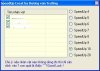
các chức năng:
numpad 1. mở rương từ xa (như auto thui)
numpad 2. mở cửa hàng từ xa (sửa đồ nhé)
numpad 3. ẩn hết toàn bộ (cho đỡ lag)
numpad 4. chạy tốc độ ==> cái này đề nghị các bạn ra quần đảo bermuda đừng vào góc phải rồi bật để tránh crash game, sau khi bật đc rồi thì khỏi bật nếu chuyển kênh thì làm lại
chức năng teleport hiện tại có 1 số trục trặc mình đang fix
---------- Post added at 06:45 ---------- Previous post was at 06:41 ----------
nhớ là bật game trước khi bật nó nhé
---------- Post added at 06:41 ---------- Previous post was at 06:22 ----------
mới đưa cho bác NguyenNp test
http://www.mediafire.com/?a345o5eovik5yvb
các chức năng:
numpad 1. mở rương từ xa (như auto thui)
numpad 2. mở cửa hàng từ xa (sửa đồ nhé)
numpad 3. ẩn hết toàn bộ (cho đỡ lag)
numpad 4. chạy tốc độ ==> cái này đề nghị các bạn ra quần đảo bermuda đừng vào góc phải rồi bật để tránh crash game, sau khi bật đc rồi thì khỏi bật nếu chuyển kênh thì làm lại
chức năng teleport hiện tại có 1 số trục trặc mình đang fix
---------- Post added at 06:45 ---------- Previous post was at 06:41 ----------
nhớ là bật game trước khi bật nó nhé


linhhonden007
Youtube Master Race
- 8/8/10
- 16
- 0
chờ 1 thời gian nữa đã chứ, để xem kết quả thế nào đã, chứ tiên phong bị delete acc thì khổ quá. 
diemhuong90
Mr & Ms Pac-Man
- 30/12/07
- 105
- 0
Đang xài khá good , thanks bác phát .
dungsirong1
Legend of Zelda
- 21/8/08
- 1,070
- 21
anh senbohung có cái link phần phềm sandboxe bản 3.40 làm ơn cho em xin, em lên google kiếm hoài mà ko thấy, toàn link virus anh sên hay pác nào có share dùm em cám ơn có key hay bản hướng dẩn càng tốt ^^ xin thank trước
anh senbohung có cái link phần phềm sandboxe bản 3.40 làm ơn cho em xin, em lên google kiếm hoài mà ko thấy, toàn link virus anh sên hay pác nào có share dùm em cám ơn có key hay bản hướng dẩn càng tốt ^^ xin thank trước
Mình ko có bản 3.40 chỉ có bản 3.42.
Link đây: http://www.mediafire.com/?x4129e2tn1a9mbh. Có key sẵn trong đó đó.

AYEtolive1
Dragon Quest
- 7/3/06
- 1,327
- 48
sặc ,đã có hack speed rồi àh , bác nào uy tín xem dùm có Virus không đi .
Chỉnh sửa cuối:

AYEtolive1
Dragon Quest
- 7/3/06
- 1,327
- 48
đã test với acc clone, như shit ấy .speed tăng tốc di chuyển nhưng mà cứ giật giật hình, kéo về tọa độ cũ và đánh vẫn thấm chậm ( có khi còn chậm hơn lúc chưa bật ).hình như nó tạo cảm giác tăng speed mà thôi , máy chủ vẫn bắt theo tọa độ cũ nên có khi mất tọa ( tức là không di chuyền được, di chuyển bị trả về tọa độ cũ ) càng bực thêm ,chưa kể có khi còn bị nhét con virus khuyễn mãi thôi xóa mẹ cho nó lành .
Chỉnh sửa cuối:

đã test với acc clone, như shit ấy .speed tăng tốc di chuyển nhưng mà cứ giật giật hình, kéo về tọa độ cũ và đánh vẫn thấm chậm ( có khi còn chậm hơn lúc chưa bật ).hình như nó tạo cảm giác tăng speed mà thôi , máy chủ vẫn bắt theo tọa độ cũ nên có khi mất tọa ( tức là không di chuyền được, di chuyển bị trả về tọa độ cũ ) càng bực thêm ,chưa kể có khi còn bị nhét con virus khuyễn mãi thôi xóa mẹ cho nó lành .
mình quên mất 1 hàm đó khi viết nên vẫn bị giật sorry các bạn, yên tâm là bản sau sẽ ko có tình trạng đó nữa
---------- Post added at 16:09 ---------- Previous post was at 16:07 ----------
còn bản bác Trường kia thì vẫn bị

hì hì đồ free mà cũng phải winlicense nữa àh bác :)
ối tên mình là knight06 chứ razy hồi nào =='
---------- Post added at 06:41 ---------- Previous post was at 06:22 ----------
mới đưa cho bác NguyenNp test
http://www.mediafire.com/?a345o5eovik5yvb
các chức năng:
numpad 1. mở rương từ xa (như auto thui)
numpad 2. mở cửa hàng từ xa (sửa đồ nhé)
numpad 3. ẩn hết toàn bộ (cho đỡ lag)
numpad 4. chạy tốc độ ==> cái này đề nghị các bạn ra quần đảo bermuda đừng vào góc phải rồi bật để tránh crash game, sau khi bật đc rồi thì khỏi bật nếu chuyển kênh thì làm lại
chức năng teleport hiện tại có 1 số trục trặc mình đang fix
---------- Post added at 06:45 ---------- Previous post was at 06:41 ----------
nhớ là bật game trước khi bật nó nhé
ghi chú: cực kì dị ứng với dương cưu <== ko hiểu tại sao
---------- Post added at 16:13 ---------- Previous post was at 16:11 ----------
tại zi` themida quăng đâu mất tiu rồi =='
---------- Post added at 16:13 ---------- Previous post was at 16:11 ----------
hì hì đồ free mà cũng phải winlicense nữa àh bác :)
tại zi` themida quăng đâu mất tiu rồi =='
Hì hì cái này mình thấy ở một forum nước ngoài, trước giờ toàn dùng CE.
Thanks DVT đã code. Thật là tiện lợi
---------- Post added at 18:47 ---------- Previous post was at 18:46 ----------
Phải chi có 1 cái bot chạy ma pháp với Q cầu vồng cốc thì tuyệt vời!
Thanks DVT đã code. Thật là tiện lợi
Dwar nói:[align=center]Increasing speed in Battle of the Immortal
using Cheat Engine[/align]
If you don’t want to use any debugger and reverse the game, you can use Cheat Engine to in-crease char speed..
Here you find explanation how to find necessary value.
Note: before continuing be sure that your character has any buffs, items, mount, other stuff which can change char speed, otherwise it will be difficult to find proper value
Start CE and attach it to “game.exe” (main executable module of the BOI).
[align=center][/align]
We don’t know the exact speed value, so we choose scan type “Unknown initial value” and value to find as float and click “First scan”. We got bulk amount of addresses
[align=center][/align]
Now we must sift out all useless data. Return to the game and mount horse, use buffs etc., do something to change char speed. In CE use “Increased value” for scan type.
[align=center][/align]
[align=center][/align]
Continue sifting out data: move around, move camera, but do not un-mount -> find “Unchanged value”.
[align=center][/align]
And so on…
Small hint: if there are lots of negative values or zero values we can without doubt remove all of them by using scan type “Value between” and choosing value in rang from 1 to 10.
[align=center][/align]
After that operation we sifted out more then 80% useless addresses and got only several valid addresses:
[align=center][/align]
Ok, all found addresses are in same memory region and they are changing their value only if speed of the char is changed. Let’s increase value of each address.
The first one is speed, the last address is animation speed.
[align=center][/align]
Remember, that the speed 7 for un-mounted char is max (maybe 7.5, but 7 is ideal), and 11-12 for mounted char. Speed higher than values above will cause char push back.
Now you can choose proper speed for your situation, and, as usual, be aware when you use high speed in crowded places, - other players always can betray you.
Second note: found addresses are dynamical and will be valid only for current client instance (even current realm and server). After re-login, changing realm you must repeat finding process.
---------- Post added at 18:47 ---------- Previous post was at 18:46 ----------
Phải chi có 1 cái bot chạy ma pháp với Q cầu vồng cốc thì tuyệt vời!


- 18/7/07
- 408
- 0
Em bị dính cái lỗi đưa vô phòng cấm thì nếu có tele thì có bay ra đựoc ko ?
Similar threads

- Trả lời
- 0
- Đọc
- 175
- Trả lời
- 1
- Đọc
- 630

- Trả lời
- 0
- Đọc
- 219
- Trả lời
- 0
- Đọc
- 394