

Navigation
Install the app
How to install the app on iOS
Follow along with the video below to see how to install our site as a web app on your home screen.
Note: This feature may not be available in some browsers.
Thêm tùy chọn
Style variation
You are using an out of date browser. It may not display this or other websites correctly.
You should upgrade or use an alternative browser.
You should upgrade or use an alternative browser.
[SKINS][GameVN CS skin collection] Kho skin Counter-Strike GameVN
- Thread starter Orpheus
- Ngày gửi
- Status
- Không mở trả lời sau này.


duyhoang_tina
C O N T R A
- 5/7/09
- 1,968
- 892
Cho hỏi 1 súng có thể xài nhiều tex được không. Như vậy M4A1 và M4A1 camo tuy 2 loại nhưng cùng 1 models và chỉ cần tex khác là ổn.

harwardc_2008
C O N T R A
- 18/4/08
- 1,874
- 1,058
Được....có 2 cách là
Dùng sub model,hiện NST có ứng dụng khai thác dc....nó dùng 2 ref.smd và 2 tex súng...nó chẳng qua là sự thay đổi qua lại giữa 2 ref dùng nguồn texture khác nhau
Cách 2 là nó dùng 1 ref 2 tex....tức nó dùng 1 ref 2 nguồn texture,có 1 tab "skin" chỉnh trong HLMV để hiện nó lên....nó dc ứng dụng trong game CZDS....Hiện chưa coder nào khai thác dc nó
Dùng sub model,hiện NST có ứng dụng khai thác dc....nó dùng 2 ref.smd và 2 tex súng...nó chẳng qua là sự thay đổi qua lại giữa 2 ref dùng nguồn texture khác nhau
Cách 2 là nó dùng 1 ref 2 tex....tức nó dùng 1 ref 2 nguồn texture,có 1 tab "skin" chỉnh trong HLMV để hiện nó lên....nó dc ứng dụng trong game CZDS....Hiện chưa coder nào khai thác dc nó

vipmember257
Mario & Luigi
- 13/9/09
- 836
- 543
t7 này anh em tổ chức off CF àh ??? Cho em góp vui với , chưa thấy ai kể khẩu MP7 nhỷ , em có này 
Bạn nào b' ghép bone cho skin CF thỳ cho twos xin YH , mún chỉ bảo kĩ càng
Bạn nào b' ghép bone cho skin CF thỳ cho twos xin YH , mún chỉ bảo kĩ càng

trungtin911
C O N T R A
- 15/6/10
- 1,695
- 2,163
Được....có 2 cách là
Dùng sub model,hiện NST có ứng dụng khai thác dc....nó dùng 2 ref.smd và 2 tex súng...nó chẳng qua là sự thay đổi qua lại giữa 2 ref dùng nguồn texture khác nhau
Cách 2 là nó dùng 1 ref 2 tex....tức nó dùng 1 ref 2 nguồn texture,có 1 tab "skin" chỉnh trong HLMV để hiện nó lên....nó dc ứng dụng trong game CZDS....Hiện chưa coder nào khai thác dc nó
Có cách nào làm 2 model cho 2 bên CT với TS ko ... như là TS 1 cây riêng Ct 1 cây riêng nhưng sub lại thành 1 file
harwardc_2008
C O N T R A
- 18/4/08
- 1,874
- 1,058
ý cậu là sao tớ ko hiểu......
Giải thích lại 1 tí.....
Giải thích lại 1 tí.....
trungtin911
C O N T R A
- 15/6/10
- 1,695
- 2,163
ý cậu là sao tớ ko hiểu......
Giải thích lại 1 tí.....
Ví dụ như tui mún ghép M4 dragon với AK47 Dragon lại thành 1 ... nhưng khi chọn thì TS sẽ xài AK47 còn CT sẽ xài M4 ... để tiết kiệm 1 slot cho My Wpn

Trishty
Legend of Zelda
- 7/3/09
- 1,055
- 51
Cái game Shadow Of Destiny nhìn quen quen hình như thấy ở đâu gòy thì phải. CÁi này mình chưa chơi bao h nhưng để down về rip thử xem sao (vì là game offline nên mình sẽ làm từ từ)
@theanh cái tay cầm dao nó bị hở 2 đg ngay ngón cái và bắp tay kìa, ông chưa nối model òy.
Tui rip có cái giảm thanh M4A1 T7 up sau
@theanh cái tay cầm dao nó bị hở 2 đg ngay ngón cái và bắp tay kìa, ông chưa nối model òy.
Tui rip có cái giảm thanh M4A1 T7 up sau
Cái này thì đc. Mình nhìn thấy uv của mấy cái model đó giống nhauCho hỏi 1 súng có thể xài nhiều tex được không. Như vậy M4A1 và M4A1 camo tuy 2 loại nhưng cùng 1 models và chỉ cần tex khác là ổn.
Chỉnh sửa cuối:
harwardc_2008
C O N T R A
- 18/4/08
- 1,874
- 1,058
dc nhưng phải có sự trợ giúp của PLUG...và hơi khó
Nếu làm theo cách đơn giản thì nó sẽ sử dụng chung 1 bone,tức 1 animation
Nhưng nếu muốn nó dùng riêng animation thì tớ ko biết nhưng có cách....trong box này có sếp okoko làm dc đấy =.=
Nếu làm theo cách đơn giản thì nó sẽ sử dụng chung 1 bone,tức 1 animation
Nhưng nếu muốn nó dùng riêng animation thì tớ ko biết nhưng có cách....trong box này có sếp okoko làm dc đấy =.=


dark_one
Liu Kang, Champion of Earthrealm
- 4/11/08
- 5,329
- 217
cây AK-47 NÀY MẤY HUYNH CO THỂ CẮT BỎ PHẦN COPER NHƯ THẾ NÀY
http://i765.photobucket.com/albums/xx292/babycubeo/1-12-20022-01-03AM.png?t=1285068821
để được cây này nè tui thấy về hình dáng nó rất giống nhau
http://up.anhso.net/upload/20100106/10/o/anhso-16_Crossfire20100106_0003.jpg
MẤY HUYNH CONVERT GIÙM NHA TUI HOK BIK VỤ NÀY CHỈ VÔ TINH GOP Ý THUI
làm thế cũng được thôi bạn ạ nhưng animation (chuyển động) sẽ không giống CF, cụ thể là lúc draw và lúc reload
btw, cái ảnh combo AK47 cũng đc đó

Chỉnh sửa cuối:

- 8/10/09
- 5,127
- 1,563
Tui muốn nhờ Chief việc này! Tý nữa tui gửi tin nhắn cho!
Mong cậu và anh em để ý giúp nhé!
@Trishy: Bạn gửi tui nick YM nhé,hôm nọ tui quên chưa add! ^^
@boxcsgamevn: Cây đó tui chưa nối các khớp model với nhau nên bị hở,đưa cho cậu làm animate,sau này fix lại thì lại phải làm lại!
Mong cậu và anh em để ý giúp nhé!
@Trishy: Bạn gửi tui nick YM nhé,hôm nọ tui quên chưa add! ^^
@boxcsgamevn: Cây đó tui chưa nối các khớp model với nhau nên bị hở,đưa cho cậu làm animate,sau này fix lại thì lại phải làm lại!
không sao đâuTừ bài viết của trumcubu
cây AK-47 NÀY MẤY HUYNH CO THỂ CẮT BỎ PHẦN COPER NHƯ THẾ NÀY :
http://i765.photobucket.com/albums/x...g?t=1285068821
để được cây này nè tui thấy về hình dáng nó rất giống nhau
http://up.anhso.net/upload/20100106/...00106_0003.jpg
MẤY HUYNH CONVERT GIÙM NHA TUI HOK BIK VỤ NÀY CHỈ VÔ TINH GOP Ý THUI
làm thế cũng được thôi bạn ạ nhưng animation (chuyển động) sẽ không giống CF, cụ thể là lúc draw và lúc reload
btw, cái ảnh combo AK47 cũng đc đó
Last edited by dark_one; Hôm nay, at 18:49.

 chỉ cần skin giống thui là được rùi animation sửa từ từ rùi cũng giống thui quan trọng la có cái tex sao thiệt giống cf là được , nếu dược xin convert giùm nha :-*:
link cây ak-47 coper nè làm xong nhớ up nha : http://www.mediafire.com/?ha2jhmd276ca0u2


mrkun
T.E.T.Я.I.S
- 4/4/10
- 544
- 497
@mrkun: Con hunter l4d 2 bản đều như nhau, tìm trên AlliedModder mấy trang thread model.. Không thì tìm ở cái list model dưới chữ ký của albert123..
mấy con trên AM con nào cũng bị lỗi dead amination cả , chết nó cứ đứng wơ way wơ chân ko à :(
Trishty
Legend of Zelda
- 7/3/09
- 1,055
- 51
Báo cáo nv rip model SA thất bại. Giống như CF fải hack thì mới rip đc. SA ít ng` chơi hơn CF nên hack chả có (ai có pm) ko thể rip đc bó hand.
Giới thiệu cho anh em một số thứ. Mình lười dịch nên xem TA đỡ
~ chương trình dùng để rip ^^!
Game Specific Model Ripping guides
First things first. Ripping a 3d model from a video game is quite different from ripping a sprite. At times it can be many times easier to rip a model than a sprite while at other times it can be much more tedious. It all depends on the how you end up ripping something.
Seeing as there's a lot of questions about ripping from various games and likely more to come, I've decided to start putting up some guides on how to rip from some of them through the methods I've learned to do so over time. Anyone else who has something to share is quite welcome to as well as questions if they need to about how to rip from a specific game. Think of this as the equivalent of the "Ripping Questions" thread in Sprite Discussion, but for Models Resource. I'll try and post stuff up for this when I can, but believe me when I say there is a LOT of stuff to cover and it will take some time for me to list everything.
First up is basically the equivalent of print screen for 3d objects. There's 4 programs I know of that can do this. Keep in mind these rippers will only work for Direct X or Open GL rendered games and may not even work on some of those.
Print Screen Style Rippers
Important
IWhen using this type of ripper you must weld the vertices to get rid of the massive amount of extra ones the program creates when it rips a model. To do this select all the vertices and weld them at a threshold of about 0.0002 or lower. If you can visually see vertices welding together you need to weld at at a smaller threshold. If all went well your rip should have much less vertices than before. To finish the job, smooth your model's polygons.
3D Ripper DX: http://www.deep-shadows.com/hax/3DRipperDX.htm
This is one of the more popular rippers you can use. The latest version allows you to rip from Direct X 9, 8, and 6. Other versions of Direct X will more than likely NOT work. The program is pretty straightforward and should be easy to configure for anyone who can read. Keep in mind that trying to rip from a 64 bit executable will cause this program to crash.
You don't technically need anything other than a program that can import .OBJ files and something to convert .DDS files to rip with this. However for whatever reason the program does not generate a .MAT file to accompany its rips and so you will have to texture things yourself. The only way to import something with textures is to use a supported version of 3DS Max and import the .3DR rip with the plugin the program provides on installation.
3D Via Printscreen: http://www.3ds.com/products/3dvia/3d-xml/1/
Another good ripper to use. This one rips from Direct X 9, 8 and Open GL rendered applications. It works similarly to the global monitoring function of 3D Ripper DX. Unlike 3D Ripper, you can select pretty much any key on the keyboard rather than only the function keys. This can be useful if you're trying to rip from say an emulator that already uses every function key for something.
The output of this file has two ways I know of to be converted. You can either make an account on 3d Via's website, upload the model, make it public and download it as a .DAE or you can import it with a script through 3DS Max. The script can be found here in the 3ds max folder: http://www.4shared.com/dir/5807782/1c394...enada.html
Edit: There is also a script you can use to import into Blender as well. Get it here: http://blenderartists.org/forum/showthread.php?t=179057 Make sure you have Python installed if you want it to work.
GL Intercept: http://glintercept.nutty.org/
This is an older ripper that only works for Open GL programs. Unlike everything else on this list, this program is actually a DLL making it much less user friendly. It doesn't even output any format other than XML or text by default. To do that, you'll need this plugin: http://ogle.eyebeamresearch.org/readme
I don't really have any experience using this ripper since better things had appeared on the net by the time I began ripping stuff, but the documentation provided should help you out a bunch if you choose to use this program for some reason.
GameAssassin http://www.gameassassin.com/downloads.htm
This is a chinese program that apparently works with Open GL and Direct X. Using the poorly translated english language pack provided, it seems like this program has a lot of neat features it can use. Unfortunately, I have no clue how the hell to get the program to rip anything and haven't had luck finding any way to do it last time I did some searches on it. If somebody knows how to use this thing I'd be really grateful to hear how.
HijackGL http://www.cs.wisc.edu/graphics/Gallery/HijackGL/
Zerox found this so big thanks to him for allowing me to put it up. I haven't tried it yet, but it looks to work a lot like 3D Ripper DX, but for Open GL. However it will ONLY work on .exe files so be forewarned!
Nhận xét:
_3D Ripper DX rip tốt nhất nhưng có nhược điểm là khi rip ra định dạng 3DR, DDS tên file của texture lung tung. Direct X 9, 8, and 6. Other versions of Direct X will more than likely NOT work
_3D Via Printscreen rip model bị lệch, với model high-poly thì ko có map, ưu điểm mở lên xong rồi mở game bt ko như 3D Ripper DX. Direct X 9, 8 and Open GL
_GL Intercept chưa xài. Open GL
_GameAssassin hàng china mở lên xong h mở lại nó ko hiện lên nữa (vẫn có trg processes) nên chưa có cơ hội tìm hiểu. Open GL and Direct X
_HijackGL chưa xài. Open GL
PS: mình cảm thấy việc bảo mật của G4U là rất tốt nhưng là game offline nên việc bị chôm model là sớm hay muộn thôi. Cố gắng khoá kỹ 1 chút để ko unpack đc ấy. Dùng các chương trình rip trên vẫn có thể lấy đc model đấy. Nếu như game chỉ có open gl thì khó rip hơn. Nói chung bảo mật càng n` càng tốt
Giới thiệu cho anh em một số thứ. Mình lười dịch nên xem TA đỡ
~ chương trình dùng để rip ^^!
Game Specific Model Ripping guides
First things first. Ripping a 3d model from a video game is quite different from ripping a sprite. At times it can be many times easier to rip a model than a sprite while at other times it can be much more tedious. It all depends on the how you end up ripping something.
Seeing as there's a lot of questions about ripping from various games and likely more to come, I've decided to start putting up some guides on how to rip from some of them through the methods I've learned to do so over time. Anyone else who has something to share is quite welcome to as well as questions if they need to about how to rip from a specific game. Think of this as the equivalent of the "Ripping Questions" thread in Sprite Discussion, but for Models Resource. I'll try and post stuff up for this when I can, but believe me when I say there is a LOT of stuff to cover and it will take some time for me to list everything.
First up is basically the equivalent of print screen for 3d objects. There's 4 programs I know of that can do this. Keep in mind these rippers will only work for Direct X or Open GL rendered games and may not even work on some of those.
Print Screen Style Rippers
Important
IWhen using this type of ripper you must weld the vertices to get rid of the massive amount of extra ones the program creates when it rips a model. To do this select all the vertices and weld them at a threshold of about 0.0002 or lower. If you can visually see vertices welding together you need to weld at at a smaller threshold. If all went well your rip should have much less vertices than before. To finish the job, smooth your model's polygons.
3D Ripper DX: http://www.deep-shadows.com/hax/3DRipperDX.htm
This is one of the more popular rippers you can use. The latest version allows you to rip from Direct X 9, 8, and 6. Other versions of Direct X will more than likely NOT work. The program is pretty straightforward and should be easy to configure for anyone who can read. Keep in mind that trying to rip from a 64 bit executable will cause this program to crash.
You don't technically need anything other than a program that can import .OBJ files and something to convert .DDS files to rip with this. However for whatever reason the program does not generate a .MAT file to accompany its rips and so you will have to texture things yourself. The only way to import something with textures is to use a supported version of 3DS Max and import the .3DR rip with the plugin the program provides on installation.
3D Via Printscreen: http://www.3ds.com/products/3dvia/3d-xml/1/
Another good ripper to use. This one rips from Direct X 9, 8 and Open GL rendered applications. It works similarly to the global monitoring function of 3D Ripper DX. Unlike 3D Ripper, you can select pretty much any key on the keyboard rather than only the function keys. This can be useful if you're trying to rip from say an emulator that already uses every function key for something.
The output of this file has two ways I know of to be converted. You can either make an account on 3d Via's website, upload the model, make it public and download it as a .DAE or you can import it with a script through 3DS Max. The script can be found here in the 3ds max folder: http://www.4shared.com/dir/5807782/1c394...enada.html
Edit: There is also a script you can use to import into Blender as well. Get it here: http://blenderartists.org/forum/showthread.php?t=179057 Make sure you have Python installed if you want it to work.
GL Intercept: http://glintercept.nutty.org/
This is an older ripper that only works for Open GL programs. Unlike everything else on this list, this program is actually a DLL making it much less user friendly. It doesn't even output any format other than XML or text by default. To do that, you'll need this plugin: http://ogle.eyebeamresearch.org/readme
I don't really have any experience using this ripper since better things had appeared on the net by the time I began ripping stuff, but the documentation provided should help you out a bunch if you choose to use this program for some reason.
GameAssassin http://www.gameassassin.com/downloads.htm
This is a chinese program that apparently works with Open GL and Direct X. Using the poorly translated english language pack provided, it seems like this program has a lot of neat features it can use. Unfortunately, I have no clue how the hell to get the program to rip anything and haven't had luck finding any way to do it last time I did some searches on it. If somebody knows how to use this thing I'd be really grateful to hear how.
HijackGL http://www.cs.wisc.edu/graphics/Gallery/HijackGL/
Zerox found this so big thanks to him for allowing me to put it up. I haven't tried it yet, but it looks to work a lot like 3D Ripper DX, but for Open GL. However it will ONLY work on .exe files so be forewarned!
Nhận xét:
_3D Ripper DX rip tốt nhất nhưng có nhược điểm là khi rip ra định dạng 3DR, DDS tên file của texture lung tung. Direct X 9, 8, and 6. Other versions of Direct X will more than likely NOT work
_3D Via Printscreen rip model bị lệch, với model high-poly thì ko có map, ưu điểm mở lên xong rồi mở game bt ko như 3D Ripper DX. Direct X 9, 8 and Open GL
_GL Intercept chưa xài. Open GL
_GameAssassin hàng china mở lên xong h mở lại nó ko hiện lên nữa (vẫn có trg processes) nên chưa có cơ hội tìm hiểu. Open GL and Direct X
_HijackGL chưa xài. Open GL
PS: mình cảm thấy việc bảo mật của G4U là rất tốt nhưng là game offline nên việc bị chôm model là sớm hay muộn thôi. Cố gắng khoá kỹ 1 chút để ko unpack đc ấy. Dùng các chương trình rip trên vẫn có thể lấy đc model đấy. Nếu như game chỉ có open gl thì khó rip hơn. Nói chung bảo mật càng n` càng tốt
Chỉnh sửa cuối:

- 2/11/08
- 1,010
- 133,701
Cậu rip dc gì thì up hàng rip đó lên nhé ,để anh em về tự convert,make skin và để ở nhà làm của +tự sướng,anh em nếu có make dc skin từ hàng rip thì cứ giữ cho riêng mình nhé ,nhất thiết ko dc share lên forum,ko share cho bất kỳ ai (share cho những người mà mình cảm thấy đáng tin :) ),để tránh trường hợp bị copy model .
Share bằng đường nào mà ko ai có thể nhìn thấy (chỉ người mình share nhìn thấy )
Thân :)
Chỉnh sửa cuối:
- 2/11/08
- 1,010
- 133,701
Vậy share theo trang cá nhân ak ?
Share nich chat,tin nhắn ,nói chung chọn đường share nào mà ko ai có thể nhìn thấy (chỉ người mình share)


ĐônKi
Mr & Ms Pac-Man
- 14/3/10
- 294
- 118
uk vậy cũng dc , tránh người ngoài xâm nhập thôi , chứ anh em trên 4rum không share sao dc
 [/SPOIL]
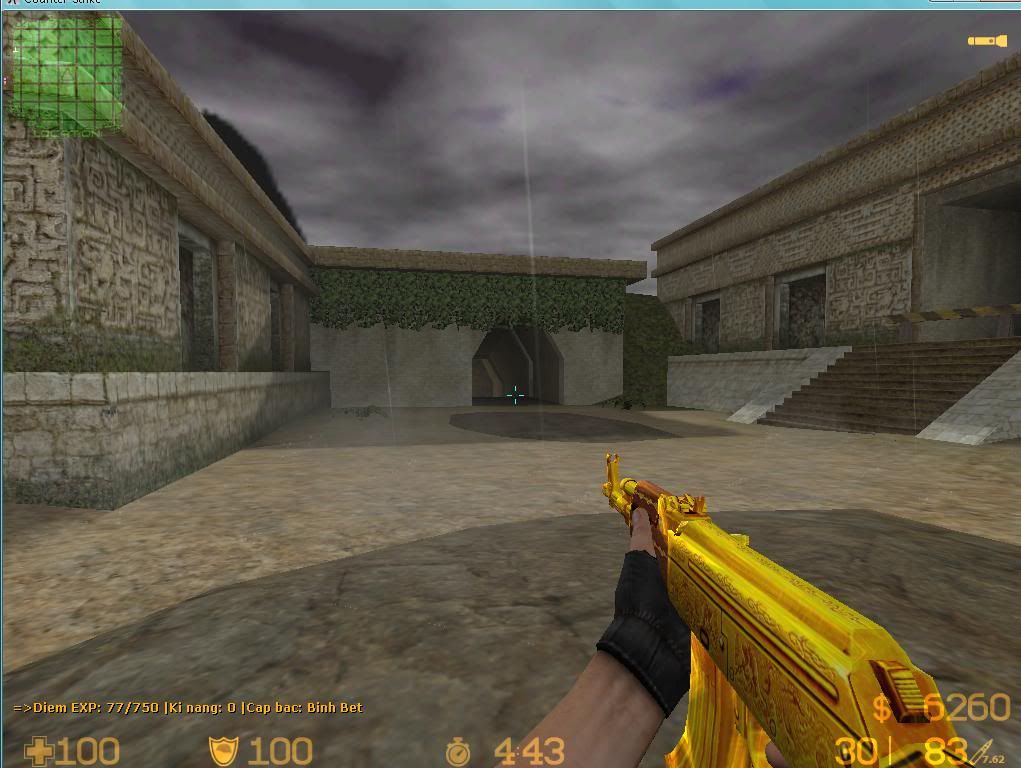
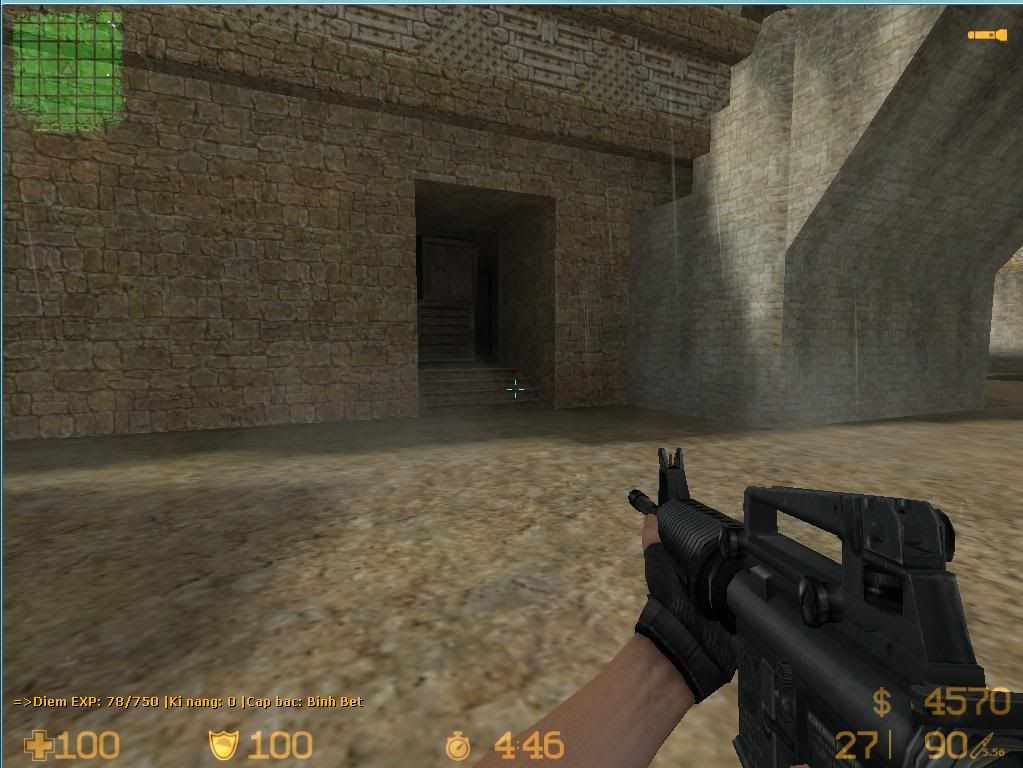
tôi có con này ...... ông chịu không ? hay muốn con tex như CF ( tức là cây default )
[SPOIL]
 [/SPOIL]
HÌNH TO QUÁ
[SPOIL]
tôi có con này ...... ông chịu không ? hay muốn con tex như CF ( tức là cây default )
[SPOIL]
HÌNH TO QUÁ
Chỉnh sửa cuối:
- 2/11/08
- 1,010
- 133,701
Vừa mới nhắc vụ share skin xong  .Share em khẩu M4A1
  .Nich chat :[email protected]
.Share em khẩu M4A1 .Nich chat :[email protected]- Status
- Không mở trả lời sau này.
Similar threads

- Trả lời
- 0
- Đọc
- 276
- Trả lời
- 0
- Đọc
- 400

- Trả lời
- 0
- Đọc
- 97
- Trả lời
- 0
- Đọc
- 136