[Apps, games, themes, wallpapers] Windows Mobile & Windows Phone

Opera Mini 5b NATIVE version for Windows Mobile

opera-mini-5.jpg


Phần mềm lướt web phổ biết trên di động, dành cho hê điều hành Windows Mobile

Excerpts from Opera Mini team ::

Today we launched the native version of Opera Mini 5 beta for Windows Mobile 5- and 6- based handsets.

By integrating Opera Mini with the Windows Mobile platform we are able to deliver an optimized version of Opera Mini that dramatically improves performance and the overall user experience.

While Opera Mini traditionally requires Java, the new Windows Mobile version does not, which means the Java Virtual Machine (JVM) on the Windows Mobile device is no longer needed to run Opera Mini.


The native version of Opera Mini 5 beta for Windows Mobile includes the same rich feature set as the Java-based version, and is available in 58 fully-translated languages.

To download Opera Mini 5 beta for Windows Mobile handsets visit http://m.opera.com/next using your phone's native browser. If you have problems with the installation, delete your current one first, then try again.

As always, we welcome your feedback in our forum, and please report any bugs in our bug report wizard. Thanks!

Best Regards,
The Opera Mini team

Download:
Mã:
http://m.opera.com/mini5wm.cab?act=dl&tag=mini5wm
 
Resco Media Suite v8.05

Bộ phần mềm nhiều chức năng gồm quản lý tập tin, xem và chỉnh sửa ảnh, thu âm, radio.

1jryw6.png


Resco Explorer
is a powerful file management utility for your Pocket PC. It implements all standard features such as file/folder manipulation. Thus, you can copy, move or delete files, create folders, run programs with arguments, and search for files or folders.
Resco Explorer is complex solution of the next modules:
· The File Manager
· Recycle Bin
· ZIP Compression
· Strong File Encryption
· Build-in viewer
· Network Browser
· Registry Editor
· FTP client

Resco Photo Manager Standard Edition
· upload to the social networks:
· Flickr, Facebook, Picasa, Twitter
· touch optimized with gestures
· add GPS position to any of the images
· editing tools (resize, crop, set image as Home Screen, color corrections, attach drawings and much more)
· add to contact -- an easy way to add enhanced and cropped photos to your contacts
· impress your clients, colleagues or friends with a slide show presentation

Resco Audio Recorder
· a must-have and easy to use application with real-time MP3 voice recording capability
· the compact and ergonomic design gives it an outstanding price/performance ratio
· suitable for any use including business, study, fun and language learning
· implemented Voice Activation System (VAS)
· allows you to record while the display is switched off (saves battery during recording)
· allows you to mark parts of recordings with TAGS and save these tags
· allows you to schedule recording

Resco Pocket Radio
· player for internet streaming radio broadcasting in MP3 or Ogg Vorbis format
via: Imserba Cell Phone Download & Community http://www.imserba.com/forum/showthread.php?p=988493
· recorder for MP3 streams capable of recording to a storage card
· skin enabled, easy-to-use user interface with 9 preset buttons for fast radio tuning
· scheduler for recording of regular radio programs
· extensive list of predefined radio stations with the most popular stations from all over the world
· optimized for Windows Mobile 2003 SE with full QVGA/VGA portrait/landscape support

Thông tin thêm:
Mã:
http://www.resco.net/pocketpc/mediasuite/default.asp

Download (Chọn 1 trong các link):

Mã:
http://www.megaupload.com/?d=VNRIGK33
http://depositfiles.com/files/nlci5j6hg
http://uploading.com/files/bca92a42/
 
Sprite Backup v6.5.5 Build 11

Ảnh(nhấn vào link dưới để xem qua vài bức ảnh):
Mã:
http://www.spritesoftware.com/products/sprite-backup/full-edition

Tương thích: WM5, 6.0, 6.1, 6.5
Phần mềm hỗ trợ sao lưu dữ liệu đạt giải thưởng về phần mềm backup dành cho Windows Mobile 5 và 6

What makes Sprite Backup 6 the BEST?

* Support for Windows Mobile 6 Storage Card encryption - Only Sprite Backup will restore your encrypted data after a hard reset
* Fully automated off-device Backups - You don't just backup your PC to the internal hard drive. Do you?
* Unique Device Upgrade Mode - Restore to a replacement device or after a ROM Upgrade
* Desktop Companion - Browse your backup files or configure your backup schedule from the comfort of your desktop.

Product Features

* Supports ALL WM5 & WM6 Devices - Smartphone AND Pocket PC
* NEW Backup to FTP Server - Now supports remote backup for additional protection
* Backup to PC - Increased protection by moving backups off-device
* NEW Sprite PC Manager - Easy setup & instant data protection
* Sprite Explorer - PC Tool for browsing and extracting backup file contents
* Upgrade Mode Recovery - Restore to a replacement device or after a ROM Upgrade
* NEW Support for WM6 Storage Card encryption - Access ALL your data after a hard reset
* Full & Custom Backup and Restore operations - offers complete control
* Self-Extracting Backup Files - Restore backups without re-installing
* Automatic Scheduled Backup - ensures up to date content protection
* Automatic Backup File Management - Optimize storage space used

Thông tin thêm:
Mã:
http://www.spritesoftware.com/

Download:
Mã:
http://megaupload.com/?d=NT4SIVLO
 
Chỉnh sửa cuối:
Resco Keyboard Pro v.6.00

Phần mềm bàn phím ảo dành cho các model cảm ứng. Tương thích WM 2003 đến WM 6.5

2q3zo8g.jpg


Thông tin thêm:

It fully substitutes the built-in keyboard while offering superior features:

* Improved QWERTY Layout allows you to type the secondary symbols and national characters by simply holding the original letter.
* Slide your finger through the keyboard to switch the layout.
* Use 5 different layouts to enter texts including the calculator.
* Supports more than 20 national keyboards with the option to use up to 4 languages at a time.
* Includes editing functions and navigation buttons
* Sound addition (simulation of the sound of a typewriter).

Feature Details

The Keyboard allows you to customize your Pocket PC for fast insertion of frequently used phrases. The keyboard is fully skinnable and supports more than 20 national keyboard layouts.

New Features
• The main QWERTY Layout has been improved. The secondary symbols and national characters are now available after holding the original letter.
• Slide your finger through the keyboard to switch the layout.
• To access as many symbols as possible Resco has introduced a secondary symbol layout available from the original symbol/numerical layout.
• All the keyboard settings are now available from the start menu.

National keyboard layouts
• Gives you the ability to write in more than 20 languages (including Belgian, Canadian, Czech, Danish, Dutch, English, Finnish, French, German, Greek, Hebrew, Hungarian, Irish, Italian, Norwegian, Polish, Portuguese, Russian, Slovak, Spanish, Swedish, Swiss, Ukrainian).
• Each language is represented as a standalone keyboard. You may use up to 4 different languages at a time

New Navigation Layout
• The layout serves for better navigation in larger texts with more paragraphs. Contains copy, cut, paste, delete and select all buttons helpful in case you want to make quick one click operations with the already typed phrases.

Calculator
• You may enter either the result or even the step by step calculation straight into the text.

Frequently Used Phrases
• Fx layout allows you to write the frequently used phrases.
• Tap the cell to type the text, or hold the key to edit the phrase.

Custom keyboard layout
• Skilled users will be able to customize the keyboard layout by editing the textual description defining the characters assignment.

Download: Chọn 1 trong 3 link
Mã:
http://depositfiles.com/files/sh4t2lrir
http://sharingmatrix.com/file/8178549
http://uploading.com/files/fc7bfa13
 
Resco File Explorer v.8.05 Beta

Phần mềm quản lý tập tin, có tích hợp nhiều chức năng hữu ích. Tương thích WM 2003 đến WM 6.5

_RegistryEditor.png
_TodayPlugin.png
_TaskManager.png
_SocialNetwork.png

_LetterbarNavigation.png
_VirtualFolders.png
_QuickSearch.png
_ArchiveFiles.png


Thông tin thêm:

Full touch optimization
Quick and easy to use. Navigate through your files easily using your finger. Toolbar optimized for using your thumb for quick access.

Thumbnails View Mode
The new view mode displays previews of images. It becomes handy (improves the navigation) while seeking in folders with many image files.
The new Explorer can utilize tools and strengths of Resco Photo Manager. If users have both of these programs installed on a device, they will sense that the thumbnail loading is faster as well as the fact that it supports all the photo manager image types.

Upload to Social Network
The program is now able to upload image files to the most popular social networks including the largest web image database: Facebook, Flickr, Twitter, Picasa, MySpace and Photobucket.

Today Plugin
Today plug-in gets new shape and becomes totally customizable — add or remove phone tools, applications or documents. The eventual size of the plug-in, therefore, depends only on your choices.
Why is it useful to install the Resco Today Plugin ?
* Check your battery status and the free storage/memory directly on the Today screen.
* Launch your favorite applications and documents with a single tap.
* Browse the storage card with a single tap.
* Manage running applications with Task Manager
* Get the detailed storage properties.
* Use arrows for smart movement
* Additional skins ...

Task Manager
Avoid the complex process of managing tasks and apps in your PPC. Use the elegant, smooth and touch friendly interface of new Task manager. Easy to use, always at your service right on the home screen with catching graphics — that is the new Task manager from Resco.

Letter bar navigation
The side letter navigation bar lets you access your files faster
Features the letter preview of the files you would like to access with the specific files showing up instantly

Virtual Folders for all documents
All file types associated with what you are looking for can be found in these folders without the need to look for them in all your folders on the device or your storage card.
Instead they are all displayed in these virtual folders from where they can be retrieved easily anytime you need them.
Includes:

* Documents
* Encrypted Files
* Images
* Music
* Videos

You also have the option to create your own virtual folder with the file extensions which you plan to use frequently
Very useful when looking for files of the same type

The Quick Search Function
Using the keyboard, instantly search for files you need by typing in the starting letters of the file

The File Manager
The File Manager is the HEART of the Explorer.
It is stable and efficient and it provides the most comfortable way for file operations such as copying, moving, deleting, renaming, etc., including speed measuring.
It is great when you need to quickly search for files or file content. It speeds-up your work by using the Favorites folders. The system info keeps you informed about your system resources usage at all times.
With File Types Highlighting you will never oversee important file type.
Customizable keyboard shortcuts ensure you can run favorite features by pressing a single button.
Customizable startup folder ensures you will immediately start in a folder you really want to.

Recycle Bin
Resco Explorer now moves deleted files into a virtual folder "Recycle Bin" instead of immediate deletion.
If the file was deleted accidentally, it is now possible to restore it safely from the Recycle Bin folder.
Recycle Bin takes at most 10% of each storage. It is possible to choose the bigger or smaller space
for recycled files or disable the Recycle Bin completely.

Strong File Encryption
You can use the Enhanced Cryptographic Provider with strong algorithms such as RC2-128, DES-56, 3DES TWO KEY-112, 3DES-168.
We did our best to make the en/decryption process familiar looking and easy to use.
Additionally, you can also install a Windows 95/98/ME/2000/XP/Vista shell extension to use the encryption/decryption process on desktop PCs.

Archive files (ZIP, RAR)
ZIP Compression can be used to increase the storage space of any storage device.
Use of this handy tool is the simplest and cheapest way to save significant amounts of storage space.
The used ZIP algorithm is PC compatible, so you can extract archives created on a desktop PC and vice-versa.
Decompression of RAR archives included.

The built-in Viewer
The built-in Viewer can be used to view files in TXT, BIN or HEX format, as well as JPEG, GIF, BMP and PNG graphic formats.
The built-in viewer implements a very comfortable text search function.
Viewing files has never been so easy.
You can use the built-in viewer also to view encrypted files (decryption in memory)

The Network Browser
The Network Browser let's you discover and take advantage of the wired-up world directly from your device.
Simply map the shared network folders and work with them as easily as with the local ones.
Various settings allow you to set your network drive in the exact way as you desire.

The Registry Editor
The Registry Editor is for power users only.
It allows you to export, import, view or modify the registry keys.
The interface is very simple and very powerful at the same time.

The FTP Explorer
FTP Explorer gives the possibility to browse the FTP server's content directly in your Resco Explorer window. It adds the root below the "My Device" and the user is able to copy/move/delete/rename files the same way as if they were the local files.

What is new:
* Quick-search supports wildcards (*pattern?.exe)
* Bluetooth transfer 4 times faster on Microsoft Bluetooth stack
* Bluetooth - discovery window shows the paired devices (Microsoft Bluetooth stack only)
* Progress window is showing the remaining time
* Report view supports both directions scrolling (for more or longer columns)
* HW keyboard commands supported (Del, Tab, Ctrl+XY)
* Properties window - file name and location is scrollable and supports context menu
* Paste shortcut for more files
* Today plugin - option "Stay On Top"
* REG file import: silent import + key deletion ([-HKEY_...]) + comments
* FTP bug on UNIX servers (file names with uppercase extensions) fixed
* FTP activate cellular connection correctly
* Window size fixed
* Error message for invalid executables

Download: Chọn 1 trong 3 link
Mã:
http://depositfiles.com/files/egbor5btv
http://depositfiles.com/files/78flhwcyi
http://uploading.com/files/742495fb
 
Chỉnh sửa cuối:
SPB Keyboard v.4.2.1 Build.3287

100.png

200.png

300.png

400.png


Phần mềm bàn phím ảo của hãng SPB.

Thông tin thêm:

Full Screen(Toàn màn hình)
Screen-wide finger-friendly keyboard

• Covers the whole screen
• Big finger-friendly buttons
• Sliding popup for better aiming
• Gesture support

Half Screen(Nửa màn hình)
via: Imserba Cell Phone Download & Community
Half screen. Equal effect.

• Covers half of screen
• Enlarged buttons for better finger tapping
• Sliding popup for better aiming
• Gesture support
• Standard mode for typing in tall popup windows

Autocomplete
Autocomplete. Type faster!

• System dictionary and user dictionary
• Contains 8600 words in dictionary
• Up to three word suggestions

Hỗ trợ giao diện và các layout:
Best and easiest way to change layout and appearance

• Very lightweight skins
• Adaptive skins that can be adjusted to the main theme color
• 35 language layouts (Hỗ trợ 35 ngôn ngữ)


Những điểm mới ở phiên bản 4.2.1 (July 02, 2010):
• Bugfixes (Không biết nó fix cái gì nữa)

Download (1 trong 3 link):
Mã:
http://depositfiles.com/files/d7clw08fw
http://sharingmatrix.com/file/10589601
http://uploading.com/files/56cd8eb4
 
Chỉnh sửa cuối:
iPhoneToday v1.5.1

screen01e.png


Phần mềm giả lập màn hình iPhone cho Windows Mobile. Giao diện được thiết kế đẹp, bóng bẩy và hoàn toàn miễn phí.

Thông tin thêm:

Multiples screens (With animates transactions)
· Notification on icons for calls, sms, etc
· Is a Today (No problems when we push the home button, no problems with incoming calls, ...)
· Compatibility with others todays (By example: Date Today and iPhoneToday after), today height configurable
· QVGA, VGA, WVGA... (The user define the icon size and height screen)
· UI for Icons managing
· UI for configuration
· Very low memory
· FAST!

Download (1 trong 2 link):
Mã:
http://depositfiles.com/files/xtslq1mcw
http://megaupload.com/?d=9CKLFEBI
 
Vì hệ điều hành Windows Mobile được thay thế bởi Windows Phone nên topic cũng được đổi tên để theo kịp thời đại :D
 
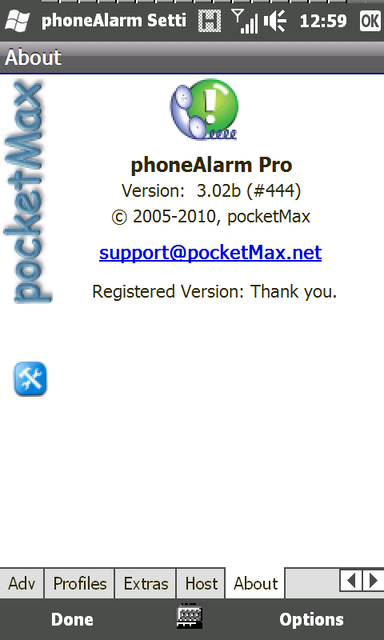
phoneAlarm Pro v3.02 Final Build 448

Tương thích: Windows Mobile 5 và 6
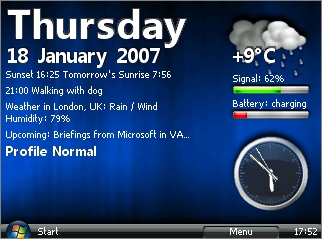
Chức năng: Là 1 plugin cho màn hình Today, cho phép nhắc nhở người dùng khi có cuộc gọi nhỡ, có Email, tin nhắn, ngoài ra nó còn có chức năng tối ưu hóa để tiết kiệm pin.

ua9sp.png


Thông tin thêm:
· Provides repeating alarms and escalating sound on new SMS/Email, missed calls & voice messages
· 7 Custom Phone profiles with manual / time-based automatic switching.
· Alarm notification on weak phone signal or battery
· Customise sound, volume and repeat for each alarm type in each profile
· Mute device and phone volume, also 1-click mute button
· Skinable user interface
· Bluetooth, WLAN & Flight mode control via profiles (also for Widcomm/Broadcomm stack)
· Auto-profile change on (Work) and (Car)
· Detailed GPRS volume tracking
· Billing calculation - keep track of your phone costs
· Location-based information (change profile dependent on current location!)
· Call and SMS forwarding support in each profile
· 1-hand dialer for last 10 numbers (only for WM 5.0 & WM 2003 SE)
· Icons provide direct access to Inbox, missed call history etc.
· Option to cycle radio (off/on) to change user on dual SIM
· Rotate screen on profile change
· English, German, French, Italian, Danish, Dutch, Czech, Russian and Chinese user interface
· Supports VGA display
· Simple installation

Những điểm mới trong phiên bản 3.02 [Build 448] (15th September 2010):
paHost shutdown on some Samsung devices and HTC HD2 fixedJapanese, Polish and Danish translations updated (many thanks to Kiyoaki, Sebastian and Pierre)New: Screenlock unlock via light sensorVoice Command support improved and backlight issue fixedImproved installer to handle issues with paHost in hidden modeImprove host handling when screen is rotatedOption to mark Calender logged calls as privateFix Image_AppLink10 issue in skinsFix issue with Appointment switch based on time ignored based on time-zoneSkin drawing on 480x800 WVGA devices improved
paHost shutdown on some Samsung devices and HTC HD2 fixed
Japanese, Polish and Danish translations updated (many thanks to Kiyoaki, Sebastian and Pierre)
New: Screenlock unlock via light sensor
Voice Command support improved and backlight issue fixed
Improved installer to handle issues with paHost in hidden mode
Improve host handling when screen is rotated
Option to mark Calender logged calls as private
Fix Image_AppLink10 issue in skins
Fix issue with Appointment switch based on time ignored based on time-zone
Skin drawing on 480x800 WVGA devices improved

Tải về:
Mã:
http://www.fileserve.com/file/HjjGHyg
 
iMobileTool Incoming Calls Blocker v.2.1

Phần mềm chặn cuộc gọi đa chức năng dành cho Windows Mobile, chưa thấy nó có hỗ trợ Windows Phone 7 hay không vì phiên bản 2.1 là phiên bản mới nhất tính đến thời điểm hiện nay (Thời điểm phát hành phiên bản 2.1 này là 08/02/2009 :|)

Tương thích với Windows Mobile 5 và WM6

Chức năng chặn các số trong danh sách đen (Blacklist), chặn số ngoài danh bạ (Unknown Numbers), Chặn số ẩn (Private Numbers), ... hoặc chỉ chấp nhận các số trong danh sách cho phép (Whitelist).

Một số hình ảnh:

how-to-block-incoming-calls-1.jpg
how-to-block-incoming-calls-3.jpg

how-to-block-incoming-calls-8.jpg
how-to-block-incoming-calls-9.jpg


Trang chủ:
Mã:
http://www.imobiletool.com/block-incoming-calls.html

Tải về (chọn 1 trong các link sau):
Mã:
http://depositfiles.com/files/4xuxky7ih
http://uploading.com/files/5m354f8f
 
JWMD Icon Changer 2.8b

JWMD Icon Changer là một công cụ để tối ưu Start Menu, tương thích với hệ điều hành Windows Mobile 6.5

Chức năng:
1. Thay đổi, xóa biểu tượng.
2. Tạo thư mục mới (New Folder)
3. Lưu và nạp chủ đề (Theme)
4. Sắp xếp các chương trình trong Start Menu.
5. Tạo đường dẫn cho tệp.
6. Thay đổi màn ảnh boot lúc khởi động máy.
7. Thay đổi màn hình boot Microsoft.

Yêu cầu: Phải cài đặt .NET phiên bản 3.5 Compact Framework cho Windows Mobile 6.5

Download here:
Mã:
http://www.mediafire.com/?bpe6t8wl2ds66hb
 
SPB Time v.3.4.0.Build.5254

Phần mềm về đồng hồ dành cho các máy dùng hệ điều hành Windows Mobile, nó có hỗ trợ 2 dạng đồng hồ là Analog và Digital.

99.png
101.png
102.png


200.png
302.png
104.png


Ưu điểm là có nhiều chức năng, giao diện được thiết kế đẹp. Có mục dành cho người dùng xem giờ thế giới, bạn có thể xem giờ ở bất cứ thành phố/nước nào trên thế giới, thích hợp cho những người có người thân đang ở nước ngoài. Bên cạnh đó, chức năng báo thức cũng không thể thiếu, bạn có thể cài đặt thời gian báo thức chẳng hạn thức dậy để đi làm, đi học. Lịch cũng không thể thiếu trong tiện ích này, cho phép bạn theo dõi ngày tháng hiện tại, thêm các nhắc nhở công việc...

Và còn nhiều chức năng khác, bạn tự khám phá :|

Download (CHọn 1 trong các link phía dưới):
Mã:
http://depositfiles.com/files/khw0q9umy
http://sharingmatrix.com/file/15184495
http://uploaded.to/file/mjf9zn
http://rapidshare.com/files/409813690/SPB.Time.v.3.4.0.Build.5254.CBD.CAB
 
Windows 7 Theme for Win Mobile by ~alkhan

windows7themeforwinmobi.jpg


Theme dành cho hệ điều hành Windows Mobile.

Cài đặt:
Cần phải có:
- Windows Mobile 2003 hoặc cao hơn.
- Wisbar Advance Desktop phiên bản 1.3.0.7 hoặc cao hơn (phải cài nó trước khi cài theme)
- Wisbar Advance 3 phiên bản 3.3d hoặc cao hơn (cài thứ 2 trước khi cài theme)

Các bước:
1. Cài đặt Wisbar Advance Desktop.
2. Cài đặt Wisbar Advance 3.
3. Chép thư mục "Windows 7" vào thư mục Theme trên điện thoại (Ở thư mục My Dispositive\Themes\Desktop)
4. Nhấn chọn menu Start->rograms->Wisbar Advance 3->Wisbar Advance Setting->Theme
4.1. Chọn Desktop Theme và theme Windows 7, sau đó đánh dấu.
4.2. Chọn Wisbar Theme và sau đó vào Menu->Install, đến thư mục theme WA3 đã cài đặt theo đường dẫn -> (Themes\Desktop\Windows 7\wa3 theme) và chọn Windows 7, đánh dấu là được.
5.Khởi động lại máy và tận hưởng \m/

Download:
Mã:
Settings\Sonomi\Desktop\Windows_7_Theme_for_Win_Mobile_by_alkhan.rar
 
Chỉnh sửa cuối:
Resco Explorer 2010 v8.10

intro.png


Phần mềm quản lý file chuyên nghiệp dành cho hệ điều hành Windows Mobile, tương thích với nhiều thiết bị, xem chi tiết các model hỗ trợ ở link dưới, nhấn vào nút Supported Devices:
Mã:
http://www.resco.net/pocketpc/explorer/default.asp#

Các chức năng chính:

- Upload to Social Network: tải các tập tin nhạc, hình ảnh... lên mạng xã hội.
- WebDAV support: hỗ trợ HTML, FTP...
- Today Plugin: nhiều plugin cho màn hình Today.
- Task Manager: quản lý các phần mềm đang chạy.
- Full Touch Optimization: tối ưu và hỗ trợ các thiết bị cảm ứng.
- Quick Search Function: chức năng tìm kiếm nhanh.
- The Registry Editor: chỉnh sửa registry trên thiết bị.
- ZIP Compression: tiện ích nén/xả nén tệp.
- Recycle Bin: thùng rác, hehe.
- Và rất nhiều chức năng đáng dùng khác.

Download(chọn 1 trong các link nhé các tình yêu):
Mã:
http://depositfiles.com/files/nd2sviv01
http://www.filesonic.com/ru/file/18918463
http://uploading.com/files/cdff9bce
http://uploaded.to/file/v7joao

Download về, chép vào điện thoại và dùng thoải mái. Bản fuLL. Xem thêm tại trang chủ:
Mã:
http://www.resco.net/pocketpc/explorer/default.asp
 
SoftMaker Office 2010 Multilanguage Retail

tmp10.png
pmp10.png
prp10.png


Phần mềm xem, chỉnh sửa các tập tin Microsoft Word, Excel, PowerPoint dành cho hệ điều hành Windows Mobile.

Thông tin thêm:
In an ideal world, you could create a file in Microsoft Office on your desktop computer, put it on your Pocket PC, edit and format it on the road, and then send it back to the office, with content and all formatting still intact.

Unfortunately, it does not work that way. Microsoft's Office Mobile is, after all these years, still not able to reliably open Microsoft Office files without massive data loss – all functions and formatting that it does not know, are silently stripped and thrown away. After Office Mobile touched them, many files share only a distant resemblance with what they once were.

Enter SoftMaker Office 2010 for Windows Mobile. This full-featured office suite lets you open, edit, and save any Microsoft Word, Excel, or PowerPoint file on your Windows Mobile device. Directly and without conversion, retaining all the formatting, functions, and contents of your Office files.

SoftMaker Office offers the full feature set of a modern desktop-class office suite:


TextMaker: All the high-end features of your desktop word processor in a friendly, speedy package for Windows Mobile. Fully compatible with Microsoft Word.


PlanMaker: The feature-packed spreadsheet that gives you full Excel power on your mobile computer. Fully compatible with Microsoft Excel.

Name : Lord Yuz/Team ShareFree PDA
Email : [email protected]
Serial: 2T7RR-TYHQW-7UMBO-YKFFR-YJJJJ

SoftMaker Presentations: All the transitions, animations, designs, and layouts that you know from PowerPoint... take them with you wherever you go. Fully compatible with Microsoft PowerPoint.


SoftMaker Office lets you complete on the road all the tasks for which you use Word, Excel, and PowerPoint on your desktop computer.

Imagine that: An office suite on Windows Mobile that works just like Microsoft Office on your desktop computer!

Download:
Mã:
PlanMaker 2010 Rev 586 for Windows Mobile:
http://www.filesonic.com/file/16613815
http://www.fileserve.com/file/NJeUFYx

http://freakshare.net/files/5r1rbn6c/PM2010.rar.html
http://hotfile.com/dl/61548828/1f3e2ff/PM2010.rar.html

Presentations 2010 Rev 586 for Windows Mobile:
http://www.filesonic.com/file/16613871
http://www.fileserve.com/file/Vc236ek
http://freakshare.net/files/l3shf0fl/PT2010.rar.html
http://hotfile.com/dl/61549236/b35f8a1/PT2010.rar.html

TextMaker 2010 Rev 586 for Windows Mobile:
http://www.fileserve.com/file/z35Vu9y
http://www.filesonic.com/file/16613901/
http://freakshare.net/files/0sl1t75q/TM2010.rar.html
http://hotfile.com/dl/61549351/cccd99e/TM2010.rar.html
 
Wing Home v1.04.90

Tương thích: WM6 đến WM6.5

2d6mic4.gif


Những điểm đáng chú ý của phần mềm này:

- 3 widget miễn phí: Appointment, Bookmarks, Memo
- Chức năng kéo widget và shortcut
- CHuyển đổi qua lại giữa các màn hình dễ dàng và nhanh chóng
- 3 kiểu màn hình khác nhau
- Hiển thị theo dạng 3D cube

Download:
Mã:
Màn hình WVGA:
http://www.fileserve.com/file/Qznrhgp
hoặc:
http://www.filesonic.com/file/18081629/WingHome.WVGA.v1.04.90.full.cab

Màn hình QVGA:
http://hotfile.com/dl/65522571/d8291ef/WingHome.QVGA.v1.04.90.full.cab.html
hoặc:
http://www.fileserve.com/file/Fczuhpm

>> Đăng ký bằng 16 số bất kỳ.
 
Spb Wallet v.2.1.2 build 12118

200.png
201.png
202.png

203.png
204.png
301.png

300.png
301.png
307.png


SPB Wallet là 1 tiện ích dùng để bảo vệ và quản lý các thông tin cá nhân của người dùng, cho phép đặt mật khẩu để bảo mật các thông tin như tài khoản ngân hàng, mật mã két sắt, số PIN Code, tài khoản trên internet như Yahoo Messenger, Google Mail, trên các 4rum... Bạn sẽ không cần phải nhớ làm gì cho mệt vì chương trình đã đảm nhiệm việc nhớ này dùm bạn roài, hiện nay chương trình đã hỗ trợ cho hệ điều hành Symbian S60.

Tương thích:
Windows Mobile 6.5 Professional
Windows Mobile 6.1 Professional
Windows Mobile 6.1 Classic
Windows Mobile 6 Professional
Windows Mobile 6 Classic
Windows Mobile 5 Phone Edition
Windows Mobile 5 Pocket PC

Ghi chú: các model có độ phân giải 320x480 không được hỗ trợ, nghĩa là nó không chạy trên độ phân giải này :|

Download (chọn 1 trong các link ở dưới - không cần số đăng ký):
Mã:
http://depositfiles.com/files/n7uy88p3b
http://sharingmatrix.com/file/1577695
http://uploading.com/files/23dfc8bf
http://rapidshare.com/files/349419138/SPB.Wallet.v.2.1.2.build.12118.zip
 
anh Mod ơi diễn đàn kô có 2pic hỏi&đáp dành cho ppc ạh ?
 
Hỏi đáp thì bạn có thể vào topic hỏi đáp chung về tất cả các dòng máy là được.
 
JGUI Vista Interface v3.3 (Lastes Version - Freeware)

Phần mềm thay đổi, tùy biến giao diện cho các máy dùng hệ điều hành Windows Mobile.

Những thay đổi ở phiên bản 3.3:

fixes for VGA screens
unlocking mode updated

screen1.jpg
screen9x.jpg
screen71x.jpg


Bạn có thể chọn hình nền tùy ý, nhưng phải chú ý đến độ phân giải của máy mà mình đang sử dụng. Giao diện giống hệ điều hành Windows Vista.

Phần mềm này hoàn toàn miễn phí, cập nhật phiên bản mới + download ở đây:

Mã:
http://www.jgui.net/black/vistaspinterface/index.html
 
Back
Top