

Navigation
Install the app
How to install the app on iOS
Follow along with the video below to see how to install our site as a web app on your home screen.
Note: This feature may not be available in some browsers.
Thêm tùy chọn
Style variation
-
[THÔNG BÁO] CẢNH BÁO LỪA ĐẢO MẠO DANH QUẢN TRỊ VIÊN
Chào các thành viên GameVN,
Dạo gần đây tình trạng lừa đảo scamming và phishing đang gia tăng. Ban quản trị GameVN xin lưu ý toàn bộ thành viên:
KHÔNG/ ĐỪNG / CẤM cho bất kỳ ai tự xưng là quản trị viên của server vay tiền.
Mọi hành vi lân la làm quen, tự tiện nhắn tin trên Discord, Facebook, Zalo hoặc các nền tảng mạng xã hội khác,
núp bóng dưới danh nghĩa sinh hoạt của quản trị viên, đều có tỉ lệ rất, rất cao là lừa đảo.
Nếu có tài khoản lạ add friend hoặc nhắn tin xin tiền dưới danh nghĩa admin:
Block ngay
Report ngay
Không chuyển khoản, không cung cấp thông tin cá nhân
Quản trị viên của forum và Discord server GameVN không có nhu cầu vay tiền thành viên.
Không có lý do nào để admin chủ động kết bạn rồi xin tiền.
Mọi thông báo chính thức chỉ được đăng trên kênh thông báo của server và topic chính thức trên forum.
Tin nhắn riêng từ tài khoản lạ không phải thông báo của ban quản trị.
Cảm ơn các bạn đã chú ý và cùng giữ cộng đồng an toàn.
— Ban quản trị GameVN
Tắt thông báo bằng nút X bên góc phải của bảng thông báo*
You are using an out of date browser. It may not display this or other websites correctly.
You should upgrade or use an alternative browser.
You should upgrade or use an alternative browser.
[DotA 2] - Bình luận, chém gió tại đây!
- Thread starter Lò Văn Dí
- Ngày gửi
- Status
- Không mở trả lời sau này.

 cạch luôn


duc0709
Mr & Ms Pac-Man
- 21/4/12
- 131
- 31
AAAAAALIIIIIIIIIIIIIIIIIIIIIIIIANNNNNNNNNNNCEEEEEEEEEEEE
bác đừng post dư lày mấy bẹn kia lại bị kích thích
 )
)

WarDestiny
Legend of Zelda
- 2/2/12
- 985
- 0
[A] đã không làm mình thất vọng ... chẳng có hy vọng nào cho EG  silencer hú lên cái là tinker như cục thịt di động
silencer hú lên cái là tinker như cục thịt di động
duc0709
Mr & Ms Pac-Man
- 21/4/12
- 131
- 31
xem rep or xem live như nào đấy bạn ơi,giải này có phải mua vé k???[A] đã không làm mình thất vọng ... chẳng có hy vọng nào cho EG

- 16/2/07
- 58
- 33
xem rep or xem live như nào đấy bạn ơi,giải này có phải mua vé k???
http://dota2lounge.com/match?m=3263
Vào là xem thôi, k mất vé


- 14/2/10
- 8,447
- 5,358
Hỏi ngu, đổi pass steam ở chỗ nào vậy các bác?
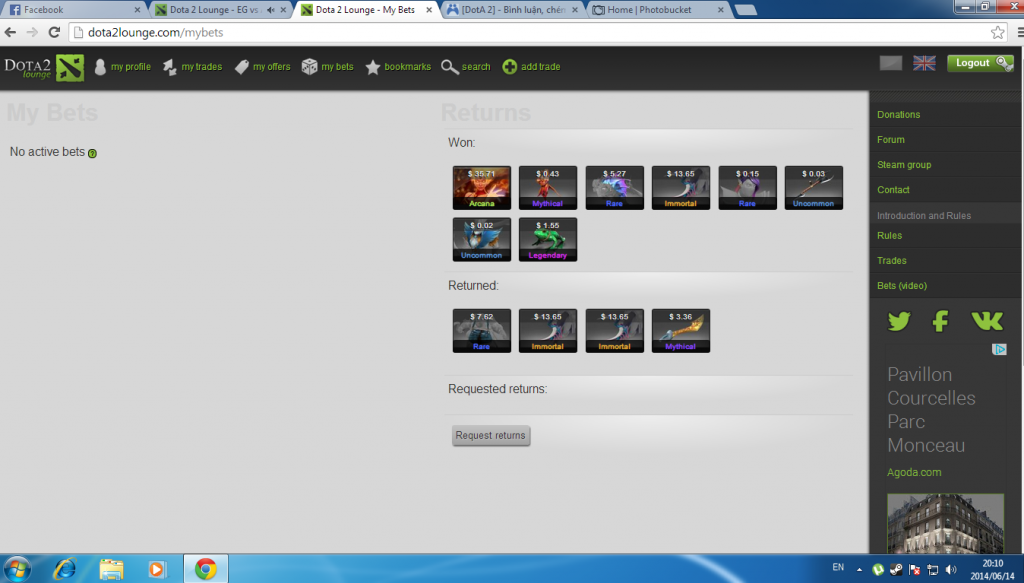
Chẳng là đăng ký cái tài khoản steam từ lâu rồi mà toàn để tự động đăng nhập, lâu quá quên luôn. Giờ muốn đăng nhập bằng nick steam vào mấy trang bet mà không được (lại còn lỡ để cái chế độ đăng nhập bằng máy khác nó gửi mã về email bắt nhập ).
).
Chẳng là đăng ký cái tài khoản steam từ lâu rồi mà toàn để tự động đăng nhập, lâu quá quên luôn. Giờ muốn đăng nhập bằng nick steam vào mấy trang bet mà không được (lại còn lỡ để cái chế độ đăng nhập bằng máy khác nó gửi mã về email bắt nhập
).
- 16/2/07
- 58
- 33
Hỏi ngu, đổi pass steam ở chỗ nào vậy các bác?
Chẳng là đăng ký cái tài khoản steam từ lâu rồi mà toàn để tự động đăng nhập, lâu quá quên luôn. Giờ muốn đăng nhập bằng nick steam vào mấy trang bet mà không được (lại còn lỡ để cái chế độ đăng nhập bằng máy khác nó gửi mã về email bắt nhập
Changing your password and secret question on Windows
Please use your new assigned password to log in to your Steam account through the Steam client.
Once logged into Steam, click the Steam menu and select Settings.
Under the Account tab click the Change password... button.
Select either (you will need to complete this process twice to change these features):
I want to change my password.
or
I want to change my secret question.
Then click the Next > button.
Enter your current password to authorize the change.
To change your password, enter your requested password twice.
To change your secret question, select a question from the list and enter your answer in the bottom text box.
Note: Answers to secret questions are case-sensitive and must be spelled exactly as you enter it here.
Click the Next > button.
You will receive a notice that your password or secret question has been accepted. Click Finish to complete the process and return to the Steam Settings menu.


 may trận này thấy mùi máu chơi ít


- Status
- Không mở trả lời sau này.
Similar threads

- Trả lời
- 0
- Đọc
- 274
- Trả lời
- 0
- Đọc
- 95

- Trả lời
- 0
- Đọc
- 67