[PC][BETA] Crysis 2

Status
Không mở trả lời sau này.
vẫn có thể optimize cho console :) vãi quá ông anh nổi hứng đòi lại con GTX 580 =)) mình gắn lại card cũ HD 3870 vào thế là rớt fps thảm hại =)) thôi thế là test cũng đc rồi :D giờ xóa đợi bản retail ra chạy qua máy mới của ông anh chơi luôn =))

580 của bác chạy res bao nhiêu mức thiết lập nào fps bao nhiêu?, đang nhắm con đấy :D
 
đang băn khoăn là với cấu hình này các bạn console chiến kiểu gì đây :) không nhẹ như mình tường

console vẫn chiến được mà , nó phải tính toán sao cho ~30 fps thôi .
Buồn mỗi hình như console multiplayer có 6vs6 do giới hạn phần cứng thì phải , mong PC multi đông hơn ;)) .
 
Mới check qua thì cấu trúc của mấy file script vẫn y như Crysis -> thuận lợi cho các modder. Tương lai khi phát hành hi vọng game vẫn hỗ trợ mod tốt.
 
580 của bác chạy res bao nhiêu mức thiết lập nào fps bao nhiêu?, đang nhắm con đấy :D

màn hình cùi 20 inch max 1600x900, hardcore setting chạy 62,5 fps locked, để tháng sau ông anh tậu máy mới mua màn hình mới rồi nhảy qua chơi ở 1920x1080 nó như thế nào :-? ( mà chắc là vẫn mượt vì GTX 580 bản ref VRAM tới 3 Gb lận :D )

có 1 điều là GTX 580 ref chơi game nặng như Crysis 2 1 thời gian thì rất là nóng, khoảng 70 độ gì đấy ko nhớ nữa ...
 
70 độ là mát r80+ SLi gtx 480 này. Thì ra ông chậy 1650 làm tính bán hai thằng gtx 480 đổi 580 hehe.
 
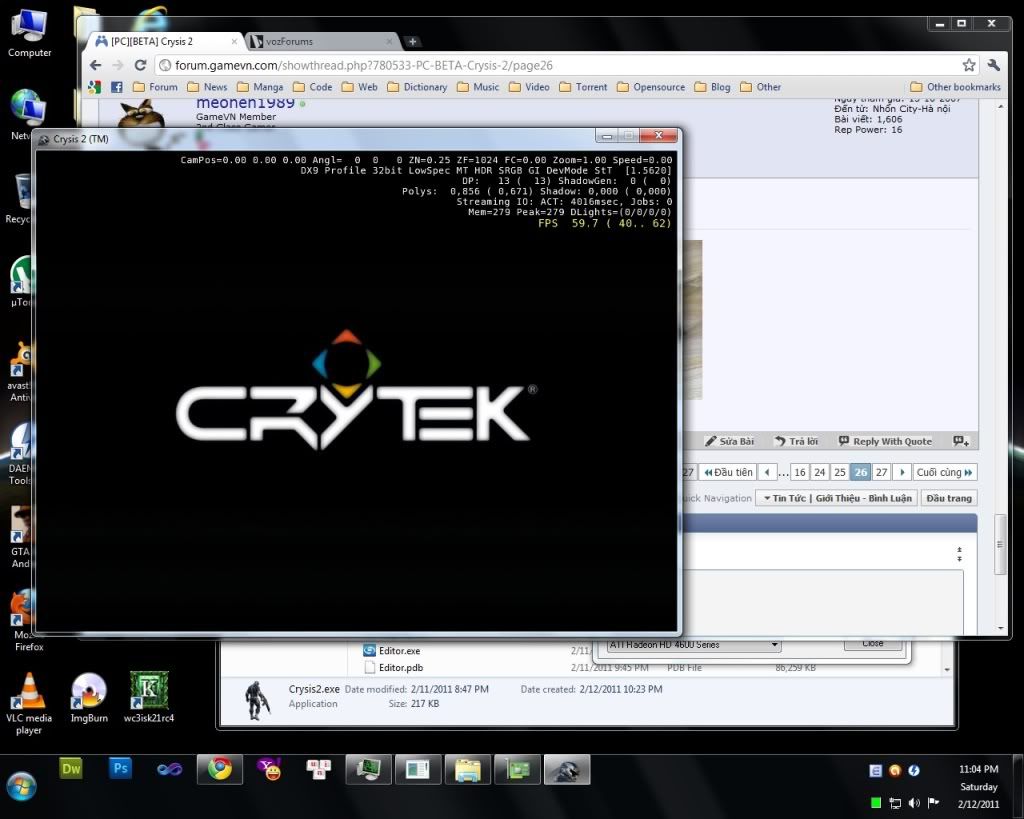
mình bị cái kiểu ,nó hiện mỗi thế này ,xong đơ lun T_T chả hiểu ra làm sao nữa

crysis2.jpg

Sau 1 hồi mò mẫm, mình cũng đã tìm được cách khắc phục cái vụ này:
[spoil]1. Tìm folder GameCrysis2 sẽ có file Videos.pak ~> mở bằng winrar rồi extract nó ra.
2. Xóa 3 file: CryEngine3.usm Crytek_logo.usm và EA_Sig.usm
3. Rar lại cái folder Videos vừa extract ra sau khi đã xóa 3 file trên rồi rename lại cái đuôi file thành .pak
4. Chép đè lên file Videos.pak cũ, nhớ backup lại file cũ đề phòng có vấn đề gì bất trắc XD.[/spoil]
Cách này nó sẽ skip luôn phần intro của game. Vừa test xong, ngon lành XD. Có điều hơi mất thời gian một tẹo...
Có tham khảo http://www.incrysis.com/forums/viewtopic.php?id=13506
Tuy nhiên chơi thử 1 đoạn thì thấy texture vỡ kinh khủng, không biết có phải do cái này không...
Cần kiểm chứng thêm
 
Chỉnh sửa cuối:
ông 2 con 1 lúc là ngon lắm rồi đổi lên làm gì nữa lol :d

Hình như nó không có support SLi nên chạy trung bình 40 tới 50 fps ở hardcore à nghe ổng 62 thèm quá :)
 
mấy tay bên cs.rin.ru vừa tìm cách để chơi multiplayer xong, qua mạng Lan :D
vào folder chính của Crysis 2

Chơi qua lan à :-? , mà mình tưởng hamachi chặn vn =m=! .
Với lại nếu chơi qua Lan thì máy host cũng phải trâu chó và line cũng phải ... khỏe lắm =m=!
 
Vừa chơi multiplayer xong
Vào system.cfg thay bằng những dòng sau
[Spoil]; crysis2
sys_game_folder=GameCrysis2
sys_dll_game=CryGameCrysis2.dll
sys_user_folder=Crysis2
r_ShadersRemoteCompiler=0 ; 0 means local shader compiling
r_displayInfo = 0 ; disable info at top right of screen
r_enableAltTab = 0 ; disable alt-tabbing, since it crashes the beta anyway
log_Verbosity = 1 ; only log errors
log_WriteToFile = 0 ; don't write log to file
sys_languages = "english,french,spanish,german,turkish"
sys_float_exceptions = 0 ; disable performance expensive float exceptions
net_inactivitytimeout = 32 ; nr. of sec until server trows inactive connection away (was set ridiculously high)
net_inactivitytimeoutDevmode = 32 ; same as above, but for Devmode (don't know why you'd want to play multiplayer in Devmode?)
g_enableInitialLoginScreen = 0 ; disable login screen at game startup
g_gamespy_loginUI = 0 ; disable multiplayer login screen
net_lanbrowser = 1 ; find LAN (local) matches instead of internet matches in multiplayer serverbrowser
net_initLobbyServiceToLan = 1 ; make LAN (local) lobbies instead of internet lobbies in multiplayer
sv_lanonly = 1 ; launch LAN only server
sv_servername = "LAN" ; server name (should show up in LAN serverbrowser)
sv_gs_report = 0 ; don't report to gamespy
sv_gs_trackstats = 0 ; don't send stats to gamespy
sv_cheatprotection = 1 ; we don't want to cheat now do we
s_SpeakerConfig = 2 ; 2 is stereo config, seems to provide more consistent quality compared to surround
s_FormatType = 3 ; 24 bit sample rate sound
cl_fov = 75 ; larger Field of View, not sure if it works properly
cl_nickname = "Hiepghe" ; nickname for multiplayer
i_mouse_smooth = 30 ; disable mouse smoothing completely (0 should disable smoothing, but doesn't entirely)
g_dlcPurchaseOverwrite = 1 ; "Cheat to unlock DLC content on PC without purchase" -Crytek
g_ignoreDLCRequirements = 1 ; shows servers in browser that run DLC you don't have
g_presaleUnlock = 1 ; 1 unlocks presale content without voucher
g_skipIntro = 1 ; skips all intro movies
g_useOnlineServiceForDedicated = 0 ; dedicated server in LAN mode (don't know for sure, this config crashes dedicated server anyway)
e_TerrainDeformations = 1 ; possible to deform terrain

[/Spoil]
Các bác download tunngle tại đây
Tạo 1 account
Đăng nhập vào tunngle, vào Network chọn Search
Tìm Crysis 2, rồi chạy Crysis2.exe
Tìm Server và chơi
 
Chỉnh sửa cuối:
giờ mới dow xong :))
vào test thử
Q9550+ 4850=> Advanced res 1920x1080 ~ 30 FPS :(
 
Chỉnh sửa cuối:
#1 Updated, Repack Added ..

Change Graphic Setting (Custom)
[spoil]1. In the main Crysis 2 folder (where system.cfg is located) Make a new file called whateveryouwant.cfg
2. In that new file paste this code:
Mã:
r_width=1920
r_height=1080
r_DepthOfField=1
r_MotionBlur=3
r_sunshafts=1
r_UseEdgeAA=1
r_Flares=1
r_Coronas=1
r_colorgrading=1
r_GlowScreenMultiplier = 0.2

sys_spec_Quality=4
e_sky_type=1
e_sky_update_rate=1
r_DetailTextures=1
r_DetailNumLayers=2
r_DetailDistance=8
r_HDRRendering=2
r_SSAO=1
r_SSAO_quality=2
r_SSAO_radius=2
r_refraction=1
e_ram_maps=1
sys_flash_edgeaa=1
e_vegetation_use_terrain_color=1
e_terrain_ao=1
e_terrain_normal_map=1
e_max_entity_lights=16
r_UsePom=1
r_EnvTexUpdateInterval=0.05
r_TexturesFilteringQuality=0
r_HairSortingQuality = 1
r_FillLights = 14
e_particles_lights = 1


i_lighteffects = 1
g_ragdollMinTime = 15.0
g_ragdollUnseenTime = 2
g_ragdollDistance = 40.0
g_battleDust_enable = 1


e_obj_quality=4
e_proc_vegetation=1
ca_useDecals=1
e_decals_allow_game_decals=1
e_decals_life_time_scale=2
e_lod_ratio=6
e_lod_min=0
e_lods=1
e_view_dist_ratio_detail=30
e_view_dist_ratio_vegetation=45
e_vegetation_min_size=0
i_rejecteffects=1
e_vegetation_bending=2
sys_flash_curve_tess_error=2
e_view_dist_ratio=60
e_max_view_dst_spec_lerp=1
e_vegetation_sprites_distance_custom_ratio_min=1
e_vegetation_sprites_distance_ratio=1.5
e_detail_materials_view_dist_xy=2048
e_detail_materials_view_dist_z=128
es_DebrisLifetimeScale=1
e_cbuffer_resolution=256
e_dissolve=1
ca_DrawFaceAttachments=1
ca_AttachmentCullingRation=200
e_terrain_occlusion_culling_max_dist=200

r_WaterRefractions=1
r_WaterReflections=1
r_WaterUpdateFactor=0.05
e_water_tesselation_amount=10
e_water_tesselation_swath_width=10
r_WaterUpdateDistance=0.2
r_WaterCaustics=1
r_WaterReflectionsQuality=4
e_water_ocean_fft=1
q_ShaderWater=2
r_WaterReflectionsMinVisiblePixelsUpdate = 0.05

r_Beams=3
r_BeamsDistFactor=0.05
r_BeamsMaxSlices=200
e_Clouds=1
r_CloudsUpdateAlways=1


e_shadows = 1
r_ShadowBlur=3
e_shadows_max_texture_size=1024
r_ShadowJittering=2.5
e_gsm_lods_num=5
e_gsm_range=3
e_shadows_cast_view_dist_ratio=0.8
r_ShadowsMaskResolution=0
e_shadows_on_alpha_blended=1
e_shadows_from_terrain_in_all_lods=1
e_gsm_cache = 0

e_cull_veg_activation=50
g_joint_breaking=1
g_tree_cut_reuse_dist=0
p_max_MC_iters=6000
e_phys_foliage=2
es_MaxPhysDist=200
es_MaxPhysDistInvisible=25
e_phys_ocean_cell=0.5
e_foliage_wind_activation_dist=25
g_breakage_particles_limit=250
p_max_object_splashes=3
p_splash_dist0=7
p_splash_dist1=30
p_splash_force0=10
p_splash_force1=100
p_splash_vel0=4.5
p_splash_vel1=10
v_vehicle_quality=4
p_max_substeps_large_group=5
p_num_bodies_large_group=100

e_particles_quality=4
e_particles_lod=1
e_particles_max_emitter_draw_screen=32
r_UseSoftParticles=1
e_water_ocean_soft_particles= 1
e_particles_object_collisions=1
3. Change those first two lines of the previous code to your appropriate resolution
4. When you enter a game press the tilde (~) key and type in: exec whateveryouwant.cfg[/spoil]
 
Chỉnh sửa cuối:
đây là bản BETA nên chắc đồ họa chưa ổn định nhỉ
hi vọng bản chính thức ra mắt nó "nhẹ" hơn cho con 9800GT cà lổ cổ sỉ được nhờ
 
game đỉnh có khác mới sáng ra có repack cài 15 min có nhạc chờ :))Mà chơi multi chắc ít lổi nhỉ anh em down về hết chưa tạo room chơi
 
Chỉnh sửa cuối:
Status
Không mở trả lời sau này.
Back
Top