


tenmadiea
Donkey Kong
- 28/3/08
- 311
- 2
---ĐÃ CÓ 1 BÀI BÊN xboxn NHƯNG EM LÀM THÊM 1 BÀI Ở GAMEVN NÀY ĐỂ ANH EM BÀN LUẬN CHO XÔM  ! VỀ EM - EM CHƠI PC LÂU RÙI NHƯNG CONSOLE THÌ GIỜ MỚI ĐỤNG ĐẾN VÀ PS3 (HACK ĐÃ QUÁ
 ) LÀ CÁI MÁY EM VỪA MUA NHƯNG NÓ KHÔNG VỪA Ý EM ( VỀ ĐỒ HỌA LẪN ĐA NỀN VÀ CẢ TAY CẦM ĐỂ CHƠI FPS
  ) THẬT VẬY NÊN EM ĐÀNH CHỜ EM XBOX SLIM RA ĐỂ THƯỞNG THỨC GAME ! CÒN VÌ SAO PS3 "KHÔNG THÕA MÃN" EM VỀ ĐỒ HỌA THÌ EM XIN P/S SAU (CHỈ THẢO LUẬN KHÔNG PHẢI WAR NHÉ CÁC BÁC )
! VỀ EM - EM CHƠI PC LÂU RÙI NHƯNG CONSOLE THÌ GIỜ MỚI ĐỤNG ĐẾN VÀ PS3 (HACK ĐÃ QUÁ) LÀ CÁI MÁY EM VỪA MUA NHƯNG NÓ KHÔNG VỪA Ý EM ( VỀ ĐỒ HỌA LẪN ĐA NỀN VÀ CẢ TAY CẦM ĐỂ CHƠI FPS ) THẬT VẬY NÊN EM ĐÀNH CHỜ EM XBOX SLIM RA ĐỂ THƯỞNG THỨC GAME ! CÒN VÌ SAO PS3 "KHÔNG THÕA MÃN" EM VỀ ĐỒ HỌA THÌ EM XIN P/S SAU (CHỈ THẢO LUẬN KHÔNG PHẢI WAR NHÉ CÁC BÁC ) ---vâng phần "tự sướng" đã xong giờ em mạo muội lập "thớt" này để thảo luận cho đỡ thèm nhừng ngày dài cổ đợi bản hack em slim này ! ( biết là có thớt rùi nhưng thớt kia loãng quá nên mạo muội lập thớt này)

---Và theo NGUỒN thì em X360USB PRO đã và đang chuẩn bị lên kệ ! nói thật là preview nó chứ em nhìn vào chả biết là dùng cái này xong thì chơi game sẽ thế nào :woot: ! mong anh em chỉ giáo thêm ! chẳng qua nhìn đã quá làm cái thớt để anh em vào chém cho nó CÓ THÊM KINH NGHIỆM

***ĐÂY LÀ CHÍNH EM NÓ***
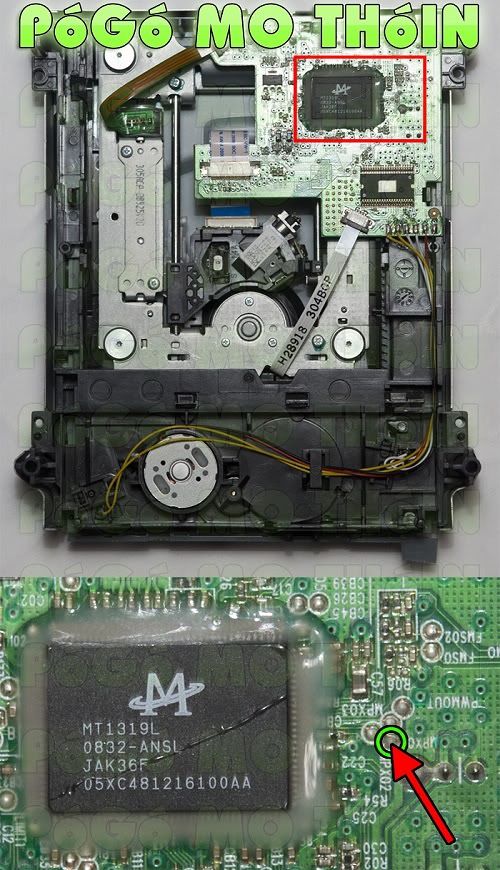
o00 nguyên văn đây là bài hướng dẫn của tụi nó 00o
[SPOIL]POGO MO THOIN – USING JUNGLEFLASHER 0.1.79 Beta[/SPOIL]
First of all you need to create your PMT Probe. This requires, basically 3 items
1.
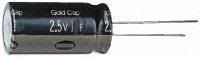
A Electrolytic Capacitor 1.0F 2.5v
2.
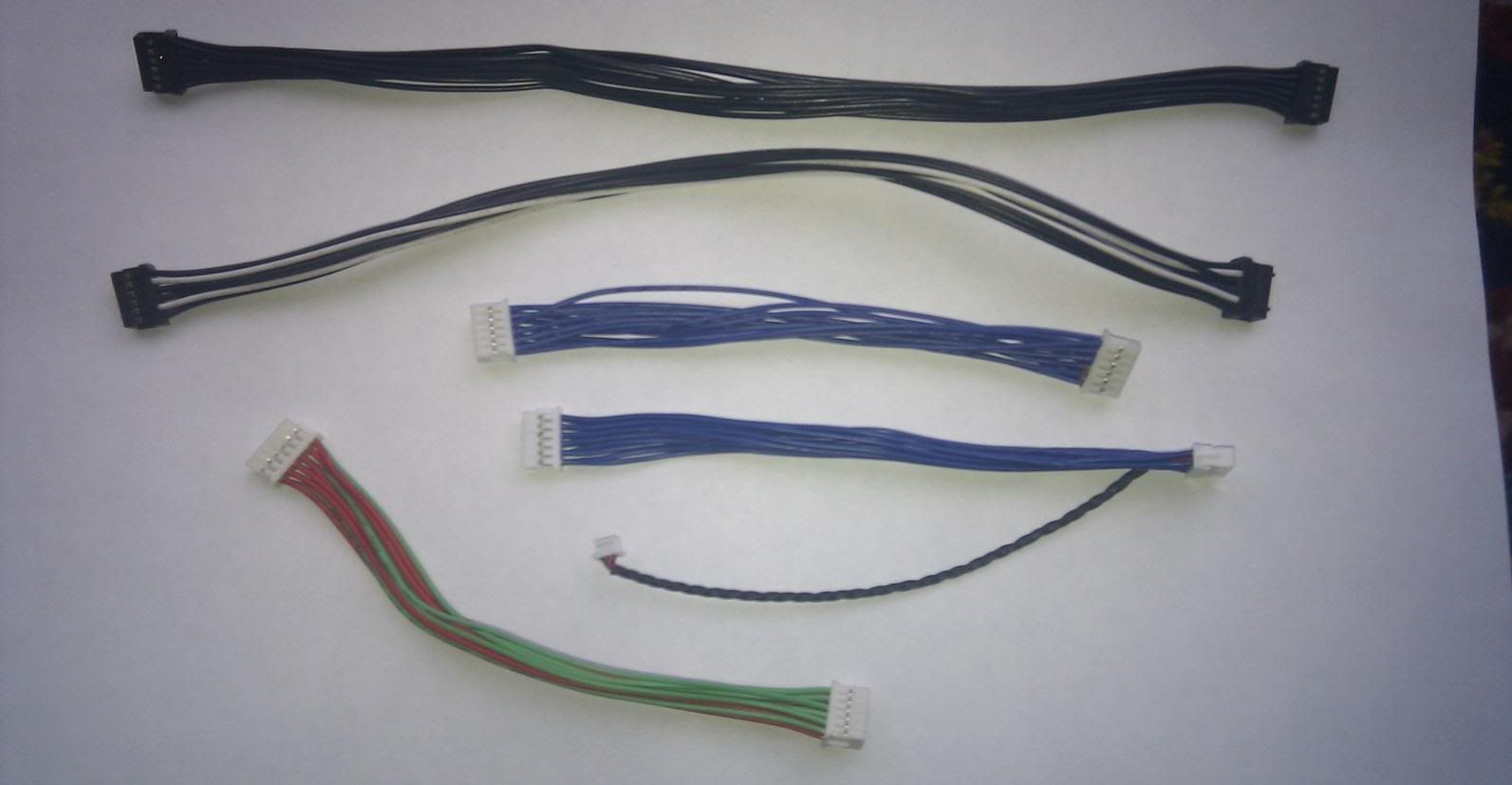
Your drive power cable (maybe some spare wires too)
3.
A probe (could be a pin – just something solid you can probe with)
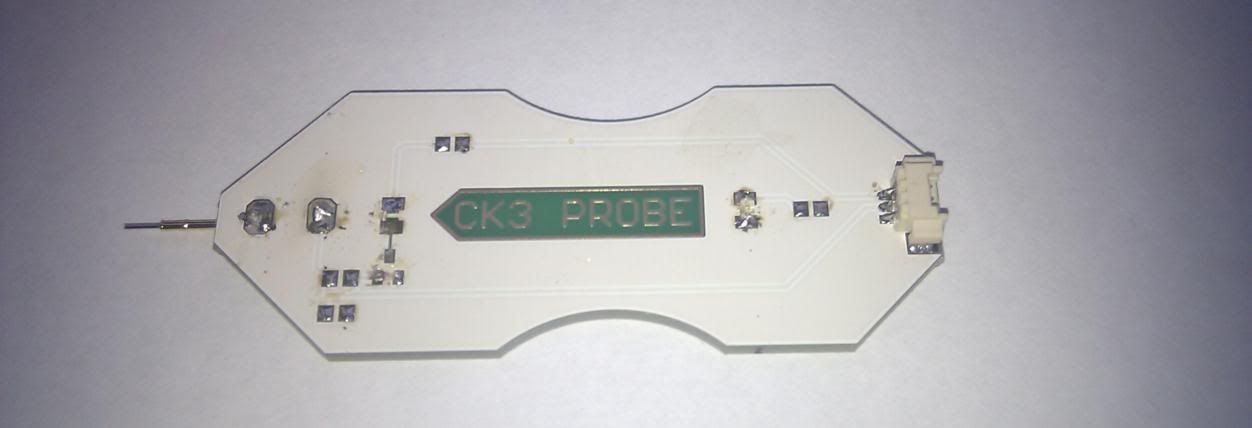
On this one, I knocked of all the surface components with my soldering iron
(we are only interested in the pin itself)
Building your PMT Probe
These pre-wired probe cables that come with CK Probe 1 & 2 are ideal as they already have the cables spliced into the main cable
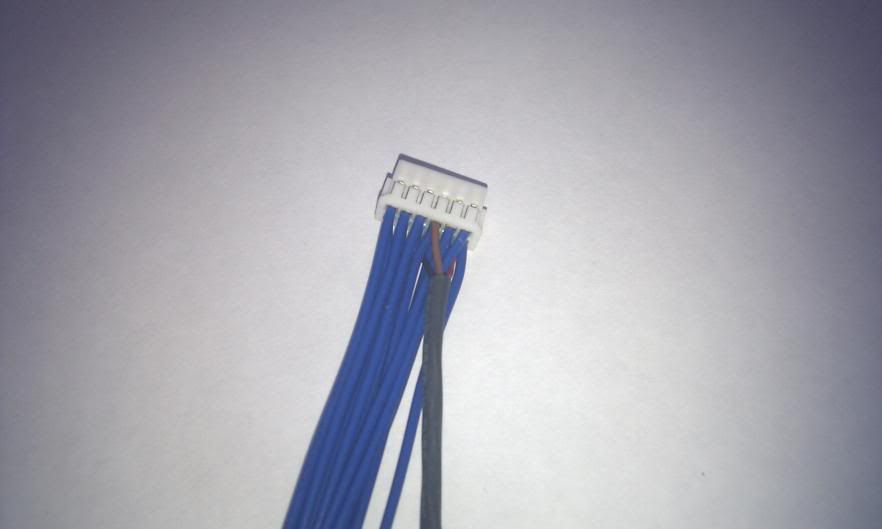
If not you will need to splice 2 cables into your main loom

With the plug upwards (notice the pegs on top) the indicated cable is GND. The one directly below it is 3.3V.
If you are splicing into one of these cables attach a BLACK cable to GND
And a RED or BROWN cable to the cable below it. As you can see this cable (CK one) has 3 cable already attached –
please note this plug is upside down in comparison to previous picture
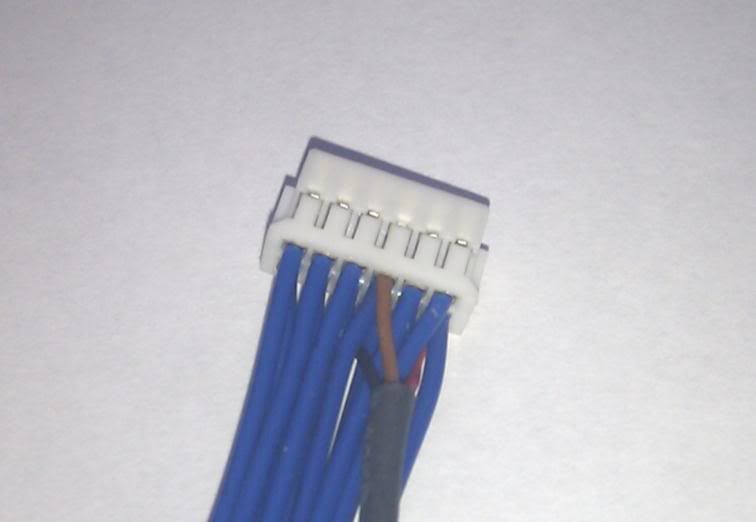
.
This one is upwards
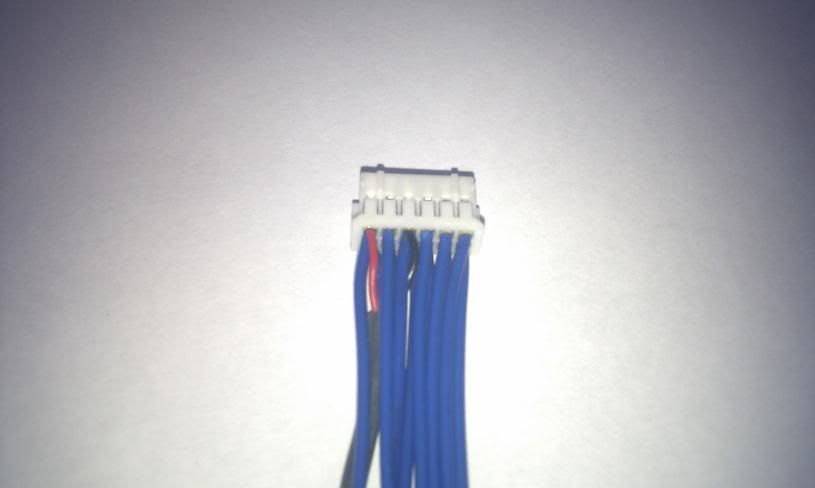
If using the CK cable – chop the small plug of the end leaving you with 3 cables
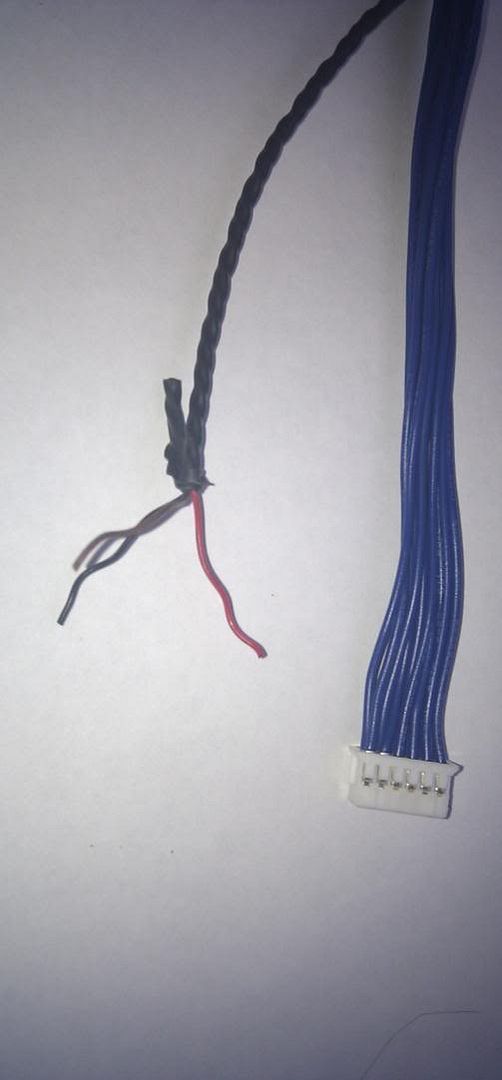
Cut the red cable away – you don’t need it.
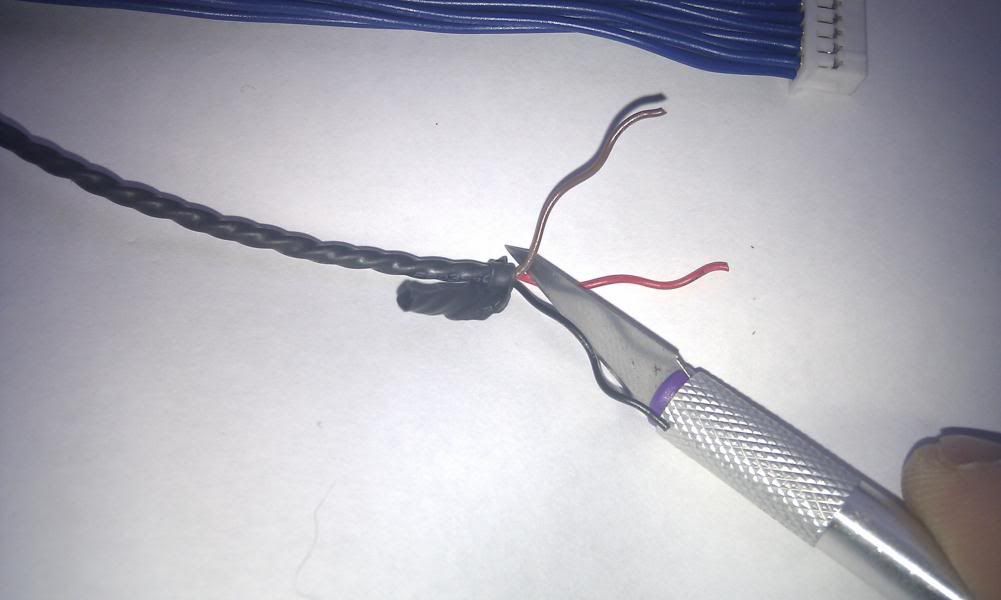
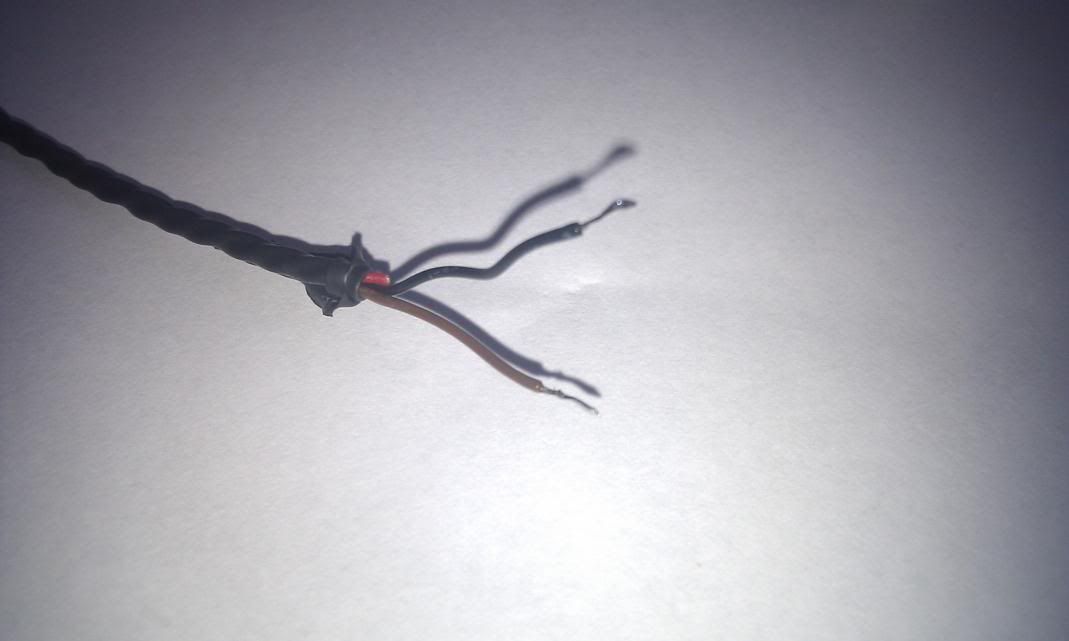
Now strip the ends of remaining 2 cables and tin them with your soldering iron,
in preparation for next stage.
Now – you need to decide what you are using as a probe/pin
I have tried a few things – took the pin from a Vampire and pushed it into the
vamps cable end. Cut away all the other cables – looks like this.

Or use a CK Probe 1
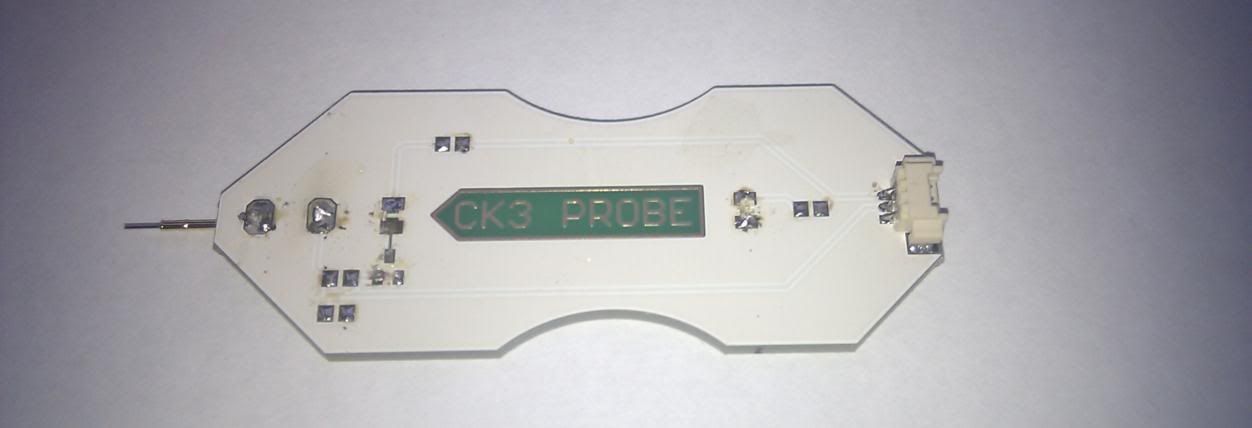
As I mentioned earlier – we are only interested that you can press it onto the
PCB – It’s just a pin!
SO – for the sake of this tutorial I’m using the CK Probe 1.
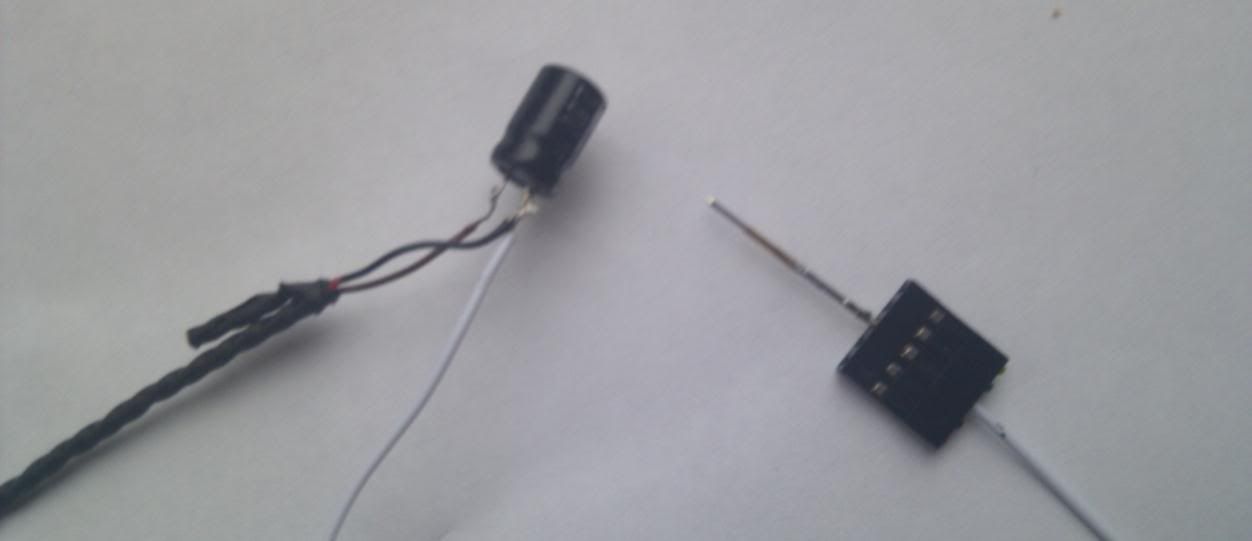
Take your probe and solder the
negative (-) leg of the capacitor
to it
In the picture below, the 2 large solder point are both connected to the pin, so
I choose to keep the cap further from the tip to aid visibility when using it.
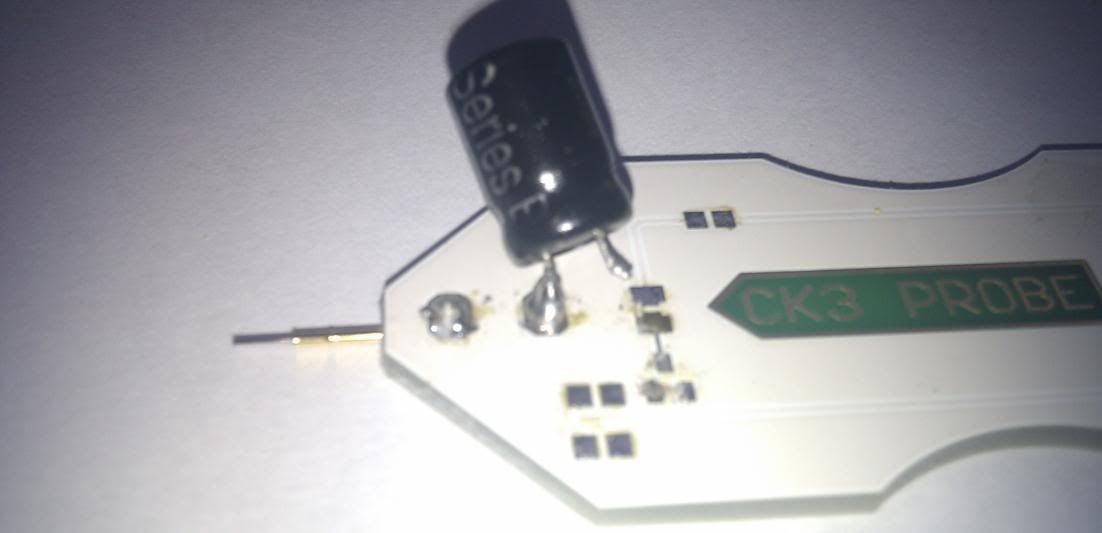
Both these points
connect to the pin.
Now take your cable you prepared and solder the
Brown cable to the Positive (+) leg of the capacitor
Black cable to the Probe (or Negative (-) leg if you only have 1 solder point on
your probe)

Your PMT is complete.
NOTE: the power cable on these are short so don’t tape your cable to the body
as it will restrict movement (unless you extend your cables first)
Alternatively you could do it this way –
Brown to Positive (+) leg of capacitor
Black and probe cable to the negative (-) leg
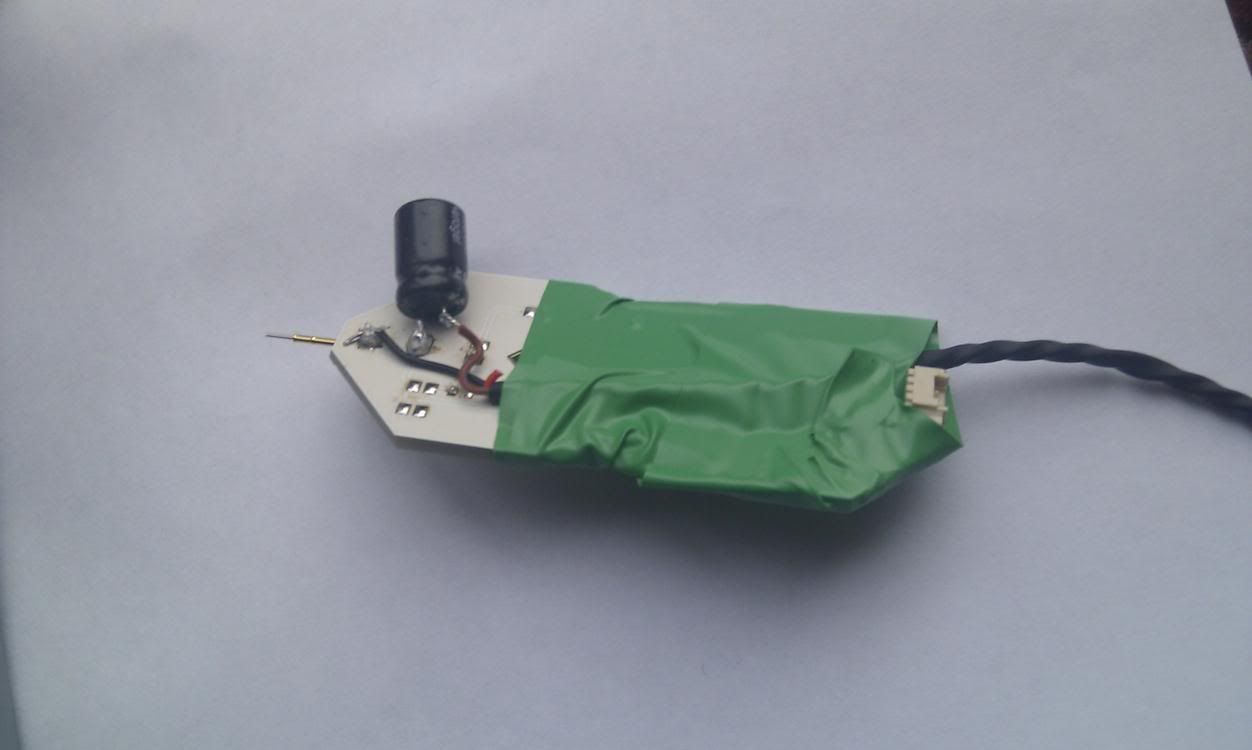
This is my own one that has a lot longer cable so I taped it to the body to keep
it out the way and protect the solder joints from being pulled.
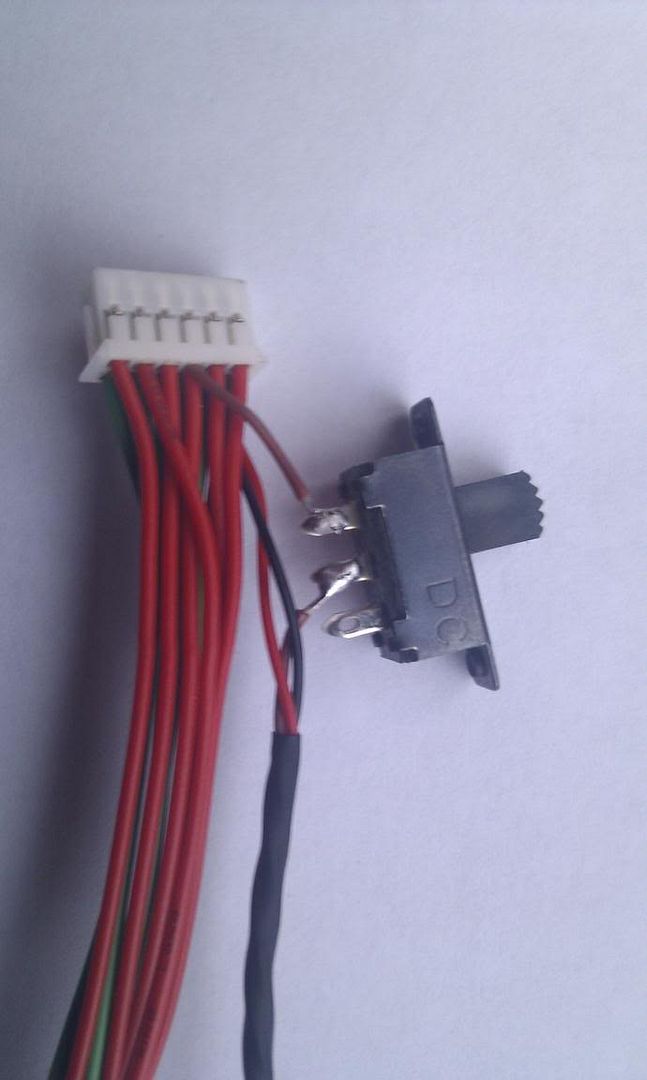
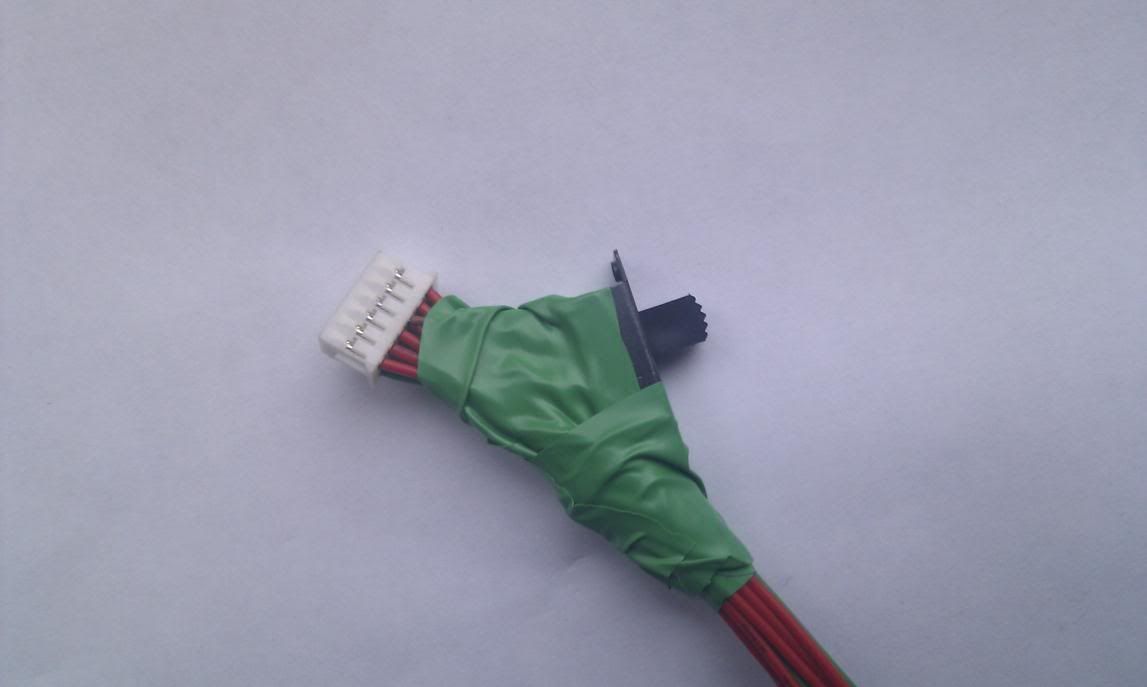
Incidentally – as I didn’t want to have a charged capacitor at all time if I was
using that cable for other drives – I fitted a small switch into my cable at the
drive end. Cutting into the Brown wire. This is not necessary for it to work –
just something I added.
Using JUNGLEFLASHER WITH PMT Probe
The PMT Probe is designed to be able to allow you to dump ALL Phat Liteons
without resorting to MRA .
This method works regardless of current FW on the drive.
In the following example – I use the X360USB Pro for my SATA connection
– This is NOT a pre-requisite –
If you have a currently working SATA setup – it will work just as well
So select your I/O port as Normal
You will notice a new Button “PhatKey”
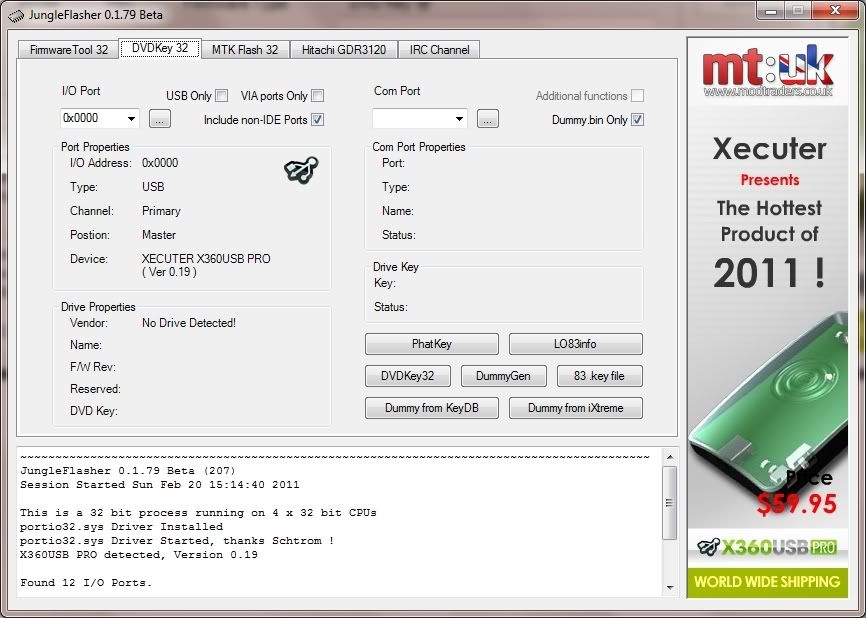
Using the PMT
With drive powered on and showing in drive properties, click refresh ([…])
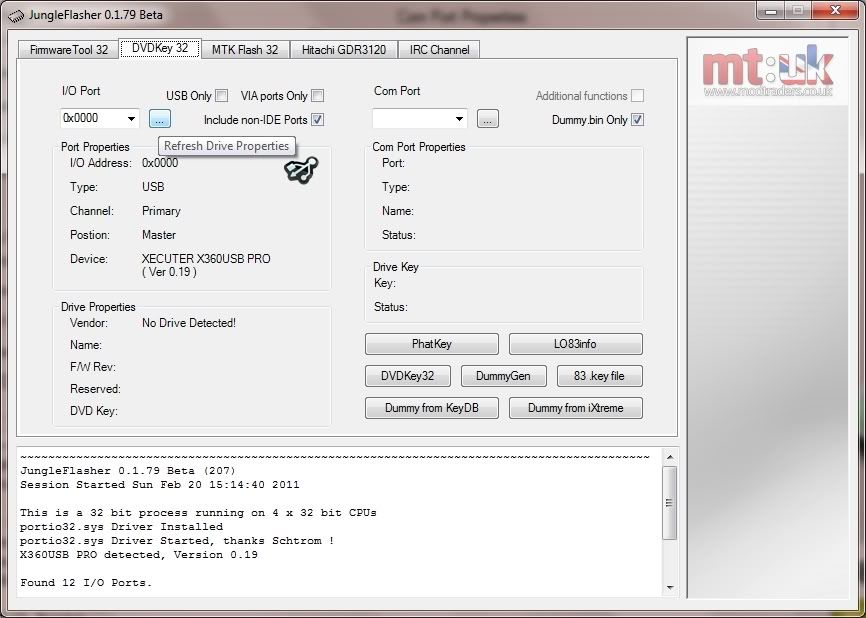
Notice the drive being identified!
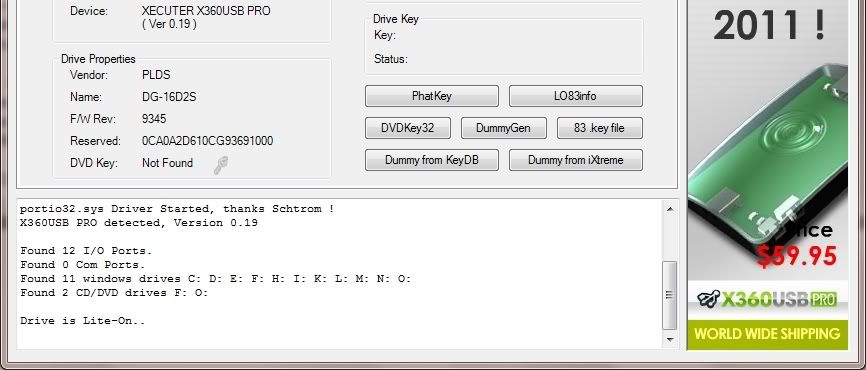
Now press the “PhatKey” Button
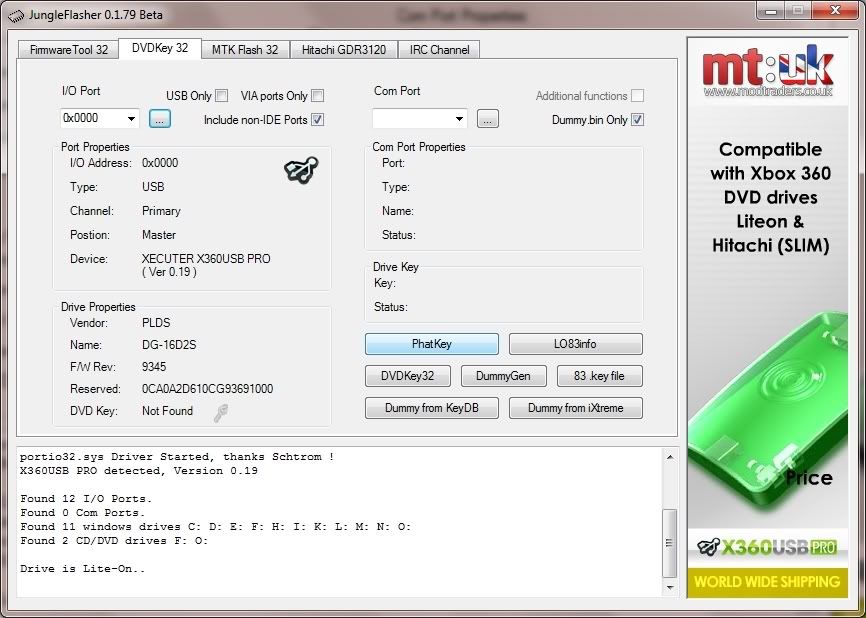
The following message will appear
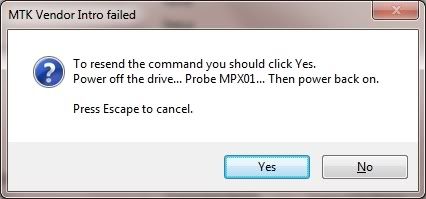
Please read this carefully. Then click YES
Switch drive power OFF
Probe the point MPX01
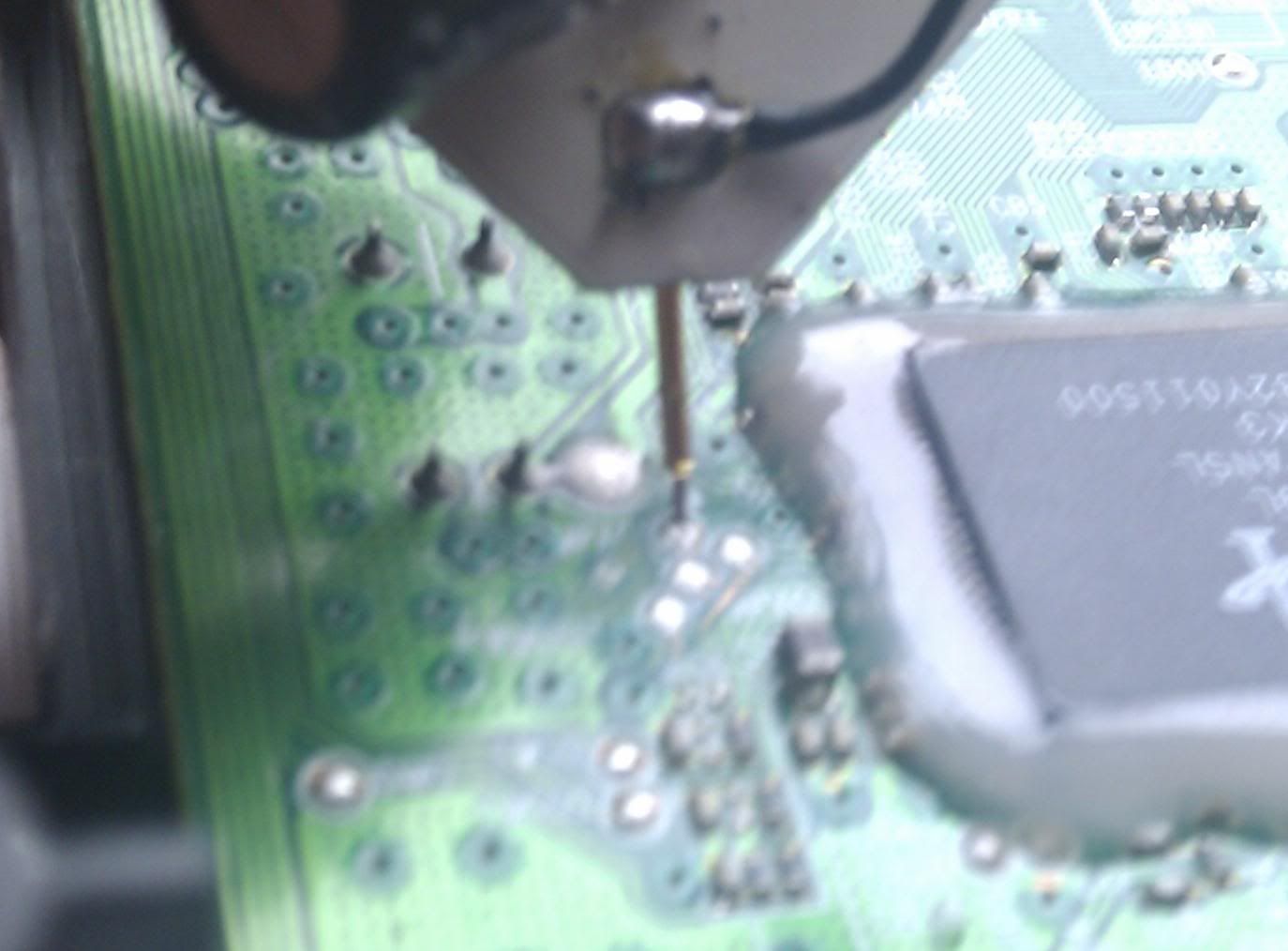
or
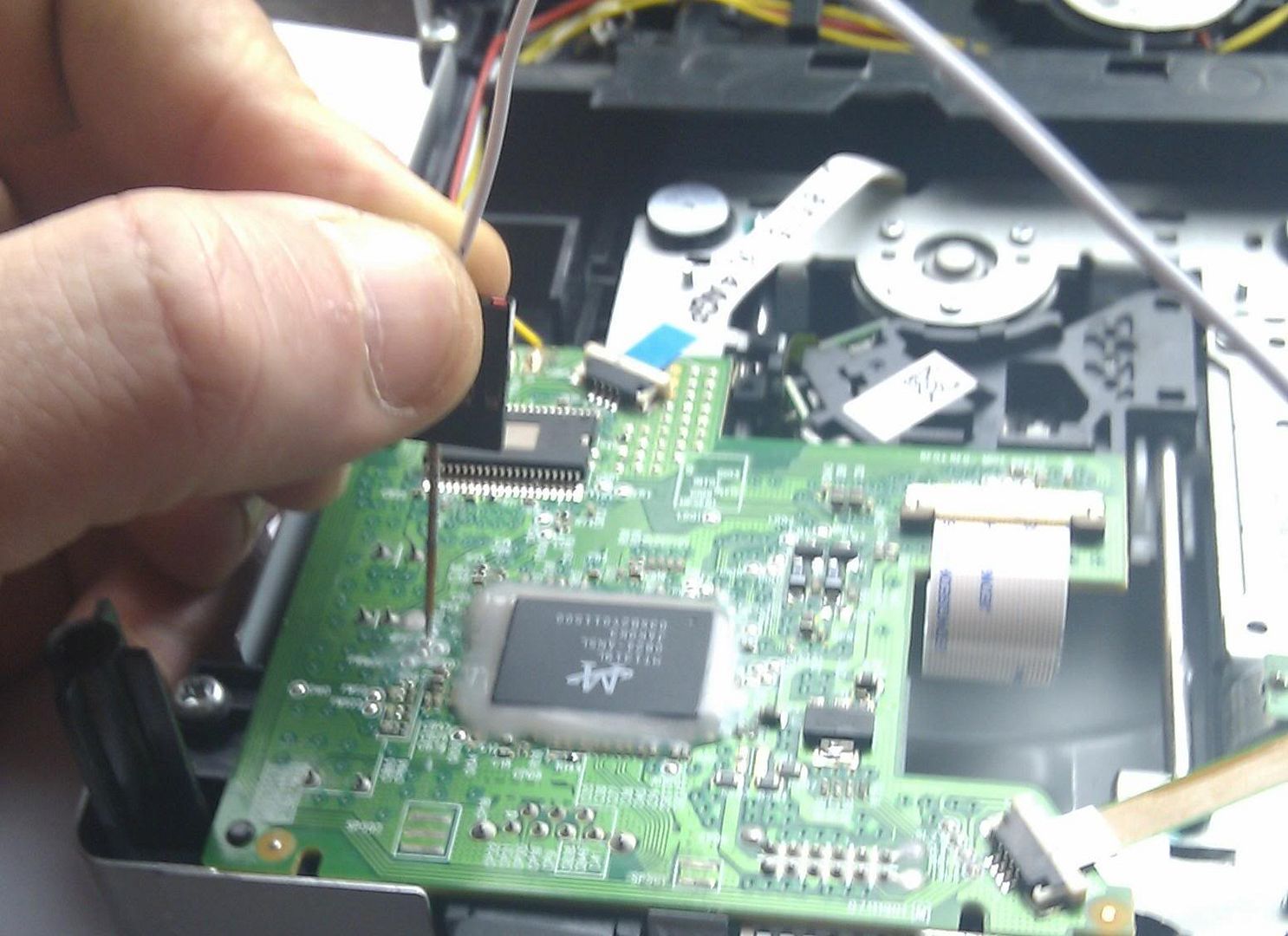
Switch Drive Power ON again
This message should appear in log window
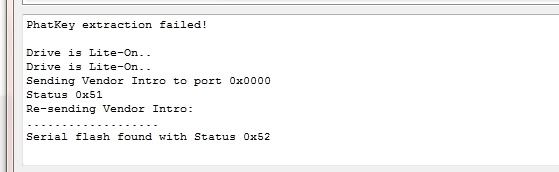
As soon as you see status 0x52 appear – lift the probe off from the point
Within a few seconds this should appear
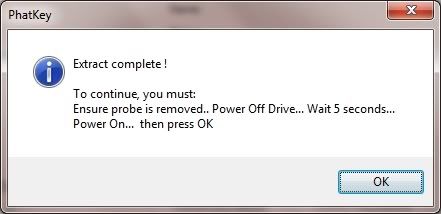
Again read it carefully,
Switch drive power OFF
Wait 5 seconds
Switch drive power back ON
Then Press “OK”
IF All has gone well
You will see the save box appear to save your Dummy.bin
Click “SAVE”
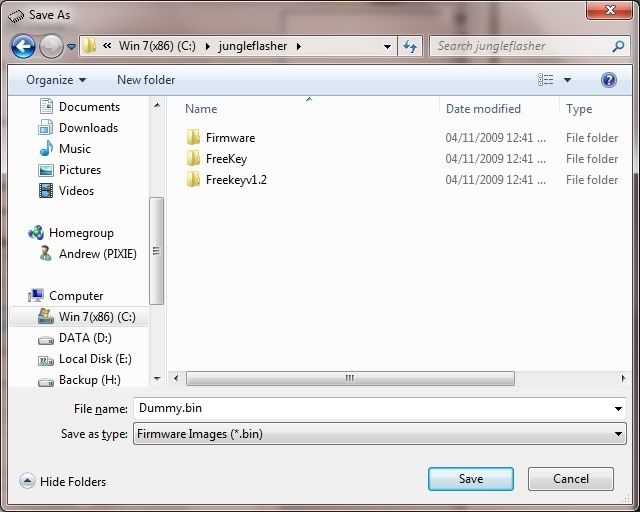
Then you will be presented with the question to auto-load the iXtreme FW
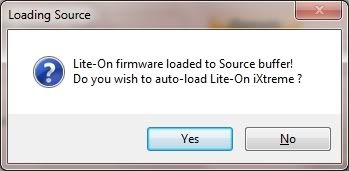
If this is what you wish to do Click “YES”
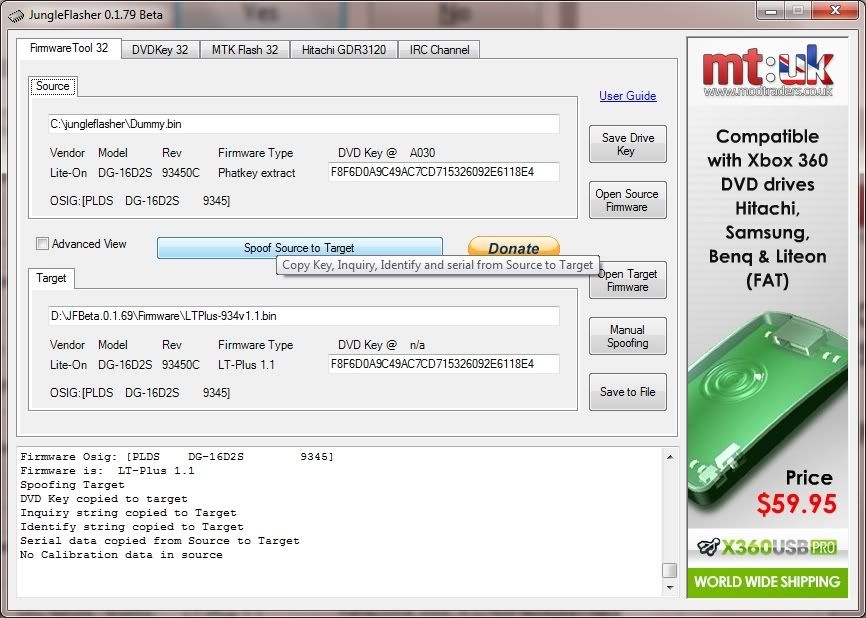
This will as normal take you to the Firmware Tool 32 tab, with your Dummy.bin
loaded as source and the target Firmware loaded and spoofed with your drives
details.
From here the Jungleflasher procedure is identical to the previous versions
Ensure the 2 keys match each other – then proceed to erase and write your
drive.
The Next step is to ERASE the drive, its vitally important you
only do this once you KNOW you are ready and have read
the tutorial, in full, to understand the risks.
IMPORTANT!!!!!
Sending the erase command to the Lite-On using VIA Card with drivers
installed poses the potential risk of the system locking up due to the VIA
chipset polling the erased Lite-On and not liking the response!!!!!!!
NOTE- You CANNOT SPOOF a LiteOn Drive with LT
Firmware as a DIFFERENT DRIVE
Erasing a Lite-On PLDS DG-16D2S.
PLEASE READ THE WARNINGS ABOVE.
Once you erase the drive, there is NO GOING BACK.
Click the MTKFlash 32 Tab.

Verify I/O Port is correct(for your setup!) and click
Lite-On Erase.
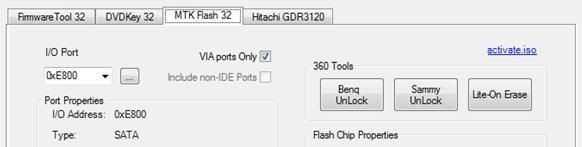
JungleFlasher will warn of the importance of having a verified
Good Drive Key.
Please Note, the only ways to know 100% that a key is good, is to ensure your drive key
was verified by JF or flash your firmware to a identical drive first and test it in the xbox
itself
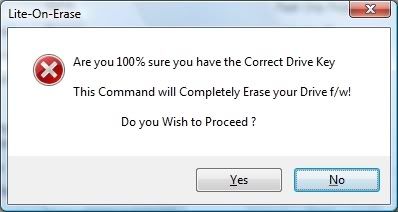
Click
Yes
if you wish to Proceed.
JungleFlasher will present you with another warning.
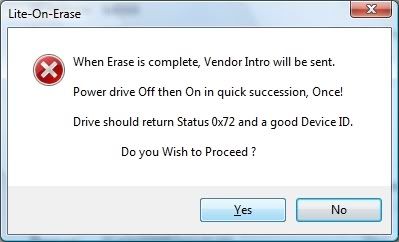
Read this carefully, in most cases JungleFlasher wil return a Running Log similar to this:
We have had 0xD0 / 0x80 / 0xF2 / 0xD1 and all worked fine.
After pressing yes and
during the sequence of dots
shown below, switch drive Power Off
then On -
ONCE.
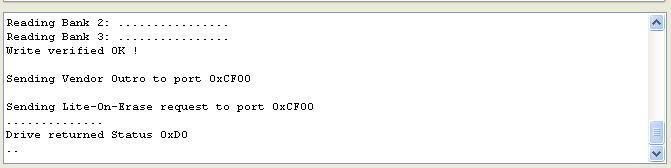
As Soon as this line appears! Cycle
power to drive i.e.
Switch Power
OFF
then
ON
Hopefully you will see good
Flash Chip Properties
and
Status 0x72
(2 known SPi Chips for
Lite-On’s, Winbond
and
MXIC) MXIC Shown, drive will appear in
Vendor Mode
under
Drive
Properties.
DON’T P NIC IF IT DOESN’T ENTER VENDOR MODE FIRST TIME OR IF YOUR DRIVE IS NOW
NOT SHOWING UP AND WILL NO LONGER EJECT
– SIMPLY PRESS INTRO AND CYCLE DRIVE POWER – IF STILL NOT IN VENDOR MODE, TRY
ERASING AGAIN!
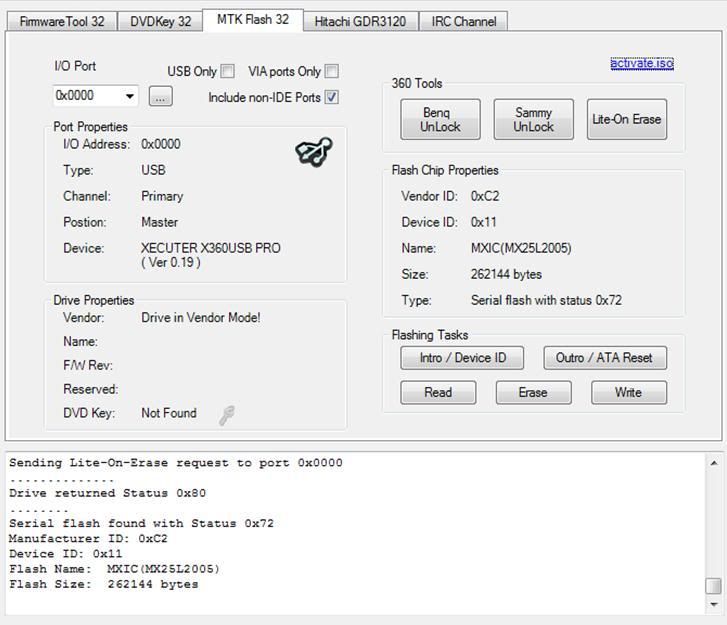
Drive is now in Vendor Mode (0x72).
Click the
Write
button to write
Target Buffer
to the drive.
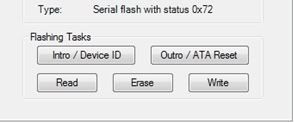
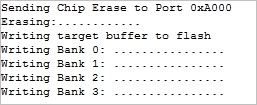
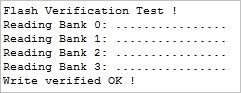
Write Verified OK!
in
Running Log
signals good write.
Now send an Outro to the drive.
Done by pressing the
Outro / ATA
Reset Button
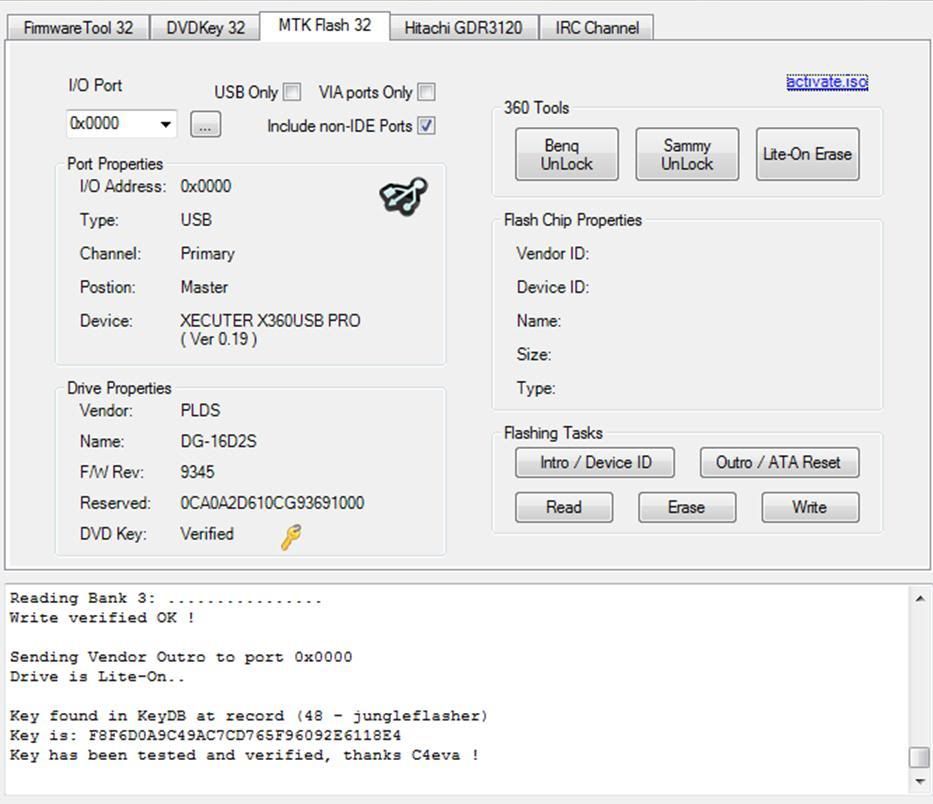
Different properties would appear
when flashing an 83850C, for example
This will release a drive from
Vendor Mode
and send
ATA Reset
to the Drive. It then sends
an inquiry command to the drive.
You are Finished!
o00 CÒN ĐÂY LÀ VIDEO VỀ CÁCH DÙNG Jungle Flasher v0.1.79 00o
[video]http://www.youtube.com/watch?v=wkg1_iB8LVM[/video]
or không xem đc thì đây
http://www.youtube.com/watch?v=wkg1_iB8LVM
trọn bộ hướng dẫn cho x360usb pro đây
http://www.mediafire.com/?qrsfnw3314hnn44
 ! vâng đó là cảm nhận của em có gì sai các bác chém nhẹ tay @_@ !

![[..]](/images/smilies/yahoo/transformer.gif "transformer [..]")


 không thể tin đc ! nhưng em đã thấy ! ở nơi ấy ! nó thế này đây


 các bác chú ý nhìn cỏ của nó nhé


 --> vì sao lại như vậy thì em đề cập ở hình sau

 PS3 có FPS rất dao động có khi là 20-30FPS


 .
. .
. không thể đủ băng thông như trên xbox 360 !
 !
!


![fn[t]katz](/data/avatars/m/508/508060.jpg?1235063611)


