PSP's Hombrews

  • Thread starter Thread starter Atachi
  • Ngày gửi Ngày gửi
Status
Không mở trả lời sau này.
HOMEBREW mới đây

nervos-205.jpg

Pirata Nervo takes NervOS to whole new lengths with version 2.0.5. Now giving the end user the ability to script and create their own set of tools/apps for use within the NervOS shell. The scripting engine is currently in the preliminary stages; check this link for scripting functions and other related NervOS documentation.


NervOS 2.0.5 changes:

* Added new icons to menu (main: Applications | sub: Calculator, Text Editor, Web Browser and USBHostFS)
* Fixed 2 bugs in recovery menu.
* Improved Calculator
* Fixed memory issues
* From now on, file browser displays ICON0.PNG when you are highlighting a PBP/CSO/ISO file
* Removed NervOS Boot PBP and replaced by Main PBP.
* Added Scripting System - this scripting system was made by me and it is still under creation, a lot of functions will be added on future releases and the parser will be improved.

DOWLOAD NervOS 2.0.5
 
pro nào có phần mềm SPlayerMT giúp psp sem dc các dịnh dạng avi,wmv,flv.... cho slim fw 3.71m33-2 không
cho lình link dowload thank
 
[Release] Bermuda CS 9CF

Dành cho ai thích đồ họa hình học


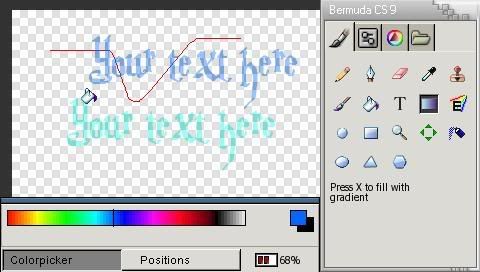
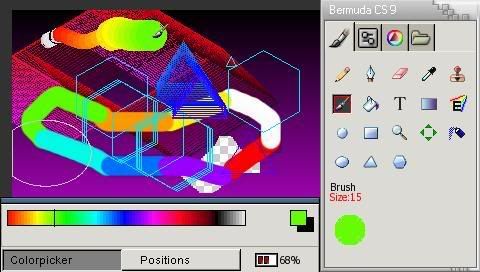
Bermuda CS stands for Bermuda Creative Suite and is a huge collection of drawing tools for the Sony PSP.
Since version 1 it has improved quite a lot. Today, there are the following tools:
Pencil, Line-Drawing-Tool, Eraser, Pipette, Stamps, Brush, Fill Bucket, Text tool, Gradient tool, Effects tool,
Circle tool, Ellipse tool, Rectangle tool, Zoom tool, Spray tool, Picture Movement tool, Triangle tool, Polygone tool,
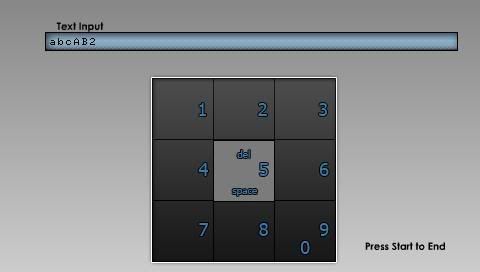
Colorpicker tool, deactivate/activate USB, set CPU Frequency, Set sensitivity of the cursor, Save images and load images

What's new in Bermuda CS 9 Compability Fix?

-Bermuda CS 9 is now compatible with FW 1.0, 1.5(kxploit patch!) and with actually all Custom Firmwares, with PSP Fat and with PSP Slim.
-3 more brushes
-better Eboot design
-fixed Filebrowserbug
-fixed Brushesbug

...and that's it...not that amazing xD. The main fact is that it's now more compatible!

pic1_cf.png


Screenshots:

b.jpg

a.jpg

c.jpg


Downloads:

DOWLOAD
 
Bác có hb cho phép PSP ( slim càng tốt ) xem file .flv ko ? share em với !!!
 
Hombrew music pro

Dow về unrar copy vô PSP/GAME


Description:
CK's modded version of Captain Dan's "Ruckus." Musically manipulate your MP3s using real DJ techniques.

Features:
playback mp3 (of course) BUT at variable speed
playback speed from -100.00% (seen only as -00.00%) /still/ to +100.00% (+00.00%) /double speed/ in as little as 0.01% steps (can increase)
fast and/or precise tempo adjustment; fast speed reset
pitch-bend by analogue stick with dead-zone (adjustable -3% to +3% or -10% to +10%)
support CUE and the so called CUE-preview (or CUE-play)
embedded usbhostfs support
remain/elapsed time display, near-the-end warning (flashing)
basic loop support (relatively accurate - timebase error<1/40sec at 0% tempo)
long filename scroll at browser "window"
support mp3s up to size 20MB (on "fat" psp / not tested on slim)
compatible with 3.90 M33-3 in 3.90 mode as also as 1.50 mode

ruckus.jpg


DOWLOAD HERE
 
[MapThis! 0.5]

map-this.jpg


_ Sợ lạc đường? Đừng lo! Vì "MapThis!" là một bản đồ hỗ trợ GPS cực hay! Không biết giới thiệu gì nhiều nữa...
_ Nếu bạn đủ... giàu, bạn có thể mua bộ nhận GPS (khoảng 60$) cho PSP để được hỗ trợ bản đồ tốt hơn từ vệ tinh... Còn không thì cũng không sao, vì nó vẫn hoạt động như là một bản đồ bình thường khi không có GPS, chỉ có một điểm khác là sẽ không có dấu mũi tên chỉ "You are here" thể hiện bạn đang nằm ở vùng nào trên bản đồ thôi! :D
_ Bạn phải download bản đồ khu vực của bạn để "MapThis!" hiển thị bản đồ khu vực đó, mọi chi tiết trong... phần download!
Download
Lưu ý: Topic chỉ giới thiệu homebrew cho các bạn, không hỗ trợ hướng dẫn sử dụng cho các bạn vì hiện tại đang thiếu người... và bọn mình cũng là con người chứ không phải cái máy! Các bạn có thể post bài xin hướng dẫn, nhưng không post trong đây!
___________________________
[PSP IRC v1.0.4]

_ Công cụ Internet Relay Chat dành cho PSP, xài với wifi - làm sao mà chat nếu không có wifi nhỉ? Hỗ trợ thêm IR Keyboard!
_ Dành cho fw1.50: Download về, bung nén, chỉ copy các thư mục có trong fw1.50 vào [thẻ nhớ\PSP\GAME\].
_ Dành cho fw OE/M33: Download về, bung nén, chỉ copy các thư mục có trong fw3.x vào [thẻ nhớ\PSP\GAME\]. Hỗ trợ WPA.

@Hee: Em merge bài viết của anh làm anh phải edit lại T___T


chào bạn, sory nhé!!!mình biết pót mấy câu hỏi ở đy6 là phạm luật, nhưng mong bạn giúp, bạn có thể cho mình link chi tiết hướng dẫn dơnload và sử dụng dc ko??
và cách dơn map xuống!!
thanks!!
 
psp.png
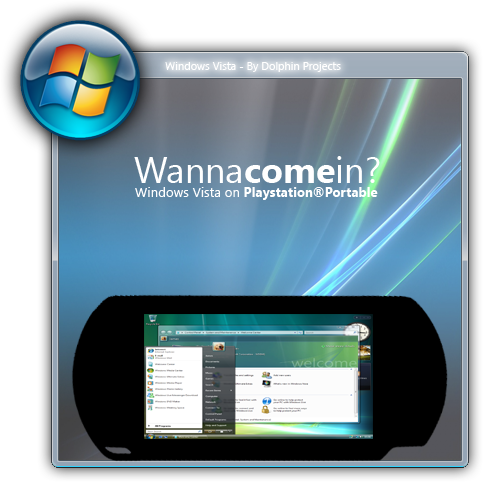
Windows Vista by Dolphin Projects [Beta 1...


So all of you were disappointed when fPSPVista was halted? Well, don't be. You can still wait for another portal of Windows Vista to have its first BETA release (sometimes in the summer break, more information later).

This new portal was built using the Dolphin Engine and is going to be a great and nice looking portal. The newest features we have committed is the full working scroller in the start menu.

windowsVista_big.png

screenshot004-3.jpg


Common features of Windows Vista:
• Desktop -100% done
• Scroller in startmenu-100% Done
• Change wallpaper/User-Picture function -100% done
• Window -100% done
• First time-installation -100% done
• Control Panel -100% but 1 or 2 bugs
• Startup-boot -100%
• Login -100%
• Desktop-icons -100%
• Rename desktop-icons -100%
• Applications and games works perfect - 0%- no apps work yet
• Sidebar - 50%- now need to add apps
• Window-preview - 0%
• Windows Update - 0%
• Startmenu - 50%

More features may come later...

Windows Vista [v0.2 BETA]Coming Soon


Information:
To rename the desktop-icons, you have to click on the text and then it should pop up a window.


Source:
Dolphin Projects - High Quality Portals On PSP

copy folder "Windows Vista" vào "ms0:\PSP\COMMON\".

mở trình duyệt "Internet Browser" trên PSP gõ vào address.

file:/PSP/COMMON/Windows Vista/index.htm
 

Attachments

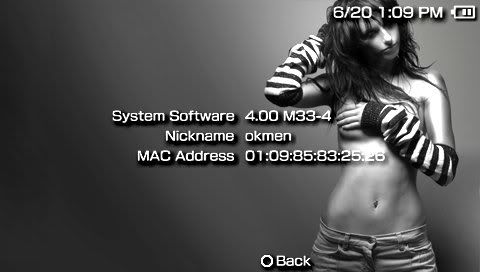
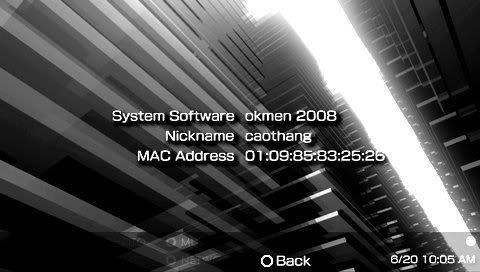
Plugin dùng Theme CTF và chỉnh sửa trong system information cho CFW 3.95 GEN

ví dụ như 3.95GEN co thể thành 4.00 M33

screen1-1.jpg


hoặc nick name của bạn

screen2.jpg


UPDATE: CXMB 4.01M33

dow về urar có 2 thư mục copy vào thẻ

Enbled plugin trong Recovery mode

theme CTF cho vô PSP/THEME
 

Attachments

Không dùng được cái Vista bạn ơi, toàn báo the file do not content... Vậy là sao?
.
___________Auto Merge________________

.
Báo là "The content cannot be displayed" vậy là sao vậy mấy bạn ?
 
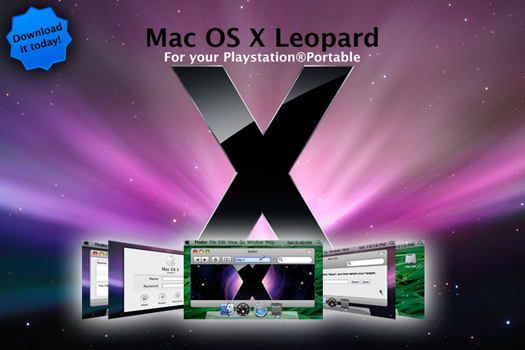
Mac OS X Leopard

After the project fPSPVista, I will come back with Mac OS X Leopard, but it won't be in flash, just in html and javascript!

So keep in mind that fPSPVista is over and a new portal is being developed in HTML/JS!

Note Windows Vista by Team Dolphin Projects is still going on!!!
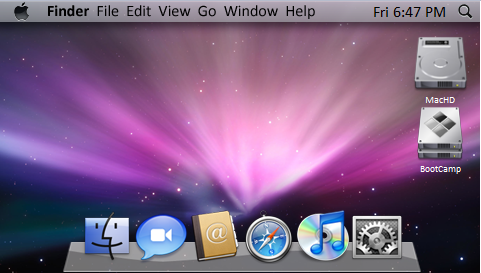
ScreenShot: of beta 3


Advertise-1.png


Screenshot: of not released beta 4

Capture-1.png


Common features of Mac OS X Leopard:
• Startup and login of Mac OS X Leopard works perfect
• Change wallpaper (to your own, or the including wallpapers)
• Login screen (create account directly from PSP)
• Special minimize (the button in the right corner on the opened window)
• Safari works perfect, but reload
• Directly update Mac OS X Leopard from PSP using the "Software Update"
• iTunes (flash-version)
• AppleLOGO-button works perfect, and the buttons in it - 50%
• Finder-bar works - 20%
• Dock works perfect, links works perfect (zoom-feature is just a bigger image) - 50%
• Applications and games works perfect - 0%
More features may come later...

About iChat

It will be just like WiFiX 2.0 chat but with 3 chatrooms and hosted by me. It will not look like ichat though.

copy folder "mac" vào ms0:\PSP\COMMON\

mở trình duyệt "Internet Browser" trên PSP gõ vào address.

file:/PSP/COMMON/mac/index.html
 

Attachments

hiện h chưa có giả lập DS nào có thể chạy dc game trên psp cả. có 1 Emu cho psp nhưng ko chơi dc cái j cả.
 
anh ơi cho em hỏi cái !! sao em vào MAC OS mà nó hiện ra cái user và pass !! em không biết ấn gì vào !! ở phần pass có 2 khung thì ấn như nào ạ ::(::(::(:o
 
thì tự đặt tên user và pass cho mình chứ thế nào, giống như lần đầu chạy window vậy
 
Status
Không mở trả lời sau này.
Back
Top