Security Software - Download here|Đọc luật tại #1

  • Thread starter Thread starter HieuNM
  • Ngày gửi Ngày gửi
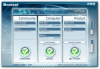
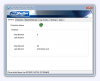
BullGuard Internet Security
FREE 6-month trial


attachment.php


Download BullGuard Internet Security 8.7 (upgradable to 9.0):
Mã:
http://media.bullguard.com/landingpage/maplin/index.html

Download BullGuard Internet Security 9.0:
Mã:
http://downloads.bullguard.com/BullGuard_90.exe
http://downloads.bullguard.com/BullGuard_90_x64.exe
 

Attachments

  • bg-animated.png
    bg-animated.png
    337 KB · Đọc: 303
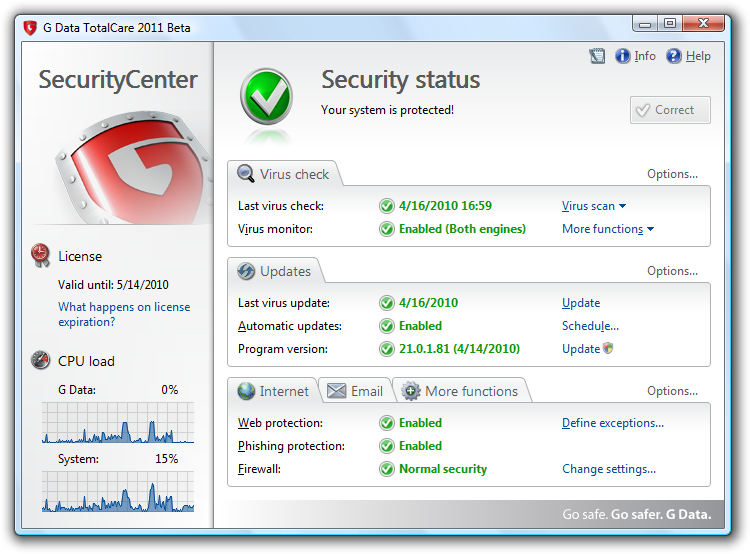
G DATA TotalCare 2011 BETA
English testing available


GDataTotalCare2011Beta2.png


New features:
  • All-New Behavior Blocker
  • New Phishing Filter
  • Optimization On-Demand Scan
  • Optimization of active malware removal
  • Optimization tuners on Windows 7
  • Optimizing backup: backup network
  • Extension Backup:
    • 1:1 backup
    • Multisession
    • On-the-fly burning


More info:
Mã:
http://www.rokop-security.de/index.php?showtopic=19886

Download:
Mã:
http://mirror01.gdata.de/dl_users/qs/qstmp/Beta2011/ENG_R_Beta_2011_TC.exe
 
Norton 2011 Products Public BETA
Download Norton 2011 today!


attachment.php


attachment.php


Beta Center:
Mã:
http://www.symantec.com/norton/beta/index.jsp
 

Attachments

  • norton2011.png
    norton2011.png
    361.5 KB · Đọc: 286
  • nortontools2011.png
    nortontools2011.png
    71 KB · Đọc: 277
Chỉnh sửa cuối:
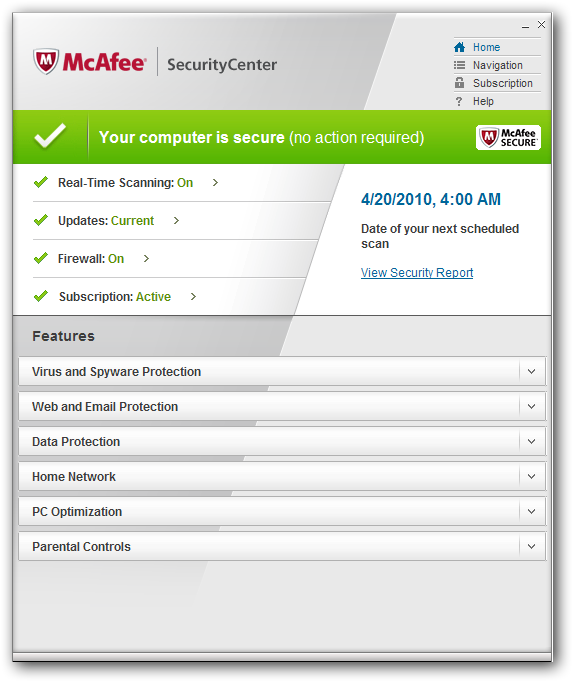
McAfee Total Protection 4.5 Beta
Provides you with our full suite of products, giving you the best defense against viruses, spyware, and other threats.


mcafee45.png

McAfee Total Protection 4.5 provides comprehensive, proactive security that guards what you value and shields your PC from interacting with potentially dangerous websites.


What's New ?

Performance:
  • Updates do not occur while you’re using your PC. They resume after your PC is idle for ten minutes.
  • Scheduled scans do not occur while you’re using your PC. They resume after your PC is idle for ten minutes.

Product Upgrades:
  • If you have Windows 7 you receive just one notification when a new network is detected, instead of receiving separate notifications from both Windows and McAfee.
  • McAfee Total Protection and the Anti-Spam feature are compatible with Microsoft Office 2010.
  • Information alerts now provide clear instructions for activiating your software when your PC is not connected to the Internet.


Beta Lab:
Mã:
http://beta.mcafee.com/BetaMcafee/home.aspx
 
logo_dd.png
free 2.0
Simple to use antivirus software that does not slow down your computer


attachment.php


Antivirus software can be very hard to use, it often slows down your computer and seems to be built by engineers for engineers. We designed digital defender antivirus to be the opposite: easy to use, extremely fast and it should never slow down your computer. Simply put an antivirus designed for the year 2010. The free edition is also totally free, no catches.

Features
  • Easy to use
    digital defender antivirus' user interface was designed to be easy to use for both beginners and experienced users.

  • Incremental virus database update
    Using the incremental update mechanism the download time is reduced to a minimal level so we can release additional antivirus database packages several times a day to improve the defence. Users can obtain protection against new malware without spending a long time and generating considerable network load for the update.

  • Comprehensive protection
    digital defender antivirus' resident protection realtime protection provides a comprehensive protection against malware

  • Outstanding performance and effectiveness
    digital defender antivirus' scanning engine has outstanding performance. The engine uses behavioural (heuristic) analysis to detect harmful programs. Thanks to its platform and operating system independent scanning methods it effectively scans for all known viruses, worms, trojans, backdoors, scripts, macro viruses and other harmful code on any system.

  • Small memory footprint
    A new patent pending design for memory usage, has made digital defender antivirus' memory footprint incredibly small. This means it can run just as well on netbooks as on normal PCs.


Homepage:
Mã:
http://www.digital-defender.com/digital-defender-free

Download:
Mã:
http://updates.digital-defender.com/releases/ddav.exe
 

Attachments

  • dd-animated.png
    dd-animated.png
    248.4 KB · Đọc: 275
Ashampoo AntiVirus 1.61
FREE 6-month license


aav-loading.png


attachment.php


Homepage:
Mã:
http://www.ashampoo.com/

Download:
Mã:
http://www.ashampoo.com/dl/0045/ashampoo_antivirus_se.exe

Free 6-month license:
Mã:
http://www2.ashampoo.com/webcache/html/1/trial_step_1_4019_2.htm
 

Attachments

  • aav-animated.png
    aav-animated.png
    421.2 KB · Đọc: 270
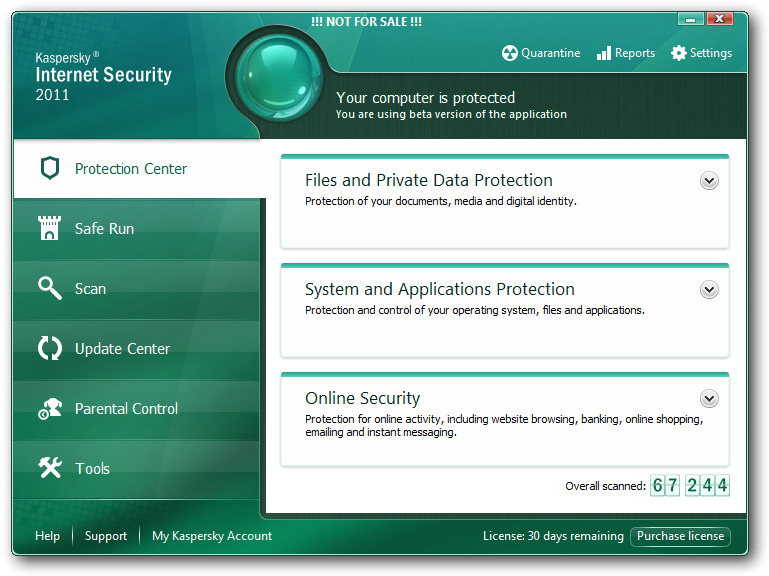
Kaspersky Internet Security 2011 Beta
Build of KIS/KAV2011 is ready for testing


KIS2011.png


Beta Forum:
Mã:
http://forum.kaspersky.com/index.php?&showforum=16

Download:
Mã:
http://devbuilds.kaspersky-labs.com/devbuilds/
 
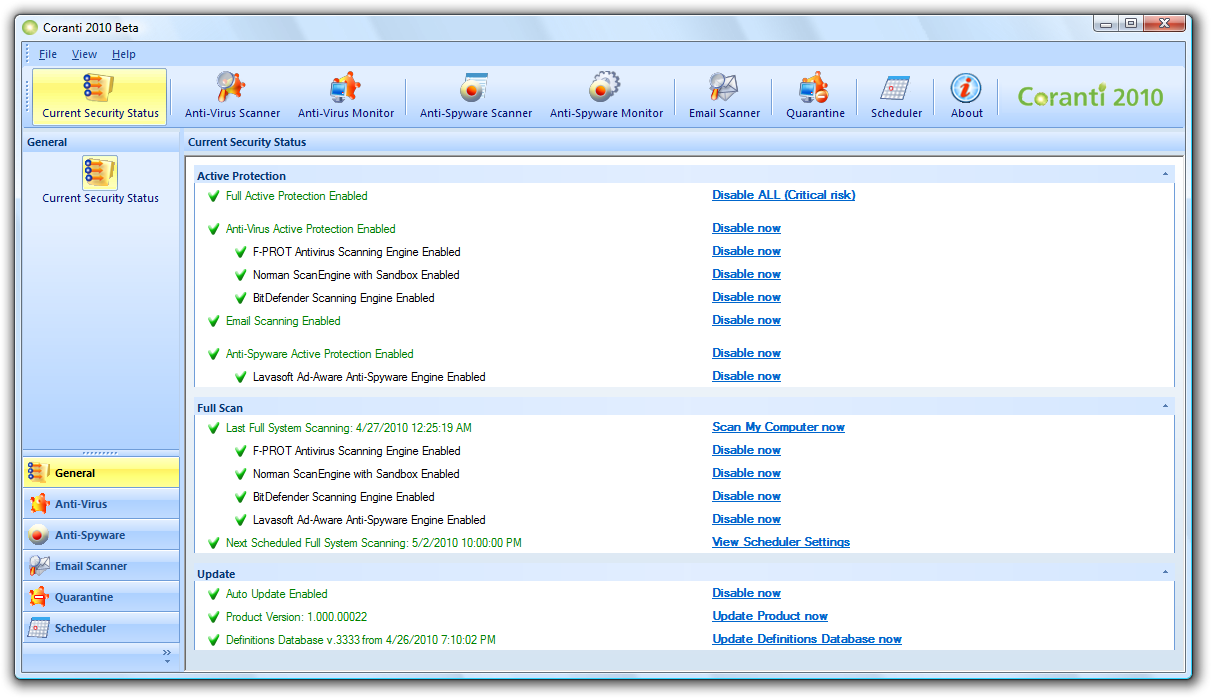
Coranti 2010 Beta
Multi-Core Anti-Virus & Anti-spyware for Ultimate Protection


Coranti2010Beta.png


We are spending more and more time in a connected world, e-mailing, web browsing, keeping up with friends and colleagues via social media sites such as Facebook and Twitter, playing games and even keeping our bank accounts up to date.

As our activity on line increases, so does the threat of an attack from a malicious program or virus. It’s no longer a case of one or two people developing a virus, it’s a multi-million pound professional industry with every website a potential source of infection!

Coranti recognises the need to stay safe of line and beyond a simple friendly interface lays unrivalled security software that is powered by not one, but four world-class anti-malware scan engines!

Coranti 2010 Multi-Core Anti-Virus & Anti-Spyware is the only security product in the world to offer such high levels of protection from anti-virus and anti-spy attacks, and features real-time and on-demand protection.

Now you can have peace of mind that your online activities are safe; four engines running simultaneously providing the best possible detection and disinfection rates. What’s more, you have four times the scan power but minimum impact on your PC's performance thanks to the innovative way that the four engines work in an orchestrated and cohesive fashion.


Homepage:
Mã:
http://www.coranti.com/

Download:
Mã:
http://downloads.coranti.com/8B60DFD4-8471-45F4-9ED6-90ECBEB3466D/Coranti2010_AntiVirusAntiSpyware_setup.exe
 
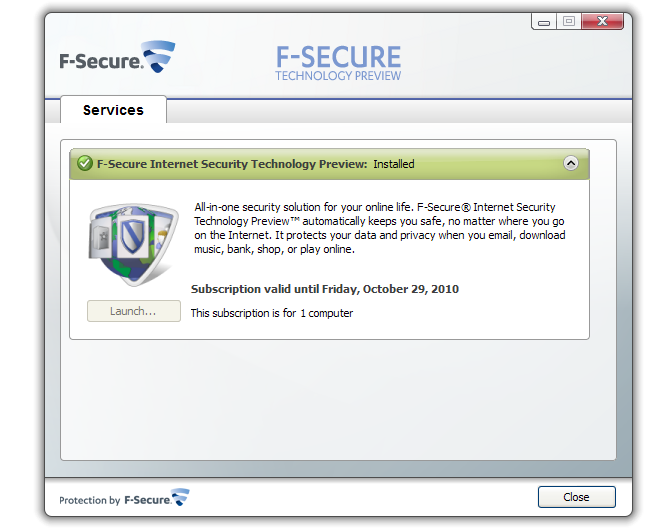
F-Secure Internet Security Technology Preview 2011
Continuous preview program for our client product line development


F-SecureTechnologyPreview.png


attachment.php


Registration:
Mã:
http://www.f-secure.com/en_EMEA/downloads/beta-programs/home-office/istp/registration-2011.html
 

Attachments

  • fs2011.png
    fs2011.png
    303.5 KB · Đọc: 227
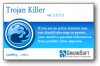
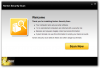
Grinsoft Trojan Killer 2.0.7
Just your safety


attachment.php


attachment.php


Trojan Killer is designed specifically to disable/remove Malware without the user having to manually edit system files or the Registry. The program also removes the additional system modifications some Malware carries out which are ignored by some standard antivirus scanners.

Trojan Killer scans ALL the files loaded at boot time for Adware, Spyware, Remote Access Trojans, Internet Worms and other malware.

Trojan Killer works in the field of system security to ensure safety for computer systems. We propose products to help you get rid of annoying adware, malware and other rough tools. It is very important to restore control on your computer as soon as possible and do not allow anyone to use your data.


Homepage:
Mã:
http://trojan-killer.net/

Download:
Mã:
http://trojan-killer.net/download/trojankiller-setup.exe

Patch:
Mã:
http://www.mediafire.com/?zywkkkzmjh2
 

Attachments

  • tk-animated.png
    tk-animated.png
    790.7 KB · Đọc: 206
  • tk-loading.png
    tk-loading.png
    44.2 KB · Đọc: 201
Chỉnh sửa cuối:
Norton Security Scan 2.8
It’s quick, easy, and best of all, it’s free!


attachment.php


By using Norton Security Scan, you can scan your computer and find out if your computer is infected with viruses, spyware, adware, or other security threats. If you find any threat on your computer, you can take appropriate action to remove the threat. Norton Security Scan is a free and easy-to-use tool that can help you schedule different scans and run the scan whenever you want.

Norton Insight also provides a better technology to detect the files that are suspicious or vulnerable on your computer. When you run a Quick Scan, Norton Security Scan uses the power of the Norton Insight Network and the experiences of the millions of Norton Community Watch customers. By using these, Norton Security Scan provides you information on the trust-worthiness of the critical applications on your computer. Norton Security Scan rates the suspicious applications on your computer as either having Poor Trust or Not Trusted. See About Norton Insight.

This tool is not intended to be a replacement for continuous, real-time protection from the latest security risks.


Norton Security Scan detects the following security threats:
  • Viruses
  • Trojan horses
  • Hacking tools
  • Spyware
  • Adware
  • Trackware


To resolve these security risks and protect your computer from future infections, it is recommended that you install and maintain security software.


Homepage:
Mã:
http://security.symantec.com/

Download:
Mã:
http://security.symantec.com/sscv6/Setup.exe
 

Attachments

  • nss-animated.png
    nss-animated.png
    331.5 KB · Đọc: 210
Trend Micro Titanium Beta 2
Participate in our Trend Micro Titanium Beta 2 Programs and get a chance to WIN exciting prizes!


attachment.php


attachment.php


Products available for testing:
For Entry Level – Trend Micro Titanium
For Mid Range – Trend Micro Titanium Internet Security
For High End – Trend Micro Titanium Maximum Security


Key Features
  • Speed and Performance
    Titanium has been designed to be light on system resources and big on performance providing the optimum computing experience.

  • Automatic Protection
    Titanium takes the guesswork out of protecting your system. Set it and forget it.

  • Easy Installation
    Protection is just a few clicks.

  • Redesigned, easier-to-use
    Streamlined interface make it easy to find what you need quickly.

  • Strong Protection
    Leverages Trend Micro’s latest cloud computing technology plus real-time scanning to provide state of the art protection to keep you and your family safe from latest malware threats.


Trend Micro Beta Portal:
Mã:
https://www.trendbeta.com/pages/
 

Attachments

  • titanium-tools-animated.png
    titanium-tools-animated.png
    536.6 KB · Đọc: 205
  • titanium-animated.png
    titanium-animated.png
    533.1 KB · Đọc: 210
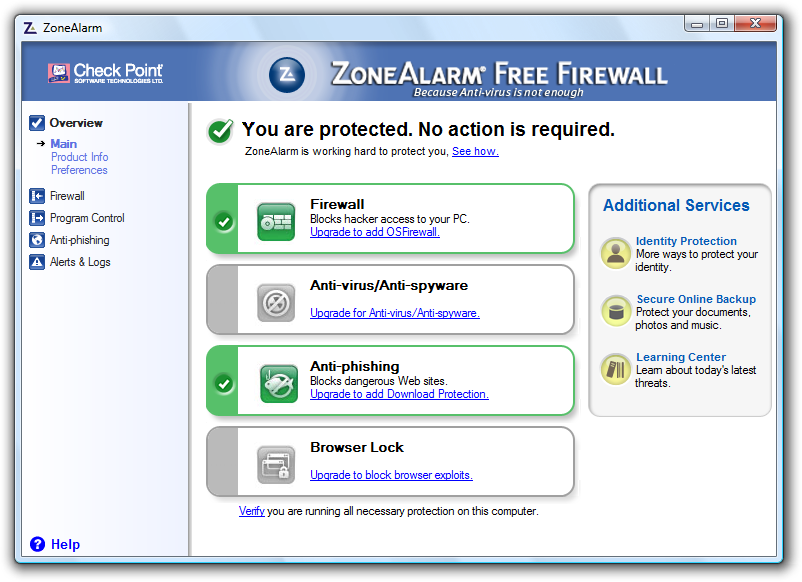
ZoneAlarm Free Firewall 9.2
Community-powered for stronger security


za-1.png


ZoneAlarm.png

Antivirus misses 1 in 3 new viruses and does not protect from hacking attacks. That's why you also need a strong firewall. ZoneAlarm Free Firewall is the most powerful and easy-to-use free firewall available today.


Key Features
  • Inbound Firewall
  • Inbound Firewall
  • Outbound Firewall
  • Stealth Mode
  • Anti-phishing and Site Check
  • Identity Protection Services
  • DefenseNet
  • Online Backup (2GB Free)

Key Benefits
  • Detects & blocks behavior of unknown viruses and spyware
  • Blocks hacker programs impersonating good programs
  • Stops hacking disguised as harmless network transmissions
  • Stops unknown malware from sending your data to hackers
  • Makes you invisible to hackers
  • Uses threat data from users worldwide to detect attacks


Homepage:
Mã:
http://www.zonealarm.com/security/en-us/zonealarm-pc-security-free-firewall.htm

Download:
Mã:
http://www.zonealarm.com/security/en-us/free-upgrade-security-suite-zonealarm-firewall.htm
 
Panda Global Protection 2011 BETA
Be among the first to access the latest versions of the Panda Security solution


Setup-1.jpg


pd2011-loading.png


CS0.11791681_38562_1.png


The new Panda Global Protection 2011 is the most complete product, with everything you need to protect your computer and information. It protects you from viruses, spyware, rootkits, hackers, online fraud, identity theft and all other Internet threats. The anti-spam engine will keep your inbox free from junk mail while the Parental Control feature will keep your family safe when using the Internet. You can also back up important files (documents, music, photos, etc.) to a CD/DVD or online and restore them in case of accidental loss or damage. And thanks to the most innovative and new detection technologies and improved Collective Intelligence, the solution is now much faster than previous versions.


More info:
Mã:
http://www.pandasecurity.com/homeusers/downloads/beta/global-protection/

Download:
Mã:
http://updates.pandasoftware.com/beta/pgp2011/betapgp2011.exe
 
BitDefender Total Security 2011 BETA
The BitDefender beta campaign for BitDefender Total Security 2011 has just started!


attachment.php


We invite you to test a series of new features included in BitDefender Total Security 2011 - Beta 1, namely:
  • Redesigned and streamlined installation. You install and configure BitDefender 2011 in one step without having to reboot your PC. It detects viruses before installing BitDefender and cleans your computer to ensure optimal usage from install time.
  • Search Advisor warns you about unsafe pages displayed in search results by checking each URL against the BitDefender online URL database.
  • Firewall Troubleshoot Wizard guides users and solves most common problems related to internet, printer or remote office (VPN) connectivity.


Beta Center:
Mã:
http://beta.bitdefender.com/

Download:
Mã:
http://download.bitdefender.com/windows/desktop/total_security/beta/bitdefender_totalsecurity_2011_32b-BETA1.exe
Mã:
http://download.bitdefender.com/windows/desktop/total_security/beta/x64/bitdefender_totalsecurity_2011_64b-BETA1.exe
 

Attachments

  • bit2011-animated.png
    bit2011-animated.png
    799.6 KB · Đọc: 182
Chỉnh sửa cuối:
Sau gần hai tháng thử nghiệm, Kaspersky Lab đã phát hành phiên bản Kaspersky Internet Security 2011 chính thức với nhiều cải tiến về mặt tính năng, tốc độ và tăng cường nhiều tính năng bảo mật đáng giá.[/B]

Kaspersky Internet Security 2011 (KIS 2011) có gì mới?
- Công nghệ Sandbox cung cấp môi trường ảo để người dùng tự do “vọc” phần mềm lạ, lướt các website không an toàn mà không sợ gây ảnh hưởng đến hệ thống.
- Bảo vệ người dùng an toàn hơn khi lướt web với ba tính năng mới: Safe Surf (kiểm soát, ngăn chặn truy cập vào web độc), Geo Filter (chặn website dựa theo tên miền quốc gia), Online Banking (giao dịch qua ngân hàng điện tử).
- Kaspersky Gadget hiển thị trên màn hình Windows Vista/7 giúp thực thi nhanh các tác vụ trong KIS 2011.
- Tính năng System Watcher giám sát, theo dõi cơ chế hoạt động của các ứng dụng để phát hiện các mối nguy hiểm, đồng thời khôi phục hệ thống về trạng thái khi chưa bị phá hoại.
- Bổ sung chế độ Idle Scan để quét máy vào lúc nhàn rỗi.
- Hỗ trợ quét virus đối với giao thức FTP, bên cạnh giao thức HTTP đã có ở phiên bản trước.

Bạn tải bản dùng thử của KIS 2011 (11.0.0.232) tại http://www.kaspersky.com/internet_security_trial?done=1 (dung lượng 98,81MB, tương thích Windows XP SP2/Vista/7 bản 32-bit và 64-bit). Yêu cầu máy có RAM 1GB (với bản 32-bit) hoặc 2GB (với bản 64-bit), ổ cứng trống 480MB.

1. Kaspersky Gadget
Ở lần khởi động đầu tiên, sự thay đổi dễ nhận thấy nhất ở KIS 2011 chính là giao diện được trau chuốt bóng bẩy hơn với tông màu xanh quen thuộc. Kèm theo đó là sự xuất hiện của Kaspersky Gadget trên màn hình Windows Vista/7 để bạn điều khiển nhanh các tác vụ KIS 2011.

wol_error.gif
Click this bar to view the full image.
image001.jpg


Để cấu hình gadget, bạn nhấn vào biểu tượng
image003.jpg
. Trong hộp Kaspersky Gadget, bạn chọn một trong hai mẫu giao diện cho gadget, rồi quy định chức năng cho hai nút bấm trên gadget thông qua mục Left iconRight icon. Mặc định, nút bên trái của gadget có chức năng xem lại báo cáo về các mối nguy hiểm trên máy tính (Reports), còn nút phải dùng để kích hoạt tính năng Safe Run for Applications, song bạn có thể thay đổi lại theo ý thích.

image004_1.jpg


Nếu muốn ẩn đi gadget trên desktop, bạn nhấn nút
image005.jpg
. Để hiện lại gadget, bạn nhấn chuột phải vào desktop, chọn Gadgets, rồi kéo Kaspersky Gadget ra màn hình.

2. Quét và diệt virus mạnh mẽ
So với phiên bản trước, KIS 2011 được tăng cường thêm tính năng System Watcher để theo dõi, phân tích các hành động đáng ngờ trên hệ thống, từ đó đưa ra cách xử lý và khôi phục hệ thống về trạng thái an toàn như thủa ban đầu. Bạn nhấn Settings trên giao diện chính của KIS 2011, rồi chọn thẻ System Watcher bên trái. Tại đây, bạn đánh dấu ô Enable System Watcher để kích hoạt tính năng này. Đồng thời, bạn đánh dấu thêm vào ô Use updatable patterns of dangerous activity để sử dụng cơ chế hoạt động của các tiến trình nguy hiểm (có sẵn trong cơ sở dữ liệu của KIS 2011) làm mẫu so sánh với các tiến trình đang chạy nền, nhằm phát hiện ra mối nguy hiểm ngay lập tức. Trường On detecting dangerous activity cho phép bạn lựa chọn cách xử lý, gồm: Select action automatically (tự động xử lý theo ý KIS 2010), Select action (chọn một trong ba cách: Move file to Quarantine – cách ly file nhiễm virus, Terminate the malicious application – tắt ngay tiến trình nguy hiểm, Ignore – không xử lý). Bên cạnh đó, trường Rollback of malware actions cho bạn chọn cách giải quyết sau khi dọn dẹp tàn dư của virus, gồm: Roll back (khôi phục hệ thống về trạng thái an toàn như cũ), Do not roll back (không khôi phục).

wol_error.gif
Click this bar to view the full image.
image006_1.jpg


Tốc độ quét máy KIS 2011 vẫn chưa nhanh lắm. Người viết nhờ KIS 2011 quét ổ đĩa 48,7GB đã sử dụng 29,2GB, thời gian quét mất khoảng 1 giờ 7 phút 12 giây.
Mức độ chiếm dụng bộ nhớ của KIS 2011 đã giảm đáng kể, bạn có thể vừa quét máy vừa duyệt web, nghe nhạc và sử dụng thêm vài phần mềm một cách trơn tru, không gây trình trạng “đứng máy”. Ở trạng thái chạy nền, KIS 2011 chiếm khoảng 34,02MB bộ nhớ, và khi quét máy khoảng 72,92MB.

image008_1.jpg

KIS 2011 ở trạng thái chạy nền với ba tiến trình

KIS 2011 còn trang bị thêm chế độ tự động quét máy vào những lúc nhàn rỗi (Idle Scan), giúp máy tính được bảo vệ an toàn tuyệt đối mà lại không ảnh hưởng đến công việc. Để kích hoạt, bạn nhấn Settings, nhấp tiếp vào biểu tượng kính lúp bên trên. Tại cửa sổ General Scan Settings, bạn đánh dấu vào ô Perform Idle Scan. Ngoài ra, bạn còn có thể tạo nhanh shortcut để quét virus từ desktop, bằng cách nhấn nút Create shortcut… tương ứng với ba chế độ quét tại trường Scan tasks quick run phía dưới.

wol_error.gif
Click this bar to view the full image.
image009.jpg


3. Duyệt web an toàn hơn
KIS 2011 được tăng cường thêm các tính năng mới giúp bảo vệ người dùng khỏi các hiểm họa từ internet. Bạn nhấn Settings, chọn thẻ Web Anti-Virus, nhấp vào nút Custom… để thiết lập lại cho từng tính năng.

Safe Surf:
đánh dấu vào ô Block dangeours websites để ngăn chặn việc truy cập vào các website nguy hiểm. Trường Kaspersky URL Advisor giúp bạn thiết lập thêm cho tính năng kiểm tra URL trên trình duyệt.
Geo Filter: lọc ra danh sách các website cấm truy cập theo tên miền quốc gia, chẳng hạn: khóa các website có tên miền .ru, .tw, .us,... Mặc định, tính năng này chưa được kích hoạt nên bạn phải đánh dấu vào ô Enable filtering by regional domains. Trong danh sách tên miền kèm theo tên quốc gia, bạn nhấn vào tên miền cần cấm, rồi nhấn Block. Ngược lại, bạn nhấn Allow để cho phép truy cập mọi website có tên miền đã chọn.
Lưu ý: Bạn không thể chặn tên miền quốc gia của mình, chẳng hạn không thể chặn tên miền .vn

image011.jpg


Online Banking: nhằm tăng độ an toàn trong việc thanh toán qua ngân hàng trực tuyến, bạn đánh dấu vào ô Enable Control và cài thêm certificate của Kaspersky vào trình duyệt. Sau đó, bạn nhấn nút Add và nhập vào địa chỉ của các website thanh toán trực tuyến. Khi truy cập vào các website này, bạn sẽ nhận được thông báo yêu cầu xem trang web trong môi trường ảo. Bạn nhấn Open in Safe Run for Websites để thực hiện. Do mọi thao tác trong môi trường ảo sẽ bị xóa sạch khi đóng trình duyệt nên dữ liệu sẽ an toàn hơn. Nếu muốn xem trang web ở chế độ bình thường, bạn nhấn Open web resource.

image012_1.jpg

4. Thử nghiệm phần mềm lạ trong môi trường an toàn
Công nghệ Sandbox mang đến cho người dùng một không gian riêng để chạy thử các ứng dụng chưa đáng tin cậy, hoặc truy cập vào các website có nội dung không an toàn. Khi thoát khỏi môi trường ảo, mọi dữ liệu được tạo ra cùng với virus sẽ bị xóa sạch khỏi máy tính. Tại giao diện chính, bạn nhấn menu Safe Run và chọn một trong hai mục: Safe Run for Applications (khi cần cài đặt phần mềm lạ) hoặc Safe Run for Websites (khi cần truy cập web).

wol_error.gif
Click this bar to view the full image.
image013.jpg


Lúc làm việc trong môi trường ảo, nếu muốn lưu lại các dữ liệu vừa tạo ra, bạn chỉ việc copy chúng vào ổ đĩa Safe Run shared folder trong Windows Explorer. Chạy xong, bạn nhấn vào nút X trên thanh màu xanh phía trên màn hình, chọn Shut down để thoát ra (hoặc nhấn Switch để chuyển nhanh sang môi trường thật). Ngoài ra, bạn có thể nhấn phải vào biểu tượng của ứng dụng cần thực thi và nhấn Safe Run để chạy trong môi trường ảo (có viền màu xanh bên ngoài).

Với chế độ Safe Run for Websites, trình duyệt sẽ có khung viền màu xanh bao quanh bên ngoài và dữ liệu duyệt web cũng “tan biến” khi bạn đóng trình duyệt.
Ngoài ra, trong menu Safe Run còn có mục Virtual Keyboard để bạn sử dụng bàn phím ảo trên màn hình, phòng trường hợp bị keylogger ghi lại mật khẩu.

Lưu ý:
- Tính năng Safe Run for Applications không hoạt động trên Windows XP/Vista/7 phiên bản 64-bit.
- Tính năng Safe Run for Browsers không hoạt động trên Windows XP 64-bit, và bị giới hạn một vài đặc điểm khi hoạt động trên Windows Vista/7 64-bit.
Phương Trúc (Theo news.goonline.vn)

Download: www.kaspersky.com
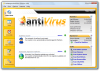
 
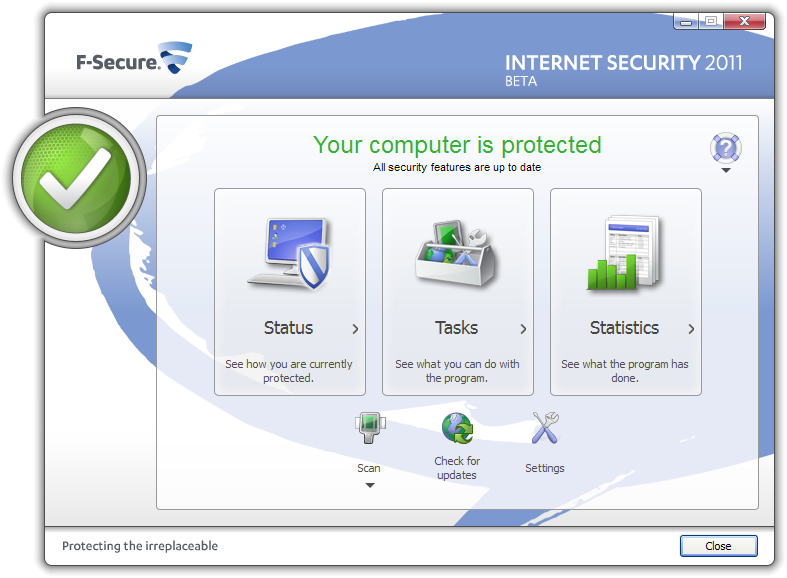
F-Secure Internet Security 2011 Beta
All-in-one security solution for your online life


f-secure2011.png


F-SecureInternetSecurity2011Beta.png


What's new in Internet Security 2011
  • Easier and faster to use -- Based on multiple usability studies, the user interface of IS 2011 has been improved, giving you an easy access to the most important tasks and features.
  • Reliable protection -- Automated malware removal logic has been taken to a new level by utilizing prevalence information from F-Secure cloud services, making your Internet use safer with minimum distraction from virus alerts.
  • Easier to take into use -- Thanks to enhanced installation, restarting is no longer required on Windows Vista and Windows 7. This applies only to new installations.


Beta Portal:
Mã:
http://www.f-secure.com/en_EMEA/downloads/beta-programs/home-office/is2011beta/index.html
 
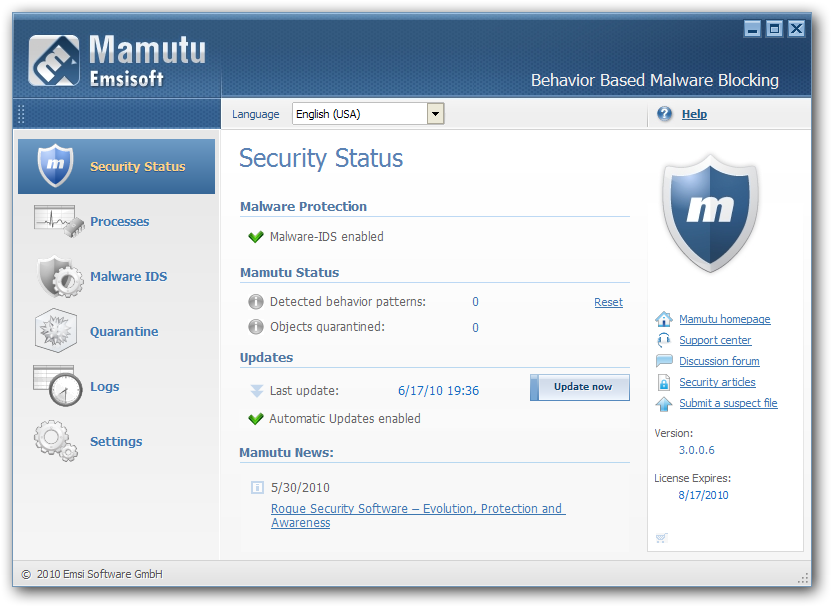
Emsisoft Mamutu 3.0 Beta
100% behavior based malware blocking


mamutu3.png


New features:

  • 100% x64 compatible
    Emsisoft Mamutu 3.0 works equally well without limitations on both 32 and 64 bit systems. This makes Emsisoft Mamutu one of the first "complete" behavior-blockers for x64 systems.

  • Extended behavior analysis
    A new addition is recognition of manipulation of the system security policies. The false alert filter has been further refined and the design of the alert window has been optimized.

  • Refreshed and improved UI
    Several dozens of smaller GUI improvements were implemented. In addition Mamutu now uses a similar GUI style to Emsisoft Anti-Malware 5.0.


Installation

To switch to Emsisoft Mamutu 3.0 Public Beta just enable the beta update function of Mamutu and run an online update. If you don't have Emsisoft Mamutu 3.0 installed right now use the following setup:

Mã:
http://download1.emsisoft.com/MamutuSetupBeta.exe

Be aware that once you installed the beta setup or enabled the Beta Updates option you have to keep the Beta Updates option enabled. Disabling the option will cause Emsisoft Mamutu to downgrade without proper removal of the new behavior blocker. This will cause severe problems on your system ranging from sluggish performance up to BSODs. You have been warned.


More info:
Mã:
http://support.emsisoft.com/topic/2161-emsisoft-mamutu-30-public-beta-started/
 
badge-trans-mini.png
Immunet Protect FREE Antivirus

Fast, Companion Antivirus with Basic Online Protection


attachment.php


Immunet Protect gives you a fast, extra layer of protection that won't slow down your PC. Compatible with existing antivirus.


Features

  • Fast Antivirus
    Won't slow down your PC

  • Real-time, Cloud-based Detection
    NO virus updates required

  • Small Footprint
    Low disk and memory use

  • Extra Layer of Protection
    Compatible with existing antivirus

  • Community-based
    Protect your closest contacts

  • Strength in Numbers
    Powered by Collective Immunity


Homepage:
Mã:
http://www.immunet.com/main/index.html

Download:
Mã:
http://download.immunet.com/bootstrapper-protect-1-enu-32.exe
http://download.immunet.com/bootstrapper-protect-1-enu-64.exe
 

Attachments

  • immunet2-animated.png
    immunet2-animated.png
    991.6 KB · Đọc: 158
Chỉnh sửa cuối:
SpyShelter Personal Free

spyshelterbanner.png


attachment.php

The Internet is now a vital part of our personal and business lives. With increasing use of online systems, cybercrime also has grown exponentially. Information-stealing software are produced regularly and are used by thieves to steal personal and business information.

One of the most effective ways of stealing information is through a program that can easily be made to capture keystrokes. This program captures everything that a user is doing- keystrokes, mouseclicks, files opened and closed, sites visited.

More sophisticated programs can capture everything a user sees on his screen when performing a screen capture: just the mere opening of a file can allow an information thief to steal your data. These sophisticated and dangerous programs are called Keylogging programs (e.g. keyloggers, key recorder, keytrappers, key capture programs, etc.) and they are developed continuously all over the world.

SpyShelter can protect you against attacks that happen even when you do ordinary computer tasks like: typing into your computer, getting screenshots, opening files, and visiting sites. The SpyShelter monitors vulnerable and weak spots in your computer system to ensure that even the most advanced keyloggers are shut down even before these can launch a single dangerous attack against your computer.

SpyShelter is fast, efficient, and easy-to-use.

Features
  • System protection (HIPS)
  • Anti keylogger
  • AntiScreenCapture
  • AntiClipboardCapture

Homepage:
Mã:
http://spyshelter.com/

Download
Mã:
http://www.spyshelter.com/download/release/setupfree.exe
 

Attachments

  • spyshelter-animated.png
    spyshelter-animated.png
    592.8 KB · Đọc: 145
Back
Top