- 1/3/06
- 8,335
- 27,286
- Thread starter
- #41
Giải quyết từng thắc mắc một nhé.
Đây là các giá trị mặc định của key NoDriveTypeAutoRun trong 1 số HĐH phổ biến:
Còn Vista thì vấn đề này nằm ngoài tầm kiểm soát (đọc lại 1 số post trước sẽ rõ).
Xem câu này của cậu có vẻ vẫn chưa phân biệt được 2 chức năng AutoPlay và AutoRun, xin mời đọc đoạn sau:
Nhân tiện, đây là nội dung file autorun.inf trong đĩa cài win XP:
Đọc nhiều thì tốt, nhưng làm ơn đi đôi với thực hành. Cái article cậu đọc là từ đây, nó là article dành cho registry của win 2000, không phải win XP.By default, Autoplay is disabled on removeable drivers, such as the floppy disk driver (but not CD-ROM Driver), and on network drivers.
This setting disables Autoplay on additional types of drives. You cannot use this setting to enable Autoplay on drives on which it is disabled by default.
Đây là các giá trị mặc định của key NoDriveTypeAutoRun trong 1 số HĐH phổ biến:
Mã:
Microsoft Windows Server 2003	0x95
Microsoft Windows XP	        0x[SIZE=5][B]91[/B][/SIZE]
Microsoft Windows 2000	        0x95
Còn Vista thì vấn đề này nằm ngoài tầm kiểm soát (đọc lại 1 số post trước sẽ rõ).
Miễn bàn... Mời xem phần trên...Cho nên Virus không thể lây qua đường Autoplay của USB được, và nó không liên quan gì đến Autorun cả.
Xem câu này của cậu có vẻ vẫn chưa phân biệt được 2 chức năng AutoPlay và AutoRun, xin mời đọc đoạn sau:
On its web site, Microsoft explains that "AutoPlay is a new feature introduced in Microsoft® Windows® XP that detects content such as pictures, music, or video files on removable media and removable devices. AutoPlay then automatically launches applications to play or display that content. This simplifies the use of specialized peripheral devices such as MPEG-Layer 3 (MP3) players and digital photo readers. It also makes it easier for users who are unfamiliar with the software needed to access various content types."
Microsoft also adds that "AutoPlay should not be confused with AutoRun. AutoRun, introduced in Windows 95, enables a compact disc to automatically launch a function, such as an installer or game play, when placed in the CD-ROM drive. This is accomplished through the use of an Autorun.inf file in the root directory of the compact disc."
Cậu thử mở file iso đĩa cài win XP lên (= powerISO hay cái gì đấy), xóa file autorun.inf trong đó đi. Sau đó merge và ổ đĩa ảo rồi xem có cái bảng setup hiện lên ko nhé.Bởi vậy khi bỏ đĩa cài Win XP nó tự nhận File Setup nhưng không do Autorun. ^^
Nhân tiện, đây là nội dung file autorun.inf trong đĩa cài win XP:
Mã:
[AutoRun]
open=setup.exe
icon=setup.exe,0


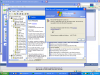
 là cho câu này của cậu này: