

Navigation
Install the app
How to install the app on iOS
Follow along with the video below to see how to install our site as a web app on your home screen.
Note: This feature may not be available in some browsers.
Thêm tùy chọn
Style variation
You are using an out of date browser. It may not display this or other websites correctly.
You should upgrade or use an alternative browser.
You should upgrade or use an alternative browser.
WindowBlinds 6 Enhanced + Crack (change SID) + torrent cracked WB 6 (no SID changing)
- Thread starter Jaguar™
- Ngày gửi


vampireZeoro
Youtube Master Race
- 17/6/07
- 79
- 0
em cài cái WB 6 rồi chỉnh sao mà cái toolbar và startmenu của WinXP nó trắng nhớt giống hệ điều hành Win98 => xấu wá xá!!! HUHUHU!!! có cách nào cho nó trở lại là WinXP được hok vậy mấy pro? Sợ wá không cài chương trình liên quan đến WINDOW nữa....
Reply With Quote
Reply With Quote


Skin Milork bị nhiều lỗi với bản 6 này 
File patch mới đây:
File patch mới đây:
1) Install WindowBlinds
2) Close activation window (twice)
3) Start task-manager and kill:
-> vista: WbVista.exe (and VistaSrv.exe if listed)
-> xp: WBINST~1.exe
4) Start the keyfilemaker and apply the patch to WbSrv.dll
5) Generate a keyfile and save it in the same folder

- 5/9/07
- 5,346
- 511
Cái tui up cũng là cái nàySkin Milork bị nhiều lỗi với bản 6 này
File patch mới đây:

 trong cái của tui có thêm file txt hướng dẫn :p
- 5/9/07
- 5,346
- 511
Ý kiến gì ?. . . . . . . . . . . . . . . . .


vondutch2650
Donkey Kong
- 5/9/07
- 359
- 8
sao tui ko thể đổi skin được vậy, nó tự chuyển về classic ko à, hay nó bắt mua mới cho xài
- 5/9/07
- 5,346
- 511
sao tui ko thể đổi skin được vậy, nó tự chuyển về classic ko à, hay nó bắt mua mới cho xài
Do thế ::)Cái này là skin không tương thích
Mấy cái skin của WindowBlinds 5.5 không apply được trong 6
Sai rồi, skin 5.5 hay các bản dưới đều dùng đc ở WB6 ::), chỉ có là gây ra một số lỗi thôi.Cái này là skin không tương thích
Mấy cái skin của WindowBlinds 5.5 không apply được trong 6
Còn vụ bị chuyển thành classic có thể là do:
- Crack sai
- Video card yếu
vondutch2650
Donkey Kong
- 5/9/07
- 359
- 8
bác biết cách crack ko, chỉ cho tui đi
Đây này: (file đính kèm để trên kia)
1) Install WindowBlinds
2) Close activation window (twice)
3) Start task-manager and kill:
-> vista: WbVista.exe (and VistaSrv.exe if listed)
-> xp: WBINST~1.exe
4) Start the keyfilemaker and apply the patch to WbSrv.dll
5) Generate a keyfile and save it in the same folder
vondutch2650
Donkey Kong
- 5/9/07
- 359
- 8
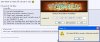

Xóa sạch đi cài lại, xóa cả folder nó nữa.
Vừa mới cài xong mới thấy đc nó, về sau ko thấy đc đâu, vì vậy sau khi cài phải tắt nó ngay và patch, ko đc restart, restart xong là bó tay.Tớ còn thảm hơn,bật Task lên chả thấy cái WBINST~1.EXE đâu

oh_my_god_474
Mr & Ms Pac-Man
- 26/8/07
- 226
- 0
công nhận wb6 nhẹ hều lúc đổi skin mà ko thấy ram tụt xuống tí nào ram 512 xài cũng được 

Kronpas1997
Baldur's Gate
Beta tester, nhân viên test hiệu ứng không công vô thời hạn, text siêu dài thử thách người đọc
Lão Làng GVN
- 5/9/02
- 33,687
- 46,484
Mình đổi tên thread được mấy ngày rồi mới có người vào update :( Bản này dùng đẹp phết, mỗi tội trên XP cái taskbar giả trong suốt, ko phải hàng xịn :(