
thaidesignzzz
Mario & Luigi
- 26/3/07
- 756
- 19
seta r_useRenderThread "0" // 0 Disable or 1 Enable threaded rendering useful for newer cards to increase performance.
mình nghĩ cái này bác nên để "1" - đọc chú thích bên cạnh



Follow along with the video below to see how to install our site as a web app on your home screen.
Note: This feature may not be available in some browsers.
Tắt thông báo bằng nút X bên góc phải của bảng thông báo*
seta r_useRenderThread "0" // 0 Disable or 1 Enable threaded rendering useful for newer cards to increase performance.


Lám y xì như bác này nhưng lúc ở menu nó cứ chớp chớp, rồi lúc load game thì báo lỗi ko cho load => out => still failedBác nào mà chê game này hình xấu thì mình cũng bó tay. Chi tiết texture có thể ko nét như 1 số game khác, nhưng tổng thể + hiệu ứng ánh sáng => ngoại cảnh cực đẹp. Đây có lẽ là 1 trong vài game PC có ngoại cảnh đỉnh nhất mình từng chơi, đặc biệt là màn Dead City cực kì ấn tượng.
Khá bất ngờ khi Id Software làm cái Rage này out-door tốt vậy, sở trường của hãng trước giờ toàn in-door (Doom, Quake, ...)
Game khá hay, pha RPG rất nhiều (loot, chế item, quest, minigame, ....). Súng ống design ko đẹp lắm nhưng cảm giác bắn + sound rất đã. Animation của enemy khi trúng đạn + di chuyển rất tốt và đa dạng. AI ko quá thông minh nhưng cũng ko quá ngu, cũng biết cover, blind-fire, em nào chuyên melee là vừa tránh đạn vừa áp sát cực nhanh để "xin tí huyết".
Btw, cây AR của Authority y như cây AR trong DOOM 3.
Vài tấm screenshot chụp khi tới Dead City.
Sẵn post luôn config của mình cho bạn nào thắc mắc:
[SPOIL]
Cấu hình máy của mình: i7 870, 4G RAM, HD5870, Win7 64.
- AMD Catalyst 11.10 BETA 2 (Rage-BF3)
- Cache folder :Mã:C:\Users\Username\AppData\Local\id Software\Rage
- Ô target trong shortcut :Mã:+cvaradd g_fov 10 +com_allowconsole 1 +com_skipIntroVideo 1 +m_smooth 0
- File config: \Rage\base\RageConfig.cfg
Mã:seta com_videoRam "1024" //sets the Video Card memory Set this to the amount you have in MB seta com_maxfps "120" //limits the frames to 60 can be changed to what you desire seta ui_fov "90" //PC FOV is 90-95 console is 65-70 seta image_anisotropy "16" //Using the highest setting here but you can set as 2, 4 or 8 seta image_usecompression 0 seta image_filter "GL_LINEAR_MIPMAP_LINEAR" //filtering for light maps seta image_preload "1" //Use preload images when ever possible seta image_lodbias "-1" //LoD settings seta image_ignoreHighQuality "0" //Sets up for using HQ gfx seta image_ignoreLowQuality "1" //ignores the low textures seta image_useCache "1" //Enabled Cache to allow the textures to load properly without popping seta image_cacheMegs "125" //Cache size in Megabytes seta image_cacheMinK "50" //Cache minimum size in kilobytes seta r_swapInterval 1 //VSYNC 1 enabled, 0 diabled seta r_useHighQualityPostProcess "0" //Fore High Quality post proccessing seta r_shadowsHighQuality "0" //Fore High Quality shadows seta r_displayRefresh "0" //keep it so the engine doesn't double render a frame seta r_renderer "best" //highest rendering options seta r_multiSamples "8" //Set this to 16 or 8 if you're having low-fps as 32 is the Max Multi-sampling seta r_useHBAO "1" //Ambient occlusion seta r_useRenderThread "0" // 0 Disable or 1 Enable threaded rendering useful for newer cards to increase performance. seta r_visDistMult "1" seta r_useMotionBlur "0" //use blur seta r_skipBump "0" seta r_skipSpecular "0" seta r_skipNewAmbient "0" seta r_shadows "1" seta r_cgFragmentProfile "best" seta r_cgVertexProfile "best" seta vt_lodBias "-1" //LoD settings //below is cache settings seta vt_pageimagesizeuniquediffuseonly2 "8192" seta vt_pageimagesizeuniquediffuseonly "8192" seta vt_pageimagesizeunique "8192" seta vt_pageimagesizevmtr "8192" seta vt_maxPPF "64" seta vt_preload "1" //Begin Advanced GFX Filtering and Sharper Images. Comment these 3 lines out if you are having issues or don't like the way it looks. //seta vt_filter "GL_NEAREST, GL_NEAREST_MIPMAP_LINEAR" seta vt_envf "GL_TEXTURE_ENV, GL_TEXTURE_ENV_MODE, GL_MODULATE" seta vt_blend "GL_LINEAR_MIPMAP_LINEAR" //End of Advanced GFX Filtering seta vt_useCache "1" seta vt_cacheMegs "1024" seta vt_cacheMinK "10" seta vt_ignoreHighQuality "0" seta vt_ignoreLowQuality "1" //Begin HD Settings seta vt_qualityhdplossless "1" seta vt_qualityhdppower "1" seta vt_qualityhdpspecular "1" seta vt_qualityhdpnormal "0" seta vt_qualityhdpdiffuse "1" seta vt_qualitydctpower "100" seta vt_qualitydctspecular "100" seta vt_qualitydctnormal "100" seta vt_qualitydctchroma "100" seta vt_qualitydctluma "100" seta vt_maxlockedpages "2048" //HD Image settings seta image_qualityhdplossless "1" seta image_qualityhdppower "1" seta image_qualityhdpspecular "1" seta image_qualityhdpnormal "0" seta image_qualityhdpdiffuse "1" seta image_qualitydctpower "100" seta image_qualitydctspecular "100" seta image_qualitydctnormal "100" seta image_qualitydctchroma "100" seta image_qualitydctluma "100" seta image_maxlockedpages "1024"
Fps lúc nào cũng 55-60, ko giật hay load texture chậm. Trừ khu vực giao nhau của mấy đưởng cao tốc trước cổng vào Dead City là fps tụt còn 3x-4x.[/SPOIL]


bạn nào cho mình cái config, cache gts250 với nhỉ
//High-end Config By FusedCore
seta com_videoRam "1024" //sets the Video Card memory Set this to the amount you have in MB
seta com_maxfps "60" //limits the frames to 60 can be changed to what you desire
seta image_anisotropy "16" //Using the highest setting here but you can set as 2, 4 or 8
seta image_usecompression 0
seta image_filter "GL_LINEAR_MIPMAP_LINEAR"
seta image_blend "GL_LINEAR_MIPMAP_LINEAR"
seta image_preload "1" //Use preload images when ever possible
seta image_lodbias "-1" //LoD settings
seta image_ignoreHighQuality "0" //Sets up for using HQ gfx
seta image_ignoreLowQuality "1" //ignores the low textures
seta image_useCache "1" //Enabled Cache to allow the textures to load properly without popping
seta image_cacheMegs "1024" //Cache size in Megabytes
seta image_cacheMinK "10" //Cache minimum size in kilobytes
seta r_aspectRatio "2" // 0=4:3, 1=16:9, 2=16:10, 3=5:4 TFT, -1 custom
seta r_fullscreen "1"
//seta r_customAspectRatioV "10"
//seta r_customAspectRatioH "16"
seta r_swapInterval 1 //VSYNC 1 enabled, 0 diabled
seta r_useHighQualityPostProcess "1" //Fore High Quality post proccessing
seta r_shadowsHighQuality "1" //Fore High Quality shadows
seta r_displayRefresh "0" //keep it so the engine doesn't double render a frame
seta r_renderer "best" //highest rendering options
seta r_multiSamples "32" //Set this to 16 or 8 if you're having low-fps as 32 is the Max Multi-sampling
seta r_useHBAO "1" //Ambient occlusion
seta r_useRenderThread "0" // 0 Disable or 1 Enable threaded rendering useful for newer cards to increase performance.
seta r_visDistMult "1"
seta r_useMotionBlur "1" //use blur
seta r_skipBump "0"
seta r_skipSpecular "0"
seta r_skipNewAmbient "0"
seta r_shadows "1"
seta r_cgFragmentProfile "best"
seta r_cgVertexProfile "best"
seta vt_lodBias "-1" //LoD settings
//below is cache settings And advanced GFX settings
seta vt_pageimagesizeuniquediffuseonly2 "8192"
seta vt_pageimagesizeuniquediffuseonly "8192"
seta vt_pageimagesizeunique "8192"
seta vt_pageimagesizevmtr "8192"
seta vt_maxPPF 64 //Set this to 64 for Quad-cores CPU's or higher, 16 or 8 for dual-cores CPU's
seta vt_preload "1"
//Begin Advanced GFX Filtering and Sharper Images. Comment these 3 lines out if you are having issues or don't like the way it looks.
//seta vt_filter "GL_NEAREST, GL_NEAREST_MIPMAP_LINEAR"
seta vt_envf "GL_TEXTURE_ENV, GL_TEXTURE_ENV_MODE, GL_MODULATE"
seta vt_blend "GL_LINEAR_MIPMAP_LINEAR"
//End of Advanced GFX Filtering
seta vt_useCache "1"
seta vt_cacheMegs "1024"
seta vt_cacheMinK "10"
seta vt_ignoreHighQuality "0"
seta vt_ignoreLowQuality "1"
seta vt_maxaniso 4 //Set this to 0 if your having lots screen tarring issues and do NOT set this higher then 4 otherwise it will corrupt the Mega-Textures

Sẵn post luôn config của mình cho bạn nào thắc mắc:
[SPOIL]
Cấu hình máy của mình: i7 870, 4G RAM, HD5870, Win7 64.
- AMD Catalyst 11.10 BETA 2 (Rage-BF3)
- Cache folder :Mã:C:\Users\Username\AppData\Local\id Software\Rage
- Ô target trong shortcut :Mã:+cvaradd g_fov 10 +com_allowconsole 1 +com_skipIntroVideo 1 +m_smooth 0
- File config: \Rage\base\RageConfig.cfg
Fps lúc nào cũng 55-60, ko giật hay load texture chậm. Trừ khu vực giao nhau của mấy đưởng cao tốc trước cổng vào Dead City là fps tụt còn 3x-4x.[/SPOIL]Mã:seta com_videoRam "1024" //sets the Video Card memory Set this to the amount you have in MB seta com_maxfps "120" //limits the frames to 60 can be changed to what you desire seta ui_fov "90" //PC FOV is 90-95 console is 65-70 seta image_anisotropy "16" //Using the highest setting here but you can set as 2, 4 or 8 seta image_usecompression 0 seta image_filter "GL_LINEAR_MIPMAP_LINEAR" //filtering for light maps seta image_preload "1" //Use preload images when ever possible seta image_lodbias "-1" //LoD settings seta image_ignoreHighQuality "0" //Sets up for using HQ gfx seta image_ignoreLowQuality "1" //ignores the low textures seta image_useCache "1" //Enabled Cache to allow the textures to load properly without popping seta image_cacheMegs "125" //Cache size in Megabytes seta image_cacheMinK "50" //Cache minimum size in kilobytes seta r_swapInterval 1 //VSYNC 1 enabled, 0 diabled seta r_useHighQualityPostProcess "0" //Fore High Quality post proccessing seta r_shadowsHighQuality "0" //Fore High Quality shadows seta r_displayRefresh "0" //keep it so the engine doesn't double render a frame seta r_renderer "best" //highest rendering options seta r_multiSamples "8" //Set this to 16 or 8 if you're having low-fps as 32 is the Max Multi-sampling seta r_useHBAO "1" //Ambient occlusion seta r_useRenderThread "0" // 0 Disable or 1 Enable threaded rendering useful for newer cards to increase performance. seta r_visDistMult "1" seta r_useMotionBlur "0" //use blur seta r_skipBump "0" seta r_skipSpecular "0" seta r_skipNewAmbient "0" seta r_shadows "1" seta r_cgFragmentProfile "best" seta r_cgVertexProfile "best" seta vt_lodBias "-1" //LoD settings //below is cache settings seta vt_pageimagesizeuniquediffuseonly2 "8192" seta vt_pageimagesizeuniquediffuseonly "8192" seta vt_pageimagesizeunique "8192" seta vt_pageimagesizevmtr "8192" seta vt_maxPPF "64" seta vt_preload "1" //Begin Advanced GFX Filtering and Sharper Images. Comment these 3 lines out if you are having issues or don't like the way it looks. //seta vt_filter "GL_NEAREST, GL_NEAREST_MIPMAP_LINEAR" seta vt_envf "GL_TEXTURE_ENV, GL_TEXTURE_ENV_MODE, GL_MODULATE" seta vt_blend "GL_LINEAR_MIPMAP_LINEAR" //End of Advanced GFX Filtering seta vt_useCache "1" seta vt_cacheMegs "1024" seta vt_cacheMinK "10" seta vt_ignoreHighQuality "0" seta vt_ignoreLowQuality "1" //Begin HD Settings seta vt_qualityhdplossless "1" seta vt_qualityhdppower "1" seta vt_qualityhdpspecular "1" seta vt_qualityhdpnormal "0" seta vt_qualityhdpdiffuse "1" seta vt_qualitydctpower "100" seta vt_qualitydctspecular "100" seta vt_qualitydctnormal "100" seta vt_qualitydctchroma "100" seta vt_qualitydctluma "100" seta vt_maxlockedpages "2048" //HD Image settings seta image_qualityhdplossless "1" seta image_qualityhdppower "1" seta image_qualityhdpspecular "1" seta image_qualityhdpnormal "0" seta image_qualityhdpdiffuse "1" seta image_qualitydctpower "100" seta image_qualitydctspecular "100" seta image_qualitydctnormal "100" seta image_qualitydctchroma "100" seta image_qualitydctluma "100" seta image_maxlockedpages "1024"
mình ko theo dõi 2pic này mấyNhà mình cũng GTS250, 2Gb RAM đang dùng config này chạy ngon nè :) ...
, ngoài chép config vào còn chép cái gì nữa nhỉ, update driver lên rồi


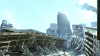

Bác nào mà chê game này hình xấu thì mình cũng bó tay. Chi tiết texture có thể ko nét như 1 số game khác, nhưng tổng thể + hiệu ứng ánh sáng => ngoại cảnh cực đẹp. Đây có lẽ là 1 trong vài game PC có ngoại cảnh đỉnh nhất mình từng chơi, đặc biệt là màn Dead City cực kì ấn tượng.
Khá bất ngờ khi Id Software làm cái Rage này out-door tốt vậy, sở trường của hãng trước giờ toàn in-door (Doom, Quake, ...)


Bạn cho hỏi copy cái dòng skip vs set g_fov vào kiểu gì? File config của mình có mỗi 4 dòng, copy kiểu gì cũng ko có tác dụng >"<Muốn skip qua lỗi intro đầu game thì thêm dòng này trong rageconfig (+set com_skipIntroVideo "1").
Vị trí khác nhau chụp hình khác nhau.
Config có phân chia cho máy Thấp-Trung-Cao-Đỉnh. Tùy máy mà chọn save config chứ nhỉ...
cái FOV chỉnh trong config luôn đấy (+set g_fov 16).


