

Navigation
Install the app
How to install the app on iOS
Follow along with the video below to see how to install our site as a web app on your home screen.
Note: This feature may not be available in some browsers.
Thêm tùy chọn
Style variation
-
[THÔNG BÁO] CẢNH BÁO LỪA ĐẢO MẠO DANH QUẢN TRỊ VIÊN
Chào các thành viên GameVN,
Dạo gần đây tình trạng lừa đảo scamming và phishing đang gia tăng. Ban quản trị GameVN xin lưu ý toàn bộ thành viên:
KHÔNG/ ĐỪNG / CẤM cho bất kỳ ai tự xưng là quản trị viên của server vay tiền.
Mọi hành vi lân la làm quen, tự tiện nhắn tin trên Discord, Facebook, Zalo hoặc các nền tảng mạng xã hội khác,
núp bóng dưới danh nghĩa sinh hoạt của quản trị viên, đều có tỉ lệ rất, rất cao là lừa đảo.
Nếu có tài khoản lạ add friend hoặc nhắn tin xin tiền dưới danh nghĩa admin:
Block ngay
Report ngay
Không chuyển khoản, không cung cấp thông tin cá nhân
Quản trị viên của forum và Discord server GameVN không có nhu cầu vay tiền thành viên.
Không có lý do nào để admin chủ động kết bạn rồi xin tiền.
Mọi thông báo chính thức chỉ được đăng trên kênh thông báo của server và topic chính thức trên forum.
Tin nhắn riêng từ tài khoản lạ không phải thông báo của ban quản trị.
Cảm ơn các bạn đã chú ý và cùng giữ cộng đồng an toàn.
— Ban quản trị GameVN
Tắt thông báo bằng nút X bên góc phải của bảng thông báo*
You are using an out of date browser. It may not display this or other websites correctly.
You should upgrade or use an alternative browser.
You should upgrade or use an alternative browser.
RIFT - Empyreal Assault (Free To Play 12/6)
- Thread starter SKay
- Ngày gửi

Max gangter
Mr & Ms Pac-Man
- 17/5/03
- 178
- 1
Sao cũng được H, giờ khuya thì dễ chơi chút tại thường cũng về giờ đó  .
.
.
ali33va40cogai
C O N T R A
- 3/4/07
- 1,883
- 2
cứ max50 farm đủ gear t2 đã rồi hẵn tính thống nhất giờ raid 10 hay 20 người
guild bọn tui chơi bên này thì ok, tối qua tui với babylina đi với bọn nó clear hết gsb với ros chưa đến 2h thì phải
còn MDD thì anh em giờ tự đi được tồi, clear trong 1 h được 5 mark đổi đồ t3
ngày thường chơi đêm còn T7 CN chơi ngày được, bà con cứ cân nhắc
guild bọn tui chơi bên này thì ok, tối qua tui với babylina đi với bọn nó clear hết gsb với ros chưa đến 2h thì phải
còn MDD thì anh em giờ tự đi được tồi, clear trong 1 h được 5 mark đổi đồ t3
ngày thường chơi đêm còn T7 CN chơi ngày được, bà con cứ cân nhắc

SKay
Audio Lover
- 1/2/05
- 1,355
- 5,872
- Thread starter
- #205
RIFT 1.6 Fae Yule World Event Guide and Unique Snowflake Items
http://rift.mmosite.com/patch1.6/fae_yule_world_event_guide_and_unique_snowflake_items.shtml
http://rift.mmosite.com/patch1.6/fae_yule_world_event_guide_and_unique_snowflake_items.shtml
ali33va40cogai
C O N T R A
- 3/4/07
- 1,883
- 2
group cùi mía của anh em VN hôm qua 5 mem gồm tui (cleric), babylina (mage), 3 rogue (newstart,aer...,beannguyen) cùng 5 pug đã xuất sắc clear DH cùng 1 số achivement khủng, chẳng hạn giết boss cuối mà ko ai bị chết......
Đến GP thì bị pug boss 2 ko reset dungeon được, đành hẹn tối nay đi lại vậy
Anh em cố gắng đi lôi kéo dụ dỗ để làm group 20 man nhé, group 10 man VN thì giờ thấy đủ rồi đó.
VN cùi mía tiến lên nào.... hehe
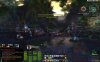
bonus ảnh: tham gia bảo vệ embler isle
Đến GP thì bị pug boss 2 ko reset dungeon được, đành hẹn tối nay đi lại vậy
Anh em cố gắng đi lôi kéo dụ dỗ để làm group 20 man nhé, group 10 man VN thì giờ thấy đủ rồi đó.
VN cùi mía tiến lên nào.... hehe
bonus ảnh: tham gia bảo vệ embler isle
Chỉnh sửa cuối:

Thir13en
Donkey Kong
- 15/1/06
- 326
- 1
...................
Móa thì ra bị dính lỗi #1021 và #1014, lỗi unable to authenticate or connect server, ai biết fix cái lỗi này mà ko phải down về lại, cài lại rồi chờ update ko? Cách nào fix nhanh gọn nhất có ko các anh chị em j` thým ... MÓA! từ chiều đã nghi nghi rồi, đến bây h ko lên đc là biết rồi.
---------- Post added at 23:03 ---------- Previous post was at 22:05 ----------
Wtf !!!!!? This fcking errors (#1021/1014( is killing me ! Some1 can help ???
Móa thì ra bị dính lỗi #1021 và #1014, lỗi unable to authenticate or connect server, ai biết fix cái lỗi này mà ko phải down về lại, cài lại rồi chờ update ko? Cách nào fix nhanh gọn nhất có ko các anh chị em j` thým ... MÓA! từ chiều đã nghi nghi rồi, đến bây h ko lên đc là biết rồi.
---------- Post added at 23:03 ---------- Previous post was at 22:05 ----------
Wtf !!!!!? This fcking errors (#1021/1014( is killing me ! Some1 can help ???
Thir13en
Donkey Kong
- 15/1/06
- 326
- 1
Mới gửi cái ticket tức thì...nhưng đã biết nó lỗi j, chỉ là ko fix đc. CM nó...
--------------
Chắc chắn là lỗi mất port authentication. Unplug cái cổng lan của vnn ra, gắn cái USB 3G của Viettel thì login bt. Nhưng h ko lẽ chạy rift = 3g rồi mỗi tháng trả thêm net vnn ?
Má, gọi điện lên gặp nhân viên vnn kêu nó bây h sao để cấp port authen cho mấy cái game nước ngoài thì nó nói chẳng hiểu mình muốn j. Mà bi h có mở trang modem lên cũng chẳng biết forward port ở đâu vì cái modem vnn cho "wa' khủng" ... Thua!
--------------
Chắc chắn là lỗi mất port authentication. Unplug cái cổng lan của vnn ra, gắn cái USB 3G của Viettel thì login bt. Nhưng h ko lẽ chạy rift = 3g rồi mỗi tháng trả thêm net vnn ?
Má, gọi điện lên gặp nhân viên vnn kêu nó bây h sao để cấp port authen cho mấy cái game nước ngoài thì nó nói chẳng hiểu mình muốn j. Mà bi h có mở trang modem lên cũng chẳng biết forward port ở đâu vì cái modem vnn cho "wa' khủng" ... Thua!

- 24/6/06
- 16,001
- 22,799
Ủa cái free trial 7 ngày nó cho cày đến lvl mấy là max vậy ae ?
Mua 1 key kèm 30 ngày chơi rồi nhưng chưa active , chờ xong 7 ngày rồi quyết định có nên active hay để bán lại
Test qua vài tiếng thì thấy game giống wow kinh khủng , được cái đồ họa đẹp hơn khá nhiều
Mua 1 key kèm 30 ngày chơi rồi nhưng chưa active , chờ xong 7 ngày rồi quyết định có nên active hay để bán lại
Test qua vài tiếng thì thấy game giống wow kinh khủng , được cái đồ họa đẹp hơn khá nhiều
SKay
Audio Lover
- 1/2/05
- 1,355
- 5,872
- Thread starter
- #212
giới hạn đến 2x thì phải
uhm khá giống wow, wa shard Laethys nhé, nếu lở vào shard khác thì transfer wa, ko có mất tiền, mỗi tuần được transfer 1 lần
@Thir13en: cái lỗi đó thấy có khá nhiều người bị, cùng lắm down lại game thử xem
uhm khá giống wow, wa shard Laethys nhé, nếu lở vào shard khác thì transfer wa, ko có mất tiền, mỗi tuần được transfer 1 lần
@Thir13en: cái lỗi đó thấy có khá nhiều người bị, cùng lắm down lại game thử xem
Chỉnh sửa cuối:
Thir13en
Donkey Kong
- 15/1/06
- 326
- 1
giới hạn đến 2x thì phải
uhm khá giống wow, wa shard Laethys nhé, nếu lở vào shard khác thì transfer wa, ko có mất tiền, mỗi tuần được transfer 1 lần
@Thir13en: cái lỗi đó thấy có khá nhiều người bị, cùng lắm down lại game thử xem
Rồi, đã có thêm aHải begau chung số phận. Nếu down lại thì tốn thời quá, để sáng đến cafeF1 TQK down lại vậy, đường truyền ở đó ngon, 10Gb++ tầm 1h, mịe hình như hôm nay hải quân TQ tập trận nên mạng vnn mình bị tụi nó dàn cảnh cắt cable hay sao đó, ko thì cũng bị tàu chiến "vướng" vào thôi. Thua cái mạng vnn!
ali33va40cogai
C O N T R A
- 3/4/07
- 1,883
- 2
về PVE va PVP cá nhân tui nhận xét là hay hơn wow, đi raid đòi hỏi skill hơn nhiều
hẹ thống soul tree hay hơn cây talent của wow
hệ thống craft bây giờ thua wow hiện tại nhưng ngon hơn wow từ thời 5x 60
ai giúp fix cái lỗi 1014 hay 1021 với, con mẹ nó chán quá đi
---------- Post added at 07:30 ---------- Previous post was at 06:59 ----------
co mẹ nó sửa được rồi
# Run as admin
# I have changed The clock times on the Internet clock tab
# Allowed Exceptions even Disabled firewall settings
# no background programs (essential only, and hid all Microsoft programs)
# Done the Ping command thing for patcher
# sent DXDiag to tech support
# Ive even UNINSTALLED the game, Re-downloaded it from steam for another 10 hours
# Read all your articles concerning Authentication, Patcher, error #2005, error #1021 and all related articles from your FAQ's, forums, even STEAM forums, googled it EVERYTHING FOR THE LAST 4 days, i have spent at least 30 hours trying to fix this (how about a REAL PERSON address my issues for at least 1 hour eh?) Im sick of being sent the same template emails after I have told them it doesnt work
#I cant ring Tech support because you dont have for Australia, WHY NOT!? I PAY SUBSCRIPTION FOR UPDATES AND TECH SUPPORT FFS
# Ive worked with computers for about 13 years, so i have done my best to solve this
---------- Post added at 07:55 ---------- Previous post was at 07:30 ----------
đề nghị tên babylina bỏ thời gian 1 ti train 2 nghề armor và weapon craft nhằm phục vụ anh em sau này nào
hẹ thống soul tree hay hơn cây talent của wow
hệ thống craft bây giờ thua wow hiện tại nhưng ngon hơn wow từ thời 5x 60
ai giúp fix cái lỗi 1014 hay 1021 với, con mẹ nó chán quá đi
---------- Post added at 07:30 ---------- Previous post was at 06:59 ----------
co mẹ nó sửa được rồi
# Run as admin
# I have changed The clock times on the Internet clock tab
# Allowed Exceptions even Disabled firewall settings
# no background programs (essential only, and hid all Microsoft programs)
# Done the Ping command thing for patcher
# sent DXDiag to tech support
# Ive even UNINSTALLED the game, Re-downloaded it from steam for another 10 hours
# Read all your articles concerning Authentication, Patcher, error #2005, error #1021 and all related articles from your FAQ's, forums, even STEAM forums, googled it EVERYTHING FOR THE LAST 4 days, i have spent at least 30 hours trying to fix this (how about a REAL PERSON address my issues for at least 1 hour eh?) Im sick of being sent the same template emails after I have told them it doesnt work
#I cant ring Tech support because you dont have for Australia, WHY NOT!? I PAY SUBSCRIPTION FOR UPDATES AND TECH SUPPORT FFS
# Ive worked with computers for about 13 years, so i have done my best to solve this
---------- Post added at 07:55 ---------- Previous post was at 07:30 ----------
đề nghị tên babylina bỏ thời gian 1 ti train 2 nghề armor và weapon craft nhằm phục vụ anh em sau này nào
your_final_fantasy
Persian Prince
- 22/5/02
- 3,786
- 0
Mình cũng đang bị cái lỗi nêu trên. Và nhận ra là Bật Hotspot shield lên thì lại chạy game bình thường.
Y như chặn FB, khó hiểu dã man
Y như chặn FB, khó hiểu dã man
ali33va40cogai
C O N T R A
- 3/4/07
- 1,883
- 2
xài mạng của VNN đúng ko?
chán dã man ngày hôm nay chơi bt, log ra đi ngủ vào lại bị, bực bội dã man
---------- Post added at 18:31 ---------- Previous post was at 18:27 ----------
xài mạng của VNN đúng ko?
chán dã man ngày hôm nay chơi bt, log ra đi ngủ vào lại bị, bực bội dã man
bật hotspot shield lên thì bị lỗi 2023,..........
chán dã man ngày hôm nay chơi bt, log ra đi ngủ vào lại bị, bực bội dã man
---------- Post added at 18:31 ---------- Previous post was at 18:27 ----------
xài mạng của VNN đúng ko?
chán dã man ngày hôm nay chơi bt, log ra đi ngủ vào lại bị, bực bội dã man
bật hotspot shield lên thì bị lỗi 2023,..........
Thir13en
Donkey Kong
- 15/1/06
- 326
- 1
A còn vào đc, e thì chưa từng vào đc! Mẹ nó, gọi điện lên vnn gặp tụi nhân viên, nó cứ nói giống như mình chẳng hiểu mẹ j về mạng cả...Ức chế mới gọi lại chửi banh chành trên đó xong đây. *Beep! sử dụng tất cả các cách khác (usb 3g viettel/ wireless fpt .....) vào bt chỉ có mỗi cái *beep! vnn này là bị chặn y như chặn fb! Má, có mỗi cái port authentication mà cũng đóng lên đóng xuống, rồi chẳng biết bao h thì fix/open. Chắc cuối tháng cắt thằng *beep vnn này!
*beep!
---------- Post added at 19:41 ---------- Previous post was at 19:39 ----------
mà thắc mắc tại sao có nhìu người xài vnn vẫn chơi đc bt ta? ĐẢM BẢO LÀ MÁY TA BÌNH THƯỜNG, login vào đc game bt nếu sử dụng mạng khác....
Chẳng hiểu nổi cơ chế cái bug này là sao cả, hay là do thằng RIFT ta ?
---------- Post added at 20:17 ---------- Previous post was at 19:41 ----------
......
-----> pó tay! hết cách chỉ còn mỗi cách gỡ toàn bộ rift ra ngồi chờ cài lại trực tuyến, có lẽ 11 gb+ tầm 1 ngày..
oh yeah, fcking ridiculous!
*beep!
---------- Post added at 19:41 ---------- Previous post was at 19:39 ----------
mà thắc mắc tại sao có nhìu người xài vnn vẫn chơi đc bt ta? ĐẢM BẢO LÀ MÁY TA BÌNH THƯỜNG, login vào đc game bt nếu sử dụng mạng khác....
Chẳng hiểu nổi cơ chế cái bug này là sao cả, hay là do thằng RIFT ta ?
---------- Post added at 20:17 ---------- Previous post was at 19:41 ----------
......
Hello Hung!
Thank you for contacting us regarding RIFT.
I apologize for the difficulties you are experiencing with RIFT. I realize this can be frustrating, and I'm happy to assist you in this matter. These two errors coincide with each other. Basically what they mean is that when your network tried to connect to the patching server the server was either down or your network blocked a connection to the server. Usually this is a simple permissions issue so we just have to find out where the permission needs to be increased. After reviewing the test results I do see that you are timing out at one point trying to connect. I do see that you are online now so if you receive this error please try the following below and if this does not work I have other solutions that should help with this issue.
I would like to see if any of the built-in security features on your operating system may be interfering with the game.
Please attempt to duplicate the issue on a default Windows admin account.
To enable the default admin account, please follow the instructions listed below:
1. Click Start.
2. Select All Programs.
3. Open Accessories.
4. Right Click on Command Prompt and select to run it as Admin.
5. With the Command Prompt up please input the following command line: net user administrator /active:yes
6. Hit enter on your keyboard and it should enable the default admin account.
Once the default admin account is active, log out of your current user account.
Once logged out, you should see the account listed as: Administrator.
Sign into the account and attempt to duplicate the issue.
To disable the default admin account we enabled, please follow the instructions listed below:
1. Click Start.
2. Select All Programs.
3. Open Accessories.
4. Right Click on Command Prompt and select to run it as Admin.
5. With the Command Prompt up please input the following command line: net user administrator /active:no
6. Hit enter on your keyboard and it should disable the default admin account.
If you have any additional questions or concerns then please don't hesitate to let us know. Thank you for your continued support of Trion Worlds and for playing RIFT. Your reference number for this question is 111125-000360
Sincerely,
Jacob C.
Account and Technical Support Agent
Trion Worlds Inc.
-----> pó tay! hết cách chỉ còn mỗi cách gỡ toàn bộ rift ra ngồi chờ cài lại trực tuyến, có lẽ 11 gb+ tầm 1 ngày..
oh yeah, fcking ridiculous!
your_final_fantasy
Persian Prince
- 22/5/02
- 3,786
- 0
cài lại chắc ko giải quyết đc vấn đề đâu  . Tui cũng VNN ... bật hotspot shield lên thì chạy đc. Ping cũng ok mà :( ... tắt đi thì giống FB, ko có vô đC
. Tui cũng VNN ... bật hotspot shield lên thì chạy đc. Ping cũng ok mà :( ... tắt đi thì giống FB, ko có vô đC
ali33va40cogai
C O N T R A
- 3/4/07
- 1,883
- 2
khi sáng tự nhiên cho bkav quét virus 1 hồi ko phát hiện được gì, tự nhiên ta v ô chơi được, chơi đến trưa tắt máy đi ngủ thì bị đến giờ cũng ko vô được
thằng bean cũng xài vnn sao vào bt
thằng bean cũng xài vnn sao vào bt
Similar threads
- Trả lời
- 0
- Đọc
- 222
- Trả lời
- 0
- Đọc
- 84

- Trả lời
- 1
- Đọc
- 445

- Trả lời
- 0
- Đọc
- 236