

Navigation
Install the app
How to install the app on iOS
Follow along with the video below to see how to install our site as a web app on your home screen.
Note: This feature may not be available in some browsers.
Thêm tùy chọn
Style variation
You are using an out of date browser. It may not display this or other websites correctly.
You should upgrade or use an alternative browser.
You should upgrade or use an alternative browser.
Security Software - Download here (07/2007-06/2008)
- Thread starter VeryBad
- Ngày gửi
- Status
- Không mở trả lời sau này.

- 28/5/07
- 4,063
- 597
ZoneAlarm Security Suite 7.1.247.000 Beta

oneAlarm Security Suite là một giải pháp bảo mật hữu hiệu với tường lửa tốt nhất thế giới ,ngăn chặn hacker,virus,worm và những nguy cơ khác. Nó kết hợp tường lửa mạnh nhất với các công cụ antivirus, lọc Web, bảo vệ sự riêng tư, tin nhắn nhanh và nhiều hơn nữa để cung cấp giải pháp bảo vệ tốt nhất trong tất cả các gói phần mềm bảo mật PC.
ZoneAlarm Security Suite là một gói phần mềm tất cả trong 1, là 1 sự kết hợp chặt chẽ giữa những lớp bảo mật cấp cao ; tạo một hệ thống bảo vệ an toàn nhất. Được thiết kế chuyên biệt để ngăn chặn những nguy cơ tấn công PC ngay tại điểm vào, phần mềm đã giành được nhiều giải thưởng hơn bất kỳ một phần mềm nào khác trên thị trường. Gói phần mềm kết hợp những tính năng bảo mật mạnh mẽ mà những chuyên gia máy tính cần với những chức năng tự động, giúp nó trở nên đơn giản với những người dùng không chuyên
ZoneAlarm® Security Suite – Bộ phần mềm bảo mật toàn diện
* Tường lửa mạng, hệ điều hành và ứng dụng được cải thiện
* Antivirus
* Bảo vệ khỏi những kẻ trộm thông tin- Được nâng cấp
* Anti-Spyware – MỚI
* Chặn đứng các website chứa spy – MỚI
* Bảo vệ tính riêng tư
* Anti-Spam & Anti-Phishing
* Bảo vệ tin nhắn nhanh
* Chế độ Game – MỚI
* Cung cấp hệ thống tường lửa phòng thủ mạnh mẽ với nhiều lớp bảo mật; chặn đứng nhưng hoạt động vào,ra và những cuộc tấn công trong khi vẫn giữ trạng thái ẩn đối với hacker
* Bảo vệ mạng khỏi sự những nguy cơ vào và ra với tường lửa số 1 thế giới
* Ngăn ngừa spyware và những chương trình hiểm độc khác,không cho chúng gởi thông tin cá nhân lên Internet
* Tự động ẩn máy tính của bạn đi trên Internet
* Bảo vệ chương trình của bạn khỏi malware
Cùng với chức năng tường lửa,ZoneAlarm Security Suite bao gồm một bộ máy quét virus dựa trên Computer Associates' Vet Anti-Virus. Chức năng bảo mật sự riêng tư cho phép bạn đặt những thiết lập cụ thể cho từng website riêng biệt. Chức năng ID Lock lưu trữ những thông tin cá nhân, như số thẻ tín dụng. Security Suite là phiên bản duy nhất của ZoneAlarm kết hợp bộ lọc ngăn chặn những site dựa vào hàng loạt kiểu nội dung, bạn có thể tinh chỉnh nó để chặn đứng nhiều kiểu thông tin không phù hợp hay chỉ một loại nhất định, ví dụ những thông tin về phân biệt chủng tộc. Security Suite cũng kết hợp chương trình IM Security, bảo vệ các chương trình tin nhắn nhanh khỏi spam và những tin nhắn được mã hóa ( nếu người dùng bên kia cũng sử dụng IMSecurity). Những người dùng đang tìm một giải pháp đối với tất cả những vấn đề bảo mật Internet có thể chuyển sang dùng ZoneAlarm Security Suite.
Mã:
http://download.zonelabs.com/bin/free/beta/zaSuiteSetup_71_247_000_Beta.exe
Mã:
tecd-5dqqs-fpgtt-c0k4m1-phv2g0
19hs6-w44g9-4u87p-qr3rsx-c63140
kphtt-dgtr9-xd9ii-1cxnf6-7rfkc0
- 28/5/07
- 4,063
- 597
Trend.Micro PC Cillin Internet Security Pro 2008 v16.05.1015

Trend Micro Internet Security 2008 makes it easy to protect your home network, personal identity, and online activity. It guards against present viruses, spyware, and identity theft as well as the web threats of tomorrow. Confidently e-mail, shop, bank, or share photos online, knowing your privacy and files are well protected.
Key Features
Anti-virus
Anti-spyware
Email safety scan
Protection against rootkits
Proactive intrusion blocking
Anti-spam
Two-way firewall
Home network protection
Website authentication
Parental controls
Data theft prevention
Free phone, email, chat support (North America only)
FULL VERSION
Mã:
http://www1.wqsky.com/Trend.Micro.Internet.Security.Pro.2008.rar- 28/5/07
- 4,063
- 597

PC Tools AntiVirus Free Edition là một chương trình quét virus miễn phí của PC Tools.Tuy là một chương trình mới nhưng khả năng quét và diệt virus rất cao.Chương trình có thể dò tìm,cách ly,xóa bỏ các loại virus,worm và trojan.
Tuy là phiên bản miễn phí nhưng chương trình cũng có sẵn cơ chế bảo vệ thời gian thực, khả năng tự động update…(chức năng không thể thiếu cho các trình diệt virus) Bạn có thể yên tâm khi sử dụng chương trình để bảo vệ máy tính của mình.
=========
Powerful free protection against malicious virus infections! PC Tools AntiVirus provides world-leading protection against viruses, worms and Trojans with rapid updates and OnGuard™ technology.
With PC Tools AntiVirus Free Edition you are protected against the most nefarious cyber-threats attempting to gain access to your PC and personal information. Going online without protection against the latest fast-spreading virus and worms, such as Netsky, Mytob and MyDoom, can result in infections within minutes.
Once infected, the virus will usually attempt to spread itself to your friends, family and associates by accessing your email contacts and networked PCs. The infection may also allow hackers to access files on your PC, use it to launch attacks against other computers and websites or to send mass SPAM email.
That's why PC Tools AntiVirus Free Edition provides world-leading protection, with rapid database updates, OnGuard™ real-time protection and comprehensive system scanning to ensure your system remains safe and virus free. PC Tools products are trusted and used by millions of people everyday to protect their home and business computers against online threats.
PC Tools AntiVirus Free Edition feature highlights:
• Protects your PC as you are working, surfing and playing
• Detects, quarantines, disinfects and destroys Viruses, Trojans and Worms
• OnGuard™ protects your computer against threats in real-time
• Automatically checks for frequent updates against the latest threats
Designed for Windows® Vista™, XP and 2000
Homepage - http://www.pctools.com/free-antivirus/
Mã:
http://www.pctools.com/mirror/avinstall.exe- 28/5/07
- 4,063
- 597
Kaspersky Anti-Virus Personal / Internet Security 7.0.1.321 Final
Improvements:
1.Feature added to check for and download the installer package for the latest version from the Kaspersky Lab web servers when the program installation is started.
2 Web page interception and processing mechanims of the Parental Control module improved. Now the component analyzes both the contents of the root node of the site and each specifically requested page.
3 Data processing speed increasing and proxy server resource consumption reduced.
4 Support added for IP protocol version 6 (IPv6).
5 Option added to disable Firewall from checking for changes to files in a monitored application on every attempt to join the network.
6 Recent Terms technology added to Anti-Spam, analyzing message text for phrases typical of spam.
7 Anti-Spam training now possible using outcoming emails on the setup wizard after installing the program.
8 Option added to import addresses from the Microsoft Office Outlook/ Microsoft Outlook Express to the Anti-Spam whitelist.
9 Option added for skipping trusted remote administration programs (for example, RAdmin) from Kaspersky Internet Security self-defense.
10 Improvements made to interface of the program activation wizard.
11 Feature added for testing network connections and updating the program when the connection is restored.
12 Program behavior when changing system time changed: the program continues to run.
12 Support added for Arabic-script languages.
14 Proactive Defense has a new mechanism for detecting next-generation keyloggers.
15 Extended capability for intercepting driver downloads (LoadAndCallImage).
16 Improved program self-defense mechanism for automatic selection of actions in notifications on dangerous object detection.
Vulnerabilities corrected:
The following low risk vulnerabilities were patched in MP1 for Kaspersky Internet Security 7.0
KLV07-11 Kaspersky Anti-Virus License Protection Vulnerability
Kaspersky Anti-Virus license protection vulnerability could have been used to compromise machines if the date of the computer was set to that of an earlier date than that of the license period. Malicious software could have used this method to disable the product by simply changing the date a year back.
KLV07-12 Klif.sys driver - NtCreateSection param error vulnerability
Driver klif.sys incorrectly processed NtCreateSection parameters which causes system failure. This piece of code is now removed from Kaspersky Internet Security
KLV07-13 Klif - Haxdoors of the Kaspersky Antivirus 6/7
Malicious code executed locally caused a system failure due to unsafe code in klif.sys driver. This code has now been removed.
All three of the vulnerabilities listed above were low risk, which means that users need to manually launch the malicious code before computers are at risk. In any case, it is recommend that all users download and install MP1 to patch these vulnerabilities.
Mã:
Kaspersky Anti-Virus
http://dnl-us4.kaspersky-labs.com/products/english/homeuser/kav7.0/kav7.0.1.321en.exe
Mã:
Kaspersky Internet Security
http://dnl-us4.kaspersky-labs.com/products/english/homeuser/kis7.0/kis7.0.1.321en.exe
Mã:
Key
http://15phut.in/rapid/files/KasperskyInternetSecurity-7.0.1.321.Incl.Key.rar
Mã:
v7.0.1.321 Final KAV (Full) [MU]
http://www.megaupload.com/?d=IU1V30ZD
Mã:
v7.0.1.321 Final KIS (Full) [MU]
http://www.megaupload.com/?d=EWLFFGN8
Mã:
Pass: amdfan- 28/5/07
- 4,063
- 597
SpyEraser 2.0.1.1530

SetupProtect your PC against privacy threats with the award winning SpyEraser!
SpyEraser, a powerful spyware removal program, can fully detect and clean all forms of malware hidden in your computer.
Spyware is growing and spreading in the whole world along with internet coming. Even with the latest anti-spyware protection, there are still 88% of new scans that uncover new malware detection within just 24 hours! The bad news for every body that use internet is that, the spyware is spreading faster and faster, none of us is Immune!
SpyEraser, the awarding-winning new spyware removal program, provides you the latest and powerful spyware detection and removing technologies including Live Guard real-time protection, Sophisticated scanning technologies and threat analysis tools even detect new variants of existing threats, as well as new ones, as they evolve. With its intelligent alert warning system and full quarantine, backup and restore features, SpyEraser is the best defense for protection against attack from malware pests.
SpyEraser Key Benefits:
• Powerful Heuristic threat analysis tools.
Delivers Deep scan detection and removal of all malware forms
• Real Time Online Defense protection
Gives you ‘Always On’ Live Guard scanning when connected online, for maximum protection
• Intelligent Control Functions
Includes an Alert function, which can warn of new malware threat, even for new variants of existing threat, plus a ‘Safe list’ function – to minimize annoying and frequent alarms. While the ‘Quarantine’ function deals with what slips through, easily, in seconds.
• Exceptionally Simple to Use
Set in a highly intuitive, attractive, logical and user-friendly graphical user interface, SpyEraser sets the standard for ease-of-use.
• Safe and Trusted
Avoid crashes, seizures, slow downs and error messages with the safest and most trusted solution from a leading software vendor.
Homepage - http://www.liutilities.com/products/spyeraser/
Size: 9.29 MB
Mã:
http://download.uniblue.com/ub/main/se/spyeraser.exe
Mã:
0HPGGU-AQ4P7T-JU8TZY-AYPXJ3-E2G5W4- 28/5/07
- 4,063
- 597
Spyware Terminator 2.1.0.285 Beta

Chương trình này có hiệu quả trong việc tìm diệt spyware, adware, trojans, keylogger cũng như những chương trình “chiếm đoạt” homepage của trình duyệt hay những chương trình nguy hiểm khác. Ngoài tính dễ dùng, yêu cầu cấu hình thấp, tốc độ quét nhanh, Spyware Terminator còn có một tính năng rất hay là bảo vệ máy tính của bạn trong thời gian thực khỏi những nguy cơ nói trên.MALWARE LÀ THUẬT NGỮ ĐƯỢC DÙNG ĐỂ CHỈ NHỮNG PHẦN MỀM ĐỘC HẠI, DO KẺ XẤU TẠO RA NHẰM THỰC HIỆN MỘT MỤC ĐÍCH ĐEN TỐI NÀO ĐÓ NHƯ PHÁ HOẠI MÁY TÍNH CỦA NGƯỜI KHÁC, ĐÁNH CẮP MẬT KHẨU, “DỘI BOM” QUẢNG CÁO, GỞI THƯ RÁC HOẶC ĐỂ DÙNG MÁY TÍNH BỊ NẠN LÀM BÀN ĐẠP TẤN CÔNG NHỮNG MÁY TÍNH KHÁC. MALWARE TỒN TẠI DƯỚI NHIỀU DẠNG THỨC VÀ BIẾN TƯỚNG, TỪ PHẦN MỀM GIÁN ĐIỆP (SPYWARE), PHẦN MỀM QUẢNG CÁO (ADWARE), NGỰA THÀNH TROA (TROJAN HORSE) CHO ĐẾN TRÌNH GHI PHÍM (KEYLOGGER)... CHÚNG CỨ NHƯ NHỮNG BÓNG MA VÔ HÌNH, LỞN VỞN, CHỰC SẴN VÀ VỒ LẤY NHỮNG MÁY TÍNH KHÔNG ĐƯỢC TRANG BỊ CÁC GIẢI PHÁP PHÒNG VỆ THÍCH HỢP.
Để chủ động và có thể nhổ sạch mọi malware trên PC, xin giới thiệu với bạn Spyware Terminator 1.9.2.141 (ST) - một trình tìm diệt malware với cơ chế bảo vệ theo thời gian thực (một tính năng thường chỉ xuất hiện ở những phần mềm thương mại). ST có tốc độ quét cực nhanh nhưng lại có thể truy cùng đuổi tận mọi malware do khả năng can thiệp rất sâu vào lõi hệ thống, và không ngốn bộ nhớ máy tính như bao giải pháp cùng loại. Ổ đĩa cứng, bộ nhớ, các tiến trình, khóa Registry và thậm chí cả cookie cũng không thể qua mắt được ST. Ngoài ra, phần mềm này sống khá hòa thuận, không xung đột với những trình tìm diệt spyware khác trên máy tính.[/font]
Cài đặt và kích hoạt ST, bấm nút Next, để phát huy hiệu quả tìm diệt malware. Bạn nên kết nối máy tính với Internet để cập nhật chương trình. Chọn Yes, download and install updates automatically (recommended), thực hiện các thao tác còn lại theo hướng dẫn của ST, bấm Next. Chọn Yes, protect my computer (recommended), bấm Next. Chọn No khi bắt gặp câu hỏi Would you like to send information to Crawler Spyware Central? Bấm Next > Finish. Gỡ bỏ dấu kiểm trước mục Run Fast Scan every day at nếu bạn không thích quét malware hàng ngày. Bấm Close để tiếp tục.
Giao diện tương tác của ST sẽ xuất hiện. Hãy bấm lên thẻ Spyware Scan, bấm nút Scan, chọn mục Full Spyware Scan trong vùng Scan Type Settings nếu là lần đầu tiên sử dụng chương trình (ở những lần sử dụng kế tiếp, bạn có thể chọn mục Fast Spyware Scan để quét nhanh). Chọn tiếp mục Test All Files trong vùng Deep Files Scan rồi bấm nút Start Scan Now để tiếp tục. Trong suốt quá trình quét malware, bạn có thể tạm ngưng công việc này bằng cách bấm nút Pause hoặc chọn Abort Scan nếu muốn kết thúc sớm hơn yêu cầu. Sau khi hoàn tất quá trình này, bạn sẽ được cung cấp một số thông tin hữu ích trong vùng Summary bao gồm tổng số đối tượng đã được “khám xét” (Objects Scanned), tổng số đối tượng khả nghi đã được phát hiện (Objects Identified), tổng số đối tượng đã được “miễn truy cứu” (Objects Ignored), tổng số đối tượng bị xếp vào diện cực kỳ nguy hiểm (Critical Objects), tổng số tiến trình đang mở trên máy tính (Running Processes), tổng số tiến trình khả nghi đã được phát hiện (Processes Identified), tổng số khóa Registry có dính líu đến malware đã được phát hiện (Registry Identified) và tổng số tập tin có dấu hiệu bị nhiễm malware đã được phát hiện (Registry Identified). Nếu phát hiện có malware trên máy tính, ST sẽ nhóm chúng thành 3 thẻ trong vùng Last Scan Report bao gồm nguy hiểm (Threats), spyware “lành tính” (Safe SW) và spyware nằm ngoài khả năng hiểu biết của chương trình (Unknown SW). Hãy chọn thẻ Scan Report để xem báo cáo chi tiết về kết quả của đợt truy quét malware vừa rồi. Để xóa sổ những malware này, bạn hãy chọn thẻ Threats, bấm nút Remove, chọn Yes 2 lần rồi bấm nút OK để kết thúc.
Sau khi đã dẹp loạn malware và trả lại sự bình yên cho máy tính, để tránh bị chúng quay trở lại tấn công (lại phải đi quét chúng nữa!), bạn cần thiết lập một lớp vỏ bảo vệ cho PC theo thời gian thực bằng cách chọn thẻ Real-Time Protection, đánh dấu kiểm trước tất cả những tùy chọn trong vùng Real-Time Shield Settings rồi bấm nút Save Settings để cập nhật mọi thay đổi. Kể từ thời điểm này, mỗi khi phát hiện có một ứng dụng, một tiến trình lạ sắp được kích hoạt, ST sẽ bật hộp thoại cảnh báo và ngăn chặn tức thời.
===
Ngoài công năng chính là tìm diệt malware các loại, ST còn được tích hợp một số tiện ích khác. Hãy bấm thẻ Spyware Scan, bấm nút Utilities rồi chọn khai thác các tính năng này, bao gồm: khôi phục những thiết lập mặc định của máy tính (Restore default system settings), trả máy tính trở về trạng thái trước đó (Restore computer to an earlier time),phân tích chi tiết một tập tin lạ (Analyze file), và tháo gỡ một tập tin mà trước đó bạn chẳng tài nào xóa được bằng lệnh Delete của Windows.
Nếu muốn lên lịch quét malware định kỳ, bạn hãy chọn thẻ Settings, bấm nút, xác lập một thời điểm cụ thể từ vùng Select Your Scan Times, đánh dấu kiểm trước những tùy chọn mong muốn trong vùng Scan Schedule Options rồi bấm nút Save Settings để cập nhật mọi thay đổi.
Đã hiển thị
Mã:
http://dnl.spywareterminator.com/dnl/config/316/SpywareTerminatorSetup.exe- 28/5/07
- 4,063
- 597
Sunbelt CounterSpy 2.5.1043
CounterSpy is a powerful anti-spyware tool that detects, deletes and protects your personal computer from a broad range of malicious software. It was chosen as PC WORLD 2005 BEST BUY, and is recommended by Dell. CounterSpy has Active Protection, the best spyware database in the industry and the fastest scan times. CounterSpy also has sophisticated protection against recurring spyware threats. Think of it as a "spy-wall" that protects you in real-time against cyber-criminals!
Remove spyware and protect your computer from pop-up ads, browser redirects (hijack), lagging performance and other malicious threats. Counterspy's Active Protection system employs dozens of online 'guards' who continually monitor your PC for suspicious software attempting to install. CounterSpy is antispyware that gets its updated spyware definitions from three sources, including our own research team, Microsoft's own spyware research group, and directly from users, like you.
Completely Rebuilt with a Revolutionary New Design
More powerful and effective than ever, CounterSpy's award-winning spyware detection and removal is now merged with our all-new VIPRE™ antimalware technology to create the industry's first hybrid antispyware engine.
Get Rid of Spyware without Losing PC Performance
Older, first generation antispyware products can take forever to scan for malware and degrade PC performance. You may have tolerated these problems in the past, because you didn’t have a choice, but now you do.
CounterSpy V2 is light on system resources, proving that robust spyware protection does not have to bog down your PC.
Groundbreaking Technology
Now, the most menacing spyware, rootkits, and blended malware threats now have no place to hide! CounterSpy V2’s revolutionary new design offers faster, more effective spyware scans and lightweight real-time protection that removes even the deepest rooted malware from your PC.
CounterSpy V2 is the Only Antispyware with:
- Hybrid Engine. CounterSpy is powered by a hybrid engine that merges spyware detection and remediation with Sunbelt's all-new VIPRE (Virus Intrusion Protection Remediation Engine). VIPRE incorporates both traditional antivirus technology and cutting-edge antimalware techniques. This marriage of technologies enables CounterSpy to respond more effectively than other products to today's increasingly complex and blended threats.
- FirstScan™ is a scan and remove on-boot technology that runs when triggered by a CounterSpy scan to root out deeply embedded malware, before Windows loads, where it can run or install. CounterSpy V2 is the only antispyware with FirstScan technology.
Advantages of CounterSpy V2:
- Heavy-duty antispyware protection treads lightly on system resources.
- Kernel-level Active Protection™ defends 24-7.
- Hybrid design combines antimalware technology with our award-winning spyware detection and removal.
- Deep-rooted malware is exterminated at boot time, before Windows loads.
- Incremental definition updates greatly reduce update downloading time.
- Vista compatible: Integrates seamlessly with the Vista Windows Security Center.
Homepage - http://www.sunbelt-software.com/CounterSpy.cfm
Size: 74.3 MB
Mã:
Setup
http://www.sunbelt-software.com/evaluation/410/counterspy.exe
Add-on only - Tested WTG
http://rapidshare.com/files/83160080/Counterspy.1043-RES.rESin.zip

- 28/5/07
- 4,063
- 597
Norton AntiBot 1.0.1310_ Diệt Adware , Spyware.
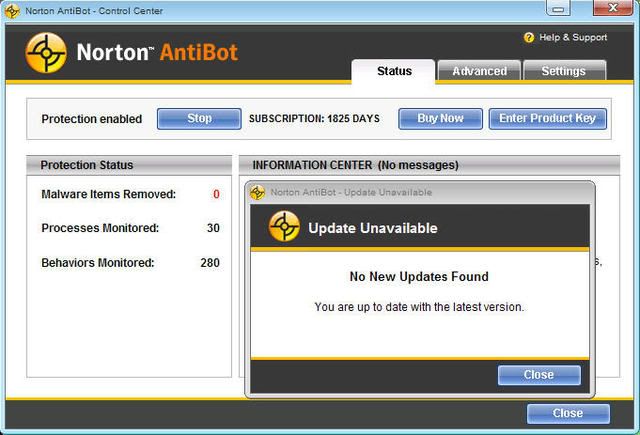
Norton AntiBot cung cấp sự bảo vệ tiên tiến, thời gian thực chống lại việc nẩy sinh những lời đe dọa, bao gồm bots mà được dùng để gây ra sự ăn trộm căn cước và những tội ác trực tuyến khác. Giải pháp an ninh mới mạnh này từ Symantec nhận diện hành vi khác thường trên PC của các bạn và loại bỏ bots hiểm độc gây ra nó. Nó bảo vệ PC của các bạn khỏi sự truy nhập không cho phép và sự can thiệp, phát hiện dò và dừng những sự nỗ lực của những hacker để chặn sự điều khiển từ xa máy tính các bạn, và chuyển sự bảo vệ mạnh chống lại việc nẩy sinh' zero-day' threats'. Để giúp đỡ bảo đảm rằng bạn luôn luôn bảo vệ, Norton AntiBot theo dõi PC bạn liên tục để dừng những chương trình đáng nghi ngờ.
Đặc tính:
* Tích cực và liên tục theo dõi những ứng dụng PC bạn và xử lý 24 X 7 sao cho bạn luôn luôn được bảo vệ.
* Kỹ lưỡng loại bỏ, nhận diện bots và phần mềm có hại và những thành phần liên quan, những file cài đặt và những thiết lập Registry.
* Tăng thêm sức mạnh cho bất kỳ sản phẩm an ninh nào bằng việc cung cấp một hàng rào bảo vệ chống lại bots và sự nẩy sinh những lời đe dọa.
Mã:
http://www.zshare.net/download/6461704e06399e/

- 7/12/05
- 720
- 15
Kaspersky Internet Security 7.0.1.321 Final & Valid license keys no black list!
Download setup:
Register 3 months free keys:
Download setup:
Mã:
http://dnl-us4.kaspersky-labs.com/products/english/homeuser/kis7.0/kis7.0.1.321en.exeRegister 3 months free keys:
Mã:
http://www.kaspersky.pl/mag/ks/kis.html- 28/5/07
- 4,063
- 597
Webroot Spy Sweeper 5.5.7.124 Full !!!

Phần mềm chống Spyware được giải thưởng kết hợp với trình bảo vệ antivirus! Hãy bảo vệ tránh khỏi hai mối đe dọa nguy hiểm nhất trên Internet – Spyware và virus – bằng một giải pháp đơn và dễ sử dụng.
Spy Sweeper kết hợp AntiVirus là công cụ mà bạn cần để luôn an toàn với virus và spyware. Nó cung cấp một phần mềm chông spyware có giải thưởng kết hợp với một trình antivirus mạnh mẽ. Khi bạn cài đặt Spy Sweeper kết hợp AntiVirus trên máy PC của bạn, bạn có thễ lướt bất kỳ nơi nào trên internet mà không sợ bị lây nhiễm.
Spy Sweeper with AntiVirus cung cấp sự bảo vệ tối đa với sự tương tác thấp nhất một cách nhanh chóng và hiệu quả. Phần mềm rất dễ sử dụng cho bất kỳ đối tượng nào để được an toàn khoải virus và spyware.
Mã:
Download:
http://sales.webroot.com/downloads/registered/links/sspsetup1_.exe
Mã:
Activate:
http://www.webroot.com/activate
Mã:
Webroot Spy Sweeper with AntiVirus 5.5.7.124
http://www.webroot.com/download/trial/ssfsetup1_1920325733.exe- 28/5/07
- 4,063
- 597
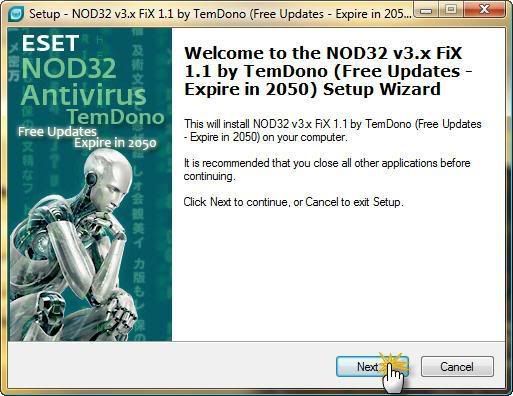
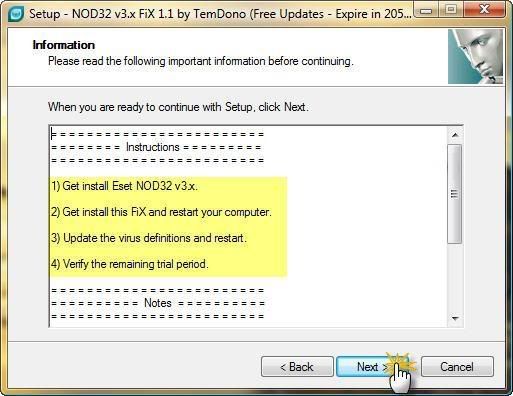
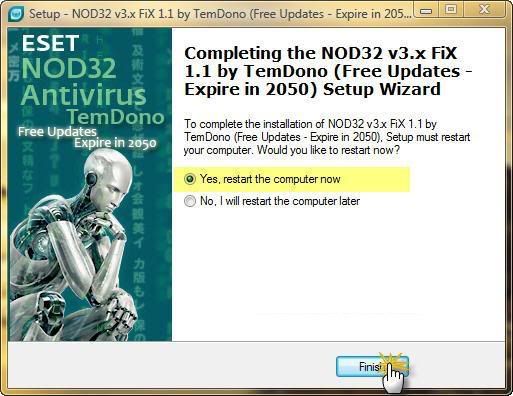
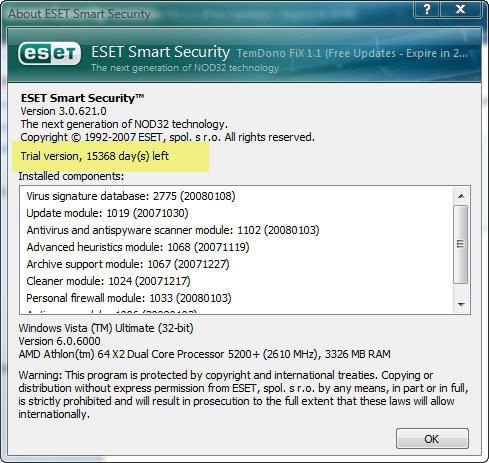
Key for ESET NOD32 v3.0.621.0 15/1/2008
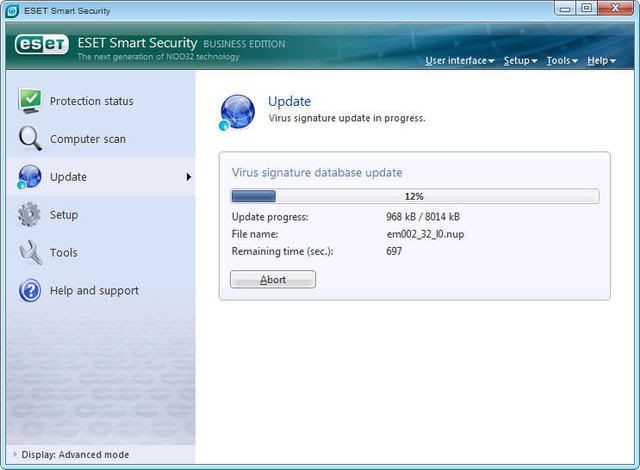
Bạn nào muốn dùng username & password để cập nhật cho NOD32 thì dưới đây là key mình đã test , update ổn cho 2 bản Antivirus và Smart Security 3.0.621.0. Các bạn tải về dùng nha !
Mã:
Key cho bản Antivirus
http://www.zshare.net/download/6529690c228df5/
Mã:
Key cho bản Smart Security
http://www.zshare.net/download/6529710bdd55de/- 28/5/07
- 4,063
- 597
Ad-Aware 2007 7.0.2.6 Free

Mã:
Ad-Aware 2007 Free tiếp tục là chương trình chống spyware phổ biến nhất cho người dùng trên toàn thế giới. Phiên bản diệt spyware miễn phí cung cấp cho bạn khả năng bảo vệ nâng cao trước spyware bí mật giành quyền kiểm soát máy tính, gây ra các cửa sổ pop - up quảng cáo phiền toái, làm chậm hoạt động máy tính, thậm chí ăn cắp những thông tin chi tiết của ngân hàng, mật khẩu và số tài khoản thẻ tín dụng.
Mã:
http://www.download.com/3001-8022_4-10796815.html?spi=9294c7deee8a19035a773193018c6f66&part=dl-ad-aware
- 1/3/06
- 8,341
- 27,292
Windows Live OneCare 2.0.2500.10
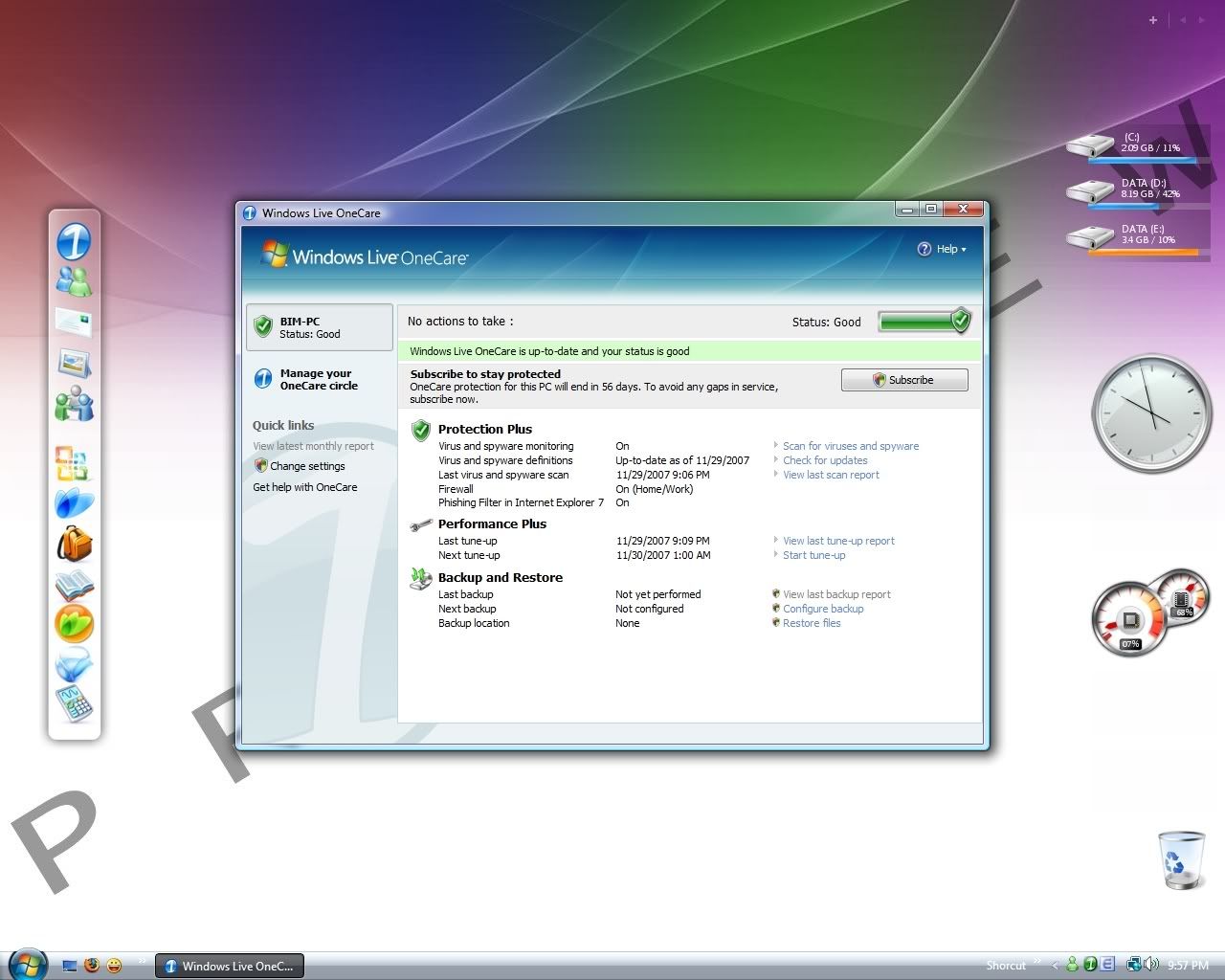
The new Windows Live OneCare is here
* Antivirus & antispyware
* Online ID protection
* Firewall
* Multi-PC management
* Printer sharing
* Backup and restore
What's new in OneCare
OneCare helps keep your PC safe and secure while making your life easier. From virus scanning, file backups, to automatic printing sharing of all the PCs in your household, OneCare helps manage it all for you. And it's delivered to you in a smooth, hassle-free package.
Help keep your PC trouble-free with Windows Live OneCare
Get always-on security and performance for your computer--antivirus, anti-phishing, and antispyware protection, a two-way firewall, backup and restore, and regular tune-ups--all in one convenient package.
System requirements
* Microsoft Windows XP (Home Edition, Professional, Media Center Edition, or Tablet PC Edition) with Service Pack 2 (SP2) or Windows Vista (Home Basic, Home Premium, Business, or Ultimate)
* Windows Internet Explorer 6 or 7 for Windows XP SP2 or higher
* PC with 300 MHz or faster CPU speed
* 256 MB of RAM and 600 MB of available hard disk space
* 56 kbps or faster Internet connection (broadband recommended)
* CD or DVD burner, external hard drive, or USB-enabled media or storage device required for backup and restore functionality (but not required for installing Windows Live OneCare)
Tương thích tuyệt vời với Windows (đặc biệt là Vista) :hug:
Preview:
Mã:
http://onecare.live.com/standard/en-us/default.htm#Download 3-months trial:

Mã:
http://iorigin.onecare.live.com/cli/2.0.2500.10/SetupOneCare.exe- 28/5/07
- 4,063
- 597
Lavasoft Ad-Aware 2007 Professional 7.0.2.6
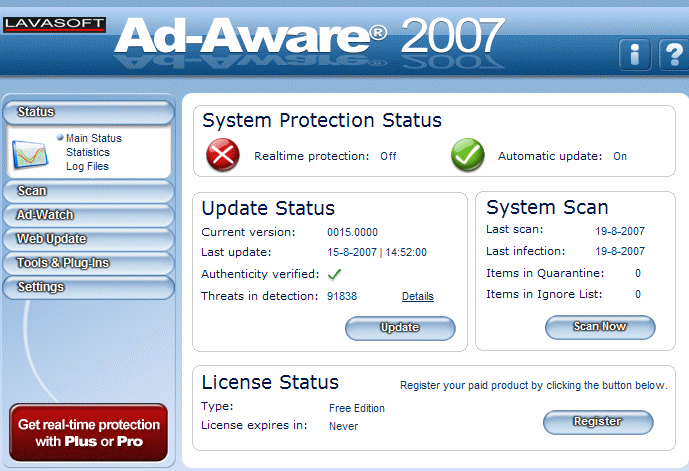
Ad-Aware 2007 Professional Edition là phiên bản mới nhất của chương trình chống spyware hàng đầu của Lavasoft.Ad-Aware 2007 giúp bạn chiến đấu chống lại mối đe dọa ngày càng lớn của spyware và malware.
Ad-Aware 2007 Professional Edition bảo vệ bạn khỏi spyware bí mật kiểm soát máy tính, gây nên những cửa sổ quảng cáo pop-up phiền toái, làm chậm hoạt động của máy tính và thậm chí ăn cắp các thông tin cá nhân. Chúng tôi cung cấp cho bạn những công cụ nhận dạng nội dung nguy hiểm trên máy tính, đánh giá mức độ gây hại, và sau đó cho bạn quyền kiểm soát để xóa bỏ nội dung không mong muốn, vì vậy các thông tin cá nhân của bạn tiếp tục ở nguyên vị trí của nó - dưới sự kiểm soát của bạn
Công nghệ Code Sequence Identification (CSI) của Lavasoft tìm tận gốc những malware ẩn sâu và sau đó tìm các mã tương tự để đồng nhất các biến thể. Ad-Aware 2007 quét toàn bộ bộ nhớ, registry, file chủ , ổ cứng, ổ di động và ổ quang của bạn để tìm những dữ liệu đã biết, quảng cáo, parasites, scumware, keyloggers, trojans, dialers, malware, browser hijackers, và những thành phần theo dõi
Có gì mới trong Ad-Aware 2007 Professional Edition
* Engine được thiết kế lại - Lợi ích từ khả năng linh hoạt siêu việt của chương trình và phương pháp quét chính xác hơn với kiến trúc chương trình hoàn toàn mới.
* Công nghệ Code Sequence Identification (CSI) nâng cao[/b] – Tăng khả năng bảo vệ với khả năng nhận dạng chính xác malware, bao gồm cả những mối nguy hiểm đã biết
* The Scheduler - Thiết đặt tự động quét và cập nhật để phù hợp cho những nhu cầu cá nhân của bạn.
* Incremental Definition File Updates – Tiết kiệm thời gian và tài nguyên quí giá với file cập nhật nhỏ hơn giúp download nhanh hơn.
* Ad-Watch RegShield - Nâng cao khả năng bảo vệ trước những cố gắng thay đổi registry , một mục tiêu quan trọng của nhiều dạng malware.
* Ad-Watch Connect - Mở một kênh mới để nhận dạng keylogger và các cố gắng lấy cắp thông tin với khả năng đáp ứng thuận tiện của chương trình chủ động kết nối tới các hệ thống mạng khác
* TrackSweep - Kiểm soát thông tin cá nhân nhờ xóa các dấu vết để lại khi lướt web trên Internet Explorer, Firefox, và Opera, với chỉ một cú nhấn
* Hosts File Editor - Kiểm soát khả năng định vị web nhờ chặn các trang quảng cáo, hỗ trợ khả năng quản lí của phụ huynh, và tạo các lối tắt định vị
* Hỗ trợ nhiều trình duyệt - Lựa chọn giữa Internet Explorer, Firefox, or Opera với sự hỗ trợ mở rộng
* Giao diện mới dễ hiểu – Dễ dàng thực hiện các thao tác nhận dạng và loại bỏ malware với giao diện thân thiện mới
Các tính năng khác :
* Ad-Watch Real-Time Monitor - Chủ động nhận dạng malware và parasite vì vậy các ứng dụng gây hại sẽ bị chặn đứng trước khi được cài đặt vào máy tính.
* Process Watch Module - Xem các tiến trình đang chạy và nhanh chóng ngăn chặn các tiến trình có hại
* Quét tùy chỉnh - Tiết kiệm thời gian nhờ quét các khu vực được chọn nơi đã định vị được các chương trình spyware , RAM, registry,ổ cứng, thiết bị lưu trữ gắn ngoài, ổ quang
* Báo cáo chi tiết - Xuất bản báo cáo quét một cách thuận tiận thành XML và các file ghi lại dưới dạng file văn bản
* Hỗ trợ dòng lệnh nâng cao- Quét và loại bỏ spyware mà không cần khởi động giao diện windows
Mã:
http://rapidshare.com/files/84193591/AAPro.7026.MKDEV.zip
http://depositfiles.com/files/3101960
http://www.4filehosting.com/file/91995/Ad-Aware-2007-Professional-7-0-2-6-MKDEV-TEAM-rar.html
Mã:
Pass: megasharesvn.com- Status
- Không mở trả lời sau này.
Similar threads

- Trả lời
- 0
- Đọc
- 659
- Trả lời
- 0
- Đọc
- 304

- Trả lời
- 0
- Đọc
- 172
- Trả lời
- 0
- Đọc
- 896