Security Software - Download here|Đọc luật tại #1

  • Thread starter Thread starter HieuNM
  • Ngày gửi Ngày gửi
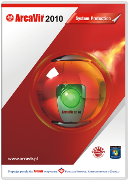
ArcaVir 2010 System Protection
Complete protection package for commercial use


thumbnail.png


attachment.php


Complex system protection in small, medium and large companies. The package constantly protects system against threats, burglary and theft of confidential data. It allows to safely use of e-banking. The new system tools are: backup, system audit, patch finder. Thanks to the new system tools an computer network administrator can remotely prepare backup, system audit and patch finder. The package provides protection of sending data through communicators, Wi-Fi networks and bluetooth.

The main modules of the package:
  • Antivirus
  • Firewall
  • Anti-spam
  • Http scanner
  • Parental control
  • Registry monitor
  • Anti-banner
  • ArcaVir Administrator


Homepage (Polish):
Mã:
http://www.arcabit.pl/arcavir_system_protection

Download:
Mã:
http://www.arcabit.pl/arcasetup2010sp.exe

Key:
Mã:
6Y62-KHK2-8XN2-YTD4-Z8LE-WR6C-293I-SY5V
 

Attachments

  • arcavir2010.png
    arcavir2010.png
    783 KB · Đọc: 459
TREND MICRO Titanium BETA
Fast, Intuitive and Strong Protection


attachment.php


Product Overview

The Trend Micro Titanium is a new product designed to give users effective protection using minimal system resources. Trend Micro Titanium Beta leverages Trend Micro's revolutionary in-the-cloud security technology.


Features
  • Web-Threat Protection
  • File Reputation Checking
    • Anti-Virus
    • Anti-Spyware
  • File Cleaning
  • Protection Reporting
  • Minimal Memory and Storage Requirements
  • Maximum Performance


Beta Portal:
Mã:
https://www.trendbeta.com/pages/index.php
 

Attachments

  • tmt.png
    tmt.png
    842.2 KB · Đọc: 453
4AVG-Anti-Rootkit32.jpg
AVG Internet Security
AVG Internet Secutity là chương trình bảo vệ hoàn hảo, nó ngăn chặn hầu hết những nguy cơ xâm nhập trái phép khi bạn truy cập Internet như: virus, worm, trojan, spyware, adware, hacker và spam.

Tính năng cực kỳ hữu dụng AVG Resident Shield : chức năng sẽ kiểm tra virus các file được mở, được thực hiện và được lưu, nó sẽ bảo vệ bạn khỏi các file "độc". AVG Internet Security gồm các thành phần sau: Anti-Virus, Anti-Spyware, Anti-Spam, Web Protection & Firewall đã cung cấp cho bạn sự bảo vệ toàn diện cho Window nhằm chống lại mọi mối nguy hại từ Internet và ngày nay, trở thành một trong những hãng sản xuất phần mềm antivirus được tin tưởng nhất trên thế giới.


Giao diện AVG Internet Security
8AVG-Internet-Security400.jpg

Home Page:
Mã:
http://avg.com

Download Here:
Mã:
http://www.download.com.vn/virus+spyware+malware+trojan/7477_avg-internet-security-9-0-build-707a1765.aspx?op=download

 
Chỉnh sửa cuối:
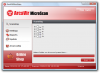
ArcaVir MicroScan 2010
Powerful yet FREE virus scanner from Poland


attachment.php


arcacoolka.png


ArcaVir MicroScan is a free scanner for a quick and complete virus check as well as cleaning of any possible infections. ArcaVir MicroScan has strong scanning mechanisms.

The main advantages of this tool follow:
  • Simple installation without the need to register any additional components.
  • Scanning of all popular compressed archive formats including formats of Email messages and mailboxes.
  • Scanning of embedded files.
  • Use of modern heuristic techniques including Heur. RoundKick.
  • Abillity to fully cure the system when the infection is detected (ArcaVir MicroScan can terminate the infected processes in memory and remove its references from registry and system files).
  • Convenient reporting.
  • Convenient automatic updates.
  • Program creates its shortcut on the desktop to help quickly execute the application when the need appears.
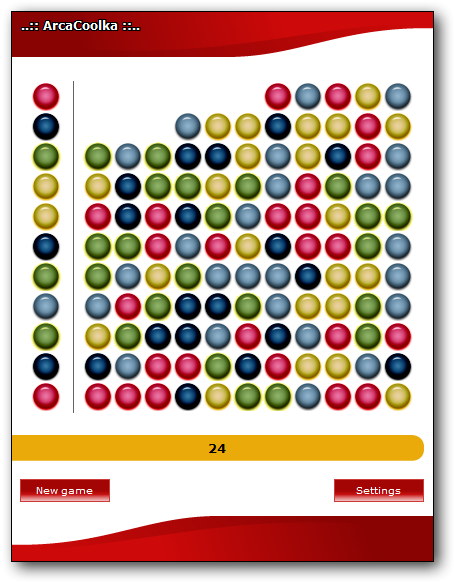
  • New ArcaCoolka game


Homepage (Polish):
Mã:
http://www.arcabit.pl/skaner_on_line

Download:
Mã:
http://www.arcabit.pl/arcavirmicroscan.exe
 

Attachments

  • arcavirmicroscan2010.png
    arcavirmicroscan2010.png
    347.5 KB · Đọc: 435
Kingsoft Internet Security 2010 BETA
The long-waited beta is finally released!


attachment.php


Beta forum (Chinese)
Mã:
http://bbs.duba.net/forum-6412-1.html

Download:
Mã:
http://download.duba.net/2010/DUBA/DUBA_DOWN.exe
 

Attachments

  • kingsoft2010beta.png
    kingsoft2010beta.png
    746.3 KB · Đọc: 446
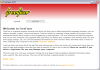
FreeFixer
One of the best tools available today when it comes to manual identification and removal of malware


attachment.php


FreeFixer is a general purpose removal tool which will help you to delete potentially unwanted software, such as adware, spyware, trojans, viruses and worms. FreeFixer works by scanning a large number of locations where unwanted software has a known record of appearing or leaving traces. The scan locations include the programs that run on your computer, the programs that starts when you reboot your computer, your browser's plug-ins, your home page setting, etc.

FreeFixer does not know what is unwanted, so it presents the scan result and it's up to you decide if some file should be removed and if some settings should restored to their default value. Please be careful! If you delete a legitimate file you may damage your computer. To assist you when determining if anything should be removed you can find more information at FreeFixer's web site for each item in the scan result. You can for example see what other users chose to do in the same situation. You can also save log file of your scan result and consult the volunteers in one of the FreeFixer helper forums.


Homepage:
Mã:
http://www.freefixer.com/

Download:
Mã:
http://www.freefixer.com/static/freefixersetup.exe
 

Attachments

  • freefixer.png
    freefixer.png
    84.5 KB · Đọc: 392
EMCO Malware Destroyer
emcomalwaredestroyer.jpeg

Ngoài virus, malware cũng đang là mối lo của người dùng trực tuyến. Chúng có thể làm nguy hại hệ thống máy tính. Giải pháp tốt và miễn phí cho vấn đề này là EMCO Malware Destroyer.

Malware" là một thuật ngữ được dùng để chỉ những phần mềm độc hại bao gồm phần mềm quảng cáo (adware), phần mềm gián điệp (spyware), trình quay số (dialer), ngựa thành Troa (Trojan), một số loại virus đặc biệt (virus), sâu máy tính (worm) và phần mềm lưu vết (trackware).

Tuy không phá hủy dữ liệu hoặc hệ thống như hầu hết virus máy tính, song malware thật sự gây nguy hiểm cho hệ thống và dữ liệu. Chúng có thể sẽ khiến cho máy tính của bạn chạy rất chậm, bị treo đột ngột, bị “dội bom” quảng cáo hoặc bị lợi dụng để làm bàn đạp tấn công lên những máy tính khác. Malware còn là thủ phạm vô hình của những vụ đánh cắp mật khẩu cùng nhiều loại dữ liệu nhạy cảm mà bạn không bao giờ muốn ai đó xem trộm.

Để vạch trần âm mưu đen tối của malware và "tống cổ" chúng ra khỏi máy tính, bạn hãy thử nghiệm EMCO Malware Destroyer - trình tìm diệt malware với khả năng nhận diện và tiêu diệt trên 10.000 phần mềm độc hại.

Ưu điểm rõ nét nhất của tiện ích này chính là khả năng can thiệp lên cả tập tin lẫn khóa đăng ký (registry), trình nhắn tin đa phương tiện (IM) và những dịch vụ chia sẻ tập tin ngang hàng P2P (Nơi cung cấp rất nhiều hàng “độc” nhưng cũng rất dễ phát tán mầm bệnh lên PC). Ngoài ra, EMCO Malware Destroyer còn được cung cấp hoàn toàn miễn phí và quét sạch malware rất nhanh.

Hướng dẫn kỹ thuật

Cài đặt và kích hoạt EMCO Malware Destroyer, chọn OK khi bắt gặp hộp thoại Information rồi nhắp chuột lên nút Scan Now để bắt đầu quét spyware trên máy tính.

Trong suốt quá trình này, nếu phát hiện spyware, thì EMCO Malware Destroyer sẽ bật hộp thoại Anonymous Participate with EMCO và đưa ra 3 lựa chọn để bạn quyết định: đóng lại hộp thoại này (Close Dialog), kiểm tra xem máy tính của bạn đã bị nhiễm những phần mềm độc hại nào (Check Now) và/hoặc gởi đi tập tin báo cáo kết quả quét spyware vừa được thực hiện trên máy tính của bạn (tập tin .xml) đến hãng phần mềm Emco để họ tham khảo nhằm cải thiện khả năng của chương trình trong các phiên bản kế tiếp (Send to EMCO).

Những spyware vừa được phát hiện sẽ được EMCO Malware Destroyer “nhốt” vào một khu vực đặc biệt để cách ly với những tập tin khỏe mạnh của máy tính.

Để tháo gỡ chúng ra khỏi PC, từ cửa sổ Detected Malware from Last Scan, bạn hãy nhắp chuột phải lên tên gọi của spyware cần được tiêu diệt hoàn toàn từ danh sách liệt kê, chọn mục Delete Selected rồi nhắp chuột lên nút Yes khi bắt gặp hộp thoại Delete Records.

Để phát huy hiệu quả cao nhất của chương trình, bạn nhớ thường xuyên cập nhật trực tuyến tập tin nhận diện spyware bằng cách nhắp chuột lên nút Live Update, chọn DOWNLOAD LATEST MALWARE SIGNATURES rồi chọn mục Automatically (recommended).
Download phần mềm:
Mã:
http://megadownload.vn/Download/VN/DietVirus/2009/4/8C579B16EB6A8905/
 
Chỉnh sửa cuối:
Smart Virus Remover

Phần mềm được thiết kế để loại trừ 50 loại virus USB cứng đầu nhất
14SmartVirus1.jpg
Có khá nhiều loại virus lây lan qua USB mà trình antivirus đang cài sẵn trong máy của bạn phải “bó tay”. Khi ấy bạn cần đến sự tương trợ của Smart Virus Remover được thiết kế để loại trừ 50 loại virus USB cứng đầu nhất.

50 virus và trojan thường ẩn náu trên USB mà Smart Virus Remover có thể hạ gục nhanh, tiêu diệt gọn như: Im.worm.win32.sohanad.bm.a,Trojan.Win32.Agent.abt.a, Trojan-Downloader.Win32.AutoIt.aa.a, Virus.Win32.AutoRun.ajn.com, Trojan Dropper, SetupSNK, VirusSe (SE.exe), AntiVirus 2009… cùng nhiều loại khác.
14SmartVirus1.jpg

Giao diện chính của Smart Virus Remover​

Bên cạnh đó, Smart Virus Remover còn giúp bạn dễ dàng loại bỏ tập tin tự kích hoạt trên USB autorun.inf mà virus cài vào, khóa cổng USB, chống ghi dữ liệu vào USB, khôi phục một số thiết lập hoặc chức năng của Windows bị virus khóa.
Hướng dẫn kỹ thuật
Sau khi cài đặt và kích hoạt, biểu tượng Smart Virus Remover sẽ xuất hiện trên khay hệ thống để thực hiện sứ mệnh phát hiện và loại bỏ 50 loại virus USB nêu trên. Bấm phải chuột vào biểu tượng này, menu xổ ra gồm ba lệnh đáng chú ý:

- Disable USB Devices: vô hiệu tất cả thiết bị kết nối với máy tính qua cổng USB. Khi muốn cho sử dụng cổng USB trở lại, bạn chọn Enable USB Devices trên menu lệnh.

- Enable USB Write Protect: chống chép dữ liệu vào ổ USB. Nếu muốn cho chép dữ liệu vào USB, bạn rút USB hiện hành ra khỏi máy tính rồi chọn Disable USB Write Protect trên menu lệnh.

- Launch Smart Virus Remover: mở giao diện tương tác của Smart Virus Remover. Tại đây bạn sẽ thấy bốn nút lệnh:

+ Delete Autorun.inf files: xóa những file autorun.inf do virus tạo ra trên USB.

+ Restore Windows Default Settings: khôi phục tám tính năng hay thiết lập bị virus khóa hoặc ẩn đi như Task Manager, Registry Editor, Command Prompt, hộp Run, hộp thoại Folder Options, thiết lập chung cho tất cả thư mục, Search bằng cách đánh dấu tùy chọn Enable… tương ứng rồi bấm Apply > OK > OK để thực hiện. Có thể bạn sẽ được yêu cầu khởi động lại máy để thay đổi có tác dụng.
14SmartVirus2.jpg

Phục hồi tính năng của Windows bị virus khóa​
+ Remove Virus from a Folder: truy tìm và loại bỏ virus khỏi thư mục do bạn chỉ định, trong trường hợp một trong 50 loại virus nêu trên lây lan từ USB sang thư mục trên ổ cứng.


+ Remove Virus From USB: tìm diệt 50 loại virus đã nêu trên USB.
Địa chỉ down phần mềm tại


20100120212408.png

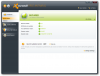
Avast! Free Antivirus 5.0.377

avast! Free Antivirus represents the best free antivirus protection currently available on the market. This edition is FREE OF CHARGE for non-commercial & home use. Its features include:

* Anti-spyware built-in
* Web Shield
* Anti-rootkit built-in
* Automatic updates
* Strong self-protection
* Virus Chest
* Antivirus kernel
* System integration
* Simple User Interface
* Integrated Virus Cleaner
* Resident protection
* Support for 64-bit Windows
* P2P and IM Shields
* Internationalization
* Network Shield

20100120213116.jpg

Overview :
20100120212130.png

Compare products:
20100120212312.png

Download :
Mã:
http://download.cnet.com/Avast-Home-Edition-Free-Antivirus/3000-2239_4-10019223.html?part=dl-85737&subj=dl&tag=button
FREE 1 year license :
Mã:
http://www.avast.com/registration-free-antivirus.php
Homepage:
Mã:
http://www.avast.com/free-antivirus-download
 
logo.png
Free Antivirus 5.0
The most popular free antivirus software: 100 million registrations and growing.


attachment.php


avast! Free Antivirus is perfect for people who send e-mails and surf popular websites.

icon-protection.png
Antivirus and anti-spyware
icon-cleanmail.png
Ensures all mails sent and received are clean
icon-chat.png
Keeps you protected from "chat" infections
icon-stopattack.png
Stops attacks from hijacked websites
icon-windows.png
Compatible with Windows XP, Vista and 7
icon-interface.png
New user interface​


Key technologies
  • stamp-improved.png
    Antivirus and anti-spyware engine
  • stamp-new.png
    avast! Intelligent Scanner
  • stamp-new.png
    Silent/Gaming Mode
  • stamp-new.png
    Behavior Shield
  • Real time anti-rootkit protection
  • Smart virus updates
  • avast! Community IQ
  • Behavioral Honeypots
  • Green computing
  • avast! iTrack
  • File System / Mail Shield
  • Web Shield
  • IM / P2P Shield
  • Network Shield


Homepage:
Mã:
http://www.avast.com/free-antivirus-download

Download (Exclusively on download.com until Jan 22, 2010):
Mã:
http://download.cnet.com/Avast-Home-Edition-Free-Antivirus/3000-2239_4-10019223.html?part=dl-85737&subj=dl&tag=button
 

Attachments

  • avast-free.png
    avast-free.png
    400.3 KB · Đọc: 393
Advanced SystemCare PRO Edition
Protect and speed up your computer with Advanced SystemCare PRO


attachment.php


Advanced SystemCare PRO provides an always-on, automated, all-in-one PC Healthcare Service with anti-spyware, privacy protection, performance tune-ups, and system cleaning capabilities. This powerful and award-winning precision tool fixes stubborn errors, cleans out clutter, optimizes internet and download speeds, ensures personal security and maintains maximum computer performance automatically.


Key Features and Benefits
  • Enjoy That New PC Feeling Again
    Designed for the latest Windows system environment. Speeds up your PC and improves reliability.

  • Powerful Hard Drive Defrag and Optimization
    High-speed Disk Defrag function to defragment hard drives up to 10 times faster than other defragmentation tools. Includes "SmartDefrag" disk optimization to make your hard drives run faster and be less fragmented in the future.

  • Next-generation Registry Deep Clean and Optimization
    Safely cleans registry junk, compacts registry bloats and defragment the whole registry for maximum performance. Finds and fixes the registry errors others miss with "Deep Scan" technology.

  • Keeps Your PC Running at Peak Performance
    Fully optimizes Windows for ultimate system performance and top Internet speed by unleashing the built-in power of your system, based on how you use your PC and your network configuration. Turns your PC into a business PC, a productive workstation, an entertainment center, a game machine, or a scientific computing PC.


Get a free license (1-year for 1 PC) of Advanced SystemCare Pro by providing your email address:
Mã:
http://db.iobit.com/license-free/ascpro-softpedia-giveaway.php
 

Attachments

  • asc.png
    asc.png
    208.5 KB · Đọc: 323
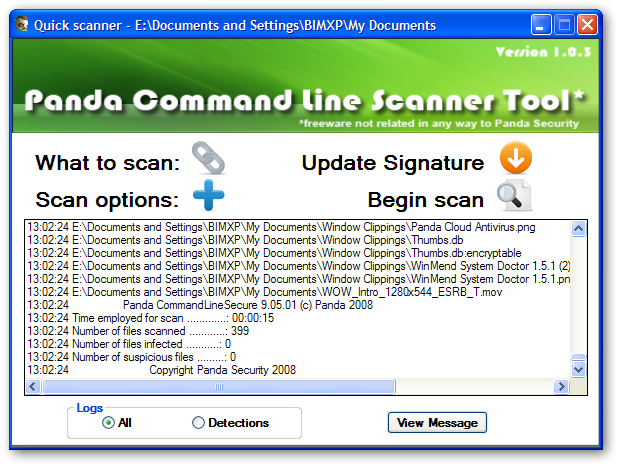
Panda Command Line Scanner Tool
Command line scanner GUI frontend


pavclgui.png


Homepage:
Mã:
http://research.pandasecurity.com/command-line-scanner-gui-frontend/

Download:
Mã:
http://research.pandasecurity.com/blogs/images/pavclgui/pavclg_1.0.3.exe

Download Panda Virus Signature File:
Mã:
http://research.pandasecurity.com/blogs/images/pav.zip
 
Moon Secure AntiVirus 2.2
Security, from Space


attachment.php


Moon Secure Antivirus aims to be the best Free Antivirus for Windows under GPL license. It offers multiple scan engines, Net shield, Firewall, On access, on Exec scanner and rootkits preventions plus features from Commercial Antivirus applications.


Homepage:
Mã:
http://www.moonsecure.com/

Download:
Mã:
http://www.moonsecure.com/index.php?option=com_content&task=view&id=30&Itemid=66
 

Attachments

  • moonsecureav.png
    moonsecureav.png
    313.5 KB · Đọc: 308
logo_dd.png
free
Simple to use antivirus software that does not slow down your computer


attachment.php


Antivirus software can be very hard to use, it often slows down your computer and seems to be built by engineers for engineers. We designed digital defender antivirus to be the opposite: easy to use, extremely fast and it should never slow down your computer. Simply put an antivirus designed for the year 2010. The free edition is also totally free, no catches.

Features
  • Easy to use
    digital defender antivirus' user interface was designed to be easy to use for both beginners and experienced users.

  • Incremental virus database update
    Using the incremental update mechanism the download time is reduced to a minimal level so we can release additional antivirus database packages several times a day to improve the defence. Users can obtain protection against new malware without spending a long time and generating considerable network load for the update.

  • Comprehensive protection
    digital defender antivirus' resident protection realtime protection provides a comprehensive protection against malware

  • Outstanding performance and effectiveness
    digital defender antivirus' scanning engine has outstanding performance. The engine uses behavioural (heuristic) analysis to detect harmful programs. Thanks to its platform and operating system independent scanning methods it effectively scans for all known viruses, worms, trojans, backdoors, scripts, macro viruses and other harmful code on any system.

  • Small memory footprint
    A new patent pending design for memory usage, has made digital defender antivirus' memory footprint incredibly small. This means it can run just as well on netbooks as on normal PCs.


Homepage:
Mã:
http://www.digital-defender.com/digital-defender-free

Download:
Mã:
http://updates.digital-defender.com/releases/ddav.exe
 

Attachments

  • digitaldefender.png
    digitaldefender.png
    269 KB · Đọc: 291
Fix-It Utilities™ 10 Professional
Keep Your PC Running Like NEW!


fix-it-loading2.png


attachment.php


Why Choose Fix-It Utilities? Tired of your PC’s slow performance? Sick of programs freezing and not working? With just one click, Fix-It Utilities runs 250+ tests to uncover the problems that slow down your computer and fixes them so your computer runs like new again.


Features & Benefits
  • Fix Windows Problems
    Runs 250+ tests to uncover problems that slow down your PC and fixes all of them so your computer runs like new again.

  • PC Health Status
    System Status Meters give you an instant overview of your PC’s health and security.

  • Speed Up Windows
    Regain wasted disk space, repair hard drive problems and speed up Windows startup.

  • PC Diagnostics
    Diagnose, check and report on system hardware such as memory, hard drives, network cards and more.

  • Windows Registry Repair
    Defragment, fix, edit, clean and optimize your Windows Registry.

  • Windows Rescue CD
    Built-in Windows Rescue CD fixes and repairs your computer when Windows won’t start.

  • PLUS
    • Active Intelligence silently monitors and repairs your computer – automatically!
    • Internet Speed Optimizer accelerates browser, download and web surfing speeds.
    • File Shredder securely erases data - protecting you from identity theft.
    • Recover Lost Data recovers deleted files, photos, music, email and more.

  • Free Unlimited Tech Support by phone & email
    Auto Update technology ensures you get the latest version of System Suite10 (free for one year).


Homepage:
Mã:
http://avanquest.com/USA/software/fixit-utilities10-professional-133553

Download:
Mã:
http://shareware.avanquestusa.com/Fixit10/FixIt_10_Pro.exe

Keygen:
Mã:
http://www.mediafire.com/?jthr3jl4tzy
 

Attachments

  • fix-it-2010.png
    fix-it-2010.png
    1.1 MB · Đọc: 285
Simsesys Antivirus v.4 Portable
FREE Antivirus from Indonesia


attachment.php

Simsesys Antivirus is a small but feature packed antivirus that will protect your computer from various threats.


Download:
Mã:
http://www.softpedia.com/progDownload/Simsesys-Antivirus-Download-149487.html
 

Attachments

  • simsesys-antivirus.png
    simsesys-antivirus.png
    352.3 KB · Đọc: 282
Qihoo 360 Antivirus v1.1 Final
Permanently free twin-engine antivirus software


attachment.php


Homepage:
Mã:
http://sd.360.cn/?src=360home

Download:
Mã:
http://sd.360.cn/sd_download1.html?src=sd_dlist
 

Attachments

  • 360sd-final.png
    360sd-final.png
    418.2 KB · Đọc: 274
K7 AntiVirus 8.0
FREE 1-year license


k7-antivirus-loading.png


attachment.php


K7 AntiVirus 8.0 offers enhanced PC security with the fastest antivirus scanner and spyware protection software to detect harmful malicious threats, when connected to the internet.
  • Frequent Automatic updates
  • Proactive Virus Protection Software
  • Protects from email borne viruses and worms
  • Comprehensive Root-kit and key logger blocking
  • Effective Spyware detection and Removal


Features
  • Auto Update
    K7 AntiVirus 8.0 automatically updates itself from the Internet to ensure that it is using the very latest virus database. This ensures that you remain protected from any new potential viruses, spyware and other types of malware.

  • Enhanced Scan Engine
    Our enhanced scan engine makes K7 AntiVirus 8.0 the fastest scan engine in its class, as confirmed with Checkmark Certification.

  • Real-time Scanner
    Real-time scanning ensures that all new files accessed, downloaded, created or modified are automatically scanned. This proactive approach ensures that you are completely protected at all times.

  • Fastest AV Scanner
    K7 AntiVirus 8.0 features the most efficient system scanner in it’s class, ensuring that your system's performance remains unaffected.

  • Anti-Spyware
    Prevents unwanted programs from installing themselves without your approval whilst additional anti-malware stops all types of malware such as trojans, worms, root kits, adware and key logger exploits.

  • E-mail Scanner
    K7 AntiVirus 8.0 automatically scans e-mails and attachments, protecting you from e-mail borne virus and malware attacks.


Homepage:
Mã:
http://k7.de/antivirus.html

Download (Deutsch version only - confirm the details from K7 Support's email after registering the program to activate your free license):
Mã:
http://updates.k7computing.com/Downloads/German/K7AV_DE-8.0.0005.zip
 

Attachments

  • K7AntiVirus 8.0.png
    K7AntiVirus 8.0.png
    182.6 KB · Đọc: 251
Malwarebytes' Anti-Malware

antimalware.png


Have you ever considered what makes an anti-malware application effective? We at Malwarebytes have created an easy-to-use, simple, and effective anti-malware application. Whether you know it or not your computer is always at risk of becoming infected with viruses, worms, trojans, rootkits, dialers, spyware, and malware that are constantly evolving and becoming harder to detect and remove. Only the most sophisticated anti-malware techniques can detect and remove these malicious programs from your computer.

Malwarebytes' Anti-Malware is considered to be the next step in the detection and removal of malware. In our product we have compiled a number of new technologies that are designed to quickly detect, destroy, and prevent malware. Malwarebytes' Anti-Malware can detect and remove malware that even the most well known anti-virus and anti-malware applications fail to detect. Malwarebytes' Anti-Malware monitors every process and stops malicious processes before they even start. The Realtime Protection Module uses our advanced heuristic scanning technology which monitors your system to keep it safe and secure. In addition, we have implemented a threats center which will allow you to keep up to date with the latest malware threats.

Activating the full version unlocks realtime protection, scheduled scanning, and scheduled updating. For consumers and personal use, it is a one time fee of $24.95. For corporate and business customers, annual licenses are required, please see our Corporate Licensing program.​
Key Features


  • Support for Windows 2000, XP, Vista, and 7 (32-bit and 64-bit).
  • Light speed quick scanning.
  • Ability to perform full scans for all drives.
  • Malwarebytes' Anti-Malware Protection Module. (requires registration)
  • Database updates released daily.
  • Quarantine to hold threats and restore them at your convenience.
  • Ignore list for both the scanner and Protection Module.
  • Settings to enhance your Malwarebytes' Anti-Malware performance.
  • A small list of extra utilities to help remove malware manually.
  • Multi-lingual support.
  • Works together with other anti-malware utilities.
  • Command line support for quick scanning.
  • Context menu integration to scan files on demand.
Usage

Simply download Malwarebytes' Anti-Malware from the one of the links below. Double click the downloaded file to install the application on your computer. Once the application is installed, double click on the Malwarebytes' Anti-Malware icon to start the program. When the application is open, select Scan and the application will guide you through the remaining steps.
Download


  • Version: 1.44
  • File Size: 4.87 MB
  • Operating Systems: Microsoft ® Windows 2000, XP, Vista, 7.
  • Languages Available: English, Albanian, Arabic, Belarusian, Bosnian, Bulgarian, Catalan, Chinese Simplified, Chinese Traditional, Croatian, Czech, Danish, Dutch, Estonian, Finnish, French, German, Greek, Hebrew, Hungarian, Italian, Korean, Latvian, Macedonian, Norwegian, Polish, Portuguese, Romanian, Russian, Serbian, Slovak, Slovenian, Spanish, Swedish, Turkish, Ukrainian.


Mã:
[B][COLOR=Green]Recent Changes[/COLOR][/B]

  						[LEFT]
[LIST]
[*]1. (FIXED) Minor issue with /runupdate displaying dialogs on  errors.
[*]2. (FIXED) Saving bug report to initial directory failed  silently.
[*]3. (FIXED) Issue with protection module not starting on  Windows 2000.
[*]4. (FIXED) Censored license key on About tab.
[*]5. (FIXED) Protection module leaking memory on certain  machine configurations.
[*]6. (ADDED) New command line parameter: /errorsilent (see help  file).
[/LIST]
[/LEFT]

Home Page:
Mã:
http://www.malwarebytes.org/

Download:
Mã:
http://download.cnet.com/Malwarebytes-Anti-Malware/3000-8022_4-10804572.html?part=dl-10804572&subj=dl&tag=button

 
Hazard Shield 2.2
A handy anti-spyware program with real-time protection


HazardShield22beta.png


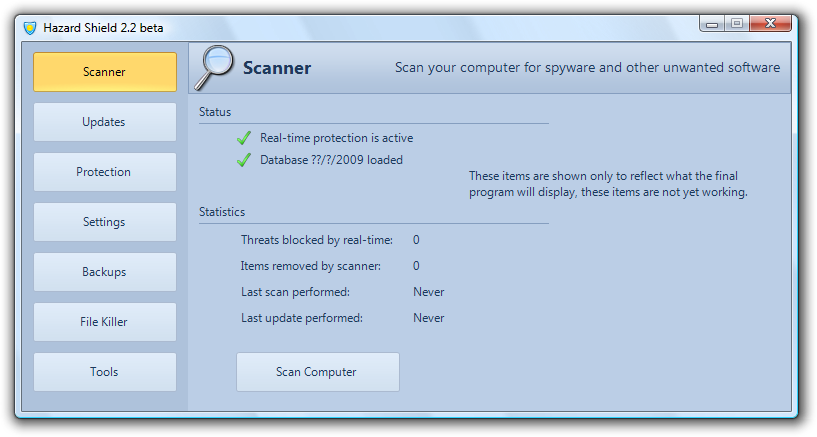
Hazard Shield is a free anti-spyware program designed to detect, remove, and prevent spyware, trojans, backdoors, adware, rootkits, and many other threats. Hazard Shield includes features found in many paid security applications, such as scheduled scans and automatic updates. Hazard Shield also has powerful real-time protection that can prevent the installation of malicious programs. Free tech support is also available at any time, should you ever have any problems.


Features
  • Fast multi-threaded scanning engine
  • Automatic, incremental database updates
  • Free real-time protection that blocks malicious programs
  • File killer with secure shredder
  • Alternate data stream (ADS) scanner
  • Process manager shows full process paths and modules
  • Hosts file manager with suspicious entry detection
  • Fully supports Windows XP, Vista, and 7


Homepage:
Mã:
http://www.orbitech.org/hazardshield.php

Download:
Mã:
http://www.orbitech.org/files/shield.exe
 
Back
Top