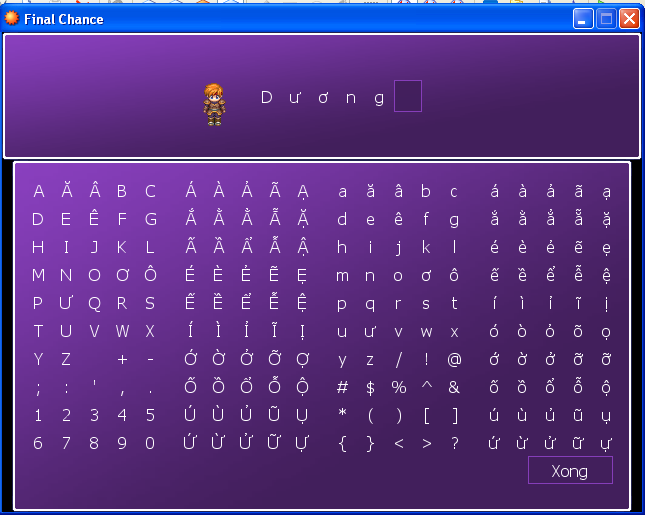
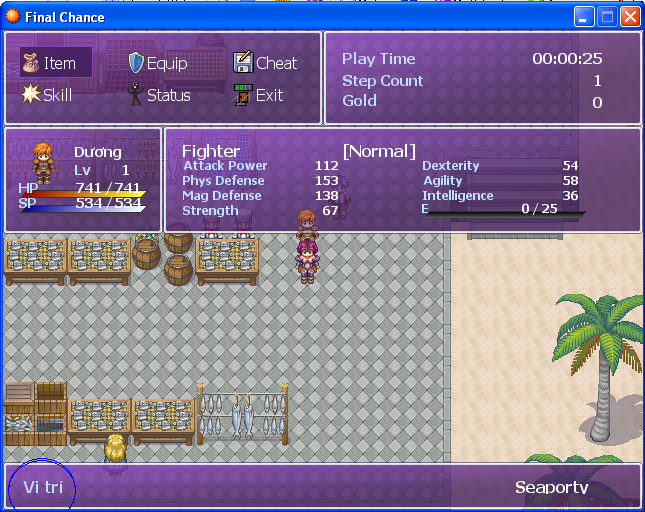
[RPGXP]0----Hướng Dẫn Script Cho RPG Maker XP----0

  • Thread starter Thread starter ken10
  • Ngày gửi Ngày gửi
@Mozde :As You Wish .Đây là Window Earn dạng FF đây
Mã:
class Game_Actor < Game_Battler
  def exp=(exp)
    @exp = [[exp, 9999999].min, 0].max
    while @exp >= @exp_list[@level+1] and @exp_list[@level+1] > 0
      @level += 1
      
      # NEW - David
      $d_new_skill = nil
      
      for j in $data_classes[@class_id].learnings
        if j.level == @level
          learn_skill(j.skill_id)
      
          # NEW - David
          skill = $data_skills[j.skill_id]
          $d_new_skill = skill.name
      
        end
      end
    end
    while @exp < @exp_list[@level]
      @level -= 1
    end
    @hp = [@hp, self.maxhp].min
    @sp = [@sp, self.maxsp].min
  end
  
  #--------------------------------------------------------------------------
  # * Get the current EXP
  #--------------------------------------------------------------------------
  def now_exp
    return @exp - @exp_list[@level]
  end
  #--------------------------------------------------------------------------
  # * Get the next level's EXP
  #--------------------------------------------------------------------------
  def next_exp
    return @exp_list[@level+1] > 0 ? @exp_list[@level+1] - @exp_list[@level] : 0
  end

end

class Window_LevelUp < Window_Base

  #----------------------------------------------------------------
  def initialize(actor, pos)
    @actor = actor
    y = (pos * 120)
    super(280, y, 360, 120)
    self.contents = Bitmap.new(width - 32, height - 32)
    self.back_opacity = 255    
    if $d_dum == false
      refresh
    end
  end

  #----------------------------------------------------------------
  def dispose
    super
  end

  #----------------------------------------------------------------
  def refresh
    self.contents.clear
    self.contents.font.size = 18
    draw_actor_face(@actor, 4, 0)
    draw_actor_name(@actor, 111, 0)
    draw_actor_level(@actor, 186, 0)
    show_next_exp = @actor.level == 99 ? "---" : "#{@actor.next_exp}"
    min_bar = @actor.level == 99 ? 1 : @actor.now_exp
    max_bar = @actor.level == 99 ? 1 : @actor.next_exp
    draw_slant_bar(115, 80, min_bar, max_bar, 190, 6, bar_color = Color.new(0, 100, 0, 255), end_color = Color.new(0, 255, 0, 255))
    self.contents.draw_text(115, 24, 300, 32, "Exp:#{@actor.now_exp}")
    self.contents.draw_text(115, 48, 300, 32, "Level Up:" + show_next_exp)
  end

  
  #----------------------------------------------------------------
  def level_up
    self.contents.font.color = system_color
    self.contents.draw_text(230, 48, 80, 32, "LEVEL UP!")
  end
  
  #----------------------------------------------------------------
  def update
    super
  end
  
end # of Window_LevelUp

#=================================
#Window_EXP
# Written by: David Schooley
#=================================

class Window_EXP < Window_Base

  #----------------------------------------------------------------
  def initialize(exp)
    super(0, 0, 280, 60)
    self.contents = Bitmap.new(width - 32, height - 32)
    self.back_opacity = 255
    refresh(exp)
  end

  #----------------------------------------------------------------
  def dispose
    super
  end

  #----------------------------------------------------------------
  def refresh(exp)
    self.contents.clear
    self.contents.font.color = system_color
    self.contents.draw_text(0, 0, 150, 32, "Exp Earned:")
    self.contents.font.color = normal_color
    self.contents.draw_text(180, 0, 54, 32, exp.to_s, 2)
  end
  
  #----------------------------------------------------------------
  def update
    super
  end
  
end # of Window_EXP

#=================================
#Window_Money_Items
# Written by: David Schooley
#=================================

class Window_Money_Items < Window_Base

  #----------------------------------------------------------------
  def initialize(money, treasures)
    @treasures = treasures
    super(0, 60, 280, 420)
    self.contents = Bitmap.new(width - 32, height - 32)
    self.back_opacity = 255
    refresh(money)
  end

  #----------------------------------------------------------------
  def dispose
    super
  end

  #----------------------------------------------------------------
  def refresh(money)
    @money = money
    self.contents.clear
    
    self.contents.font.color = system_color
    self.contents.draw_text(4, 4, 100, 32, "Items Found:")
    self.contents.font.color = normal_color
    
    y = 32
    for item in @treasures
      draw_item_name(item, 4, y)
      y += 32
    end
    
    cx = contents.text_size($data_system.words.gold).width
    self.contents.font.color = normal_color
    self.contents.draw_text(4, 340, 220-cx-2, 32, $game_party.gold.to_s, 2)
    self.contents.font.color = normal_color
    self.contents.draw_text(4, 300, 220-cx-2, 32, "+ " + @money.to_s, 2)
    self.contents.font.color = system_color
    self.contents.draw_text(124-cx, 340, cx + 100, 32, $data_system.words.gold, 2)
  end

  def update
    super
  end
  
end # of Window_Money_Items


class Scene_Battle
  alias raz_battle_report_main main
  alias raz_battle_report_be battle_end

  def main
    # NEW - David
    #$battle_end = false
    @lvup_window = []
    @show_dummies = true # Show dummy windows or not?
    raz_battle_report_main
    # NEW - David
    @lvup_window = nil
    @level_up = nil
    @ch_stats = nil
    @ch_compare_stats = nil
  end

  def battle_end(result)
    raz_battle_report_be(result)
    # NEW - David
    @status_window.visible = false
    @spriteset.dispose
    Graphics.transition
    if result == 0
      display_lv_up(@exp, @gold, @treasures)
      loop do
        Graphics.update
        Input.update
        if Input.trigger?(Input::C)
          break
        end
      end
      trash_lv_up
    end

  end
    
  def start_phase5
    @phase = 5
    $game_system.me_play($game_system.battle_end_me)
    $game_system.bgm_play($game_temp.map_bgm)
    exp = 0
    gold = 0
    treasures = []
    for enemy in $game_troop.enemies
      unless enemy.hidden
        exp += enemy.exp
        gold += enemy.gold
        if rand(100) < enemy.treasure_prob
          if enemy.item_id > 0
            treasures.push($data_items[enemy.item_id])
          end
          if enemy.weapon_id > 0
            treasures.push($data_weapons[enemy.weapon_id])
          end
          if enemy.armor_id > 0
            treasures.push($data_armors[enemy.armor_id])
          end
        end
      end
    end
    treasures = treasures[0..5]

    # NEW - David
    @treasures = treasures
    @exp  = exp
    @gold = gold

    
    for item in treasures
      case item
      when RPG::Item
        $game_party.gain_item(item.id, 1)
      when RPG::Weapon
        $game_party.gain_weapon(item.id, 1)
      when RPG::Armor
        $game_party.gain_armor(item.id, 1)
      end
    end
    @phase5_wait_count = 10
  end

  def update_phase5
    if @phase5_wait_count > 0
      @phase5_wait_count -= 1
      if @phase5_wait_count == 0
        
        # NEW - David
        $game_temp.battle_main_phase = false        
      end
      return
    end

    # NEW - David
      battle_end(0)

  end

  def display_lv_up(exp, gold, treasures)
    
    $d_dum = false
    d_extra = 0
    i = 0
    for actor in $game_party.actors
        # Fill up the Lv up windows
        @lvup_window[i] = Window_LevelUp.new($game_party.actors[i], i)
        i += 1
    end

    # Make Dummies
    if @show_dummies == true
      $d_dum = true
      for m in i..3
        @lvup_window[m] = Window_LevelUp.new(m, m)
      end
    end
    
    @exp_window = Window_EXP.new(exp)
    @m_i_window = Window_Money_Items.new(gold, treasures)
    @press_enter = nil
    gainedexp = exp
    @level_up = [0, 0, 0, 0]
    @d_new_skill = ["", "", "", ""]
    @d_breakout = false
    @m_i_window.refresh(gold)
    wait_for_OK

    @d_remember = $game_system.bgs_memorize
    Audio.bgs_play("Audio/SE/032-Switch01", 100, 300)
    
    # NEW - David
    max_exp = exp
    value = 28
    for n in 0..gainedexp - (max_exp / value)
      exp -= (max_exp / value)
      if @d_breakout == false
        Input.update
      end
      
      for i in 0...$game_party.actors.size
        actor = $game_party.actors[i]
        if actor.cant_get_exp? == false
          last_level = actor.level
          actor.exp += (max_exp / value)
          # Fill up the Lv up windows
          if @d_breakout == false
            @lvup_window[i].refresh
            @exp_window.refresh(exp)
          end
          
          if actor.level > last_level
            @level_up[i] = 5
            Audio.se_play("Audio/SE/056-Right02.ogg", 70, 150)
            if $d_new_skill
              @d_new_skill[i] = $d_new_skill
            end
          end
          
          if @level_up[i] == 0
            @d_new_skill[i] = ""
          end
          
          if @level_up[i] > 0
            @lvup_window[i].level_up
          end
          
          if Input.trigger?(Input::C) or exp <= 0
            @d_breakout = true
          end
        end
        
        if @d_breakout == false
          if @level_up[i] >0
            @level_up[i] -= 1
          end
          Graphics.update
        end
      end
      
      if @d_breakout == true
        for i in 0...$game_party.actors.size
          actor = $game_party.actors[i]
          if actor.cant_get_exp? == false
            actor.exp += exp
          end
        end
        exp = 0
        break
      end
    end
    Audio.bgs_stop
    @d_remember = $game_system.bgs_restore
    
    for i in 0...$game_party.actors.size
      @lvup_window[i].refresh
    end
    @exp_window.refresh(exp)
    Audio.se_play("Audio/SE/006-System06.ogg", 70, 150)
    $game_party.gain_gold(gold)
    @m_i_window.refresh(0)
    Graphics.update
  end
  
  def trash_lv_up
    # NEW - David
    i=0
    
    for i in 0 ... 4
      @lvup_window[i].visible = false
    end
    @exp_window.visible = false
    @m_i_window.visible = false
    @lvup_window = nil
    @exp_window = nil
    @m_i_window = nil
  end

  # Wait until OK key is pressed
  def wait_for_OK
    loop do
      Input.update
      Graphics.update
      if Input.trigger?(Input::C)
        break
      end
    end
  end

end

class Window_Base < Window
  def draw_actor_face(actor, x, y)
    bitmap = RPG::Cache.picture("Faces/" + actor.character_name)
    self.contents.blt(x, y, bitmap, Rect.new(0,0,96,96))
  end
  
  #--------------------------------------------------------------------------
  # * Draw Slant Bar(by SephirothSpawn)
  #--------------------------------------------------------------------------
  def draw_slant_bar(x, y, min, max, width = 152, height = 6,
      bar_color = Color.new(150, 0, 0, 255), end_color = Color.new(255, 255, 60, 255))
    # Draw Border
    for i in 0..height
      self.contents.fill_rect(x + i, y + height - i, width + 1, 1, Color.new(50, 50, 50, 255))
    end
    # Draw Background
    for i in 1..(height - 1)
      r = 100 * (height - i) / height + 0 * i / height
      g = 100 * (height - i) / height + 0 * i / height
      b = 100 * (height - i) / height + 0 * i / height
      a = 255 * (height - i) / height + 255 * i / height
      self.contents.fill_rect(x + i, y + height - i, width, 1, Color.new(r, b, g, a))
    end
    # Draws Bar
    for i in 1..( (min / max.to_f) * width - 1)
      for j in 1..(height - 1)
        r = bar_color.red * (width - i) / width + end_color.red * i / width
        g = bar_color.green * (width - i) / width + end_color.green * i / width
        b = bar_color.blue * (width - i) / width + end_color.blue * i / width
        a = bar_color.alpha * (width - i) / width + end_color.alpha * i / width
        self.contents.fill_rect(x + i + j, y + height - j, 1, 1, Color.new(r, g, b, a))
      end
    end
  end

end
Đây là Screenshot
br1co3.th.png

br2fb2.th.png

br3km2.th.png


@Nhắng :Chỉ cần bấm tở hợp "Ctrl + F" đánh vào ô trống là "font.name" và bấm Enter .Nó sẽ chỉ đến chỗ nào có chữ "font.name" khi đó chỉ cần thay đổit Font tùy thích ..Nếu còn vấn đề cứ hỏi .
 
Mới kiếm được hướng dẫn của Dubealex . Mang về nghiên cứu thấy có vài chỗ chưa hiểu nên hỏi các bác 1 chút .
Mã:
class My_Window < Window_Base

  def initialize
    super(0, 0, 200, 200)
    self.contents = Bitmap.new(width-32, height-32)
    self.contents.font.name = "Arial"  
    self.contents.font.size = 24
    self.contents.draw_text(0, 0, 200, 32, "Yay, some text !")
  end
  
end
Mấy cái chỉ số (width-32, height-32) và 200 , 32 ( trong lệnh cuối ) có nghĩa gì vậy ? Cả cái "self.contents" ấy , ko thể thay tên khác được à .
 
yeuthatlong_9779 nói:
Có chỉnh sửa làm sao để tạo ra tuyệt chiêu như Lionheart đc ko ạ?( Tạo ra 1 thanh trigger và bấm nút khi vạch màu chạy qua, hoặc như Audition?)
A thế là có tri kỉ rồi .Mình hiện đang nghiên cứu làm sao để nó có thể làm như Audition và trong lúc bí quá mình cũng nghĩ nó đơn giản chỉ là 1 vạch chạy qua như trong FF X .Đúng là ở đây bạn bè thì một đống mà tri kỉ lại chỉ có 1 .Khó hiểu quá ::(

hpruby5137 nói:
Mới kiếm được hướng dẫn của Dubealex . Mang về nghiên cứu thấy có vài chỗ chưa hiểu nên hỏi các bác 1 chút .
Mã:
class My_Window < Window_Base

  def initialize
    super(0, 0, 200, 200)
    self.contents = Bitmap.new(width-32, height-32)
    self.contents.font.name = "Arial"  
    self.contents.font.size = 24
    self.contents.draw_text(0, 0, 200, 32, "Yay, some text !")
  end
  
end
Mấy cái chỉ số (width-32, height-32) và 200 , 32 ( trong lệnh cuối ) có nghĩa gì vậy ? Cả cái "self.contents" ấy , ko thể thay tên khác được à .

Cái này đơn giản mà .Thứ nhất cái
Mã:
self.contents = Bitmap.new(width-32, height-32)
Thứ nhất vì sao nó lại có width-32 và height-32.Vì thật ra ban đầu cái Bitmap (Nôm na là hình ảnh) nó bao gồm cả cái đường viền màu trắng và thêm 1 khoản trắng mà bạn không thấy vì nó trùng với cái màu Windowskin .Do đó ta dùng Width(Chiều rộng) - 32 và Height(Chiều cao) để nó có thể ăn khớp với màn hình .Nếu muốn thì không để cái ấy cũng được nhưng nó sẽ không đẹp .
200 , 32 ( trong lệnh cuối )
thứ nhất cái Method draw_text nó có tính chất như sau :
Mã:
...draw_text(x,y,width,height,@text) 
#x tọa độ x(Trục hoành)
#y  tọa độ y(Trục tung)
#width (Chiều rộng của đoạn text truờng là klớn hơn độ dài thật của text)
#height (Chiều cao nó cũng tương tự như trên)
Cả cái "self.contents" ấy
Cái này liên quan đến SubClass và SuperClass
Như bên trên ta thấy My_Window < Window_Base
có nghĩa là My_Window có tất cả các Method và Variable trong Window_Base .Nhưng nếu để như thế thì nó không thể phân biệt được Window_Base vì nó giống nhau quá ,hóa ra đó là Bố Con Song Sinh à (Tui đùa đó :D)Cái "self.contents" nó có tác dụng làm cho cái My_Class có tính chất riêng của chính nó .Tức là nó sẽ sửa lại tính chất của Window_Base sau khi qua lệnh "self.contents" .BNó có tác dụng thay đổi các đặc tính của Window_Base và thay vào đó là đặc tính riêng của nó mà Window_base không có .Cứ vui vẻ với những bài dạy của Dubealex đi .Mấy cái bài đó hay lắm ,nhưng có điều nó quá ngắn chưa đủ để tiến xa hơn bằng mấy ổng được T_T
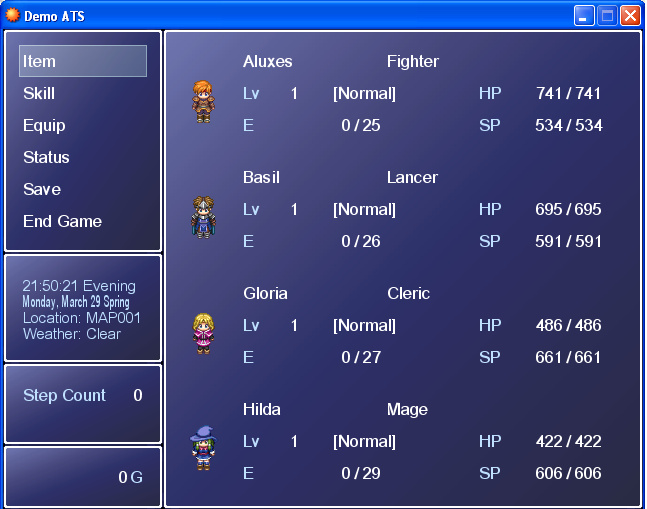
 
Thật tình mà nói cái RTAB nó giống như chiếm vị trí độc tôn trong phần Battle .Có nghĩa là nội bất xuất ngoại bất nhập .Chính vì thế nó mới oánh nhau với các Script Hack Battle .Chờ mình Up cái Times System cho Nick đây

Advanced Time System
Thật ra cái này của rất nhiều đậi gia khác đã làm mình chỉ đi chỉnh sửa lại 1 tí thôi .
Tr­ước hết vẫn là Script - Tiên Script hậu Demo mà :D
Mà này nếu muốn cái Map nào bị ảnh hưởng tác dụng của hiệu ứng ngày và đêm thì cho sau cái Map đó 1 dấu * .Vd:Map001 thì thêm vào Map001* ...Tác dụng dành thường dành cho các Map ngoài trời ,còn trong nhà thì không nên ..)

Cái này là phần chính của Script :
1/Advanced Time System
2/Advanced Weather System

Đầu tiên là Advanced Time System
Mã:
#===================================================
# ■ ATS - Advanced Time System
#===================================================
# Rewiten by Near Fantastica
# Date: 23.07.05
# Version: 1
#
# Written by Dubealex
# Date: 26.11.04
#
# Thanks to Satana_81 for the test tilesets
#===================================================

#===================================================
# ▼ CLASS Advanced_Time Begins
#===================================================
class Advanced_Time
  
    attr_reader :define_start_sec
    attr_reader :weather_type
    attr_reader :weather_strength

   def initialize
     @weather_pattern = []
     @cycle_period=[]
     @tint_period=[]
     @cycle_season=[]
     @name_period=[]
     @name_season=[]
     @name_month=[]
     @name_day=[]
     @start_clock=[]
     @start_date=[]

=begin -----------------------------------------------------------------------------------------------------
      ■ Advanced Time System Settings:
      ---------------------------------------------------------------------------------------------------------
      ▼ Day Night System Transitioning :
      
      The DNS is built in to the time system and therefore any map you want to have the DNS
      active on place a "*" in the name of the map.
      ---------------------------------------------------------------------------------------------------------
      ▼ Method of Season Transitioning :
       
      ●  Titleset Transitioning = The tileset its replaced
          When Titleset Transitioning is set the script will pull the tileset and autotiles used 
          set to the season ID. For exmaple "Plains 1" for tileset or "Water 1" for autotiles. 
          The script will then automaticly change the 1 to the season ID which will load the 
          new tileset. Maps that the developer wishes to have the tileset changing place 
          a "~" in the name. 
          
      ●  Map Transitioning = The Map is replaced
          When Map Transitioning is set the script changes the whole map. It will transport the
          player to the same x,y on a map with the same name and the matching season ID.
          For example "Town [1]". The script will then automaticaly change the 1 to the 
          season ID which will load the new map. Maps that the developer wishes to have 
          the map changing place "[Season ID]"  in the map name where Season ID is the ID 
          of the season of that map.
=end #----------------------------------------------------------------------------------------------------

=begin -----------------------------------------------------------------------------------------------------
      ■ Advanced Weather System Settings:
      ---------------------------------------------------------------------------------------------------------
      ▼ Weather Patterns :
      
      With the Advanced Weather System by Ccoa the Advanced Time System and keep track
      and change weather depending on season. The flag $aws must be set true if the weather
      script is to be used.
      
      1 - rain                    5 - rain with thunder and lightning
      2 - storm                 6 - falling leaves (autumn)
      3 - snow                  7 - blowing leaves (autumn)
      4 - hail                    8 - swirling leaves (autumn)
      
      The script randomly picks bettween having weather and no weather.
      Then the script randomly picks the weather if there is going to be weather.
      If the same weather is added more then once it will add to % chnage that weather 
      will be picked. If the same weather is picked again its power is inceased. The
      range of power is 10 - 40. @weather_cycle is the % of weather for the game.
      0 = very little and 10 = a lot of weather. @weather_period is the amount 
      of time in mintues till the next weather cycle range  = 1-59. @bgs_control is 
      a flag that tells the script to inculde BGS with Dynamic Weather 
=end #----------------------------------------------------------------------------------------------------

      @aws = true
      @bgs_control = true
      @active_weather = false
      @weather_type = 0
      @weather_strength = 0
      @weather_cycle = 5
      @weather_period = 30
      @weather_pattern[1] = [3]
      @weather_pattern[2] = [1,1,2,3]
      @weather_pattern[3] = [1,1,2,5]
      @weather_pattern[4] = [1,2,4,5]
      @weather_pattern[5] = [1,1,2,6]
      @weather_pattern[5] = [1,1,3,7,8]

=begin -----------------------------------------------------------------------------------------------------
      ■ ATS Settings Configuration:
      ---------------------------------------------------------------------------------------------------------
      ▼ LENGTH AND SPEED OF TIME:
       
      Those variables defines the speed and length of every aspect of the ATS.
      @time_speed define how fast a seconds last. Setting it to 0 makes a real time system.
      Below 0 is a slower time than normal, and higher than 0 will accelerate the time.
      The length value are used to customize the length of every component of the ATS.
      Remember that since it is the SPEED setting that defines how fast the time goes,
      you don't have to say that a minute last 30 sec to make it faster. You can leave it
      as real-time, and just accelerate the length of a second with @time_speed !
=end #----------------------------------------------------------------------------------------------------
      
      @ats_time_speed = 30             # 0 is a Real Time System
      @minutes_length = 60             # Seconds
      @hour_length = 60                # Minutes
      @day_length = 24                 # Hours
      @week_length = 7                 # Days
      @month_length = 30               # Days
      @year_length = 12                # Months
      @decade_length = 10              # Years
      @century_length = 100            # Years
      @millenium_length = 1000         # Years
      
=begin ----------------------------------------------------------------------------------------------------
       ▼ GAME DEFAULT START-UP VALUES:
      
       Here you can define the default start-up values for each components. The data
       you enter here will be taken into consideration at each new game started. So if you want
       your game to begin at 2:12 pm, you can adjust all that in here. You can also set some
       basic default options you have, like trigger the AM/PM time format ON/OFF.
       You don't have to set the start-up season and period, since it will be set automatically
       with the date and the clock.
=end #-----------------------------------------------------------------------------------------------------
      
    @clock_mode = 1               # 1= 24 hours format / 2= AM/PM flag format
     @start_clock   = [21,50,10]     # [hour, min, sec] -> Write in 24 hours format.
     @start_date    = [3,29,2004] # [month, day, year]  
      
      
=begin -----------------------------------------------------------------------------------------------------
       ▼ ATS PERIODS CYCLE SETTINGS:
      
      An ATS Period works just as my old NDS Period.
      Periods defines a 24 hours loop - Example: Morning>Day>Evening>Night
      Here you can defines what is the cycle (in hours) for each periods.
      You can have as much period as you desire, I created the 4 main one, as shown
      in the example above. To add period, simply copy a line and replace the ID of the
      period by the next in line. DO NOT skip numbers.
      Syntax: @cycle_period[ID] --> Don't use ID0. (You can name them later).
      Example: @cycle_period[1] = (5..11) Will make the period ID#1  begins at 5am
      and ends at 11am. Use the 24 hours clock format to defines the period length.
=end #-----------------------------------------------------------------------------------------------------
      
      @cycle_period[1] = (5..11)  #Defined as (start_hour..end_hour)
      @cycle_period[2] = (12..18)
      @cycle_period[3] = (19..22)
      @cycle_period[4] = (23..24)
      @cycle_period[5] = (0..4)

=begin ----------------------------------------------------------------------------------------------------
      ▼ ATS PERIODS COLOR TONE (TINT) SETTINGS:
      
      Here you can define what will be the color tone used for each periods.
      Use the same period ID defined above. Example: @tint_period[1] is the tint used
      with the @cycle_period[1] settings.
      Syntax: @tint_period[1] = [red, green, blue, gray, transition_time]  
      To know the number you want for your tint, simply opens a RPG Maker Project, and
      create an event, choose "Tint Screen" and test the values you want, then enter them
      in here.
=end #-----------------------------------------------------------------------------------------------------
      
      @tint_period[1] = [0, -40, -60, 50, 600]
      @tint_period[2] = [0, 0, 0, 0, 600]
      @tint_period[3] = [-68, -85, -34, 120, 600]
      @tint_period[4] = [-150, -100, -50, 180, 600]  
      @tint_period[5] = [-95, -78, -44, 180, 600]
      
=begin -----------------------------------------------------------------------------------------------------
      ▼ SEASONS CYCLE SETTINGS:
      
      Here you can define how much time last every season. This is an "optional" feature.
      You can just leave it alone if you aren't using it. This work as the periods, but seasons
      are defined using months instead of hours. To know how it works, read the periods comments.
      Example: @cycle_season[1] = (6..8) Will make the season ID#1  begins on the
      6th month of the year, and end on the last day of the 8th month of the year.
=end #-----------------------------------------------------------------------------------------------------
       
      @cycle_season[1] = (1..2) #Defined as (start_month..end_month)
      @cycle_season[2] = (3..4)
      @cycle_season[3] = (5..6)
      @cycle_season[4] = (7..8)
      @cycle_season[5] = (9..10)
      @cycle_season[6] = (11..12)
      
      
=begin ----------------------------------------------------------------------------------------------------
      ▼ ATS COMPONENT'S NAMES SETTINGS:
      
      Here you can choose the name tagged to every relevant component of the ATS.
      The words you defined here will be used in window and menus in your game.
      It make it easy to configure and customize that way. You can also refer to those variables
      names if you need to access any component's names. That way, if you make a mistake or 
      want to change something in the middle of your development, you can easily do it.
      If you added/deleted periods/seasons, just adjust this section too. So if you created a season
      ID#6, you can copy a line from here and add the 6 where it belongs. (Between [ ])
      This is also were you define all your Months and Days name. It work the same way.
      @name_month[1] will refer to the first month of your year. By default, it's January.
=end #----------------------------------------------------------------------------------------------------
      
      @name_period[1] = "Morning"
      @name_period[2] = "Day"
      @name_period[3] = "Evening"
      @name_period[4] = "Night"
      @name_period[5] = "Night"
      
      @name_season[1] = "Winter"
      @name_season[2] = "Spring"
      @name_season[3] = "Summer"
      @name_season[4] = "Summer"
      @name_season[5] = "Autumn"
      @name_season[6] = "Autumn"
      
      @name_month[1]  = "January"
      @name_month[2]  = "February"
      @name_month[3]  = "March"
      @name_month[4]  = "April"
      @name_month[5]  = "May"
      @name_month[6]  = "June"
      @name_month[7]  = "July"
      @name_month[8]  = "August"
      @name_month[9]  = "September"
      @name_month[10]= "October"
      @name_month[11]= "November"
      @name_month[12]= "December"
      
      @name_day[1] = "Monday"
      @name_day[2] = "Tuesday"
      @name_day[3] = "Wednesday"
      @name_day[4] = "Thursday"
      @name_day[5] = "Friday"
      @name_day[6] = "Saturday"
      @name_day[7] = "Sunday"      
      
#--- ■ END OF SETTINGS (No Need To Edit Further)-------------------------------------------
           
      @speed_restore = 0
      if @ats_time_speed >= Graphics.frame_rate
         @ats_time_speed=Graphics.frame_rate-1
       end
      @year_length+=1 
      @month_length+=1
      if @start_clock[0] >= 12 : @am=false else @am=true end
      define_start_sec_in_hours= @start_clock[0] * @minutes_length * @hour_length
      define_start_sec_in_min= @start_clock[1] * @minutes_length
      @define_start_sec= define_start_sec_in_hours+define_start_sec_in_min+@start_clock[2] 
   end

# ■ WRITE ATTRIBUTE (Modify ATS Data) (No Need To Edit)----------------------------------  
  def sec(sec=0)
    @define_start_sec+=sec
  end

#--------------------------------------------------------------------------------------------------------
  def min(min=0)
    @define_start_sec+=min*@minutes_length
  end

#--------------------------------------------------------------------------------------------------------
  def hours(hours=0)
    @define_start_sec+=hours*@minutes_length*@hour_length
  end  
  
#--------------------------------------------------------------------------------------------------------  
  def days(days=0)
    if days<0 : @rewind=true end
    @define_start_sec+=days*@minutes_length*@hour_length*@day_length
  end  
  
#--------------------------------------------------------------------------------------------------------  
  def months(months=0)
     if months<0 : @rewind=true end
    @define_start_sec+=months*@minutes_length*@hour_length*@day_length*@month_length
  end 
  
#--------------------------------------------------------------------------------------------------------     
  def speed(speed=0)
    @speed_restore = @ats_time_speed
    @ats_time_speed = speed
  end

#--------------------------------------------------------------------------------------------------------     
  def speed_restore
    @ats_time_speed = @speed_restore
  end 
    
# ■ READ ATTRIBUTE (Fetch ATS Data) (No Need To Edit)-------------------------------------  
  def full_date
    day_name=@name_day[week_day_is]
    month_name=@name_month[months_is] 
    month_day=month_day_is
    year= total_years_is
    full_date= day_name + ", " + month_name + " " + month_day.to_s  #+ " " +  year.to_s
    return full_date
  end

#--------------------------------------------------------------------------------------------------------     
  def speed_is
    return @ats_time_speed
  end 
  
#--------------------------------------------------------------------------------------------------------     
   def total_sec_is
     ats_total_sec = (Graphics.frame_count / (Graphics.frame_rate-@ats_time_speed))+@define_start_sec
     return ats_total_sec
   end 

#--------------------------------------------------------------------------------------------------------     
   def total_years_is
      total_years=(total_months_is / @year_length) + @start_date[2] 
     return total_years
   end 
 
#--------------------------------------------------------------------------------------------------------     
   def total_months_is
     total_months=(total_days_is / @month_length) + @start_date[0] 
     return total_months
   end 

#--------------------------------------------------------------------------------------------------------       
   def total_decades_is
     total_decades=total_years_is / @decade_length
     return total_decades
   end 

#--------------------------------------------------------------------------------------------------------       
   def total_centuries_is
     total_centuries=total_years_is / @century_length
     return total_centuries
   end 

#--------------------------------------------------------------------------------------------------------       
   def total_millenium_is
      total_millenium=total_years_is/@millenium_length
     return total_millenium
   end 
      
#--------------------------------------------------------------------------------------------------------       
   def total_weeks_is
     total_weeks= total_days_is / @week_length
     return total_weeks
   end 
        
#--------------------------------------------------------------------------------------------------------        
   def total_hours_is
     total_hours= total_sec_is / @minutes_length / @hour_length
     return total_hours
   end 
   
#--------------------------------------------------------------------------------------------------------        
   def total_min_is
     total_min = total_sec_is / @minutes_length
     return total_min
   end   
   
#--------------------------------------------------------------------------------------------------------     
   def date
     month=months_is
     month_day=month_day_is
     year=total_years_is
     date=sprintf("%02d/%02d/%04d", month, month_day, year)
     return date
   end 

#--------------------------------------------------------------------------------------------------------     
   def clock
     
     hour=hours_is
     min=min_is
     sec=secs_is
     
     if @clock_mode == 1
        clock=sprintf("%02d:%02d:%02d", hour, min, sec)
        return clock
      else
        if @am==true : am_pm="AM" else am_pm="PM" end
        clock=sprintf("%02d:%02d:%02d %s", hour, min, sec, am_pm)
        return clock
    end
   end
    
#--------------------------------------------------------------------------------------------------------      
   def hours_is
     hour=real_hour=real_hours
      if @clock_mode == 2
        if @am==false and real_hour !=12 : hour-=(@day_length/2) end
        hour %= (@day_length/2)+1
        if real_hour < (@day_length/2) : @am=true else @am=false end
         if hour==0 : hour=1 end
         if real_hour==0 : hour=12 end
         end   
     return hour
   end
   
#--------------------------------------------------------------------------------------------------------      
   def real_hours
     real_hour = total_sec_is / @minutes_length / @hour_length % @day_length
     return real_hour
   end 
   
#--------------------------------------------------------------------------------------------------------     
   def secs_is
     sec = total_sec_is % @minutes_length
     return sec
   end 

#--------------------------------------------------------------------------------------------------------     
   def min_is
     mins = total_sec_is / @minutes_length % @hour_length
     return mins
   end 

#--------------------------------------------------------------------------------------------------------     
   def total_days_is
     total_days = (total_sec_is / @minutes_length / @hour_length / @day_length) + @start_date[1] 
     return total_days
   end 
    
#--------------------------------------------------------------------------------------------------------     
   def week_day_is
     week_day= total_days_is % @week_length 
     if week_day==0 : week_day=@week_length end
     return week_day
   end 

#--------------------------------------------------------------------------------------------------------     
   def week_name
     return @name_day[week_day_is]
   end 
    
#--------------------------------------------------------------------------------------------------------     
   def month_name
     return @name_month[months_is] 
   end 

#--------------------------------------------------------------------------------------------------------     
    def months_is
       month=total_months_is % @year_length
       if @rewind==true
        if month==0 : months(-1) end
          @rewind=false  
      else
        if month==0 : months(1) end
      end    
      return month
    end 

#--------------------------------------------------------------------------------------------------------     
   def month_day_is
     month_day=total_days_is % @month_length
     if @rewind==true
       if month_day==0 : days(-1) end
         @rewind=false  
     else
       if month_day==0 : days(1) end
     end    
     return month_day
   end 
       
#--------------------------------------------------------------------------------------------------------     
   def period_id
     for i in 1...@cycle_period.size
       if @cycle_period[i] === $ats.real_hours
        return i
        break
       end  
     end  
   end 
   
#--------------------------------------------------------------------------------------------------------     
   def period
     for i in 1...@cycle_period.size
       if @cycle_period[i] === real_hours
        if i==0 : i=1 end
        return @name_period[i]
        break
       end  
     end  
   end 

#--------------------------------------------------------------------------------------------------------   
def period_tint
     for i in 1...@cycle_period.size
       if @cycle_period[i] === real_hours
        return [-50, -50, -50, 50, 100] if i == 2 and $game_screen.weather_type != 0
        return @tint_period[i]
        break
       end  
     end  
   end 
 
#--------------------------------------------------------------------------------------------------------     
   def season
     for i in 1...@cycle_season.size
       if @cycle_season[i] === months_is
        return @name_season[i]
        break
       end  
     end  
   end 
 
#--------------------------------------------------------------------------------------------------------     
   def season_id
     for i in 1...@cycle_season.size
       if @cycle_season[i] === months_is
        if i==0 : i=1 end
        return i
        break
       end  
     end  
   end 

#--------------------------------------------------------------------------------------------------------     
   def start_seconds
     return @define_start_sec
   end
   
#--------------------------------------------------------------------------------------------------------     
  def weather_active(flag)
    @aws = flag
  end
  
#--------------------------------------------------------------------------------------------------------     
  def weather_bgs(flag)
    @bgs_control = flag
  end

#--------------------------------------------------------------------------------------------------------     
  def stop_weather
    $game_screen.weather(0, 0, 0)
    set_weather_bgs(0)
  end
  
#--------------------------------------------------------------------------------------------------------     
  def weather_is
    case $game_screen.weather_type
    when 0
      return "Clear"
    when 1
      return "Rain"
    when 2
      return "Storm"
    when 3
      return "Snow"
    when 4..5
      return "Gale"
    when 6..8
      return "Windy"
    end
  end
  
#--------------------------------------------------------------------------------------------------------     
  def set_weather_bgs(type)
    return if @bgs_control == false
    bgs = BGS.new
    bgs.volume = 80
    bgs.pitch = 100
    case type
    when 0
      $game_system.bgs_fade(10)
    when 1
      bgs.name = "005-Rain01"
      $game_system.bgs_play(bgs)
    when 2
      bgs.name = "006-Rain02"
      $game_system.bgs_play(bgs)
    when 3
      $game_system.bgs_fade(10)
    when 4..5
      bgs.name = "007-Rain03"
      $game_system.bgs_play(bgs)
    when 6
      bgs.name = "001-Wind01"
      $game_system.bgs_play(bgs)
    when 7
      bgs.name = "002-Wind02"
      $game_system.bgs_play(bgs)
    when 8
      bgs.name = "003-Wind03"
      $game_system.bgs_play(bgs)
    end
  end
  
#--------------------------------------------------------------------------------------------------------     
  def weather
    return if @aws == false
    return if $game_map.weather_active == false
    if min_is % @weather_period == 0 and @active_weather == false
      @active_weather = true
      if rand(10).between?(0, @weather_cycle)
        pattern = @weather_pattern[season_id]
        size = pattern.size - 1
        type = pattern[rand(size).to_i]
        if @weather_type == type
          if @weather_strength.between?(0, 40)
            @weather_strength += 10 
            else
            @weather_strength = 40
          end
        else
          @weather_strength = 10
        end
        @weather_type = type
        $game_screen.weather(@weather_type, @weather_strength, 0)
        set_weather_bgs(@weather_type)
      else
        @active_weather = true
        @weather_strength = 0
        $game_screen.weather(0, 0, 0)
        set_weather_bgs(0)
      end
    else
      @active_weather = false if min_is % @weather_period != 0
    end
  end
   
end
#===================================================
# ▲ CLASS Advanced_Time Ends
#===================================================


#===================================================
# ▼ CLASS Scene_Map Additional Code Begins
#===================================================
class Scene_Map

alias ats_scene_map_main main
alias ats_scene_map_update update
   
   def main
     if $game_map.dns_active
       tone = $ats.period_tint
       $game_screen.start_tone_change(Tone.new(tone[0],tone[1],tone[2],tone[3]),0)
     end
     #@alex_ats_window = ATS_TimeTest_Window.new
     ats_scene_map_main
     #@alex_ats_window.dispose
   end
   
   def update
     ats_scene_map_update
     #@alex_ats_window.update
     $ats.weather
     if $game_map.dns_active
       tone = $ats.period_tint
       $game_screen.start_tone_change(Tone.new(tone[0],tone[1],tone[2],tone[3]),tone[4])
     end
   end  
   
end
#===================================================
# ▲ CLASS Scene_Map Additional Code Ends
#===================================================


#===================================================
# ▼ CLASS ATS_TimeTest_Window Begins
#===================================================
class ATS_TimeTest_Window < Window_Base
  
  def initialize
    super(0,0,250,400)
    self.contents = Bitmap.new(width - 32, height - 32)
    self.contents.font.name = "Tahoma"
    self.contents.font.size =16
    self.opacity = 100
    update   
  end  
  
  def refresh
  #def update #testing and debugging window
    return if Graphics.frame_count % 10 != 0
    self.contents.clear
    self.contents.font.color = text_color(0) 
    self.contents.draw_text(0, 0, 400, 32, "Current Full Clock: " +$ats.clock)
    self.contents.draw_text(0, 16, 400, 32, "Small Date: " +$ats.date)
    self.contents.draw_text(0, 32, 400, 32, "Full Date: " +$ats.full_date)
    self.contents.draw_text(0, 60, 400, 32, "Week ID#: " + $ats.week_day_is.to_s)

    self.contents.draw_text(0, 80, 400, 32, "Period: " + $ats.period)
    self.contents.draw_text(0, 100, 400, 32, "Season: " + $ats.season)
    self.contents.draw_text(0, 120, 400, 32, "Month ID#: " + $ats.months_is.to_s)
    self.contents.draw_text(0, 140, 400, 32, "Map Name#: " + $game_map.map_name)
    self.contents.draw_text(0, 160, 400, 32, "Weather: " + $ats.weather_is)
  end
end 
#===================================================
# ▲ CLASS ATS_TimeTest_Window Ends
#===================================================

#===================================================
# ▼ CLASS Scene_Title Additional Code Begins
#===================================================
class Scene_Title
  $ats=Advanced_Time.new
end  
#===================================================
# ▲ CLASS Scene_Title Additional Code Ends
#===================================================


#===================================================
# ▼ CLASS Game_Map Additional Code Begins
#===================================================
class Game_Map

  attr_accessor :tileset_refresh
  attr_accessor :tileset_transition
  attr_accessor :map_transition
  attr_accessor :dns_active
  attr_accessor :weather_active
  attr_accessor :lights_refresh
  attr_accessor :shadows_refresh
  attr_accessor :shadows_redraw

  alias ats_game_map_update update
  alias ats_game_map_setup setup
  alias ats_game_map_initialize initialize

  def initialize
    ats_game_map_initialize
    @tileset_refresh = false
    @season = $ats.season_id
    @tileset_transition = false
    @map_transition = false
    @dns_active = false
    @weather_active = false
    @lights_refresh = false
    @shadows_refresh = false
    @shadows_redraw = false
    @map_transition_id = 0
  end

  def setup(map_id)
    ats_game_map_setup(map_id)
    # Setup
    @dns_active = false
    @weather_active = false
    @tileset_transition = false
    @map_transition = false
    
    map_infos = load_data("Data/MapInfos.rxdata")
    # DNS
    if map_infos[map_id].name.include?("*")
      map_infos[map_id].name.delete!("*")
      @dns_active = true
      tone = $ats.period_tint
      $game_screen.start_tone_change(Tone.new(tone[0],tone[1],tone[2],tone[3]),0)
    else
      $game_screen.start_tone_change(Tone.new(0,0,0,0),0)
    end
    # Dynamic Weather
    if map_infos[map_id].name.include?("^")
      map_infos[map_id].name.delete!("^")
      @weather_active = true
      $game_screen.weather($ats.weather_type, $ats.weather_strength, 0)
      $ats.set_weather_bgs($ats.weather_type)
    else
      $game_screen.weather(0, 0, 0)
      $ats.set_weather_bgs(0)
    end
    # Tileset Transition
    if map_infos[map_id].name.include?("&")
      map_infos[map_id].name.delete!("&")
      @tileset_transition = true
    end
    # Map Transition
    if map_infos[map_id].name.include?("[") and map_infos[map_id].name.include?("]")
      index = map_infos[map_id].name.index("[")
      temp = map_infos[map_id].name[index+1].chr
      map_infos[map_id].name.delete!(temp)
      map_infos[map_id].name.delete!("[")
      map_infos[map_id].name.delete!("]")
      @map_transition = true
    end
    @map_name = map_infos[map_id].name
    # Tileset Transition
    if @tileset_transition
      name = $game_map.tileset_name.split
      @tileset_name = name[0] + " " + $ats.season_id.to_s
      for i in 0..6
        autotile_name = @autotile_names[i].split
        next if autotile_name[0] == nil
        if autotile_name[1] == nil
          @autotile_names[i] = autotile_name[0]
        else
          @autotile_names[i] = autotile_name[0] + " " + $ats.season_id.to_s
        end
      end
    end
  end

  def map_name
    return @map_name
  end

  def update
    # Map Transition
    if @map_transition
      transition_id = "["+$ats.season_id.to_s+"]"
      map_infos = load_data("Data/MapInfos.rxdata")
      for key in map_infos.keys
        if map_infos[key].name.include?(@map_name) and map_infos[key].name.include?(transition_id)
          next if key == @map_id
          setup(key)
          @tileset_refresh = true
          return
        end
      end
    end
    # Tileset Transition
    if @tileset_transition
      if @season != $ats.season_id
        @tileset_refresh = true
        @season = $ats.season_id
        tileset_name = $game_map.tileset_name.split
        @tileset_name = tileset_name[0] + " " + $ats.season_id.to_s
        for i in 0..6
          autotile_name = $game_map.autotile_names[i].split
          next if autotile_name[0] == nil
          if autotile_name[1] == nil
            @autotile_names[i] = autotile_name[0]
          else
            @autotile_names[i] = autotile_name[0] + " " + $ats.season_id.to_s
          end
        end
      end
    end
    $game_map.need_refresh = true
    ats_game_map_update
  end
  
end
#===================================================
# ▲ CLASS Game_Map Additional Code Ends
#===================================================


#===================================================
# ▼ CLASS Spriteset_Map Additional Code Begins
#===================================================
class Spriteset_Map

  alias ats_spriteset_map_update update

  def update
    if $game_map.tileset_refresh
      $game_map.tileset_refresh = false
      Graphics.freeze
      dispose
      initialize
      Graphics.transition(20)
    end
    ats_spriteset_map_update
  end
  
end
#===================================================
# ▲ CLASS Spriteset_Map Additional Code Ends
#===================================================


#===================================================
# ▼ CLASS BGS Additional Code Begins
#===================================================

class BGS
  #--------------------------------------------------------------------------
  attr_accessor :name
  attr_accessor :volume
  attr_accessor :pitch
  #--------------------------------------------------------------------------
  def initialize
    @name = ""
    @volume = 80
    @pitch = 100
  end
end
#===================================================
# ▲ CLASS BGS Additional Code Ends
#===================================================

Thứ 2 là Advanced Weather System
Mã:
#===================================================
# ■ AWS- Advanced Weather System
#===================================================
#  By Ccoa
#  with ideas by ScriptKitty and Dr DJ
#
#  Weather Types:
#    1 - rain
#    2 - storm
#    3 - snow
#    4 - hail
#    5 - rain with thunder and lightning
#    6 - falling leaves (autumn)
#    7 - blowing leaves (autumn)
#    8 - swirling leaves (autumn)
#    9 - falling leaves (green)
#   10 - cherry blossom (sakura) petals
#   11 - rose petals
#   12 - feathers
#   13 - blood rain
#   14 - sparkles
#   15 - user defined
#
#  Weather Power:
#    An integer from 0-40.  0 = no weather, 40 = 400 sprites
#
#  Usage:
#    Create a call script with the following:
#       $game_screen.weather(type, power, hue)
# 
#  Usage of user-defined weather:
#    Look at the following globals:

$WEATHER_UPDATE = false   # the $WEATHER_IMAGES array has changed, please update
$WEATHER_IMAGES = []      # the array of picture names to use
$WEATHER_X = 0            # the number of pixels the image should move horizontally (positive = right, negative = left)
$WEATHER_Y = 0            # the number of pizels the image should move vertically (positive = down, negative = up)
$WEATHER_FADE = 0         # how much the image should fade each update (0 = no fade, 255 = fade instantly)
$WEATHER_ANIMATED = false # whether or not the image should cycle through all the images

module RPG
class Weather
  def initialize(viewport = nil)
    @type = 0
    @max = 0
    @ox = 0
    @oy = 0
    @count = 0
    @current_pose = []
    @info = []
    @countarray = []

    make_bitmaps

    # **** ccoa ****
    for i in 1..500
      sprite = Sprite.new(viewport)
      sprite.z = 1000
      sprite.visible = false
      sprite.opacity = 0
      @sprites.push(sprite)
      @current_pose.push(0)
      @info.push(rand(50))
      @countarray.push(rand(15))
    end
  end
  
  def dispose
    for sprite in @sprites
      sprite.dispose
    end
    @rain_bitmap.dispose
    @storm_bitmap.dispose
    @snow_bitmap.dispose
    @hail_bitmap.dispose
    @petal_bitmap.dispose
    @blood_rain_bitmap.dispose
    for image in @autumn_leaf_bitmaps
      image.dispose
    end
    for image in @green_leaf_bitmaps
      image.dispose
    end
    for image in @rose_bitmaps
      image.dispose
    end
    for image in @feather_bitmaps
      image.dispose
    end
    for image in @sparkle_bitmaps
      image.dispose
    end
    for image in @user_bitmaps
      image.dispose
    end
    $WEATHER_UPDATE = true
  end
  
  def type=(type)
    return if @type == type
    @type = type
    case @type
    when 1 # rain
      bitmap = @rain_bitmap
    when 2 # storm
      bitmap = @storm_bitmap
    when 3 # snow
      bitmap = @snow_bitmap
    when 4 # hail
      bitmap = @hail_bitmap
    when 5 # rain w/ thunder and lightning
      bitmap = @rain_bitmap
      @thunder = true
    when 6 # falling autumn leaves
      bitmap = @autumn_leaf_bitmaps[0]
    when 7 # blowing autumn leaves
      bitmap = @autumn_leaf_bitmaps[0]
    when 8 # swirling autumn leaves
      bitmap = @autumn_leaf_bitmaps[0]
    when 9 # falling green leaves
      bitmap = @green_leaf_bitmaps[0]
    when 10 # sakura petals
      bitmap = @petal_bitmap
    when 11 # rose petals
      bitmap = @rose_bitmaps[0]
    when 12 # feathers
      bitmap = @feather_bitmaps[0]
    when 13 # blood rain 
      bitmap = @blood_rain_bitmap
    when 14 # sparkles
      bitmap = @sparkle_bitmaps[0]
    when 15 # user-defined
        bitmap = @user_bitmaps[rand(@user_bitmaps.size)]
    else
      bitmap = nil
    end
    if @type != 5
      @thunder = false
    end
    # **** ccoa ****
    for i in 1..500
      sprite = @sprites[i]
      if sprite != nil
        sprite.visible = (i <= @max)
        sprite.bitmap = bitmap
      end
    end
  end
  
  def ox=(ox)
    return if @ox == ox;
    @ox = ox
    for sprite in @sprites
      sprite.ox = @ox
    end
  end
  
  def oy=(oy)
    return if @oy == oy;
    @oy = oy
    for sprite in @sprites
      sprite.oy = @oy
    end
  end
  
  def max=(max)
    return if @max == max;
    # **** ccoa ****
    @max = [[max, 0].max, 500].min
    for i in 1..500
      sprite = @sprites[i]
      if sprite != nil
        sprite.visible = (i <= @max)
      end
    end
  end
  
  def update
    return if @type == 0
    for i in 1..@max
      sprite = @sprites[i]
      if sprite == nil
        break
      end
      if @type == 1 or @type == 5 or @type == 13 # rain
        sprite.x -= 2
        sprite.y += 16
        sprite.opacity -= 8
        if @thunder and (rand(8000 - @max) == 0)
          $game_screen.start_flash(Color.new(255, 255, 255, 255), 5)
          Audio.se_play("Audio/SE/061-Thunderclap01")
        end
      end
      if @type == 2 # storm
        sprite.x -= 8
        sprite.y += 16
        sprite.opacity -= 12
      end
      if @type == 3 # snow
        sprite.x -= 2
        sprite.y += 8
        sprite.opacity -= 8
      end
      if @type == 4 # hail
        sprite.x -= 1
        sprite.y += 18
        sprite.opacity -= 15
      end
      if @type == 6 # falling autumn leaves
        @count = rand(20)
        if @count == 0
          sprite.bitmap = @autumn_leaf_bitmaps[@current_pose[i]]
          @current_pose[i] = (@current_pose[i] + 1) % @autumn_leaf_bitmaps.size
        end
        sprite.x -= 1
        sprite.y += 1
      end
      if @type == 7 # blowing autumn leaves
        @count = rand(20)
        if @count == 0
          sprite.bitmap = @autumn_leaf_bitmaps[@current_pose[i]]
          @current_pose[i] = (@current_pose[i] + 1) % @autumn_leaf_bitmaps.size
        end
        sprite.x -= 10
        sprite.y += (rand(4) - 2)
      end
      if @type == 8 # swirling autumn leaves
        @count = rand(20)
        if @count == 0
          sprite.bitmap = @autumn_leaf_bitmaps[@current_pose[i]]
          @current_pose[i] = (@current_pose[i] + 1) % @autumn_leaf_bitmaps.size
        end
        if @info[i] != 0
          if @info[i] >= 1 and @info[i] <= 10
            sprite.x -= 3
            sprite.y -= 1
          elsif @info[i] >= 11 and @info[i] <= 16
            sprite.x -= 1
            sprite.y -= 2
          elsif @info[i] >= 17 and @info[i] <= 20
            sprite.y -= 3
          elsif @info[i] >= 21 and @info[i] <= 30
            sprite.y -= 2
            sprite.x += 1
          elsif @info[i] >= 31 and @info[i] <= 36
            sprite.y -= 1
            sprite.x += 3
          elsif @info[i] >= 37 and @info[i] <= 40
            sprite.x += 5
          elsif @info[i] >= 41 and @info[i] <= 46
            sprite.y += 1
            sprite.x += 3
          elsif @info[i] >= 47 and @info[i] <= 58
            sprite.y += 2
            sprite.x += 1
          elsif @info[i] >= 59 and @info[i] <= 64
            sprite.y += 3
          elsif @info[i] >= 65 and @info[i] <= 70
            sprite.x -= 1
            sprite.y += 2
          elsif @info[i] >= 71 and @info[i] <= 81
            sprite.x -= 3
            sprite.y += 1
          elsif @info[i] >= 82 and @info[i] <= 87
            sprite.x -= 5
          end
          @info[i] = (@info[i] + 1) % 88
        else
          if rand(200) == 0
            @info[i] = 1
          end
          sprite.x -= 5
          sprite.y += 1
        end
      end
      if @type == 9 # falling green leaves
        if @countarray[i] == 0
          @current_pose[i] = (@current_pose[i] + 1) % @green_leaf_bitmaps.size
          sprite.bitmap = @green_leaf_bitmaps[@current_pose[i]]
          @countarray[i] = rand(15)
        end
        @countarray[i] = (@countarray[i] + 1) % 15
        sprite.y += 1
      end
      if @type == 10 # sakura petals
        if @info[i] < 25
          sprite.x -= 1
        else
          sprite.x += 1
        end
        @info[i] = (@info[i] + 1) % 50
        sprite.y += 1
      end
      if @type == 11 # rose petals
        @count = rand(20)
        if @count == 0
          sprite.bitmap = @rose_bitmaps[@current_pose[i]]
          @current_pose[i] = (@current_pose[i] + 1) % @rose_bitmaps.size
        end
        if @info[i] % 2 == 0
          if @info[i] < 10
            sprite.x -= 1
          elsif 
            sprite.x += 1
          end
        end
        sprite.y += 1
      end
      if @type == 12 # feathers
        if @countarray[i] == 0
          @current_pose[i] = (@current_pose[i] + 1) % @feather_bitmaps.size
          sprite.bitmap = @feather_bitmaps[@current_pose[i]]
        end
        @countarray[i] = (@countarray[i] + 1) % 15
        if rand(100) == 0
          sprite.x -= 1
        end
        if rand(100) == 0
          sprite.y -= 1
        end
        if @info[i] < 50
          if rand(2) == 0
            sprite.x -= 1
          else
            sprite.y -= 1
          end
        else
          if rand(2) == 0
            sprite.x += 1
          else
            sprite.y += 1
          end
        end
        @info[i] = (@info[i] + 1) % 100
      end
      if @type == 14 # sparkles
        if @countarray[i] == 0
          @current_pose[i] = (@current_pose[i] + 1) % @sparkle_bitmaps.size
          sprite.bitmap = @sparkle_bitmaps[@current_pose[i]]
        end
        @countarray[i] = (@countarray[i] + 1) % 15
        sprite.y += 1
        sprite.opacity -= 1
      end
      if @type == 15 # user-defined
        if $WEATHER_UPDATE
          update_user_defined
          $WEATHER_UPDATE = false
        end
        if $WEATHER_ANIMATED and @countarray[i] == 0
          @current_pose[i] = (@current_pose[i] + 1) % @user_bitmaps.size
          sprite.bitmap = @user_bitmaps[@current_pose[i]]
        end
        sprite.x += $WEATHER_X
        sprite.y += $WEATHER_Y
        sprite.opacity -= $WEATHER_FADE
      end

      x = sprite.x - @ox
      y = sprite.y - @oy
      if sprite.opacity < 64 or x < -50 or x > 750 or y < -300 or y > 500
        sprite.x = rand(800) - 50 + @ox
        sprite.y = rand(800) - 200 + @oy
        sprite.opacity = 255
      end
    end
  end
  
  def make_bitmaps
    color1 = Color.new(255, 255, 255, 255)
    color2 = Color.new(255, 255, 255, 128)
    @rain_bitmap = Bitmap.new(7, 56)
    for i in 0..6
      @rain_bitmap.fill_rect(6-i, i*8, 1, 8, color1)
    end
    @storm_bitmap = Bitmap.new(34, 64)
    for i in 0..31
      @storm_bitmap.fill_rect(33-i, i*2, 1, 2, color2)
      @storm_bitmap.fill_rect(32-i, i*2, 1, 2, color1)
      @storm_bitmap.fill_rect(31-i, i*2, 1, 2, color2)
    end
    @snow_bitmap = Bitmap.new(6, 6)
    @snow_bitmap.fill_rect(0, 1, 6, 4, color2)
    @snow_bitmap.fill_rect(1, 0, 4, 6, color2)
    @snow_bitmap.fill_rect(1, 2, 4, 2, color1)
    @snow_bitmap.fill_rect(2, 1, 2, 4, color1)
    @sprites = []
    
    blueGrey  = Color.new(215, 227, 227, 150)
    grey      = Color.new(214, 217, 217, 150)
    lightGrey = Color.new(233, 233, 233, 250)
    lightBlue = Color.new(222, 239, 243, 250)
    @hail_bitmap = Bitmap.new(4, 4)
    @hail_bitmap.fill_rect(1, 0, 2, 1, blueGrey)
    @hail_bitmap.fill_rect(0, 1, 1, 2, blueGrey)
    @hail_bitmap.fill_rect(3, 1, 1, 2, grey)
    @hail_bitmap.fill_rect(1, 3, 2, 1, grey)
    @hail_bitmap.fill_rect(1, 1, 2, 2, lightGrey)
    @hail_bitmap.set_pixel(1, 1, lightBlue)
    
    
    color3 = Color.new(255, 167, 192, 255) # light pink
    color4 = Color.new(213, 106, 136, 255) # dark pink
    @petal_bitmap = Bitmap.new(4, 4) #This creates a new bitmap that is 4 x 4 pixels
    @petal_bitmap.fill_rect(0, 3, 1, 1, color3) # this makes a 1x1 pixel "rectangle" at the 0, 3 pixel of the image (upper left corner is 0, 0)
    @petal_bitmap.fill_rect(1, 2, 1, 1, color3)
    @petal_bitmap.fill_rect(2, 1, 1, 1, color3)
    @petal_bitmap.fill_rect(3, 0, 1, 1, color3)
    @petal_bitmap.fill_rect(1, 3, 1, 1, color4)
    @petal_bitmap.fill_rect(2, 2, 1, 1, color4)
    @petal_bitmap.fill_rect(3, 1, 1, 1, color4)
    
    
    brightOrange = Color.new(248, 88, 0, 255)   
    orangeBrown  = Color.new(144, 80, 56, 255) 
    burntRed     = Color.new(152, 0, 0, 255) 
    paleOrange   = Color.new(232, 160, 128, 255) 
    darkBrown    = Color.new(72, 40, 0, 255)
    @autumn_leaf_bitmaps = []
    @autumn_leaf_bitmaps.push(Bitmap.new(8, 8))
    # draw the first of the leaf1 bitmaps
    @autumn_leaf_bitmaps[0].set_pixel(5, 1, orangeBrown)
    @autumn_leaf_bitmaps[0].set_pixel(6, 1, brightOrange)
    @autumn_leaf_bitmaps[0].set_pixel(7, 1, paleOrange)
    @autumn_leaf_bitmaps[0].set_pixel(3, 2, orangeBrown)
    @autumn_leaf_bitmaps[0].fill_rect(4, 2, 2, 1, brightOrange)
    @autumn_leaf_bitmaps[0].set_pixel(6, 2, paleOrange)
    @autumn_leaf_bitmaps[0].set_pixel(2, 3, orangeBrown)
    @autumn_leaf_bitmaps[0].set_pixel(3, 3, brightOrange)
    @autumn_leaf_bitmaps[0].fill_rect(4, 3, 2, 1, paleOrange)
    @autumn_leaf_bitmaps[0].set_pixel(1, 4, orangeBrown)
    @autumn_leaf_bitmaps[0].set_pixel(2, 4, brightOrange)
    @autumn_leaf_bitmaps[0].set_pixel(3, 4, paleOrange)
    @autumn_leaf_bitmaps[0].set_pixel(1, 5, brightOrange)
    @autumn_leaf_bitmaps[0].set_pixel(2, 5, paleOrange)
    @autumn_leaf_bitmaps[0].set_pixel(0, 6, orangeBrown)
    @autumn_leaf_bitmaps[0].set_pixel(1, 6, paleOrange)
    @autumn_leaf_bitmaps[0].set_pixel(0, 7, paleOrange)
    
    # draw the 2nd of the leaf1 bitmaps
    @autumn_leaf_bitmaps.push(Bitmap.new(8, 8))
    @autumn_leaf_bitmaps[1].set_pixel(3, 0, brightOrange)
    @autumn_leaf_bitmaps[1].set_pixel(7, 0, brightOrange)
    @autumn_leaf_bitmaps[1].set_pixel(3, 1, orangeBrown)
    @autumn_leaf_bitmaps[1].set_pixel(4, 1, burntRed)
    @autumn_leaf_bitmaps[1].set_pixel(6, 1, brightOrange)
    @autumn_leaf_bitmaps[1].set_pixel(0, 2, paleOrange)
    @autumn_leaf_bitmaps[1].set_pixel(1, 2, brightOrange)
    @autumn_leaf_bitmaps[1].set_pixel(2, 2, orangeBrown)
    @autumn_leaf_bitmaps[1].set_pixel(3, 2, burntRed)
    @autumn_leaf_bitmaps[1].set_pixel(4, 2, orangeBrown)
    @autumn_leaf_bitmaps[1].set_pixel(5, 2, brightOrange)
    @autumn_leaf_bitmaps[1].fill_rect(1, 3, 3, 1, orangeBrown)
    @autumn_leaf_bitmaps[1].fill_rect(4, 3, 2, 1, brightOrange)
    @autumn_leaf_bitmaps[1].set_pixel(6, 3, orangeBrown)
    @autumn_leaf_bitmaps[1].set_pixel(2, 4, burntRed)
    @autumn_leaf_bitmaps[1].fill_rect(3, 4, 3, 1, brightOrange)
    @autumn_leaf_bitmaps[1].set_pixel(6, 4, burntRed)
    @autumn_leaf_bitmaps[1].set_pixel(7, 4, darkBrown)
    @autumn_leaf_bitmaps[1].set_pixel(1, 5, orangeBrown)
    @autumn_leaf_bitmaps[1].fill_rect(2, 5, 2, 1, brightOrange)
    @autumn_leaf_bitmaps[1].set_pixel(4, 5, orangeBrown)
    @autumn_leaf_bitmaps[1].set_pixel(5, 5, burntRed)
    @autumn_leaf_bitmaps[1].fill_rect(1, 6, 2, 1, brightOrange)
    @autumn_leaf_bitmaps[1].fill_rect(4, 6, 2, 1, burntRed)
    @autumn_leaf_bitmaps[1].set_pixel(0, 7, brightOrange)
    @autumn_leaf_bitmaps[1].set_pixel(5, 7, darkBrown)
    
    # draw the 3rd of the leaf1 bitmaps
    @autumn_leaf_bitmaps.push(Bitmap.new(8, 8))
    @autumn_leaf_bitmaps[2].set_pixel(7, 1, paleOrange)
    @autumn_leaf_bitmaps[2].set_pixel(6, 2, paleOrange)
    @autumn_leaf_bitmaps[2].set_pixel(7, 2, orangeBrown)
    @autumn_leaf_bitmaps[2].set_pixel(5, 3, paleOrange)
    @autumn_leaf_bitmaps[2].set_pixel(6, 3, brightOrange)
    @autumn_leaf_bitmaps[2].set_pixel(4, 4, paleOrange)
    @autumn_leaf_bitmaps[2].set_pixel(5, 4, brightOrange)
    @autumn_leaf_bitmaps[2].set_pixel(6, 4, orangeBrown)
    @autumn_leaf_bitmaps[2].fill_rect(2, 5, 2, 1, paleOrange)
    @autumn_leaf_bitmaps[2].set_pixel(4, 5, brightOrange)
    @autumn_leaf_bitmaps[2].set_pixel(5, 5, orangeBrown)
    @autumn_leaf_bitmaps[2].set_pixel(1, 6, paleOrange)
    @autumn_leaf_bitmaps[2].fill_rect(2, 6, 2, 1, brightOrange)
    @autumn_leaf_bitmaps[2].set_pixel(4, 6, orangeBrown)
    @autumn_leaf_bitmaps[2].set_pixel(0, 7, paleOrange)
    @autumn_leaf_bitmaps[2].set_pixel(1, 7, brightOrange)
    @autumn_leaf_bitmaps[2].set_pixel(2, 7, orangeBrown)
    
    # draw the 4th of the leaf1 bitmaps
    @autumn_leaf_bitmaps.push(Bitmap.new(8, 8))
    @autumn_leaf_bitmaps[3].set_pixel(3, 0, brightOrange)
    @autumn_leaf_bitmaps[3].set_pixel(7, 0, brightOrange)
    @autumn_leaf_bitmaps[3].set_pixel(3, 1, orangeBrown)
    @autumn_leaf_bitmaps[3].set_pixel(4, 1, burntRed)
    @autumn_leaf_bitmaps[3].set_pixel(6, 1, brightOrange)
    @autumn_leaf_bitmaps[3].set_pixel(0, 2, paleOrange)
    @autumn_leaf_bitmaps[3].set_pixel(1, 2, brightOrange)
    @autumn_leaf_bitmaps[3].set_pixel(2, 2, orangeBrown)
    @autumn_leaf_bitmaps[3].set_pixel(3, 2, burntRed)
    @autumn_leaf_bitmaps[3].set_pixel(4, 2, orangeBrown)
    @autumn_leaf_bitmaps[3].set_pixel(5, 2, brightOrange)
    @autumn_leaf_bitmaps[3].fill_rect(1, 3, 3, 1, orangeBrown)
    @autumn_leaf_bitmaps[3].fill_rect(4, 3, 2, 1, brightOrange)
    @autumn_leaf_bitmaps[3].set_pixel(6, 3, orangeBrown)
    @autumn_leaf_bitmaps[3].set_pixel(2, 4, burntRed)
    @autumn_leaf_bitmaps[3].fill_rect(3, 4, 3, 1, brightOrange)
    @autumn_leaf_bitmaps[3].set_pixel(6, 4, burntRed)
    @autumn_leaf_bitmaps[3].set_pixel(7, 4, darkBrown)
    @autumn_leaf_bitmaps[3].set_pixel(1, 5, orangeBrown)
    @autumn_leaf_bitmaps[3].fill_rect(2, 5, 2, 1, brightOrange)
    @autumn_leaf_bitmaps[3].set_pixel(4, 5, orangeBrown)
    @autumn_leaf_bitmaps[3].set_pixel(5, 5, burntRed)
    @autumn_leaf_bitmaps[3].fill_rect(1, 6, 2, 1, brightOrange)
    @autumn_leaf_bitmaps[3].fill_rect(4, 6, 2, 1, burntRed)
    @autumn_leaf_bitmaps[3].set_pixel(0, 7, brightOrange)
    @autumn_leaf_bitmaps[3].set_pixel(5, 7, darkBrown)
    
    @green_leaf_bitmaps = []
    darkGreen  = Color.new(62, 76, 31, 255)
    midGreen   = Color.new(76, 91, 43, 255)
    khaki      = Color.new(105, 114, 66, 255)
    lightGreen = Color.new(128, 136, 88, 255)
    mint       = Color.new(146, 154, 106, 255)
    
    # 1st leaf bitmap
    @green_leaf_bitmaps[0] = Bitmap.new(8, 8)
    @green_leaf_bitmaps[0].set_pixel(1, 0, darkGreen)
    @green_leaf_bitmaps[0].set_pixel(1, 1, midGreen)
    @green_leaf_bitmaps[0].set_pixel(2, 1, darkGreen)
    @green_leaf_bitmaps[0].set_pixel(2, 2, khaki)
    @green_leaf_bitmaps[0].set_pixel(3, 2, darkGreen)
    @green_leaf_bitmaps[0].set_pixel(4, 2, khaki)
    @green_leaf_bitmaps[0].fill_rect(2, 3, 3, 1, midGreen)
    @green_leaf_bitmaps[0].set_pixel(5, 3, khaki)
    @green_leaf_bitmaps[0].fill_rect(2, 4, 2, 1, midGreen)
    @green_leaf_bitmaps[0].set_pixel(4, 4, darkGreen)
    @green_leaf_bitmaps[0].set_pixel(5, 4, lightGreen)
    @green_leaf_bitmaps[0].set_pixel(6, 4, khaki)
    @green_leaf_bitmaps[0].set_pixel(3, 5, midGreen)
    @green_leaf_bitmaps[0].set_pixel(4, 5, darkGreen)
    @green_leaf_bitmaps[0].set_pixel(5, 5, khaki)
    @green_leaf_bitmaps[0].set_pixel(6, 5, lightGreen)
    @green_leaf_bitmaps[0].set_pixel(4, 6, midGreen)
    @green_leaf_bitmaps[0].set_pixel(5, 6, darkGreen)
    @green_leaf_bitmaps[0].set_pixel(6, 6, lightGreen)
    @green_leaf_bitmaps[0].set_pixel(6, 7, khaki)
    
    # 2nd leaf bitmap
    @green_leaf_bitmaps[1] = Bitmap.new(8, 8)
    @green_leaf_bitmaps[1].fill_rect(1, 1, 1, 2, midGreen)
    @green_leaf_bitmaps[1].fill_rect(2, 2, 2, 1, khaki)
    @green_leaf_bitmaps[1].set_pixel(4, 2, lightGreen)
    @green_leaf_bitmaps[1].fill_rect(2, 3, 2, 1, darkGreen)
    @green_leaf_bitmaps[1].fill_rect(4, 3, 2, 1, lightGreen)
    @green_leaf_bitmaps[1].set_pixel(2, 4, midGreen)
    @green_leaf_bitmaps[1].set_pixel(3, 4, darkGreen)
    @green_leaf_bitmaps[1].set_pixel(4, 4, khaki)
    @green_leaf_bitmaps[1].fill_rect(5, 4, 2, 1, lightGreen)
    @green_leaf_bitmaps[1].set_pixel(3, 5, midGreen)
    @green_leaf_bitmaps[1].set_pixel(4, 5, darkGreen)
    @green_leaf_bitmaps[1].set_pixel(5, 5, khaki)
    @green_leaf_bitmaps[1].set_pixel(6, 5, lightGreen)
    @green_leaf_bitmaps[1].set_pixel(5, 6, darkGreen)
    @green_leaf_bitmaps[1].fill_rect(6, 6, 2, 1, khaki)
    
    # 3rd leaf bitmap
    @green_leaf_bitmaps[2] = Bitmap.new(8, 8)
    @green_leaf_bitmaps[2].set_pixel(1, 1, darkGreen)
    @green_leaf_bitmaps[2].fill_rect(1, 2, 2, 1, midGreen)
    @green_leaf_bitmaps[2].set_pixel(2, 3, midGreen)
    @green_leaf_bitmaps[2].set_pixel(3, 3, darkGreen)
    @green_leaf_bitmaps[2].set_pixel(4, 3, midGreen)
    @green_leaf_bitmaps[2].fill_rect(2, 4, 2, 1, midGreen)
    @green_leaf_bitmaps[2].set_pixel(4, 4, darkGreen)
    @green_leaf_bitmaps[2].set_pixel(5, 4, lightGreen)
    @green_leaf_bitmaps[2].set_pixel(3, 5, midGreen)
    @green_leaf_bitmaps[2].set_pixel(4, 5, darkGreen)
    @green_leaf_bitmaps[2].fill_rect(5, 5, 2, 1, khaki)
    @green_leaf_bitmaps[2].fill_rect(4, 6, 2, 1, midGreen)
    @green_leaf_bitmaps[2].set_pixel(6, 6, lightGreen)
    @green_leaf_bitmaps[2].set_pixel(6, 7, khaki)
    
    # 4th leaf bitmap
    @green_leaf_bitmaps[3] = Bitmap.new(8, 8)
    @green_leaf_bitmaps[3].fill_rect(0, 3, 1, 2, darkGreen)
    @green_leaf_bitmaps[3].set_pixel(1, 4, midGreen)
    @green_leaf_bitmaps[3].set_pixel(2, 4, khaki)
    @green_leaf_bitmaps[3].set_pixel(3, 4, lightGreen)
    @green_leaf_bitmaps[3].set_pixel(4, 4, darkGreen)
    @green_leaf_bitmaps[3].set_pixel(7, 4, midGreen)
    @green_leaf_bitmaps[3].set_pixel(1, 5, darkGreen)
    @green_leaf_bitmaps[3].set_pixel(2, 5, midGreen)
    @green_leaf_bitmaps[3].set_pixel(3, 5, lightGreen)
    @green_leaf_bitmaps[3].set_pixel(4, 5, mint)
    @green_leaf_bitmaps[3].set_pixel(5, 5, lightGreen)
    @green_leaf_bitmaps[3].set_pixel(6, 5, khaki)
    @green_leaf_bitmaps[3].set_pixel(7, 5, midGreen)
    @green_leaf_bitmaps[3].fill_rect(2, 6, 2, 1, midGreen)
    @green_leaf_bitmaps[3].set_pixel(4, 6, lightGreen)
    @green_leaf_bitmaps[3].set_pixel(5, 6, khaki)
    @green_leaf_bitmaps[3].set_pixel(6, 6, midGreen)
    
    # 5th leaf bitmap
    @green_leaf_bitmaps[4] = Bitmap.new(8, 8)
    @green_leaf_bitmaps[4].set_pixel(6, 2, midGreen)
    @green_leaf_bitmaps[4].set_pixel(7, 2, darkGreen)
    @green_leaf_bitmaps[4].fill_rect(4, 3, 2, 1, midGreen)
    @green_leaf_bitmaps[4].set_pixel(6, 3, khaki)
    @green_leaf_bitmaps[4].set_pixel(2, 4, darkGreen)
    @green_leaf_bitmaps[4].fill_rect(3, 4, 2, 1, khaki)
    @green_leaf_bitmaps[4].set_pixel(5, 4, lightGreen)
    @green_leaf_bitmaps[4].set_pixel(6, 4, khaki)
    @green_leaf_bitmaps[4].set_pixel(1, 5, midGreen)
    @green_leaf_bitmaps[4].set_pixel(2, 5, khaki)
    @green_leaf_bitmaps[4].set_pixel(3, 5, lightGreen)
    @green_leaf_bitmaps[4].set_pixel(4, 5, mint)
    @green_leaf_bitmaps[4].set_pixel(5, 5, midGreen)
    @green_leaf_bitmaps[4].set_pixel(2, 6, darkGreen)
    @green_leaf_bitmaps[4].fill_rect(3, 6, 2, 1, midGreen)
    
    # 6th leaf bitmap
    @green_leaf_bitmaps[5] = Bitmap.new(8, 8)
    @green_leaf_bitmaps[5].fill_rect(6, 2, 2, 1, midGreen)
    @green_leaf_bitmaps[5].fill_rect(4, 3, 2, 1, midGreen)
    @green_leaf_bitmaps[5].set_pixel(6, 3, khaki)
    @green_leaf_bitmaps[5].set_pixel(3, 4, midGreen)
    @green_leaf_bitmaps[5].set_pixel(4, 4, khaki)
    @green_leaf_bitmaps[5].set_pixel(5, 4, lightGreen)
    @green_leaf_bitmaps[5].set_pixel(6, 4, mint)
    @green_leaf_bitmaps[5].set_pixel(1, 5, midGreen)
    @green_leaf_bitmaps[5].set_pixel(2, 5, khaki)
    @green_leaf_bitmaps[5].fill_rect(3, 5, 2, 1, mint)
    @green_leaf_bitmaps[5].set_pixel(5, 5, lightGreen)
    @green_leaf_bitmaps[5].set_pixel(2, 6, midGreen)
    @green_leaf_bitmaps[5].set_pixel(3, 6, khaki)
    @green_leaf_bitmaps[5].set_pixel(4, 6, lightGreen)
    
    # 7th leaf bitmap
    @green_leaf_bitmaps[6] = Bitmap.new(8, 8)
    @green_leaf_bitmaps[6].fill_rect(6, 1, 1, 2, midGreen)
    @green_leaf_bitmaps[6].fill_rect(4, 2, 2, 1, midGreen)
    @green_leaf_bitmaps[6].fill_rect(6, 2, 1, 2, darkGreen)
    @green_leaf_bitmaps[6].fill_rect(3, 3, 2, 1, midGreen)
    @green_leaf_bitmaps[6].set_pixel(5, 3, khaki)
    @green_leaf_bitmaps[6].set_pixel(2, 4, midGreen)
    @green_leaf_bitmaps[6].set_pixel(3, 4, khaki)
    @green_leaf_bitmaps[6].set_pixel(4, 4, lightGreen)
    @green_leaf_bitmaps[6].set_pixel(5, 4, midGreen)
    @green_leaf_bitmaps[6].set_pixel(1, 5, midGreen)
    @green_leaf_bitmaps[6].set_pixel(2, 5, khaki)
    @green_leaf_bitmaps[6].fill_rect(3, 5, 2, 1, midGreen)
    @green_leaf_bitmaps[6].set_pixel(1, 6, darkGreen)
    @green_leaf_bitmaps[6].set_pixel(2, 6, midGreen)
    
    # 8th leaf bitmap
    @green_leaf_bitmaps[7] = Bitmap.new(8, 8)
    @green_leaf_bitmaps[7].set_pixel(6, 1, midGreen)
    @green_leaf_bitmaps[7].fill_rect(4, 2, 3, 2, midGreen)
    @green_leaf_bitmaps[7].set_pixel(3, 3, darkGreen)
    @green_leaf_bitmaps[7].set_pixel(2, 4, darkGreen)
    @green_leaf_bitmaps[7].set_pixel(3, 4, midGreen)
    @green_leaf_bitmaps[7].fill_rect(4, 4, 2, 1, khaki)
    @green_leaf_bitmaps[7].set_pixel(1, 5, darkGreen)
    @green_leaf_bitmaps[7].set_pixel(2, 5, midGreen)
    @green_leaf_bitmaps[7].fill_rect(3, 5, 2, 1, lightGreen)
    @green_leaf_bitmaps[7].set_pixel(2, 6, midGreen)
    @green_leaf_bitmaps[7].set_pixel(3, 6, lightGreen)
    
    # 9th leaf bitmap
    @green_leaf_bitmaps[8] = Bitmap.new(8, 8)
    @green_leaf_bitmaps[8].fill_rect(6, 1, 1, 2, midGreen)
    @green_leaf_bitmaps[8].fill_rect(4, 2, 2, 1, midGreen)
    @green_leaf_bitmaps[8].fill_rect(6, 2, 1, 2, darkGreen)
    @green_leaf_bitmaps[8].fill_rect(3, 3, 2, 1, midGreen)
    @green_leaf_bitmaps[8].set_pixel(5, 3, khaki)
    @green_leaf_bitmaps[8].set_pixel(2, 4, midGreen)
    @green_leaf_bitmaps[8].set_pixel(3, 4, khaki)
    @green_leaf_bitmaps[8].set_pixel(4, 4, lightGreen)
    @green_leaf_bitmaps[8].set_pixel(5, 4, midGreen)
    @green_leaf_bitmaps[8].set_pixel(1, 5, midGreen)
    @green_leaf_bitmaps[8].set_pixel(2, 5, khaki)
    @green_leaf_bitmaps[8].fill_rect(3, 5, 2, 1, midGreen)
    @green_leaf_bitmaps[8].set_pixel(1, 6, darkGreen)
    @green_leaf_bitmaps[8].set_pixel(2, 6, midGreen)
    
    # 10th leaf bitmap
    @green_leaf_bitmaps[9] = Bitmap.new(8, 8)
    @green_leaf_bitmaps[9].fill_rect(6, 2, 2, 1, midGreen)
    @green_leaf_bitmaps[9].fill_rect(4, 3, 2, 1, midGreen)
    @green_leaf_bitmaps[9].set_pixel(6, 3, khaki)
    @green_leaf_bitmaps[9].set_pixel(3, 4, midGreen)
    @green_leaf_bitmaps[9].set_pixel(4, 4, khaki)
    @green_leaf_bitmaps[9].set_pixel(5, 4, lightGreen)
    @green_leaf_bitmaps[9].set_pixel(6, 4, mint)
    @green_leaf_bitmaps[9].set_pixel(1, 5, midGreen)
    @green_leaf_bitmaps[9].set_pixel(2, 5, khaki)
    @green_leaf_bitmaps[9].fill_rect(3, 5, 2, 1, mint)
    @green_leaf_bitmaps[9].set_pixel(5, 5, lightGreen)
    @green_leaf_bitmaps[9].set_pixel(2, 6, midGreen)
    @green_leaf_bitmaps[9].set_pixel(3, 6, khaki)
    @green_leaf_bitmaps[9].set_pixel(4, 6, lightGreen)
    
    # 11th leaf bitmap
    @green_leaf_bitmaps[10] = Bitmap.new(8, 8)
    @green_leaf_bitmaps[10].set_pixel(6, 2, midGreen)
    @green_leaf_bitmaps[10].set_pixel(7, 2, darkGreen)
    @green_leaf_bitmaps[10].fill_rect(4, 3, 2, 1, midGreen)
    @green_leaf_bitmaps[10].set_pixel(6, 3, khaki)
    @green_leaf_bitmaps[10].set_pixel(2, 4, darkGreen)
    @green_leaf_bitmaps[10].fill_rect(3, 4, 2, 1, khaki)
    @green_leaf_bitmaps[10].set_pixel(5, 4, lightGreen)
    @green_leaf_bitmaps[10].set_pixel(6, 4, khaki)
    @green_leaf_bitmaps[10].set_pixel(1, 5, midGreen)
    @green_leaf_bitmaps[10].set_pixel(2, 5, khaki)
    @green_leaf_bitmaps[10].set_pixel(3, 5, lightGreen)
    @green_leaf_bitmaps[10].set_pixel(4, 5, mint)
    @green_leaf_bitmaps[10].set_pixel(5, 5, midGreen)
    @green_leaf_bitmaps[10].set_pixel(2, 6, darkGreen)
    @green_leaf_bitmaps[10].fill_rect(3, 6, 2, 1, midGreen)
    
    # 12th leaf bitmap
    @green_leaf_bitmaps[11] = Bitmap.new(8, 8)
    @green_leaf_bitmaps[11].fill_rect(0, 3, 1, 2, darkGreen)
    @green_leaf_bitmaps[11].set_pixel(1, 4, midGreen)
    @green_leaf_bitmaps[11].set_pixel(2, 4, khaki)
    @green_leaf_bitmaps[11].set_pixel(3, 4, lightGreen)
    @green_leaf_bitmaps[11].set_pixel(4, 4, darkGreen)
    @green_leaf_bitmaps[11].set_pixel(7, 4, midGreen)
    @green_leaf_bitmaps[11].set_pixel(1, 5, darkGreen)
    @green_leaf_bitmaps[11].set_pixel(2, 5, midGreen)
    @green_leaf_bitmaps[11].set_pixel(3, 5, lightGreen)
    @green_leaf_bitmaps[11].set_pixel(4, 5, mint)
    @green_leaf_bitmaps[11].set_pixel(5, 5, lightGreen)
    @green_leaf_bitmaps[11].set_pixel(6, 5, khaki)
    @green_leaf_bitmaps[11].set_pixel(7, 5, midGreen)
    @green_leaf_bitmaps[11].fill_rect(2, 6, 2, 1, midGreen)
    @green_leaf_bitmaps[11].set_pixel(4, 6, lightGreen)
    @green_leaf_bitmaps[11].set_pixel(5, 6, khaki)
    @green_leaf_bitmaps[11].set_pixel(6, 6, midGreen)
    
    # 13th leaf bitmap
    @green_leaf_bitmaps[12] = Bitmap.new(8, 8)
    @green_leaf_bitmaps[12].set_pixel(1, 1, darkGreen)
    @green_leaf_bitmaps[12].fill_rect(1, 2, 2, 1, midGreen)
    @green_leaf_bitmaps[12].set_pixel(2, 3, midGreen)
    @green_leaf_bitmaps[12].set_pixel(3, 3, darkGreen)
    @green_leaf_bitmaps[12].set_pixel(4, 3, midGreen)
    @green_leaf_bitmaps[12].fill_rect(2, 4, 2, 1, midGreen)
    @green_leaf_bitmaps[12].set_pixel(4, 4, darkGreen)
    @green_leaf_bitmaps[12].set_pixel(5, 4, lightGreen)
    @green_leaf_bitmaps[12].set_pixel(3, 5, midGreen)
    @green_leaf_bitmaps[12].set_pixel(4, 5, darkGreen)
    @green_leaf_bitmaps[12].fill_rect(5, 5, 2, 1, khaki)
    @green_leaf_bitmaps[12].fill_rect(4, 6, 2, 1, midGreen)
    @green_leaf_bitmaps[12].set_pixel(6, 6, lightGreen)
    @green_leaf_bitmaps[12].set_pixel(6, 7, khaki)
    
    @rose_bitmaps = []
    brightRed = Color.new(255, 0, 0, 255)
    midRed    = Color.new(179, 17, 17, 255)
    darkRed   = Color.new(141, 9, 9, 255)
    
    # 1st rose petal bitmap
    @rose_bitmaps[0] = Bitmap.new(3, 3)
    @rose_bitmaps[0].fill_rect(1, 0, 2, 1, brightRed)
    @rose_bitmaps[0].fill_rect(0, 1, 1, 2, brightRed)
    @rose_bitmaps[0].fill_rect(1, 1, 2, 2, midRed)
    @rose_bitmaps[0].set_pixel(2, 2, darkRed)
    
    # 2nd rose petal bitmap
    @rose_bitmaps[1] = Bitmap.new(3, 3)
    @rose_bitmaps[1].set_pixel(0, 1, midRed)
    @rose_bitmaps[1].set_pixel(1, 1, brightRed)
    @rose_bitmaps[1].fill_rect(1, 2, 1, 2, midRed)
    
    @feather_bitmaps = []
    white = Color.new(255, 255, 255, 255)
    
    # 1st feather bitmap
    @feather_bitmaps[0] = Bitmap.new(3, 3)
    @feather_bitmaps[0].set_pixel(0, 2, white)
    @feather_bitmaps[0].set_pixel(1, 2, grey)
    @feather_bitmaps[0].set_pixel(2, 1, grey)
    
    # 2nd feather bitmap
    @feather_bitmaps[0] = Bitmap.new(3, 3)
    @feather_bitmaps[0].set_pixel(0, 0, white)
    @feather_bitmaps[0].set_pixel(0, 1, grey)
    @feather_bitmaps[0].set_pixel(1, 2, grey)
    
    # 3rd feather bitmap
    @feather_bitmaps[0] = Bitmap.new(3, 3)
    @feather_bitmaps[0].set_pixel(2, 0, white)
    @feather_bitmaps[0].set_pixel(1, 0, grey)
    @feather_bitmaps[0].set_pixel(0, 1, grey)
    
    # 4th feather bitmap
    @feather_bitmaps[0] = Bitmap.new(3, 3)
    @feather_bitmaps[0].set_pixel(2, 2, white)
    @feather_bitmaps[0].set_pixel(2, 1, grey)
    @feather_bitmaps[0].set_pixel(1, 0, grey)
    
    @blood_rain_bitmap = Bitmap.new(7, 56)
    for i in 0..6
      @blood_rain_bitmap.fill_rect(6-i, i*8, 1, 8, darkRed)
    end
    
    @sparkle_bitmaps = []
    
    lightBlue = Color.new(181, 244, 255, 255)
    midBlue   = Color.new(126, 197, 235, 255)
    darkBlue  = Color.new(77, 136, 225, 255)
    
    # 1st sparkle bitmap
    @sparkle_bitmaps[0] = Bitmap.new(7, 7)
    @sparkle_bitmaps[0].set_pixel(3, 3, darkBlue)
    
    # 2nd sparkle bitmap
    @sparkle_bitmaps[1] = Bitmap.new(7, 7)
    @sparkle_bitmaps[1].fill_rect(3, 2, 1, 3, darkBlue)
    @sparkle_bitmaps[1].fill_rect(2, 3, 3, 1, darkBlue)
    @sparkle_bitmaps[1].set_pixel(3, 3, midBlue)
    
    # 3rd sparkle bitmap
    @sparkle_bitmaps[2] = Bitmap.new(7, 7)
    @sparkle_bitmaps[2].set_pixel(1, 1, darkBlue)
    @sparkle_bitmaps[2].set_pixel(5, 1, darkBlue)
    @sparkle_bitmaps[2].set_pixel(2, 2, midBlue)
    @sparkle_bitmaps[2].set_pixel(4, 2, midBlue)
    @sparkle_bitmaps[2].set_pixel(3, 3, lightBlue)
    @sparkle_bitmaps[2].set_pixel(2, 4, midBlue)
    @sparkle_bitmaps[2].set_pixel(4, 4, midBlue)
    @sparkle_bitmaps[2].set_pixel(1, 5, darkBlue)
    @sparkle_bitmaps[2].set_pixel(5, 5, darkBlue)
    
    # 4th sparkle bitmap
    @sparkle_bitmaps[3] = Bitmap.new(7, 7)
    @sparkle_bitmaps[3].fill_rect(3, 1, 1, 5, darkBlue)
    @sparkle_bitmaps[3].fill_rect(1, 3, 5, 1, darkBlue)
    @sparkle_bitmaps[3].fill_rect(3, 2, 1, 3, midBlue)
    @sparkle_bitmaps[3].fill_rect(2, 3, 3, 1, midBlue)
    @sparkle_bitmaps[3].set_pixel(3, 3, lightBlue)
    
    # 5th sparkle bitmap
    @sparkle_bitmaps[4] = Bitmap.new(7, 7)
    @sparkle_bitmaps[4].fill_rect(2, 2, 3, 3, midBlue)
    @sparkle_bitmaps[4].fill_rect(3, 2, 1, 3, darkBlue)
    @sparkle_bitmaps[4].fill_rect(2, 3, 3, 1, darkBlue)
    @sparkle_bitmaps[4].set_pixel(3, 3, lightBlue)
    @sparkle_bitmaps[4].set_pixel(1, 1, darkBlue)
    @sparkle_bitmaps[4].set_pixel(5, 1, darkBlue)
    @sparkle_bitmaps[4].set_pixel(1, 5, darkBlue)
    @sparkle_bitmaps[4].set_pixel(5, 1, darkBlue)
    
    # 6th sparkle bitmap
    @sparkle_bitmaps[5] = Bitmap.new(7, 7)
    @sparkle_bitmaps[5].fill_rect(2, 1, 3, 5, darkBlue)
    @sparkle_bitmaps[5].fill_rect(1, 2, 5, 3, darkBlue)
    @sparkle_bitmaps[5].fill_rect(2, 2, 3, 3, midBlue)
    @sparkle_bitmaps[5].fill_rect(3, 1, 1, 5, midBlue)
    @sparkle_bitmaps[5].fill_rect(1, 3, 5, 1, midBlue)
    @sparkle_bitmaps[5].fill_rect(3, 2, 1, 3, lightBlue)
    @sparkle_bitmaps[5].fill_rect(2, 3, 3, 1, lightBlue)
    @sparkle_bitmaps[5].set_pixel(3, 3, white)
    
    # 7th sparkle bitmap
    @sparkle_bitmaps[6] = Bitmap.new(7, 7)
    @sparkle_bitmaps[6].fill_rect(2, 1, 3, 5, midBlue)
    @sparkle_bitmaps[6].fill_rect(1, 2, 5, 3, midBlue)
    @sparkle_bitmaps[6].fill_rect(3, 0, 1, 7, darkBlue)
    @sparkle_bitmaps[6].fill_rect(0, 3, 7, 1, darkBlue)
    @sparkle_bitmaps[6].fill_rect(2, 2, 3, 3, lightBlue)
    @sparkle_bitmaps[6].fill_rect(3, 2, 1, 3, midBlue)
    @sparkle_bitmaps[6].fill_rect(2, 3, 3, 1, midBlue)
    @sparkle_bitmaps[6].set_pixel(3, 3, white)
    
    @user_bitmaps = []
    update_user_defined
  end
  
  def update_user_defined
    for image in @user_bitmaps
      image.dispose
    end
    
    #user-defined bitmaps
    for name in $WEATHER_IMAGES
      @user_bitmaps.push(RPG::Cache.picture(name))
    end
    for sprite in @sprites
      sprite.bitmap = @user_bitmaps[rand(@user_bitmaps.size)]
    end
  end
  
  attr_reader :type
  attr_reader :max
  attr_reader :ox
  attr_reader :oy
end
end
Và cái này là để cho hiển thị các Size
Chép chồng cái này lên Window_PlayTime
Mã:
#==============================================================================
# ** Window_PlayTime
#------------------------------------------------------------------------------
#  This window displays play time on the menu screen.
#==============================================================================

class Window_PlayTime < Window_Base
  #--------------------------------------------------------------------------
  # * Object Initialization
  #--------------------------------------------------------------------------
  def initialize
    super(0, 0, 160, 110)
    self.contents = Bitmap.new(width - 32, height - 32)
    #self.contents.font.name = $fontface  # "Play Time" window font
    self.contents.font.size = 18
    refresh
  end
  #--------------------------------------------------------------------------
  # * Refresh
  #--------------------------------------------------------------------------
  def refresh
    return if Graphics.frame_count % 10 != 0
    self.contents.clear
    self.contents.font.color = system_color #Chỉnh màu
    self.contents.draw_text(4, 0, 120, 32, $ats.clock + " " + $ats.period) #Hiện giờ và buổi
    #self.contents.draw_text(4, 16, 120, 32, "" +$ats.date) #Hiện ngày tháng năm
    self.contents.draw_text(4, 16, 120, 32, "" +$ats.full_date + " " + $ats.season) #Hiện thứ ,ngày ,tháng và mùa
    #self.contents.draw_text(4, 16, 120, 32, "" + $ats.week_day_is.to_s) #Hiện ngày trong tuần
    #self.contents.draw_text(4, 0, 120, 32, $ats.period) #Hiện buổi
    #self.contents.draw_text(32, 16, 120, 32, "" + $ats.season) #hiện mùa
    #self.contents.draw_text(4, 16, 120, 32, "" + $ats.months_is.to_s)#Hiện tháng
    self.contents.draw_text(4, 32, 120, 32, "Location: " + $game_map.map_name) #Hiện vị trí
    self.contents.draw_text(4, 48, 120, 32, "Weather: " + $ats.weather_is) #Hiện thời tiết
  end
  #--------------------------------------------------------------------------
  # * Frame Update
  #--------------------------------------------------------------------------
  def update
    super
    if Graphics.frame_count / Graphics.frame_rate != @total_sec
      refresh
    end
  end
end
Tiếp theo là Window_Steps (cái này thay đổi tí Size để phù hợp)
Mã:
#==============================================================================
# ** Window_Steps
#------------------------------------------------------------------------------
#  This window displays step count on the menu screen.
#==============================================================================

class Window_Steps < Window_Base
  #--------------------------------------------------------------------------
  # * Object Initialization
  #--------------------------------------------------------------------------
  def initialize
    super(0, 0, 160, 82)
    self.contents = Bitmap.new(width - 32, height - 32)
    refresh
  end
  #--------------------------------------------------------------------------
  # * Refresh
  #--------------------------------------------------------------------------
  def refresh
    self.contents.clear
    self.contents.font.color = system_color
    self.contents.draw_text(4, 0, 120, 32, "Step Count")
    self.contents.font.color = normal_color
    self.contents.draw_text(4, 0, 120, 32, $game_party.steps.to_s, 2)
  end
end
Và tiếp là chếp chồng lên Scene_Menu (Lưu ý bên dưới nhớ đọc kĩ)
Mã:
#==============================================================================
# ** Scene_Menu
#------------------------------------------------------------------------------
#  This class performs menu screen processing.
#==============================================================================

class Scene_Menu
  #--------------------------------------------------------------------------
  # * Object Initialization
  #     menu_index : command cursor's initial position
  #--------------------------------------------------------------------------
  def initialize(menu_index = 0)
    @menu_index = menu_index
  end
  #--------------------------------------------------------------------------
  # * Main Processing
  #--------------------------------------------------------------------------
  def main
    # Make command window
    s1 = $data_system.words.item
    s2 = $data_system.words.skill
    s3 = $data_system.words.equip
    s4 = "Status"
    s5 = "Save"
    s6 = "End Game"
    @command_window = Window_Command.new(160, [s1, s2, s3, s4, s5, s6])
    @command_window.index = @menu_index
    # If number of party members is 0
    if $game_party.actors.size == 0
      # Disable items, skills, equipment, and status
      @command_window.disable_item(0)
      @command_window.disable_item(1)
      @command_window.disable_item(2)
      @command_window.disable_item(3)
    end
    # If save is forbidden
    if $game_system.save_disabled
      # Disable save
      @command_window.disable_item(4)
    end
    # Make play time window
    @playtime_window = Window_PlayTime.new
    @playtime_window.x = 0
    @playtime_window.y = 224
    # Make steps window
    @steps_window = Window_Steps.new
    @steps_window.x = 0
    @steps_window.y = 334
    # Make gold window
    @gold_window = Window_Gold.new
    @gold_window.x = 0
    @gold_window.y = 416
    # Make status window
    @status_window = Window_MenuStatus.new
    @status_window.x = 160
    @status_window.y = 0
    # Execute transition
    Graphics.transition
    # Main loop
    loop do
      # Update game screen
      Graphics.update
      # Update input information
      Input.update
      # Frame update
      update
      # Abort loop if screen is changed
      if $scene != self
        break
      end
    end
    # Prepare for transition
    Graphics.freeze
    # Dispose of windows
    @command_window.dispose
    @playtime_window.dispose
    @steps_window.dispose
    @gold_window.dispose
    @status_window.dispose
  end
  #--------------------------------------------------------------------------
  # * Frame Update
  #--------------------------------------------------------------------------
  def update
    # Update windows
    @command_window.update
    @playtime_window.update
    @steps_window.update
    @gold_window.update
    @status_window.update
    # If command window is active: call update_command
    if @command_window.active
      update_command
      return
    end
    # If status window is active: call update_status
    if @status_window.active
      update_status
      return
    end
  end
  #--------------------------------------------------------------------------
  # * Frame Update (when command window is active)
  #--------------------------------------------------------------------------
  def update_command
    # If B button was pressed
    if Input.trigger?(Input::B)
      # Play cancel SE
      $game_system.se_play($data_system.cancel_se)
      # Switch to map screen
      $scene = Scene_Map.new
      return
    end
    # If C button was pressed
    if Input.trigger?(Input::C)
      # If command other than save or end game, and party members = 0
      if $game_party.actors.size == 0 and @command_window.index < 4
        # Play buzzer SE
        $game_system.se_play($data_system.buzzer_se)
        return
      end
      # Branch by command window cursor position
      case @command_window.index
      when 0  # item
        # Play decision SE
        $game_system.se_play($data_system.decision_se)
        # Switch to item screen
        $scene = Scene_Item.new
      when 1  # skill
        # Play decision SE
        $game_system.se_play($data_system.decision_se)
        # Make status window active
        @command_window.active = false
        @status_window.active = true
        @status_window.index = 0
      when 2  # equipment
        # Play decision SE
        $game_system.se_play($data_system.decision_se)
        # Make status window active
        @command_window.active = false
        @status_window.active = true
        @status_window.index = 0
      when 3  # status
        # Play decision SE
        $game_system.se_play($data_system.decision_se)
        # Make status window active
        @command_window.active = false
        @status_window.active = true
        @status_window.index = 0
      when 4  # save
        # If saving is forbidden
        if $game_system.save_disabled
          # Play buzzer SE
          $game_system.se_play($data_system.buzzer_se)
          return
        end
        # Play decision SE
        $game_system.se_play($data_system.decision_se)
        # Switch to save screen
        $scene = Scene_Save.new
      when 5  # end game
        # Play decision SE
        $game_system.se_play($data_system.decision_se)
        # Switch to end game screen
        $scene = Scene_End.new
      end
      return
    end
  end
  #--------------------------------------------------------------------------
  # * Frame Update (when status window is active)
  #--------------------------------------------------------------------------
  def update_status
    # If B button was pressed
    if Input.trigger?(Input::B)
      # Play cancel SE
      $game_system.se_play($data_system.cancel_se)
      # Make command window active
      @command_window.active = true
      @status_window.active = false
      @status_window.index = -1
      return
    end
    # If C button was pressed
    if Input.trigger?(Input::C)
      # Branch by command window cursor position
      case @command_window.index
      when 1  # skill
        # If this actor's action limit is 2 or more
        if $game_party.actors[@status_window.index].restriction >= 2
          # Play buzzer SE
          $game_system.se_play($data_system.buzzer_se)
          return
        end
        # Play decision SE
        $game_system.se_play($data_system.decision_se)
        # Switch to skill screen
        $scene = Scene_Skill.new(@status_window.index)
      when 2  # equipment
        # Play decision SE
        $game_system.se_play($data_system.decision_se)
        # Switch to equipment screen
        $scene = Scene_Equip.new(@status_window.index)
      when 3  # status
        # Play decision SE
        $game_system.se_play($data_system.decision_se)
        # Switch to status screen
        $scene = Scene_Status.new(@status_window.index)
      end
      return
    end
  end
end
Lưu ý :Nếu ai đã có 1 cái Scene_Menu khác .Có nghĩa là của riêng mình thì hãy thay tọa độ y của Window_Steps thêm 14 đơn vị .Vd :Mặc định là 320 ta sẽ thay là 334 để nó phù hợp với Size bên trên .
ScreenShot
ATS.png

And Demo here
 

Attachments

Script để đặt tên nhân vật là tiếng Việt.
Chép cái này đè lên cái Window_NameInput
Mã:
#==============================================================================
# * Window_NameInput
#------------------------------------------------------------------------------
#  In the name input picture, it is the window which selects letter.
#==============================================================================

class Window_NameInput < Window_Base
  CHARACTER_TABLE =
  [
    "A", "Ă", "Â", "B", "C",   
    "D", "E", "Ê", "F", "G", 
    "H", "I", "J", "K", "L",  
    "M", "N", "O", "Ơ", "Ô",
    "P", "Ư", "Q", "R", "S", 
    "T", "U", "V", "W", "X", 
    "Y", "Z", " ", "+", "-",
    ";", ":", "'", ",", ".",
    "1", "2", "3", "4", "5",  
    "6", "7", "8", "9", "0", 

    "Á", "À", "Ả", "Ã", "Ạ",
    "Ắ", "Ằ", "Ẳ", "Ẵ", "Ặ",
    "Ấ", "Ầ", "Ẩ", "Ẫ", "Ậ",  
    "É", "È", "Ẻ", "Ẽ", "Ẹ",
    "Ế", "Ề", "Ể", "Ễ", "Ệ",
    "Í", "Ì", "Ỉ", "Ĩ", "Ị",
    "Ớ", "Ờ", "Ở", "Ỡ", "Ợ",
    "Ố", "Ồ", "Ổ", "Ỗ", "Ộ",
    "Ú", "Ù", "Ủ", "Ũ", "Ụ",
    "Ứ", "Ừ", "Ử", "Ữ", "Ự",

    "a", "ă", "â", "b", "c",  
    "d", "e", "ê", "f", "g", 
    "h", "i", "j", "k", "l",  
    "m", "n", "o", "ơ", "ô", 
    "p", "q", "r", "s", "t",
    "u", "ư", "v", "w", "x", 
    "y", "z", "/", "!", "@",  
    "#", "$", "%", "^", "&",  
    "*", "(", ")", "[", "]",
    "{", "}", "<", ">", "?",

    "á", "à", "ả", "ã", "ạ",
    "ắ", "ằ", "ẳ", "ẵ", "ặ",
    "é", "è", "ẻ", "ẽ", "ẹ",
    "ế", "ề", "ể", "ễ", "ệ",
    "í", "ì", "ỉ", "ĩ", "ị",
    "ó", "ò", "ỏ", "õ", "ọ",
    "ớ", "ờ", "ở", "ỡ", "ỡ",
    "ố", "ồ", "ổ", "ỗ", "ộ",
    "ú", "ù", "ủ", "ũ", "ụ",
    "ứ", "ừ", "ử", "ữ", "ự",
  ]
  #--------------------------------------------------------------------------
  # - Object initialization
  #--------------------------------------------------------------------------
  def initialize
    super(10, 128, 620, 352)
    self.contents = Bitmap.new(width - 32, height - 32)
    self.contents.font.name = $fontname # "Tahoma"  # "Name Input" window font
    self.contents.font.size = $defaultfontsize
    @index = 0
    refresh
    update_cursor_rect
  end
  #--------------------------------------------------------------------------
  # - Acquisition of letter
  #--------------------------------------------------------------------------
  def character
    return CHARACTER_TABLE[@index]
  end
  #--------------------------------------------------------------------------
  # - Refreshment
  #--------------------------------------------------------------------------
  def refresh
    self.contents.clear
    for i in 0..199
      x = - 3 + i / 5 / 10 * 152 + i % 5 * 28  
      y = i / 5 % 10 * 28
      self.contents.draw_text(x, y, 28, 28, CHARACTER_TABLE[i], 1)
    end
    self.contents.draw_text(500, 10 * 28, 85, 28, "Xong", 1)
  end
  #--------------------------------------------------------------------------
  # - Rectangle renewal of cursor
  #--------------------------------------------------------------------------
  def update_cursor_rect
    # When cursor position [ decision ] is
    if @index >= 200
      self.cursor_rect.set(500, 10 * 28, 85, 28)
    # When cursor position [ decision ] it is other than
    else
      x =  - 3 + @index / 5 / 10 * 152 + @index % 5 * 28
      y = @index / 5 % 10 * 28
      self.cursor_rect.set(x, y, 28, 28)
    end
  end
  #--------------------------------------------------------------------------
  # - Frame renewal
  #--------------------------------------------------------------------------
  def update
    super
    # When cursor position [ decision ] is
    if @index >= 200
      # Down cursor
      if Input.trigger?(Input::DOWN)
        $game_system.se_play($data_system.cursor_se)
        @index -= 200
      end
      # Up cursor
      if Input.repeat?(Input::UP)
        $game_system.se_play($data_system.cursor_se)
        @index -= 200 - 45
      end
    # When cursor position [ decision ] it is other than
    else
      # When the right of the direction button is pushed
      if Input.repeat?(Input::RIGHT)
        # Depression state is not repeat when
        # When cursor position is not right hand edge
        if Input.trigger?(Input::RIGHT) or
           @index / 50 < 5 or @index % 5 < 4
          # Moving cursor to the right
          $game_system.se_play($data_system.cursor_se)
          if @index % 5 < 4
            @index += 1
          else
            @index += 50 - 4
          end
          if @index >= 200
            @index -= 200
          end
        end
      end
      # When the left of the direction button is pushed
      if Input.repeat?(Input::LEFT)
        # Depression state is not repeat when
        # When cursor position is not the left edge
        if Input.trigger?(Input::LEFT) or
           @index / 50 > 0 or @index % 5 > 0
          # Moving cursor to the left
          $game_system.se_play($data_system.cursor_se)
          if @index % 5 > 0
            @index -= 1
          else
            @index -= 50 - 4
          end
          if @index < 0
            @index += 200
          end
        end
      end
      # When the bottom of the direction button is pushed
      if Input.repeat?(Input::DOWN)
        # Moving cursor down
        $game_system.se_play($data_system.cursor_se)
        if @index % 50 < 45
          @index += 5
        else
          @index += 200 - 45
        end
      end
      # When the top of the direction button is pushed
      if Input.repeat?(Input::UP)
        # Depression state is not repeat when
        # When cursor position is not the top
        if Input.trigger?(Input::UP) or @index % 50 >= 5
          # Moving cursor up
          $game_system.se_play($data_system.cursor_se)
          if @index % 50 >= 5
            @index -= 5
          else
            @index += 200
          end
        end
      end
    end
    update_cursor_rect
  end
end
Cái này là hàng Private của tui nhưng tui Up lên cho anh em dùng .Để có thể hiển thị trọn vẹn tất cả các chữ cái trong đó các bạn phải thêm vào bên trong phần Main 1 dòng sau bên dưới các dòng Font
Mã:
$fontname = "Tahoma" #là Ok

Name.png


Name2.png
 
Hix cái trên rắc rối lắm nhưng để em chỉ dẫn chi tiết lại đã .Thật ra khi để
$fontname = "Tahoma" thì chưa chắc nó đã hiển thị mà Font chính của trò chơi phải là Tahoma thì nó mới hiển thị được cả trong System và Menu .Do đó để mọi người khỏi thắc mắc tui sẽ trình bày chi tiết cách sử dụng
1/Chép chồng cái này lên Main - Nếu ai nghi ngờ về tỉ lệ thành công thì cứ copy cái Scripts trong Data ra bên ngoài để cxó gì thì chép chồng vô lại coi như chưa có sự chỉnh sửa gì .
Chép cái này len Main :
Mã:
#==============================================================================
# ** Main
#------------------------------------------------------------------------------
#  After defining each class, actual processing begins here.
#==============================================================================

begin
  # Default Font
  $defaultfonttype = $fontface = Font.default_name = "Tahoma"#[".VnArial",".VnTimes"]
  $defaultfontsize = $fontsize = Font.default_size = 21
  # Prepare for transition
  Graphics.freeze
  # Make scene object (title screen)
  $scene = Scene_Title.new
  # Call main method as long as $scene is effective
  while $scene != nil
    $scene.main
  end
   # Fade out
  Graphics.transition(20)
rescue Errno::ENOENT
  # Supplement Errno::ENOENT exception
  # If unable to open file, display message and end
  filename = $!.message.sub("No such file or directory - ", "")
  print("Unable to find file #{filename}.")
end
Sau khi chép xong thì cơ bản đã có thể sử dụng nhưng có 1 điều cần lưu ý .Đó là mấy cái Script mà bạn đã lỡ Việt Hóa trong Cơ cấu Script - Nôm na là bên trong Script ,các bạn đã sử dụng TCVN3 để đánh tiếng Việt ,nhưng khi sử dụng Font Tahoma thì nó không thể hiển thị tiếng Việt ,do đó bạn phải làm 1 trong 2 cách sau :
Cách 1 :Thay đổi lại các từ trong Script mà bạn đã đánh bằng TCVN thì các bạn hãy xóa đi và đánh lại bằng Unicode .Còn nếu ai đã thay đổi các chữ STR ,DEX ,HP ,Mp .... trong Database the System thì hãy làm theo hướng dẫn
+Vô Sccript Editor
+Làm từng bước như sau
-Chọn "Window_Command" .Thay dòng sau:
Mã:
def initialize(width, commands)
  # This defines the position of the command bar
  super(0, 0, width, commands.size * 32 + 32)
  @item_max = commands.size
  @commands = commands
  self.contents = Bitmap.new(width - 32, @item_max * 32)
  self.contents.font.name = $fontface
  self.contents.font.size = $fontsize
   refresh
  self.index = 0
 end
Bằng những dòng sau:
Mã:
def initialize(width, commands)
    # Compute window height from command quantity
    super(0, 0, width, commands.size * 32 + 32)
    @item_max = commands.size
    @commands = commands
    self.contents = Bitmap.new(width - 32, @item_max * 32)
    self.contents.font.name = ".VnArial"
    self.contents.font.size = $fontsize
    refresh
    self.index = 0
  end
Chú ý dòng thứ 7 và 8 ở đoạn Script thứ 2 tui đã thêm vào :
Mã:
self.contents.font.name = ".VnArial"
self.contents.font.size = $fontsize #Cái này không cần cũng được
Tương tự bạn tìm trong các mục Window_Gold ,Window_PlayTime ,Window_Step (Cái này nếu ai đổi thì thêm vô không thì thôi) ,Window_MenuStatus ,Window_Item ,Window_Skill,Window_SkillStatus,Window_EquipLeft,Window_Equỉpright,Window_EquipItem,Window_Status Window_Save.....Cho đến Window_BattleResult..
Lưu ý là cái dòng self.contents.font.name - ".VnArial" bạn phải thêm bên trong phần
Mã:
def initialize
...
end
và bên trên chữ refresh đấy .Nếu có vấn đề cứ hỏi ..Do tối qua gấp quá chưa ghi Chú thích
 
cái script này có giúp đc gì ko ạh
Mã:
#===================================================
# ■ Text Scroll Script  R3-Fixed - Created by dubealex
#===================================================
# For more infos and update, visit:
# rmxp.dubealex.com
#
#-> Stack level too deep caused by ALIAS now fixed.
#
# November 29, 2004
#===================================================

#===================================================
# ▼ CLASS Text_Scroller Begins
#===================================================
class Text_Scroller

def initialize (file, opacity_scroll, opacity_bg, speed, live_scroll)
   
   text=IO.readlines("Text/#{file}")
   $tss_speed = speed
   $tss_iteration = 480.0/speed
   $tss_sy= (text.size*32) + 64
   
   $tss_scroll_window = Window_Scroll.new(file, 640, $tss_sy)
   $tss_scroll_window.opacity = opacity_scroll
   $tss_scroll_window.z=500
   $tss_scroll_window.x = 0
   $tss_scroll_window.y = 480
   
   $tss_bg_window = Window_bg.new
   $tss_bg_window.opacity = opacity_bg
   $tss_bg_window.z=400
   
   case live_scroll
   when 0  
     update
     when 1  
       $live_scroll=true
   end
end  

def update
       for i in 0...(($tss_sy/480.0) * $tss_iteration) + $tss_iteration
          $tss_scroll_window.y -= $tss_speed
          Graphics.update
        end
        $tss_scroll_window.dispose
        $tss_bg_window.dispose
  end
end
#===================================================
# ▲ CLASS Text_Scroller Ends
#===================================================


#===================================================
# ▼ CLASS Window_Scroll Begins
#===================================================
class Window_Scroll < Window_Base

def initialize (file, sx, sy)
   @sx=sx
   @sy=sy
   
   super(0, 0, sx, sy)
   self.contents = Bitmap.new(width - 32, height - 32)
   self.contents.font.name = "Tahoma"
   self.contents.font.size = 24
   @text=IO.readlines("Text/#{file}")
   @text_color=0
   refresh
end

def refresh    
   y=0
     for i in [email protected]
       y+=32
       if @text[i].index('/') == 0
           @text_color=@text[i].slice! (0..2)
           @text_color.slice!(0)
       end  
       if @text[i].index('*') == 0
           line_color=@text[i].slice! (0..2)
           line_color.slice!(0)
          self.contents.font.color = text_color(line_color.to_i)
        else
       self.contents.font.color = text_color(@text_color.to_i)
       end
       self.contents.draw_text(0, y, @sx, 32, @text[i])
     end
end
end
#===================================================
# ▲ CLASS Window_Scroll Ends
#===================================================


#===================================================
# ▼ CLASS Book_Scroll Begins
#===================================================
class Book_Scroll

def initialize (book_name, number_of_pages, start_page, opacity_scroll, opacity_bg)
   
   file = book_name.to_s+"/"+start_page.to_s+".rxdata"
   text=IO.readlines("Text/#{file}")
   $tss_sy= (text.size*32) + 64
   
   $tss_scroll_window = Window_Scroll.new(file, 640, $tss_sy)
   $tss_scroll_window.opacity = opacity_scroll
   $tss_scroll_window.z=500
   $tss_scroll_window.x = 0
   $tss_scroll_window.y = 0
   
   $tss_bg_window = Window_bg.new
   $tss_bg_window.opacity = opacity_bg
   $tss_bg_window.z=400
   
   book_update(book_name, start_page, number_of_pages, opacity_scroll, opacity_bg)
   $game_system.menu_disabled = true
end  

def book_update(book_name,start_page, number_of_pages, opacity_scroll, opacity_bg)
   loop do
   Graphics.update
   Input.update
   if Input.repeat?(Input::RIGHT) and number_of_pages > 1
     unless start_page == number_of_pages
       start_page+=1
     else
       start_page=1
     end  
     $tss_scroll_window.dispose
     $tss_bg_window.dispose
     Book_Scroll.new(book_name, number_of_pages,start_page, opacity_scroll, opacity_bg)
     break
   end
   if Input.repeat?(Input::LEFT) and  number_of_pages > 1
     unless start_page == 1
       start_page-=1
     else
       start_page=number_of_pages
     end  
     $tss_scroll_window.dispose
     $tss_bg_window.dispose
     Book_Scroll.new(book_name, number_of_pages,start_page, opacity_scroll, opacity_bg)
     break
   end
   if Input.repeat?(Input::UP)
     $tss_scroll_window.y+=15
   end  
   if Input.repeat?(Input::DOWN)
     $tss_scroll_window.y-=15
   end  
   if Input.trigger?(Input::B)
     $tss_scroll_window.dispose
     $tss_bg_window.dispose
     $game_system.menu_disabled = false
     break
   end
end
end  
   
end
#===================================================
# ▲ CLASS Book_Scroll Ends
#===================================================


#===================================================
# ▼ CLASS Scene_Map Additional Code Begins
#===================================================
class Scene_Map

alias alex_tss_original_update update
@@i=0

def update
alex_tss_original_update
   
   if $live_scroll==true
      $tss_scroll_window.y -= $tss_speed
       @@i+=1
       if @@i ==(($tss_sy/480.0) * $tss_iteration) + $tss_iteration
         $tss_scroll_window.dispose
         $tss_bg_window.dispose
         @@i=0
         $live_scroll=false
       end  
   end
end
end
#===================================================
# ▲ CLASS Scene_Map Additional Code Ends
#===================================================


#===================================================
# ▼ CLASS Window_bg Begins
#===================================================
class Window_bg < Window_Base

def initialize
   super(0, 0, 640, 480)
end
end
#===================================================
# ▲ CLASS Window_bg Ends
#===================================================
 
Em quên còn phần hướng dẫn các bác tự dịch nhá::)
Mã:
Your text files:
They must be a raw text file, with no formatting saved in it. So you cannot use WordPad, Word, Wordperfect or any other program beside Notepad.

Save it as ANSI or UTF-8 if you need extra-foreign character like é or à -- Don't use the other format.

The text that will be used in the scrolling window is taken in your text files. You just have to create a directory named "Text" in your project root folder, and put your text in it. You can have the extention you want, you will have to specify it when calling the window in your scripts/events. I named them rxdata to make them fit with the rest... But they are just TXT files. Take note that for book, your are obligated to use .rxdata as your file extention. (Use RIGHT-CLICK and choose OPEN WITH>NOTEPAD in Win XP for fast access.)

When you write in your text file (using notepad), make sure to make short lines, remember that the screen of RMXP is a bit less than 640 pixel width. Make some test, and adjust yourself accordingly. Your text file can be as long as you want, but the longer they are, the longer it is to build the window.

About foreign language/character:
You can use foreign characters, as french or german one, in the script, as the following characters: ß ä ¼ ê «

All you need to do to allow the characters like those to show up is to save your text file as UTF-8 with Notepad. (Open Notepad, choose SAVE AS, and select the last option, should be UTF-8). 

There is one important thing to remember using this, and it's that you cannot use the color code to change the color of the text on the first line, but you can on any other line. So if you need to set the first line as another color, for a title or something, simply leave an empty line on the beggining of the file, and start your true text on line 2.

Using colors code:
I coded something in the script that will allow you to specify a color for the line and also a color for the main text being displayed, so your stories or credits can be a little bit more interesting. 

-> The Line Color code:
The line color code will change only one line to a specific color, and that's all. To do so, you must begin the line with a * sign, followed by the 2 digits representing the color ID you want to use. Those color ID are defined in the class Window Base, and you can add as much as you desire. You must use 2 digits, so put a 0 in front of it if the number is below 10... like 07. And do not use space between the words and the syntax. Here's a example:

*06Hi, what's up ? I don't know !!!

You will be able to use the * sign elsewhere in the lign, because I just check the first character for it. 

-> The Main Color code:
The main color code allow you to specify a color for the entire text, without the need of inserting the line code (*) before each line. To use it, you have to start your line with a / symbol followed by the 2 digit representing your color ID. You can use the / sign anywhere but not as the first character, unless you want to specify a color. So if you want the text to be yellow, you use /06 as the line start. This code will make the entire text become of the color you specified, without you having to add a * code in each line. You can still use the * code to change a line color, and the color will return to the one you specified with / after it's been drawn. You can change the color with another / anytime, and the color of
all line will now be of that new one. Have fun ! Here's an example:

/06Hi, what's up ? I don't know !!!

The syntax to call the scrolling window:
You can use that syntax in a Call Script with an event, or within your own script/scene. The syntax is the following:

Text_Scroller.new("FileName", scroll_opacity, bg_opacity, speed, Live Scroll?)

FileName Is where you write the exact same filename (with the extention) of your text file within the Text folder. Take note that you can do sub folders to classify your things, just incluse the path in the filename. Here's 2 example:

CODEText_Scroller.new("Credits Demo.rxdata", 0,0, 2, 0)
#Will use the file in Text\Credits Demo.rxdata

Text_Scroller.new("MyStuff/Credits Demo.rxdata", 0,0, 2, 0)
#Will use the file in Text\MySTuff\Credits Demo.rxdata

Something important to remember is that in RGSS, the \ (backslash) character used in windows in drive path is a / (slash) character; as on the web.

scroll_opacity Set the opacity of the window in which the text will scroll. 255 is opaque, and 0 is transparent. I suggest you set it to 0 and tint the screen, or use a background pictures, it's give better results.

bg_opacity Set the opacity of the "dummy" background window. You can now have a window displayed behind the scrolling text, sized to 640X480 (full screen), if you dont want to use it, simply set its opacity to 0. 255 is opaque, and 0 is transparent.

speed Set the speed at which the text will scrolls. The minimum (slower) speed is 1. If you do story, it's a good idea to make a lot of paragraph and add extra empty lines between them so the player can read the text. Check the demo.

Live Scroll? The last option is the Live Scroll option. When set to 0, the player and every other event processing will stop. If you set it to 1,event 
processing and the player controls will be available, meaning that the player will be able to move around while the text is scrolling and it also means that event processing... (Parallel, Auto, and all other type) will still work perfectly. Use this to create better cut scene and intro story.

Remember the Trick to stop/enable the control of the hero with a Move Event.You do a move event "Move Toward Hero" on the player itself, it then freezes.To regain control use a "Face Hero" (Face Player) command on the hero again. Neat !

You can also allow/disallow menu with a simple event commands. Look at the demo !

The syntax to call The Book Scroller:

New from Release 3, you now can use Books without any common events, without any game variables and without any game switches; it's 100$ script ! Here's the syntax to call a book:

Book_Scroll.new("book_title",number_of_pages,start_page,book_window,bg_window)

"book_title" The book title is where you specified the title of your book. It must be the name of the directory where you put your pages in. This book directory must be in the Text directory. 
Example: Text\My Book

number_of_pages You must specify a total number of pages so the script can carry out everything by itself. If your page have 10 pages, you put a 10 in there. 

REMEMBER: All your pages must be only a number starting from 1. And the extention must be .rxdata 

EXAMPLE: For a 5 pages book, the files in your book directory would look like that:

1.rxdata
2.rxdata
3.rxdata
4.rxdata
5.rxdata

start_page Here you specify on which page the book should be opened. Insert 1 to open page 1 as default.

book_window Set the opacity of the window in which the text will scroll. 255 is opaque, and 0 is transparent. I suggest you set it to 0 and tint the screen, or use a background pictures, it's give better results.

bg_window Set the opacity of the "dummy" background window. You can now have a window displayed behind the scrolling text, sized to 640X480 (full screen), if you dont want to use it, simply set its opacity to 0. 255 is opaque, and 0 is transparent.

When using the "Book Syntax" to call a book, be sure to add a event command "Allow/Disallow Main Menu" and choose "Allow" right after the call script of the book. Add a wait of 5 frames between the two. It should look like that:

-> Message
-> Call Script - Calling your book
-> Wait 5 frames
-> Allow/Disallow Main Menu-Allow

This will be fixed in future release.


I think that's all there is to say... If you have any comments, feel free to reply to the post, it's there for that !
 
Cái Script trên là để giúp cuôn các dòng chữ Text theo hướng mà mình muốn .Theo hang ngang hay dọc ,cái này rất có ích và thường được sử dụng ở đầu Game như 1 lời giới thiệu ..
 
Kính thưa anh Ken và chư vị pà koan gần xa ,sau mấy ngày thử nghiệm và thấy rằng Script Input_Name Vn dùng Font Tahoma cío nhiều điều bất tiện .Nay tui đã thay đổi Script đó dưới dạng Font .VnArial và tất nhiên so với Font Tahoma nó bỏ đi tầm 50 chữ cái .Nhưng khi nhìn kĩ lại thì thấy những chữ không đánh được lại là những chữ Á ,À...Ỉ, Ĩ .Thiết nghĩ chắc chẳn cần phải nói nhiều pà kon cũng có thể pỏ qua những chữ cái trên .Chẳng có ai lại lấy tên là Ĩn bao giờ chỉ có tên Ánh là có thể có người sử dụng .Nhưng thôi tui vẫn cứ Pót lên cho bà con script made by Wind
Mã:
#==============================================================================
# * Window_NameInput
#------------------------------------------------------------------------------
# In the name input picture, it is the window which selects letter.
# Created by Wind
#==============================================================================

class Window_NameInput < Window_Base
  CHARACTER_TABLE =
  [
    "A", "¡", "¢", "B", "C",
    "D", "§", "E", "£", "F", 
    "G", "H", "I", "J", "K", 
    "L", "M", "N", "O", "¥", 
    "¤", "P", "¦", "Q", "R", 
    "S", "T", "U", "V", "W", 
    "X", "Y", "Z", "+", "-",   
    ";", ":", " ", ",", ".", 
    "1", "2", "3", "4", "5",  
    "6", "7", "8", "9", "0", 
    
    "a", "¨", "©", "b", "c",
    "d", "®", "e", "ª", "f", 
    "g", "h", "i", "j", "k", 
    "l", "m", "n", "o", "¬", 
    "«", "p", "q", "r", "s", 
    "t", "u", "­", "v", "w", 
    "x", "y", "z", "!", "@",  
    "#", "$", "%", "^", "&",  
    "*", "(", ")", "[", "]",
    "{", "}", "<", ">", "?",
    
    "¸", "µ", "¶", "·", "¹",
    "¾", "»", "¼", "½", "Æ",
    "Ð", "Ì", "Î", "Ï", "Ñ",
    "Õ", "Ò", "Ó", "Ô", "Ö",
    "Ý", "×", "Ø", "Ü", "Þ",
    "ã", "ß", "á", "â", "ä",
    "í", "ê", "ö", "÷", "ù",
    "è", "å", "æ", "ç", "é",
    "ó", "ï", "ñ", "ò", "ô",
    "í", "ê", "ë", "ì", "î",
    " ",
    ]
  #--------------------------------------------------------------------------
  # - Object initialization
  #--------------------------------------------------------------------------
  def initialize
    super(10, 128, 620, 352)
    self.contents = Bitmap.new(width - 32, height - 32)
    self.contents.font.name = $defaultfonttype # "Name Input" window font
    self.contents.font.size = $defaultfontsize
    @index = 0
    refresh
    update_cursor_rect
  end
  #--------------------------------------------------------------------------
  # - Acquisition of letter
  #--------------------------------------------------------------------------
  def character
    return CHARACTER_TABLE[@index]
  end
  #--------------------------------------------------------------------------
  # - Refreshment
  #--------------------------------------------------------------------------
  def refresh
    self.contents.clear
    for i in 0..150
      x = 74 + i / 5 / 10 * 152 + i % 5 * 28  
      y = i / 5 % 10 * 28
      self.contents.draw_text(x, y, 28, 28, CHARACTER_TABLE[i], 1)
    end
    self.contents.draw_text(500, 10 * 28, 85, 28, "Xong", 1)
  end
  #--------------------------------------------------------------------------
  # - Rectangle renewal of cursor
  #--------------------------------------------------------------------------
  def update_cursor_rect
    # When cursor position [ decision ] is
    if @index >= 150
      self.cursor_rect.set(500, 10 * 28, 85, 28)
    # When cursor position [ decision ] it is other than
    else
      x =  74 + @index / 5 / 10 * 152 + @index % 5 * 28
      y = @index / 5 % 10 * 28
      self.cursor_rect.set(x, y, 28, 28)
    end
  end
  #--------------------------------------------------------------------------
  # - Frame renewal
  #--------------------------------------------------------------------------
  def update
    super
    # When cursor position [ decision ] is
    if @index >= 151
      # Down cursor
      if Input.trigger?(Input::DOWN)
        $game_system.se_play($data_system.cursor_se)
        @index -= 151
      end
      # Up cursor
      if Input.repeat?(Input::UP)
        $game_system.se_play($data_system.cursor_se)
        @index -= 151 
      end
    # When cursor position [ decision ] it is other than
    else
      # When the right of the direction button is pushed
      if Input.repeat?(Input::RIGHT)
        # Depression state is not repeat when
        # When cursor position is not right hand edge
        if Input.trigger?(Input::RIGHT) or
           @index / 50 < 5 or @index % 5 < 4
          # Moving cursor to the right
          $game_system.se_play($data_system.cursor_se)
          if @index % 5 < 4
            @index += 1
          else
            @index += 50 - 3
          end
          if @index >= 151
            @index -= 151
          end
        end
      end
      # When the left of the direction button is pushed
      if Input.repeat?(Input::LEFT)
        # Depression state is not repeat when
        # When cursor position is not the left edge
        if Input.trigger?(Input::LEFT) or
           @index / 50 > 0 or @index % 5 > 0
          # Moving cursor to the left
          $game_system.se_play($data_system.cursor_se)
          if @index % 5 > 0
            @index -= 1
          else
            @index -= 50 - 3
          end
          if @index < 0
            @index += 151
          end
        end
      end
      # When the bottom of the direction button is pushed
      if Input.repeat?(Input::DOWN)
        # Moving cursor down
        $game_system.se_play($data_system.cursor_se)
        if @index % 50 < 45
          @index += 5
        else
          @index += 151 - 45
        end
      end
      # When the top of the direction button is pushed
      if Input.repeat?(Input::UP)
        # Depression state is not repeat when
        # When cursor position is not the top
        if Input.trigger?(Input::UP) or @index % 50 >= 5
          # Moving cursor up
          $game_system.se_play($data_system.cursor_se)
          if @index % 50 >= 5
            @index -= 5
          else
            @index += 151
          end
        end
      end
    end
    update_cursor_rect
  end
end
Screénshot đã có rồi ...
 
cái script này dành cho những ai muốn lập thương hiệu riêng:D Nó dùng để hiển thị 1 logo ngay trước title
Mã:
#-------------------Logo Script by Adrianmati---------
#---------Music feature added by Hypershadow180-----
#------------------------------------------------------------
a=1
Audio.bgm_play ("Audio/BGM/060-Slow03", 90, 100)

logo = Sprite.new
logo.bitmap = Bitmap.new("Graphics/Pictures/Logo.png")
logo.ox = logo.bitmap.width / 2
logo.oy= logo.bitmap.height / 2
logo.x = 320
logo.y = 240

k = Sprite.new
k.bitmap = Bitmap.new("Graphics/Pictures/Presents.png")
k.ox = k.bitmap.width / 2
k.oy= k.bitmap.height / 2
k.x = 320
k.y = 240
k.visible = false


loop do
Graphics.update
a+=1
if
a==200
break
end
end

logo.visible = false
k.visible = true

loop do
Graphics.update
a+=1
if
a==250
break
end
end

k.visible = false
bạn có thể sửa dòng này
Mã:
Audio.bgm_play ("Audio/BGM/060-Slow03", 90, 100)
để thay đổi nhạc
sửa 2 dòng này
Mã:
logo.bitmap = Bitmap.new("Graphics/Pictures/Logo.png")
k.bitmap = Bitmap.new("Graphics/Pictures/Presents.png")
để chon hình ảnh tương ứng với đường dẫn:>
 
Cái này là script cho Equipment skill
Mã:
#==============================================================================
# ** Equipment Skills
#------------------------------------------------------------------------------
# SephirothSpawn
# 2006-04-05
# Version 2
#------------------------------------------------------------------------------
# * Instructions
#
#   ~ Skill Learning Types (Choose 1, or neither for cannot learn)
#     - Learn_By_Level = true (On) or false (Off)
#     - Learn_By_AP = true (On) or false (Off)
#
#   ~ Disabling Moves Until Learned
#     - Disable_Until_Learned = true (On) or false (Off)
#     - Only Required For Learn By AP
#
#   ~ Learn One Skill At A Time
#     - Learn_One_Skill = true (On) or false (Off)
#
#   ~ Victory Window Options
#     - Show Victory Window
#       Show_Victory_Skills = true (On) or false (Off)
#     - Show Only Newly Mastered Skills
#       Show_Only_Mastered = true (On) or false (Off)
#
#   ~ Enemy AP Values
#     - Default_Enemy_AP = Default Enemy AP
#     - Enemy_AP_Values = { enemy_id => ap given, ... }
#
#   ~ Weapon Skills & Armor Skills
#     - Weapon_Skills or Armor_Skills
#     - = { equipment_id => { skill_id => Ap or Level Required, ... }, ... }
#------------------------------------------------------------------------------
# ~ One Skill At a Time Feature Requires 
#     Near Fantastica's Keyboard Input Module
#------------------------------------------------------------------------------
# Do not edit the script in any manner to remove the SDK
# The Script was designed for usage with SDK only
#==============================================================================

#------------------------------------------------------------------------------
# * SDK Log Script
#------------------------------------------------------------------------------
SDK.log('Equipment Skills', 'SephirothSpawn', 1, '2006-03-12')

#------------------------------------------------------------------------------
# * Begin SDK Enable Test
#------------------------------------------------------------------------------
if SDK.state('Equipment Skills') == true

#==============================================================================
# ** Equipment_Skills
#==============================================================================

module Equipment_Skills
  #--------------------------------------------------------------------------
  # * Learning Types
  #   (If Both are false, you cannot learn skills)
  #--------------------------------------------------------------------------
  Learn_By_Level = false
  Learn_By_AP = true
  #--------------------------------------------------------------------------
  # * Disable Until Learned
  #--------------------------------------------------------------------------
  Disable_Until_Learned = false
  #--------------------------------------------------------------------------
  # * Only Learn One Skill at a time
  #   (Must assign the current skill each time)
  #--------------------------------------------------------------------------
  Learn_One_Skill = false
  #--------------------------------------------------------------------------
  # * Show Victory Skills Window after Battle
  # * Show Only Newly Learned Skills
  #--------------------------------------------------------------------------
  Show_Victory_Skills = true
  Show_Only_Mastered = true
  #--------------------------------------------------------------------------
  # * Default AP Given By Enemy
  #--------------------------------------------------------------------------
  Default_Enemy_AP = 1
  #--------------------------------------------------------------------------
  # * Assigned AP for enemies
  #   ~ enemy_id => ap
  #--------------------------------------------------------------------------
  Enemy_AP_Values = {
    1 => 3
  }
  #--------------------------------------------------------------------------
  # * Weapon Skills
  #   ~ weapon_id => { skill_id, required_ap }
  #--------------------------------------------------------------------------
  Weapon_Skills = {
    1 => { 57 => 25, 58 => 50, 59 => 100, 60 => 200 },
    5 => { 61 => 25, 62 => 50, 63 => 100, 64 => 200 },
    25 => { 73 => 25, 74 => 50, 75 => 100, 76 => 200 },
    29 => { 77 => 25, 78 => 50, 79 => 100, 80 => 200 }
  }
  #--------------------------------------------------------------------------
  # * Armor Skills
  #   ~ armor_id => { skill_id, required_ap }
  #--------------------------------------------------------------------------
  Armor_Skills = {
    1 => { 1 => 30, 4 => 40 },
    5 => { 55 => 50 },
    9 => { 33 => 25, 35 => 60 },
    13 => { 56 => 60 },
    17 => { 56 => 50 },
    21 => { 37 => 25, 39 => 60 },
    25 => { 53 => 35 },
    26 => { 54 => 50 },
    29 => { 7 => 25, 8 => 50, 9 => 100 },
    30 => { 10 => 25, 11 => 50, 12 => 100 }
  }
end

#==============================================================================
# ** Game_Actor
#==============================================================================

class Game_Actor < Game_Battler
  #--------------------------------------------------------------------------
  # * Include Equipment_Skills
  #--------------------------------------------------------------------------
  include Equipment_Skills
  #--------------------------------------------------------------------------
  # * Public Instance Variables
  #--------------------------------------------------------------------------
  attr_accessor :skill_ap_totals
  attr_accessor :weapon_skill_target
  attr_accessor :armor1_skill_target
  attr_accessor :armor2_skill_target
  attr_accessor :armor3_skill_target
  attr_accessor :armor4_skill_target
  #--------------------------------------------------------------------------
  # * Alias Listings
  #--------------------------------------------------------------------------
  alias seph_weaponskills_gameactor_setup setup
  alias seph_weaponskills_gameactor_equip equip
  alias seph_weaponskills_gameactor_skills skills
  alias seph_weaponskills_gameactor_scu skill_can_use?
  #--------------------------------------------------------------------------
  # * Setup
  #     actor_id : actor ID
  #--------------------------------------------------------------------------
  def setup(actor_id)
    # Creates Equipment AP 
    @skill_ap_totals = {}
    # Mastered Skills
    @mastered_skills = []
    # Sets Equipment Skill Targets to Nil
    @weapon_skill_target = nil
    @armor1_skill_target = nil
    @armor2_skill_target = nil
    @armor3_skill_target = nil
    @armor4_skill_target = nil
    # Adds In Weapon Skills and AP Amounts
    for skill_data in Weapon_Skills.values + Armor_Skills.values
      for skill_id in skill_data.keys
        unless @skill_ap_totals.has_key?(skill_id)
          @skill_ap_totals[skill_id] = 0
        end
      end
    end
    # Original Initialization
    seph_weaponskills_gameactor_setup(actor_id)
  end
  #--------------------------------------------------------------------------
  # * Change Equipment
  #     equip_type : type of equipment
  #     id    : weapon or armor ID (If 0, remove equipment)
  #--------------------------------------------------------------------------
  def equip(equip_type, id)
    # Original Equip Method
    seph_weaponskills_gameactor_equip(equip_type, id)
    # Clears Skill Targets
    case equip_type
    when 0  # Weapon
      if id == 0 or $game_party.weapon_number(id) > 0
        @weapon_skill_target = nil
      end
    when 1  # Shield
      if id == 0 or $game_party.armor_number(id) > 0
        @armor1_skill_target = nil
      end
    when 2  # Head
      if id == 0 or $game_party.armor_number(id) > 0
        @armor2_skill_target = nil
      end
    when 3  # Body
      if id == 0 or $game_party.armor_number(id) > 0
        @armor3_skill_target = nil
      end
    when 4  # Accessory
      if id == 0 or $game_party.armor_number(id) > 0
        @armor4_skill_target = nil
      end
    end
  end
  #--------------------------------------------------------------------------
  # * Determine if Skill can be Used
  #     skill_id : skill ID
  #--------------------------------------------------------------------------
  def skill_can_use?(skill_id)
    if self.skills.include?(skill_id)
      return super
    end
    # Original Skill Can use Method
    seph_weaponskills_gameactor_scu(skill_id)
  end
  #--------------------------------------------------------------------------
  # * Skills
  #--------------------------------------------------------------------------
  def skills
    # Gets Previous Skills
    s = seph_weaponskills_gameactor_skills.dup
    # Adds in Equipped Skills
    s << get_current_equipped_skills
    # Adds in Mastered Skills
    s << get_mastered_skills
    # Returns New Skills
    return s.flatten.sort.uniq.dup
  end
  #--------------------------------------------------------------------------
  # * Get Current Equipped Skills
  #--------------------------------------------------------------------------
  def get_current_equipped_skills
    # Returns Empty if Cannot Learn Until Mastered
    return [] if Disable_Until_Learned
    # Creates Skills Array
    skills = []
    # Checks For Equipped Weapon
    unless @weapon_id == 0
      # If Weapon Has Skill
      if Weapon_Skills.has_key?(@weapon_id)
        # Adds Weapon Skills
        Weapon_Skills[@weapon_id].each do | skill_id, value |
          if Learn_By_Level
            unless skills.include?(skill_id)
              skills << skill_id if @level >= value
            end
          else
            skills << skill_id unless skills.include?(skill_id)
          end
        end
      end
    end
    # Checks For Equipped Armor
    for i in 1..4
      unless (eval "@armor#{i}_id") == 0
        # If Armor Has Skill
        if Armor_Skills.has_key?(eval "@armor#{i}_id")
          Armor_Skills[(eval "@armor#{i}_id")].each do | skill_id, value |
            if Learn_By_Level
              unless skills.include?(skill_id)
                skills << skill_id if @level >= value
              end
            else
              skills << skill_id unless skills.include?(skill_id)
            end
          end
        end
      end
    end
    # Sends Skills Array
    return skills
  end
  #--------------------------------------------------------------------------
  # * Get Mastered Skills
  #--------------------------------------------------------------------------
  def get_mastered_skills
    # Returns Empty if Cannot Learn Skills
    return [] unless Learn_By_AP
    # Starts Skills Array
    skills = []
    # Checks for Mastered AP
    for skill_data in Weapon_Skills.values + Armor_Skills.values
      # Checks Skill Data
      skill_data.each do | skill_id, master |
        # Unless 0
        unless master == 0
          # If AP Total is Reached
          if @skill_ap_totals[skill_id] == master
            # Adds Skills
            skills << skill_id unless skills.include?(skill_id)
          end
        end
      end
    end
    # Sends Skills Array
    return skills
  end
  #--------------------------------------------------------------------------
  # * Earn AP
  #--------------------------------------------------------------------------
  def earn_ap(amount = 0)
    # Exits if Cannot Learn Skills or Learns By Level
    return unless Learn_By_AP
    # Earns Weapon AP
    unless @weapon_id == 0
      # If Weapon Has Skills
      if Weapon_Skills.has_key?(@weapon_id)
        # If One at a time
        if Learn_One_Skill
          # If Skill has been Set
          unless @weapon_skill_target.nil?
            # Gets Current And Max
            current = @skill_ap_totals[@weapon_skill_target]
            max = Weapon_Skills[@weapon_id][@weapon_skill_target]
            # Increases AP
            @skill_ap_totals[@weapon_skill_target] = [current + amount, max].min
          end
        # If Learn All 
        else
          Weapon_Skills[@weapon_id].each do | skill_id, max |
            # Gets Current AP
            current = @skill_ap_totals[skill_id]
            # Increases AP
            @skill_ap_totals[skill_id] = [current + amount, max].min
          end
        end
      end
    end
    # Earns Armor AP
    for i in 1..4
      # If Armor Equipped
      unless (eval "@armor#{i}_id") == 0
        # If Armor Has Skills
        if Armor_Skills.has_key?(eval "@armor#{i}_id")
          # If One at a time
          if Learn_One_Skill
            # If Skill has been Set
            unless (eval "@armor#{i}_skill_target.nil?")
              # Gets Current And Max
              current = @skill_ap_totals[(eval "@armor#{i}_skill_target")]
              max = Armor_Skills[(eval "@armor#{i}_id")][(eval "@armor#{i}_skill_target")]
              # Increases AP
              @skill_ap_totals[(eval "@armor#{i}_skill_target")] = [current + amount, max].min
            end
          # If Learn All 
          else
            Armor_Skills[(eval "@armor#{i}_id")].each do | skill_id, max |
              # Gets Current AP
              current = @skill_ap_totals[skill_id]
              # Increases AP
              @skill_ap_totals[skill_id] = [current + amount, max].min
            end
          end
        end
      end
    end
  end
  #--------------------------------------------------------------------------
  # * Get Newly Mastered Skills
  #--------------------------------------------------------------------------
  def get_learning_skills
    # Unless Learn By AP
    return [] unless Learn_By_AP
    skills = []
    unless @weapon_id == 0
      if Weapon_Skills.has_key?(@weapon_id)
        Weapon_Skills[@weapon_id].each do |skill_id, max|
          unless max == 0
            skills << skill_id unless skills.include?(skill_id)
          end
        end
      end
    end
    for i in 1..4
      unless (eval "@armor#{i}_id") == 0
        if Armor_Skills.has_key?(eval "@armor#{i}_id")
          Armor_Skills[(eval "@armor#{i}_id")].each do |skill_id, max|
            unless max == 0
              skills << skill_id unless skills.include?(skill_id)
            end
          end
        end
      end
    end
    return skills.uniq.sort
  end
  #--------------------------------------------------------------------------
  # * Get Newly Mastered Skills
  #--------------------------------------------------------------------------
  def get_newly_mastered_skills
    # Unless Learn By AP
    return [] unless Learn_By_AP
    mastered = []
    for skill_id in get_mastered_skills.dup.uniq.sort
      unless @mastered_skills.include?(skill_id)
        mastered << skill_id
        @mastered_skills << skill_id
      end
    end
    return mastered.sort
  end
end

#==============================================================================
# ** Window_Base
#==============================================================================

class Window_Base < Window
  #--------------------------------------------------------------------------
  # * Include Equipment_Skills
  #--------------------------------------------------------------------------
  include Equipment_Skills
  #--------------------------------------------------------------------------
  # Draw Bar
  #--------------------------------------------------------------------------
  def draw_bar(x, y, min, max, width = 152, height = 6,
    bar_color = Color.new(150, 0, 0), end_color = Color.new(255, 255, 60))
    # Draw Background
    self.contents.fill_rect(x, y, width, height, Color.new(50, 50, 50, 255))
    # Draws Bar
    for i in 1..( (min.to_f / max.to_f) * width - 3)
      r = bar_color.red * (width - i) / width + end_color.red * i / width
      g = bar_color.green * (width - i) / width + end_color.green * i / width
      b = bar_color.blue * (width - i) / width + end_color.blue * i / width
      a = bar_color.alpha * (width - i) / width + end_color.alpha * i / width
      self.contents.fill_rect(x + 1 + i, y + 1, 1, height - 2, 
        Color.new(r, g, b, a))
    end
  end
end

#==============================================================================
# ** Window_Skill
#==============================================================================

class Window_Skill < Window_Selectable
  #--------------------------------------------------------------------------
  # * Alias Listings
  #--------------------------------------------------------------------------
  alias seph_weaponskills_windskill_drawitem draw_item
  #--------------------------------------------------------------------------
  # * Draw Item
  #     index : item number
  #--------------------------------------------------------------------------
  def draw_item(index)
    # If Learn By AP
    unless Learn_By_AP
      # Original Draw Item Method
      seph_weaponskills_windskill_drawitem(index)
      return
    end
    # If Equipment Skill
    skill = @data[index]
    # Unless In Battle
    unless $game_temp.in_battle
      # If Skill is a Equipment Skill
      if @actor.skill_ap_totals.has_key?(skill.id)
        # Gets AP
        ap = @actor.skill_ap_totals[skill.id]
        # Alters Font Properties
        self.contents.font.size = 16
        self.contents.font.bold = true
        # Original Draw Item Method
        seph_weaponskills_windskill_drawitem(index)
        # Location Coordinate
        x, y = 4 + index % 2 * (288 + 32), index / 2 * 32
        # Default Max
        max = 0
        # Searches for Max
        for weapon in Weapon_Skills.keys
          Weapon_Skills[weapon].each do | skill_id, m |
            max = m if skill.id == skill_id
          end
        end
        for armor in Armor_Skills.keys
          Armor_Skills[armor].each do | skill_id, m |
            max = m if skill.id == skill_id
          end
        end
        # Draws Status Bar
        draw_bar(x + 132, y + 10, ap, max, 96, 14)
        # Draws Progress
        text = ap == max ? 'Mastered' : "#{ap} / #{max}"
        temp_font = contents.font.dup
        self.contents.font.color = Color.new(0, 0, 0)
        self.contents.draw_text(x + 133, y + 1, 92, 32, text, 2)
        self.contents.font = temp_font
        self.contents.draw_text(x + 132, y, 92, 32, text, 2)
      end
      return
    end
    # Alters Font Properties
    self.contents.font.size = 22
    self.contents.font.bold = false
    # Original Draw Item Method
    seph_weaponskills_windskill_drawitem(index)
  end
end

#==============================================================================
# ** Window_BattleStatus
#==============================================================================

class Window_BattleStatus < Window_Base
  #--------------------------------------------------------------------------
  # * Refresh Skill Status
  #--------------------------------------------------------------------------
  def refresh_skills_status
    # Unless Can Learn By AP
    unless Learn_By_AP
      refresh
      return
    end
    # Actors Skills
    @actors_skills = []
    # Alters Windows Contents
    if Show_Only_Mastered
      for i in 0...$game_party.actors.size
        actor = $game_party.actors[i]
        @actors_skills << actor.get_newly_mastered_skills
      end
    else
      for i in 0...$game_party.actors.size
        actor = $game_party.actors[i]
        @actors_skills << actor.get_learning_skills
      end
    end
    max = 128
    for i in 0..3
      max = [max, @actors_skills[i].size * 32 + 32].max
    end
    self.contents = Bitmap.new(width - 32, max)
    # Draws Skill Stuff
    for i in 0...$game_party.actors.size
      # Gets Actor
      actor = $game_party.actors[i]
      actor_x = i * 160 + 4
      # Sets Font
      self.contents.font.size = 22
      self.contents.font.bold = false
      # If No Skills
      if @actors_skills[i].size == 0
        draw_actor_name(actor, actor_x, 0)
        draw_actor_hp(actor, actor_x, 32, 120)
        draw_actor_sp(actor, actor_x, 64, 120)
        if @level_up_flags[i]
          self.contents.font.color = normal_color
          self.contents.draw_text(actor_x, 96, 120, 32, "LEVEL UP!")
        else
          draw_actor_state(actor, actor_x, 96)
        end
        next
      end
      # Draws Heading
      self.contents.draw_text(actor_x, 0, 120, 32, 'Skill Progress', 1)
      # Fixes Font
      self.contents.font.size = 14
      self.contents.font.bold = true
      # Draws Skills
      for j in 0...@actors_skills[i].size
        y = j * 32 + 32
        # Gets AP Amouts
        ap = actor.skill_ap_totals[@actors_skills[i][j]]
        max = get_max_ap(@actors_skills[i][j])
        # Draws Progress
        draw_skill_progress(@actors_skills[i][j], ap, max, actor_x, y, 120)
      end
    end
  end
  #--------------------------------------------------------------------------
  # * Get Max AP Points
  #--------------------------------------------------------------------------
  def get_max_ap(skill_id)
    for weapon_id in Weapon_Skills.keys
      Weapon_Skills[weapon_id].each do |s_id, value|
        if s_id == skill_id
          return value
        end
      end
    end
    for armor_id in Armor_Skills.keys
      Armor_Skills[armor_id].each do |s_id, value|
        if s_id == skill_id
          return value
        end
      end
    end
    return 0
  end
  #--------------------------------------------------------------------------
  # * Draw Skill Progress
  #--------------------------------------------------------------------------
  def draw_skill_progress(skill_id, min, max, x, y, width)
    # Gets Skill
    skill = $data_skills[skill_id]
    # Gets Icon
    bitmap = RPG::Cache.icon(skill.icon_name)
    # Draws Icon
    self.contents.blt(x + 4, y + 4, bitmap, Rect.new(0, 0, 24, 24))
    # Draws Skill Name
    self.contents.draw_text(x + 32, y, width - 32, 16, skill.name)
    # Draws Status Bar
    draw_bar(x + width - 64, y + 16, min, max, 64, 14)
    # Draws Progress
    text = min == max ? 'Mastered' : "#{min} / #{max}"
    self.contents.font.color = Color.new(0, 0, 0)
    self.contents.draw_text(x + width - 63, y + 16, 60, 14, text, 2)
    self.contents.font.color = normal_color
    self.contents.draw_text(x + width - 64, y + 16, 60, 14, text, 2)
  end
end

#==============================================================================
# ** Window_BattleResult_AP
#==============================================================================

class Window_BattleResult_AP < Window_Base
  #--------------------------------------------------------------------------
  # * Object Initialization
  #--------------------------------------------------------------------------
  def initialize(y)
    super(160, y, 320, $game_troop.enemies.size * 24 + 56)
    self.contents = Bitmap.new(width - 32, height - 32)
    self.back_opacity = 160
    self.visible = false
    self.z = 9999
    refresh
  end
  #--------------------------------------------------------------------------
  # * Refresh
  #--------------------------------------------------------------------------
  def refresh
    self.contents.clear
    # Gets Troop ID
    troop_id = $game_temp.battle_troop_id
    # Gets AP Earned
    ap = 0
    for enemy in $data_troops[troop_id].members
      enemy = $data_enemies[enemy.enemy_id]
      ap += (Enemy_AP_Values.has_key?(enemy.id) ?
        Enemy_AP_Values[enemy.id] : Default_Enemy_AP)
    end
    # Draws Heading
    self.contents.font.color = system_color
    self.contents.draw_text(16, 0, contents.width - 32, 24, 'AP Aquired:')
    self.contents.draw_text(16, 0, contents.width - 32, 24, ap.to_s, 2)
    # Draws Enemies Names, and AP Given
    self.contents.font.color = normal_color
    enemies = $data_troops[troop_id].members
    for i in 0...enemies.size
      enemy = $data_enemies[enemies[i].enemy_id]
      self.contents.draw_text(4, i * 24 + 24, 280, 24, enemy.name)
      ap = Enemy_AP_Values.has_key?(enemy.id) ? 
        Enemy_AP_Values[enemy.id] : Default_Enemy_AP
      self.contents.draw_text(4, i * 24 + 24, contents.width - 8, 24, 
        ap.to_s, 2)
    end
  end
end

#==============================================================================
# ** Window_EquipmentSkills
#==============================================================================

class Window_EquipmentSkills < Window_Base
  #--------------------------------------------------------------------------
  # * Public Instance Variables
  #--------------------------------------------------------------------------
  attr_reader :item_max
  attr_reader :skills
  attr_accessor :target_index
  #--------------------------------------------------------------------------
  # * Object Initialization
  #--------------------------------------------------------------------------
  def initialize
    super(0, 64, 272, 192)
    self.contents = Bitmap.new(width - 32, height - 32)
    self.visible = false
    self.z = 9999
  end
  #--------------------------------------------------------------------------
  # * Refresh
  #--------------------------------------------------------------------------
  def refresh(actor_id, equipment)
    # Gets Actor
    @actor = $game_party.actors[actor_id]
    # Sets Up Skills & Target index
    @skills = []
    @target_index = nil
    @item_max = 0
    # Clears & Sets Up Contents 
    self.contents.clear
    self.contents.font.color = system_color
    self.contents.font.size = 22
    self.contents.font.bold = false
    # If No Equipment
    if equipment.nil?
      self.contents.draw_text(0, 0, 240, 32, 'Nothing Equipped', 1)
      return
    end
    # If Equipment is a item
    if equipment.is_a?(RPG::Item)
      self.contents.draw_text(0, 0, 240, 32, 'No Skills for Items', 1)
      return
    end
    # Draws Equipment
    bitmap = RPG::Cache.icon(equipment.icon_name)
    self.contents.blt(4, 4, bitmap, Rect.new(0, 0, 24, 24))
    self.contents.draw_text(32, 0, 208, 32, equipment.name, 1)
    # Gets Equipment Skills
    if equipment.is_a?(RPG::Weapon)
      equipment_skills = Weapon_Skills.has_key?(equipment.id) ?
        Weapon_Skills[equipment.id] : []
    elsif equipment.is_a?(RPG::Armor)
      equipment_skills = Armor_Skills.has_key?(equipment.id) ?
        Armor_Skills[equipment.id] : []
    end
    # Draws Skills
    self.contents.font.color = normal_color
    self.contents.font.size = 14
    self.contents.font.bold = true
    if equipment_skills.size == 0
      self.contents.draw_text(0, 32, 240, 32, 'None', 1)
      return
    else
      equipment_skills.each {| skill_id, max | @skills << [skill_id, max]}
      @skills.sort! {|a, b| a[0] <=> b[0]}
      for i in [email protected]
        # Gets AP Total
        actor = $game_party.actors[actor_id]
        skill_id = @skills[i][0]
        ap = actor_id == - 1 ? 0 :actor.skill_ap_totals[skill_id]
        max = @skills[i][1]
        draw_skill_progress(skill_id, ap, max, 0, 40 + i * 24, 236)
      end
    end
    @item_max = @skills.size
    # If One Target
    if Learn_One_Skill
      case equipment
      when RPG::Weapon
        skill_target = @actor.weapon_skill_target
      when RPG::Armor
        case equipment.kind
        when 0
          skill_target = @actor.armor1_skill_target
        when 1
          skill_target = @actor.armor2_skill_target
        when 2
          skill_target = @actor.armor3_skill_target
        when 3
          skill_target = @actor.armor4_skill_target
        end
      end
      for i in [email protected]
        if @skills[i][0] == skill_target
          @target_index = i + 1
        end
      end
    end
  end
  #--------------------------------------------------------------------------
  # * Frame Update
  #--------------------------------------------------------------------------
  def update
    super
    if Learn_One_Skill
      update_cursor_rect
    end
  end
  #--------------------------------------------------------------------------
  # * Cursor Rectangle Update
  #--------------------------------------------------------------------------
  def update_cursor_rect
    if @target_index.nil?
      self.cursor_rect.empty
    else
      self.cursor_rect.set(0, 40 + (@target_index - 1) * 24, 240, 24)
    end
  end
  #--------------------------------------------------------------------------
  # * Draw Skill Progress
  #--------------------------------------------------------------------------
  def draw_skill_progress(skill_id, min, max, x, y, width)
    # Gets Skill
    skill = $data_skills[skill_id]
    # Gets Icon
    bitmap = RPG::Cache.icon(skill.icon_name)
    # Draws Icon
    self.contents.blt(x + 4, y, bitmap, Rect.new(0, 0, 24, 24))
    # Draws Skill Name
    self.contents.draw_text(x + 32, y, 240 - x - 32, 24, skill.name)
    # Draws Status Bar
    draw_bar(x + width - 96, y + 2, min, max, 96, 20)
    # Draws Progress
    text = min == max ? 'Mastered' : "#{min} / #{max}"
    self.contents.font.color = Color.new(0, 0, 0, 255)
    self.contents.draw_text(x + width - 99, y + 1, 96, 24, text, 2)
    self.contents.font.color = normal_color
    self.contents.draw_text(x + width - 100, y, 96, 24, text, 2)
  end
end

#==============================================================================
# ** Scene_Equip
#==============================================================================

class Scene_Equip
  #--------------------------------------------------------------------------
  # * Alias Listings
  #--------------------------------------------------------------------------
  alias seph_weaponskills_sceneequip_main main
  alias seph_weaponskills_sceneequip_update update
  #--------------------------------------------------------------------------
  # * Main Processing
  #--------------------------------------------------------------------------
  def main
    # Equipment Skill Status Window
    @equipment_skill_status = Window_EquipmentSkills.new
    # Stores Indexes
    @r_index, @i_index = @equip_index, 0
    # Original Main Method
    seph_weaponskills_sceneequip_main
    # Disposes Skill Status Window
    @equipment_skill_status.dispose
  end
  #--------------------------------------------------------------------------
  # * Frame Update
  #--------------------------------------------------------------------------
  def update
    # Update Keyboard Input Module
    Keyboard.update
    # Updates Equipment Skills Window
    @equipment_skill_status.update
    # If A Button is Pressed
    if Input.trigger?(Input::A)
      # Play Cursor SE
      $game_system.se_play($data_system.cursor_se)
      # If Window is off
      unless @equipment_skill_status.visible
        # Turn On Window
        @equipment_skill_status.visible = true
        # Refresh Window
        refresh_equipment_skills
      else
        # Turns Off Window
        @equipment_skill_status.visible = false
      end
    end
    # If Window On
    if @equipment_skill_status.visible
      # If Right Window Active
      if @right_window.active
        # If Index is different
        unless @right_window.index == @r_index
          @r_index = @right_window.index
          # Refresh Weappn Skills
          refresh_equipment_skills
        end
      elsif @item_window.active
        # If Index is different
        unless @item_window.index == @i_index
          @i_index = @item_window.index
          # Refresh Equipment Skills
          refresh_equipment_skills
        end
      end
    end
    # Original Update Method
    seph_weaponskills_sceneequip_update
    # One Skill Assignment
    if Equipment_Skills::Learn_One_Skill
      if @equipment_skill_status.visible
        max = @equipment_skill_status.item_max
        return if max == 0
        @help_window.set_text("Press 1 - #{max} to Assign Skill Target")
        # If Key is Pressed
        for i in 1..max
          if Keyboard.trigger?(Keyboard::Numberkeys[i])
            @equipment_skill_status.target_index = i
            skill_id = @equipment_skill_status.skills[i - 1][0]
            case @right_window.item
            when RPG::Weapon
              @actor.weapon_skill_target = skill_id
            when RPG::Armor
              case @right_window.item.kind
              when 0
                @actor.armor1_skill_target = skill_id
              when 1
                @actor.armor2_skill_target = skill_id
              when 2
                @actor.armor3_skill_target = skill_id
              when 3
                @actor.armor4_skill_target = skill_id
              end
            end
          end
        end
      end
    end
  end
  #--------------------------------------------------------------------------
  # * Refresh : Weappn Skills Window
  #--------------------------------------------------------------------------
  def refresh_equipment_skills
    # Refresh Window
    if @right_window.active
      @equipment_skill_status.refresh(@actor_index, @right_window.item)
    elsif @item_window.active
      @equipment_skill_status.refresh(@actor_index, @item_window.item)
    end
  end
end

#==============================================================================
# ** Scene_Battle
#==============================================================================

class Scene_Battle
  #--------------------------------------------------------------------------
  # * Include Equipment_Skills
  #--------------------------------------------------------------------------
  include Equipment_Skills
  #--------------------------------------------------------------------------
  # * Alias Listings
  #--------------------------------------------------------------------------
  alias seph_weaponskills_scenebattle_main main
  alias seph_weaponskills_scenebattle_sp5 start_phase5
  alias seph_weaponskills_scenebattle_up5 update_phase5
  #--------------------------------------------------------------------------
  # * Main Processing
  #--------------------------------------------------------------------------
  def main
    # Original Main Method
    seph_weaponskills_scenebattle_main
    # Disposes AP Aquired Window
    @ap_result_window.dispose unless @ap_result_window.nil?
  end
  #--------------------------------------------------------------------------
  # * Start After Battle Phase
  #--------------------------------------------------------------------------
  def start_phase5
    # Orignal Start Phase 5 Method
    seph_weaponskills_scenebattle_sp5
    # If Learn By AP
    if Learn_By_AP
      # Gets AP Total
      ap = 0
      for enemy in $data_troops[@troop_id].members
        enemy = $data_enemies[enemy.enemy_id]
        ap += (Enemy_AP_Values.has_key?(enemy.id) ?
          Enemy_AP_Values[enemy.id] : Default_Enemy_AP)
      end
      # Earns AP
      for actor in $game_party.actors
        actor.earn_ap(ap)
      end
      # Creates Aquired Ap Window
      @ap_result_window = Window_BattleResult_AP.new(160 + @result_window.height / 2)
    end
  end
  #--------------------------------------------------------------------------
  # * Frame Update (after battle phase)
  #--------------------------------------------------------------------------
  def update_phase5
    # Orignal Update Phase 5 Method
    seph_weaponskills_scenebattle_up5
    # Show AP Result Window
    unless @ap_result_window.nil?
      @ap_result_window.visible = @result_window.visible
    end
    # Show Victory Skills Window
    if Show_Victory_Skills
      if @phase5_wait_count == 0
        @phase5_wait_count -= 1
        @status_window.refresh_skills_status
      end
      if @status_window.contents.height > 128
        if Input.press?(Input::UP)
          if @status_window.oy > 0
            @status_window.oy -= 8
          end
        elsif Input.press?(Input::DOWN)
          if @status_window.oy < @status_window.contents.height - 128
            @status_window.oy += 8
          end
        end
      end
    end
  end
end

#==============================================================================
# ** Scene_Shop
#==============================================================================

class Scene_Shop
  #--------------------------------------------------------------------------
  # * Alias Listings
  #--------------------------------------------------------------------------
  alias seph_weaponskills_sceneshop_main main
  alias seph_weaponskills_sceneshop_update update
  #--------------------------------------------------------------------------
  # * Main Processing
  #--------------------------------------------------------------------------
  def main
    # Weapon Skill Status Window
    @equipment_skill_status = Window_EquipmentSkills.new
    @equipment_skill_status.x = 368
    @equipment_skill_status.y = 288
    # Stores Index
    @b_index, @s_index = 0, 0
    # Original Main Method
    seph_weaponskills_sceneshop_main
    # Disposes Skill Status Window
    @equipment_skill_status.dispose
  end
  #--------------------------------------------------------------------------
  # * Frame Update
  #--------------------------------------------------------------------------
  def update
    # If buy window is active: call update_buy
    if @buy_window.active || @sell_window.active
      # Update Weapon Skills
      update_seph_equipment_skills
    else
      if @equipment_skill_status.visible
        @equipment_skill_status.visible = false
      end
    end
    # Orignal Update Method
    seph_weaponskills_sceneshop_update
  end
  #--------------------------------------------------------------------------
  # * Frame Update : Equipment Skills
  #--------------------------------------------------------------------------
  def update_seph_equipment_skills
    # If A Button is Pressed
    if Input.trigger?(Input::A)
      # Play Cursor SE
      $game_system.se_play($data_system.cursor_se)
      # If Window is off
      unless @equipment_skill_status.visible
        # Turn On Window
        @equipment_skill_status.visible = true
        # Refresh Equipment Skills
        refresh_equipment_skills
      else
        # Turns Off Window
        @equipment_skill_status.visible = false
      end
    end
    # If Equipment Skills On
    if @equipment_skill_status.visible
      # If Right Window Active
      if @buy_window.active
        # If Index is different
        unless @buy_window.index == @b_index
          @b_index = @buy_window.index
          # Refresh Equipment Skills
          refresh_equipment_skills
        end
      elsif @sell_window.active
        # If Index is different
        unless @sell_window.index == @s_index
          @s_index = @sell_window.index
          # Refresh Equipment Skills
          refresh_equipment_skills
        end
      end
    end
  end
  #--------------------------------------------------------------------------
  # * Refresh : Equipment Skills Window
  #--------------------------------------------------------------------------
  def refresh_equipment_skills
    # Refresh Window
    if @buy_window.active
      @equipment_skill_status.refresh(-1, @buy_window.item)
    elsif @sell_window.active
      @equipment_skill_status.refresh(-1, @sell_window.item)
    end
  end
end

#--------------------------------------------------------------------------
# * End SDK Enable Test
#--------------------------------------------------------------------------
end
bạn sửa phần này
Mã:
Weapon_Skills = {
    1 => { 57 => 25, 58 => 50, 59 => 100, 60 => 200 },
    5 => { 61 => 25, 62 => 50, 63 => 100, 64 => 200 },
    25 => { 73 => 25, 74 => 50, 75 => 100, 76 => 200 },
    29 => { 77 => 25, 78 => 50, 79 => 100, 80 => 200 }
  }
" 1" là ID của vũ khí,"57" là skill sẽ học đc, "25" là số AP cần để học skill
Tương tự với phần Armor
Mã:
Armor_Skills = {
    1 => { 1 => 30, 4 => 40 },
    5 => { 55 => 50 },
    9 => { 33 => 25, 35 => 60 },
    13 => { 56 => 60 },
    17 => { 56 => 50 },
    21 => { 37 => 25, 39 => 60 },
    25 => { 53 => 35 },
    26 => { 54 => 50 },
    29 => { 7 => 25, 8 => 50, 9 => 100 },
    30 => { 10 => 25, 11 => 50, 12 => 100 }
  }
Chờ mình tìm link demo:D
@@@::( Anh Ken àh em đã làm gì để bị warn dzây??=(( ::(
 
Script hiển thị tiền theo kiểu x.xxx.xxx.xxx :
def refresh

#Advanced Gold Display mini-script by Dubealex.

self.contents.clear

case $game_party.gold
when 0..9999
gold = $game_party.gold
when 10000..99999
gold = $game_party.gold.to_s
array = gold.split(//)
gold = array[0].to_s+array[1].to_s+"."+array[2].to_s+array[3].to_s+array[4].to_s
when 100000..999999
gold = $game_party.gold.to_s
array = gold.split(//)
gold = array[0].to_s+array[1].to_s+array[2].to_s+"."+array[3].to_s+array[4].to_s+array[5].to_s
when 1000000..9999999
gold = $game_party.gold.to_s
array = gold.split(//)
gold = array[0].to_s+"."+array[1].to_s+array[2].to_s+array[3].to_s+"."+array[4].to_s+array[5].to_s+array[6].to_s
end

self.contents.font.color = text_color(6)
gold_word = $data_system.words.gold.to_s + ":"
cx = contents.text_size(gold_word).width
cx2=contents.text_size(gold.to_s).width
self.contents.draw_text(4, 0, 120-cx-2, 32, gold_word)
self.contents.font.color = text_color(0)
self.contents.draw_text(124-cx2+2, 0, cx2, 32, gold.to_s, 2)
end
end

Cách dùng : đè nó lên method Refresh trong window_gold

các bạn có thể sửa màu của tên loại tiền = cách thay số trong dòng này :

self.contents.font.color = text_color(6)

* sửa đổ và bổ sung : có 2 dòng giống hệt như trên . Dòng trên là Màu loại tiền , dòng dưới là màu tiền .

* Screen :
 

Attachments

ken ơi,muốn để các tileset nằm theo hương mình muốn thì phải làm sao?
 
Giờ tui lại hay online rồi , FS2 cũng sắp xong , các bác có gì hỏi tui cũng đc

.
 
Ơ! Có phải là bác Dương 44 đó ko? Lâu quá không gặp! Khỏe ko? Sao ko qua bên 4rum của em để ủng hộ???

@Ken: ko phải spam bài đâu nhé! Đóng góp nè:

Các thành viên nếu muốn tìm Script hay + tài nguyên, có thể vào địa chỉ sau: http://www.bolobala.net

Chúc mọi người vui vẻ! :D
 
Mịa , sao tao đé.o thấy box Make Game trong 4rum của mày ???

.
 
Trời! Cả 4rum toàn Make Game mà làm sao thấy Box được? Anh cứ vào chơi nếu rảnh. À, ko phải, rãnh vào chỉ dạy mọi người chứ! :D

@Dương 44: Cái FSII? Xong chưa?? Đưa link em down về cái!
 
Trời! Cả 4rum toàn Make Game mà làm sao thấy Box được? Anh cứ vào chơi nếu rảnh. À, ko phải, rãnh vào chỉ dạy mọi người chứ! :D

@Dương 44: Cái FSII? Xong chưa?? Đưa link em down về cái!

Sắp xong rồi , mà tao làm nhìu , mệt quá , mỗi ngày làm có hơn 1 tiếng thôi , lười mà :D

.
 
Back
Top