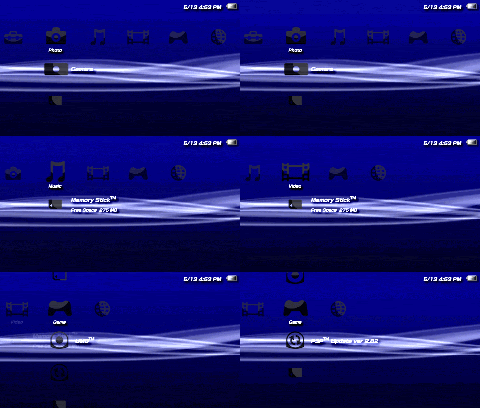
PSP's Hombrews

  • Thread starter Thread starter Atachi
  • Ngày gửi Ngày gửi
Status
Không mở trả lời sau này.
Thông báo link die thì qua topic hỏi đáp
Mod đã dặn không được post nhảm ở đây
Anh warsong cẩn thận đấy
Homebrew google maps:http://ifile.it/n5wg1pj
Copy vào thư mục game3xx,với xx là 71 ,80,90 tuy vesion máy bạn
psp-google-maps.jpg

À cậu blaze kick chết chắc rùi đấy dám post bài vô đây,tớ cop vô game371 chạy bình thường này không được thì đổi qua game hoặc game150 thử xem
 
JoySens - Chỉnh độ nhạy cho analog

Chả là cái analog của tớ bị hỏng, lúc nào cũng chỉ 1 hướng nên k chơi đc hầu hết các game. Hỏi mọi ng` thì đều đc nghe là k có cách nào để disable đc nó.
Thế là sáng nay mò mò anh google, tớ đã tìm đc cách.
Bạn nào có analog hỏng mà k thay đc (hoặc phải thay cả main) thì xài thử nhé :D
Tớ dùng phần mềm JoySens để disable analog. Nhưng chức năng chính của cái này là chỉnh độ nhạy cho analog (game action cần nhiều đấy). Thế nên mình chỉ cần để độ nhạy thấp nhất ~ disable analog. Ngoài ra nó còn chỉnh 1 só thứ linh tinh cho analog (tớ k quan tâm lắm).
Bạn download ở đây: JoySens 1.3
Tớ lấy ở blog của raphael Các bạn có thể vào đó để xem anh ấy làm thế nào để chỉnh đc sensitive cho analog nhé (toàn công thức chả hỉu j @-))
Trong file đó có hướng dẫn cụ thể từng phần. Tớ hướng dẫn qua = TV cho ai lười đọc TA ^^
1.Tạo folder SEPLUGINS trên root (ms0:/SEPLUGINS/)
2.Copy file joysens.prx (joysens371.prx cho FW 3.71) vào folder đó
3.Tạo file text:
- game.txt cho UMD game
- game150.txt cho homebrew load từ game150 (hay folder game với kernel1.5)
- game3xx.txt cho homebrew load từ game3xx (hay folder game với kernel 3xx)
- pops.txt
- vsh.txt ( 2 cái này chả bít là j nên tớ k ghi ^^)
4.Ở các file text trên đều có dòng ms0:/SEPLUGINS/joysens.prx
Nếu bạn dùng FW 3.71 như tớ thì là ms0:/SEPLUGINS/joysens371.prx (trừ file game.txt vẫn là ms0:/SEPLUGINS/joysens.prx)
5.Vào Recovery mode -> Plugins -> Enable cả lũ lên
__________________________________

Khi vào game, để chỉnh độ nhạy cho analog có nhiều cách (cũng là cách disable analog)
C1: ấn NOTE + Left/Right Trigger
C2: ấn NOTE + Left/Right
C3: ấn NOTE + Up/Down

Chúc vui!
 
PSPPDA for PSP Slim CFW 380-m33 hoặc 390-m33- Biến PSP Slim thành PDA (Không có cảm ứng à nha - Dĩ nhiên ^^)

Link download: http://www.mediafire.com/?zj7dtamdrbm

Các bạn download về, giải nén xong copy nguyên folder psppda trong folder psppdav1.3.2fw3x\psppda-v1.3.2\fw3x vào folder psp/game380 nếu bạn sử dụng CFW 380-m33 hoặc 390-m33. Vào mục Game chạy ứng dụng, có lịch, calculator, notepad, alarm, nghe MP3, xem ảnh, duyệt các thư mục của PSP---> enjoy it ^^!

Start - Menu
Select - Thoát

(Nguồn: consolespot.net/)
 
chương trình chụp ảnh màn hình cho PSP( tương tự screen capture)
bạn có thể chụp ảnh màn hình psp,( định dạng GIF), để lưu lại các pha bóng đẹp hay 1 hìn ảnh cool trong game hay video của bạn.
Đây là 1 prx nên bạn phải bật nó enable trong RM (ko brick PSP của bạn đâu, yên tâm)
cách cài đặt:
rất đơn giản,có 1 chương trình trong thư mục sẽ tự động cài mọi thứ cho bạn
đi kèm 1 gif player để bạn xem ảnh ngay sau khi chụp.
hình minh họa:
video1.gif


screen2.jpg

DOWNLOAD LINK:
http://www.megaupload.com/?d=MADUNECW

làm đúng đủ nhưng mà ko vào đc phần recovery mode dù làm mấy chục lần cái tắt đi bật lại hold r::(..anh chỉ lại cho em đc ko???:D
 
PSP Hide Files 2.0
(ẩn file trong máy 1 cách đơn giản)

Download here : PSP Hide Files 2.0

Download về giải nén ra , copy vào thư mục PSP/GAME hoặc PSP/GAME150
-Khởi động chương trình , sẽ hiện ra giao diện , có 3 phần Music,Pictures,Video , mún hide cái nào thì X vào chọn hide , sau đó exit(sau khi hide sẽ thành There's no images,video,music...) , mún xem lại thì lại vô chương trình ,X vào chọn show .Khi Hide 1 folder nào đó , cắm thẻ nhớ vào máy sẽ hiện ra [tên folder]_OFF , vd: PICTURE_OFF ,nếu mún Show lại mà ko cần vô chương trình thì xóa _OFF . Hơi bất tiện nhưng dễ và hữu hiệu . còn mấy cái hướng dẫn tiếng Anh ,ai bít đọc đi hình như là phím tắt


Mã:
Homebrew developer F Metal Alchemist has just released the english version of his homebrew app that hides your psp’s files. You can choose to hide different sections of your psp like the music, video, or picture section and it’s all straight from your xmb. Here are the controls:

X: hides the Photo folder (Only hiding the images that are in ms0: PSP PHOTO). 
O: displays the Photo folder. 
Square: Hides folder ISO. 
Triangle: displays folder ISO. 
L: hides folder MUSIC (only hides the music that is in ms0: MUSIC). 
R: displays folder MUSIC. 
D-Pad Right: hides folder GAME150 (Useful to hide under homebrew kernel 1.50) 
D-Pad Left: shows GAME150 folder. 
D-Pad Up: hides VIDEO folder (the folder Hides ms0: VIDEO). 
D-Pad Down: displays folder VIDEO

nguồn pspslimhacks.com
+REP mình nha :hug:
 
PSP Hide Files 2.0
(ẩn file trong máy 1 cách đơn giản)

Download here : PSP Hide Files 2.0

Download về giải nén ra , copy vào thư mục PSP/GAME hoặc PSP/GAME150
-Khởi động chương trình , sẽ hiện ra giao diện , có 3 phần Music,Pictures,Video , mún hide cái nào thì X vào chọn hide , sau đó exit(sau khi hide sẽ thành There's no images,video,music...) , mún xem lại thì lại vô chương trình ,X vào chọn show .Khi Hide 1 folder nào đó , cắm thẻ nhớ vào máy sẽ hiện ra [tên folder]_OFF , vd: PICTURE_OFF ,nếu mún Show lại mà ko cần vô chương trình thì xóa _OFF . Hơi bất tiện nhưng dễ và hữu hiệu . còn mấy cái hướng dẫn tiếng Anh ,ai bít đọc đi hình như là phím tắt


Mã:
Homebrew developer F Metal Alchemist has just released the english version of his homebrew app that hides your psp’s files. You can choose to hide different sections of your psp like the music, video, or picture section and it’s all straight from your xmb. Here are the controls:

X: hides the Photo folder (Only hiding the images that are in ms0: PSP PHOTO). 
O: displays the Photo folder. 
Square: Hides folder ISO. 
Triangle: displays folder ISO. 
L: hides folder MUSIC (only hides the music that is in ms0: MUSIC). 
R: displays folder MUSIC. 
D-Pad Right: hides folder GAME150 (Useful to hide under homebrew kernel 1.50) 
D-Pad Left: shows GAME150 folder. 
D-Pad Up: hides VIDEO folder (the folder Hides ms0: VIDEO). 
D-Pad Down: displays folder VIDEO

nguồn pspslimhacks.com
+REP mình nha :hug:


bác này chưa đọc luật mới của anh atachi hay sao mà đòi rep dzậy
anyway.+một phát chưa khi bị trừ:devil:
 
HomeBrew PSP Filer 5.1 Released
Quản lí File và có thể RIP UMD to ISO trên psp

Mediumgauge's PSP file management homebrew app for managing both files and directories on your memory stick, UMD drive, and flash0/flash1. PSP Filer also includes a set of integrated applications — rip UMDs directly to your memory stick, view pictures, text & binary files — WAV playback, read-only RAR support... And much, much more..

An updated version of the excellent file management application for the PSP has surfaced. Created by the developer Mediumgauge, PSP Filer allows you to easily copy, edit, delete, move and transfer files on the memory stick and flash.


binemm3.png


DOWLOAD
 
HomeBrew: PCMonitor Alpha v5
cho mượn psp gòi chưa test dc


This neat little homebrew was released back in February, yet I don't remember ever seeing it around so I thought I would share the find with you guys/gals.


pcmonitorav5vk8.png


This homebrew application, in case you're asking, will enable you to view your computer's CPU, RAM and Network Usage performance from the comfort of your PSP.

This latest release is darksaboteur's second attempt at fixing the overflow error that was found (and supposedly resolved) in PCMonitor Alpha's previous release. Those interested in using this application will want to be aware of these following bugs:

* If the PSP drops the connection (low signal, server reset, server closed, wifi switched off, etc.), it will not try to reconnect, it will just show a set of static values but the application may be exited by the home button still (This will be corrected in the next release)
* If the IP Address is incorrect in the config ("wifi.cfg"), the application will just sit on a blank screen but the application may be exited by the home button still (This will be corrected in the next release)

Full explanations on installing and running PCMonitor Alpha v5 are available in the file bundle's readme.

DOWLOAD HERE
 
hombrew mới coong đây MyPspMenu R1

Filename: mypspshell_release1.zip
Size: 1.75MB

Description:
Cpasjuste's MyPspMenu. A PSP shell aimed towards easily managing/organizing your homebrew, emulators, apps, ISO/CSO, and PSX games.

MyPspMenu R1 features:
Organise your homebrews/games in 6 sections and launch them with a custom cpu speed: Games, Emulators, PSX, ISOs, Applications, UMD
Filer explorer:
Explore memory stick, umd, flash0, flash1, , nethost0, usbhost0, iso, cso.
Copy, paste & delete files/folders from/to memory stick, umd, flash0, flash1, iso, cso, etc... (flash0 in write mode so be careful).
Create folders.
Rename files/folders.
View/preview images (gif, png, jpeg : 512*512 pixels max, 500Kb max).
Play a single mp3 (playlist to come with next version).
Show directory/files size.
Launch homebrews and iso/cso via wifi (nethost, can be bugged for now).
Launch iso/cso via usbhost in "oe" or "noumd" mode (with an umd inserted for noumd mode, no homebrew launching via usbhost for now).
View battery, free space, date, time information.
Setting menu:
Select/save your PSP cpu speed
Select/save your USB state.
Select/save the default skin.
Quit menu: Reboot the PSP, Exit to XMB, Poweroff the PSP.

mypspmenu-r1.jpg


DOWLOAD HERE
 
cái này chưa thấy ai up lên cả mà có lâu rùi phần mềm đọc truyện tranh vừa nghe nhạc trên PSP
pepviewer 0.8
Đây là link down: http://rapidshare.com/files/34113944...08.tar.gz.html
Sau khi down về giải nén và copy cả 2 file vào PSP/GAME150.
cái này cho FAT thì phải nhớ chỉnh về 1.50 nhé
nguồn vietkhoant
 
tui mới đặt chân đến đây,pác nào có phần mềm giả lập ps1 trên psp fat ko,cho tui xin (có hứong dẫn sử dụng là cám ơn nhìu lun)
 
GPSP kai v3.2 cái 2 trang trước là bản 3.1 còn đây là bản 3.2
Download về cứ chép hết vào root thẻ nhớ, rom thì chép vào \PSP\GBA\ROM

http://www.mediafire.com/?ojdmktmzuqn
By FFFFOkie, customization complete. Add background, thêm nhạc nền [Summon Night CraftSword 2's theme] và chỉnh lại icon 1 tí cho bớt ngu.
Ai đang dùng bản gpSP Kai 3.2 mà Warsong up trên kia thì down file eboot.pbp này về, chép đè lên file eboot.pbp của gpsp Kai [đang ở trong thẻ nhớ PSP] là xong.
http://www.box.net/shared/g1v0qqha80
Enjoy...
 
các anh cho em xin giả lập sega ( 6 nút ) với có luôn link game thì tốt quá
 
Anh lthltt cứ hỏi hoài cái này ra thôi vừa lượm đc bên HOTGAME xong
PSP Universal Remote 1.1
Biến PSP thành remote điều khiền hơn 1000 thiết bị điện tử!
Cài đặt:
Chép phần homebrew vào PSP/GAME150 ,còn thư mục Remote chứa code thì chép vào thư mục gốc của thẻ!
Download:
Bản 1.1 nhưng có kèm theo bộ code 100 thiết bị:
http://www.psp-hacks.com/download.php?id=281
Bản 1.2 nhưng ko có kèm theo bộ code,có thể dùng bộ code của bản 1.1:
http://dl.qj.net/dl.php?fid=1442
Có thể tải thêm code tại đây:
http://www.lirc.org/
 
khoan các bác ui! cho em hỏi .. cái HB PDA PSPPDA for PSP Slim CFW 380-m33 hoặc 390-m33- Biến PSP Slim thành PDA đây này... theo chỉ dẫn là cop vô PSP/GAME390 or .../GAME380 nhưng con slim của em chỉ có mỗi GAME371 và GAME150 thôi ajh ! Là sao , làm thế nào bây h ?:o:-/
 
Status
Không mở trả lời sau này.
Back
Top