Tổng hợp các software thay đổi giao diện desktop | Đọc luật #1

Aston Shell is a flexible and powerful Desktop replacement application, which lets you save your computer’s resources while giving your Desktop a unique look. Aston completely replaces your old Desktop with a new one, providing numerous additional features and saving computer resources for more necessary tasks.

astonshell1wj8.jpg


astonshell2wi6.jpg


astonshell3qf9.jpg


By installing Aston, you acquire a lot more than just a fancy look, you get a more efficient way of using your computer. Aston looks similar to the Desktop you’re already familiar with, but its components offer much more functionality:

* Toolbars (side panels on the left and on the right sides of the screen) offers easy access to the documents, applications and web links you need the most;
* Multi-state Taskbar buttons let you know exactly if a certain window is active or minimized (they are also adapted to the width of the Taskbar and are thus easier to manage: no precious screen space is wasted);
* Aston Quick launch Panel can be as small as a single button: you get easy access to your shortcuts without turning the Taskbar into a garbage dump;
* You can hide and restore System Tray icons with a single click or a keystroke;
* Keep your Desktop clean: use the Panel plug-in to organize your files without turning the Desktop into a dumping ground;
* Desktop icons can be of any size, any form (thanks to alpha-blending) and can be animated as well. Standard limitations are gone!
* Aston Disks and the Recycle Bin let you visually monitor their fill states;
* Multi-monitor support;
* A built-in Hotkey Manager makes your work with Aston even more pleasant and effective.

~~~ Download Full ~~~
 
tớ xài cái này nó báo thế này là sao kìa
có crack trong đó xài theo hd
 
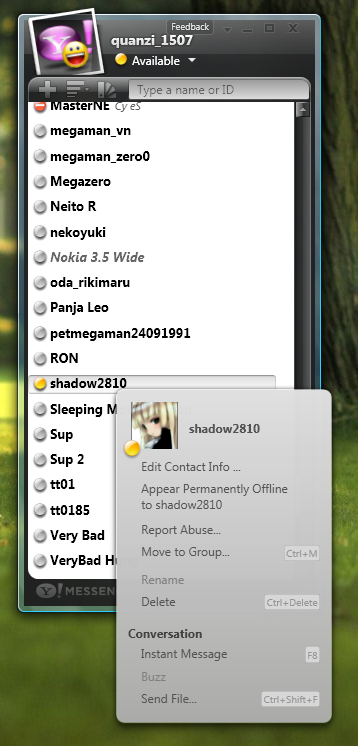
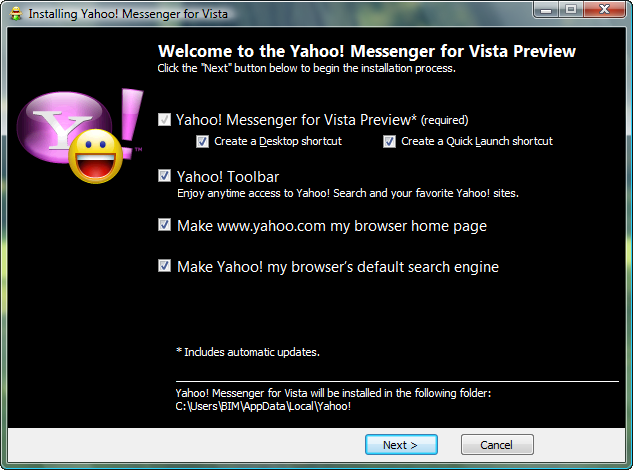
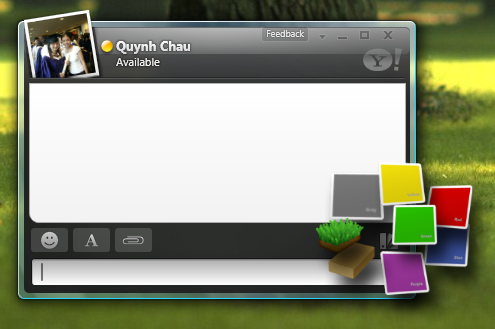
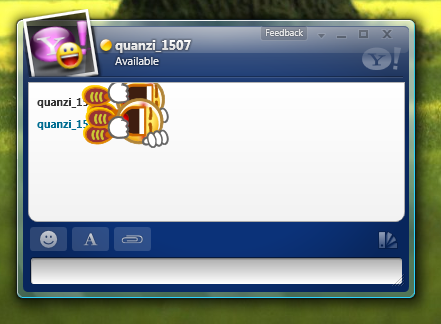
Yahoo! Messenger
for Windows Vista™


Screenshots:

YahooMessengerforVista5.png
YahooMessengerforVista3.png
YahooMessengerforVista8.png


YahooMessengerforVista4.png
YahooMessengerforVista7.png


YahooMessengerforVista2.png
YahooMessengerforVista6.png


More:
Mã:
Homepage: http://messenger.yahoo.com/windowsvista.php
Download: http://messenger.yahoo.com/download_vista.php
Direct Download: http://download.yimg.com/ycs/msg/dl/vmsgr/b1/us/ymsgr_vista_setup.2007.11.30.420_us.exe
 
ai Test dùm cái này
CubeDesktop v1.1.3
CubeDesktop v1.1.3


CubeDesktop creates six virtual and independent desktops, increasing the space you have to work and play. Use our stunning 3D technology to quickly show, switch and move windows between desktops.
-- Improve your Windows Vista experience. CubeDesktop is the best Vista addon so far, adding to your desktop incredible 2D and 3D effects.
-- Windows and desktops update in realtime, like Windows Vista new thumbnails, but in true 3D.
-- Impress everybody that looks at your computer and change the way you work with it!

Fortunately, CubeDesktop, being the most robust multiple desktop software, solves the desktop clutter problem once and for all. Each virtual desktop is a distinct working environment. The taskbar shows only the applications opened on the current desktop, greatly reducing the clutter.

-- CubeDesktop helps users to maximize productivity though the advanced application and desktop management, providing increased efficiency even on a single monitor by enabling multiple desktops. It enables users to quickly access any virtual desktop or window, fast transfer of windows between virtual desktops as well as the total control over applications, thus creating the ideal working enviroment.

Switch between tasks using our Window Exposer technology. With a single keypress or mouse move, Window Exposer instantly tiles all of your open windows, scales them down and neatly arranges them, so you can see what's in every single one. Bring to your Windows Vista desktop the most impressive Mac OS X Exposé-like experience.

-- CubeDesktop is highly configurable. Change keyboard settings, mouse movements, visual effects, colors and more, much more. But don't be afraid. Using CubeDesktop Control Panel is as easy as changing the wallpaper of your desktop or copying a file from one folder to another.


CubeDesktop. Main features

>> Virtual desktops
CubeDesktop creates six virtual and independent desktops, increasing the space you have to work and play.
Being the most robust multiple desktop software, CubeDesktop solves the desktop clutter problem once and for all. Each virtual desktop is a distinct working environment. The taskbar shows only the applications opened on the current desktop, greatly reducing the clutter.

>> 3D effects
Use the 3D cube to preview, switch or move windows to another desktop. Or just for fun.
Improve your Windows Vista experience. CubeDesktop is the best Vista addon so far, adding to your desktop incredible 2D and 3D effects.
Windows and desktops update in realtime, like Windows Vista new thumbnails, but in true 3D.
Impress everybody that looks at your computer and change the way you work with it!

>> Moving windows between desktops
CubeDesktop offers various ways to move applications amongst desktops.
Drag a window near the edge of the screen to show the 3D cube and drop it on the desktop of your choice.
"SendTo" menu items integrated into all applications' system menus allow you to send applications to the desired desktop.
You can also use hotkeys to move the selected window to another desktop.

>> Live preview
CubeDesktop is not like the classic utilities for Windows. Everything is live. When you switch between desktops using the 3D interface or the desktop explorer, you see a live preview of what's happening. All windows update in realtime, allowing you to see what you're really looking for.

>> Window organization
Open the full graphical desktop preview to see all desktops at the same time. Every window is just one click away. Move them between desktops in a hurry.
Autosend rules allow you to move windows to one desktop automatically when they open. When this happens, a notification bubble hint will inform you, no need to look for it!
Named desktops will make it easier to organize your windows. Imagine having one "internet" desktop, one "work" desktop, ...

>> Desktop customization
Every single desktop may have its own wallpapers, icons and name. Change your Windows wallpaper as usual and arrange your icons using your favourite layout on every single desktop, CubeDesktop just remembers everything when you switch between desktops.
CubeDesktop also includes an integrated icon manager, allowing you to quick and easily which icons are shown on every desktop.

>> Switch between tasks faster than ever before
Switch between tasks using Window Exposer. With a single keypress or mouse move, Window Exposer instantly tiles all of your open windows, scales them down and neatly arranges them, so you can see what's in every single one. This feature brings to your Windows Vista desktop the most impressive Mac OS X Exposé-like experience.

>> Hot corners
Just move the mouse pointer over the screen edges and watch how the action you configured gets executed.

>> Advanced visualization effects
CubeDesktop uses advanced 2D and 3D techniques like animation with physical dynamics, transparency, reflection, lighting and antialiasing.
All effects are fully configurable. 3D visualization also allows you to set personalized backgrounds and 360º panoramic skyboxes.

>> More great features
CubeDesktop users receive free application upgrades until next major version and online support.

Requirements :
Windows Vista & XP
512 Mb RAM (1 Gb recommended)
6 Mb free disk space
Khá giống với Topdesk nhưng kô biết nặng hơn kô ai test dùm :x
Demo nà
43406_s__cubedesktop_v_1.jpg

Link Download
Mã:
http://www.mediafire.com/?8b9xrct21oy
Mirror
Mã:
http://www.box.net/shared/sluj4vdc8c
 
Vietnamese calendar 2.0
Đây là phần mềm lịch(trên desktop).tạo bởi anh Phan Hải Tú.có cả lịch âm dương,kèm các câu danh ngôn,tục ngữ...
hhhhhus6.png
Mã:
http://www.zshare.net/download/313706377e634e/
 
Bộ sưu tầm hơn 150 logoncreen for winXP
anh em coi mấy cái Demo trước :
logon15kx5.jpg

logon14ct8.jpg

logon13wb7.jpg

logon11le9.jpg

logon10se6.jpg

logon6td4.jpg

logon5rz8.jpg

Mã:
http://www.mediafire.com/?cm3z2jn30jo
http://www.mediafire.com/?bttfrfmmjje
http://www.mediafire.com/?9znmyhdkjdn
http://www.mediafire.com/?19zuz1mfdnx
http://www.mediafire.com/?b0mokgstjom
:devil: #>:)
 
Winter Snow Dream For Vista ultimate
Dùng Deskcape của Stardock nhé
ss3_744.jpg
Mã:
http://www.mediafire.com/?11ekgmj7tut
Cái này chỉ dùng cho Vista Ultimate thôi nhé
Nó đây
Mã:
http://www.download.com/3000-20-10657476.html?part=undefined&subj=dl&tag=button
 
FlyakiteOSX Xp --> Mac​
Hẳn ai đã từng nhìn qua theme của Mac thì ai cũng phải trầm trồ mà thốt lên rằng “Thật tuyệt vời”. Có nhiều cách để sỡ hữu theme của một hệ điều hành Mac OS, bạn có thể sử dụng các skin giả lập Apple, Desktop hoặc thay đổi Wallpaper sao cho phù hợp. Tuy nhiên với FlyakiteOSX bạn có thể dễ dàng tạo cho mình một giao diện mang phong cách Mac OS, nhưng chỉ có sử dụng trên Windows XP.
Win-Mac5.jpg
Một lưu ‎y’ khi sử dụng, FlyakiteOSX có thể sẽ gây rắc rối cho hệ thống của bạn nếu máy bạn không quá mạnh. Để an toàn, trước khi sử dụng FlyakiteOSX, bạn nên sao lưu lại hệ thống ( bằng cách vào Start -> All Programs -> Accesorites -> System Tools ) để có thể phục hồi lại những thay đổi của hệ thống nếu có vấn đề nảy sinh. Dù có thể gây ra vấn đề, nhưng tại sao bạn lại không thử? Hãy nhìn vào giao diện, các icon cũng như các cửa sổ, so với các theme vốn có của Windows thì quả là cũng đáng để thử nghiệm.

Tuy vậy, nếu gặp rắc rối với FlyakiteOSX, thì quả là đáng tiếc. Nhưng đừng lo, hãy thử sử dụng WindowBlinds của StarDock để tự tạo cho mình một giao diện theo phong cách riêng, mặc dù không hoàn toàn giống Mac, nhưng với WindowBlinds thì bạn cũng có thể thay đổi những hình ảnh “đáng chán” sẵn có trên Windows.
Download
Mã:
http://s3.amazonaws.com/edownload/free/en/win/FlyakiteOSXv3.5.exe
Skin Leopard cho Object Dock(File gửi kèm)
 

Attachments

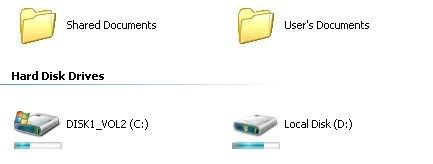
Đây là một chương trình tiện ích nho nhỏ giúp bạn biết biểu tượng ổ cứng vốn khô cứng của Window XP thành một biểu tượng hữu dụng hơn, giúp bạn biết được dung lượng đã dùng và còn trống ...
2222222222.jpg
Mã:
http://www.echip.com.vn/echiproot/Softwares/2007/Vista%20Drive%20Indicator%20for%20Xp.rar
Mirror
Mã:
http://www.mediafire.com/?0d1hpjexolu
 
TrueTransparency
Dành cho bạn nào máy yếu hoặc kô thích xài WB
Vista_Ultimate_for_TT_8_X_by_filipefmle.png

gồm 18 Skin
Mã:
http://www.mediafire.com/?1mwo2odinem
Mã:
Pass:megasharesvn.com
 
Icon nà :)
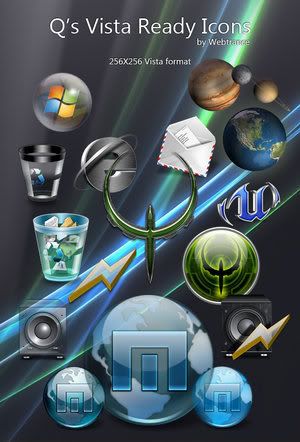
Q's Vista Ready Icons
QsVistaReadyIcons.jpg
Mã:
http://www.mediafire.com/?1dum3s0zmet
Summer_Collection.rar
SummerCollectionIcons.jpg
Mã:
http://www.mediafire.com/?5ltgt1joxgu
Glassvista Icons
41898_s___glassvista_icons_1.jpg
Mã:
http://www.mediafire.com/?c5nyngzgzpz
 
VistaMizer 2.1 Multilinguage
5cec1e8e30ce.jpg
Key features:

• Vista-Look for Windows XP, MCE or Server 2003
• Modification of the own system files
• multilingual
• completely free choice for the modification files
• check the files for compatibility during the installation
• backup from the original system files
• re-modification of the system files after Windows Updates
• rebuilding of the original system files with un-installation

Changes in VistaMizer 2.1.1.0:
* + Problem bei der Übernahme der Sounds, Wallpaper, etc. behoben
* + Fehler bei der De-Installationsroutine behoben
Information Overview:
* - Vista-Look for Windows XP, MCE or Server 2003
* - Modification of the own system files
* - multilingual
* - completely free choice for the modification files
* - check the files for compatibility during the installation
* - backup from the original system files
* - re-modification of the system files after Windows Updates
* - rebuilding of the original system files with un-installation
Ở phiên bản này có thể đánh giá nó ngang ngửa với thằng VTP 8 ở mọi mặt. Hơn nữa lại không ngốn nhiều ram bằng nên sẽ là sự lựa chọn lý tưởng cho những ai có máy cấu hình hơi khiêm tốn. (^^)
Download link :
Mã:
http://depositfiles.com/en/files/2595802
Mirror
Mã:
http://rapidshare.com/files/74492272/1307VM.v2.1.1.0.rar
Pass: www.dl4all.com
Mirror
Mã:
http://www.uploading.com/files/MCRIAP2B/VistaMizer_2.1.1.0_www.2baksa.net.rar.html
Pass If need:www.2baksa.net/
Mirror
Mã:
http://www.filefactory.com/file/2e459d/
http://w15.easy-share.com/11631721.html
 
[MU]Alienware T3 Pakage​
Mã:
Includes
* Alienguise Theme Manager
* 4 AlienWare themes (alien morph, alx morph, invader, And Darkstar)
* 4 AlienWare Media player skins
* Custom iconpackage Alienware 2005
* 5 cursors packs (invader, x alien2 grey, x alien gray, x alien white, and HFN ALien Cursors)
* AlienWare Screensaver Alien Hand
* 8 AlienWare Logonscreens
* 2 Alien Bootskins
* 7 Wallpaper sets
* T3 Windowblinds skin
* T3 Logonscreen and bootskin

Chương trình hỗ trợ kèm theo:

* IconPackager 3.1 Enhanced
* CursorXP Plus 1.31
* Bootskin 1.05a
* LogonStudio 1.0.64
* WindowBlinds 5.01 Enhanced
escritoriobn2.jpg
MU:
Mã:
Part 1: http://www.megaupload.com/?d=D69DEEGD
Part 2: http://www.megaupload.com/?d=MUAKNGVR
 
1-Click-Aero - Window Blind Cr@cked không cần cài đặt​
Nếu bạn muốn XP đẹp như vista với hiện ứng gương Aero mà không thể cr@ck được WB thì đây sẽ là sự thay thế tuyệt vời.Nó đã được cr@ck,công việc còn lại của các bạn rất đơn giản,đó là làm theo hướng dẫn của tôi.
Mã:
B1: Các bạn down về,giải nén và chạy file vừa giải nén.
B2: Khởi động lại Window
B3: Vào Program Files\Stardock\Object Desktop\WindowBlinds\wbconfig.exe
B4: Đừng vội thay skin đẹp,hãy chọn skin "Window Classic",apply rồi khởi động lần 2.
B5: chuột phải vào 1 skin:có đuôi *wba,chọn Properties,bảng "Open with",bạn chọn "Change","Browse" và tới \Program Files\Stardock\Object Desktop\WindowBlinds\ chọn wbload.exe.
Thế là từ bây giờ các bạn có thể thay skin mình thích bằng cách nháy đôi chuột vào skin mình muốn.
Mã:
http://www.box.net/rssdownload/124497347/1-Click_Aero_Azqsxwdc_Megasharesvn.com.rar
101 Skin
Mã:
http://www.zshare.net/download/584764664caa3f/
Mã:
Pass:megashares.com or megasharesvn.com
:'>
 
Shock 4Way 3D
Hàng mới ( tìm đươc ):D
Nhìn rất mướt nhiều effects hơn
4freesoftspf9.jpg


Shock 4Way 3D also has a manager of screens, which can be used to transfer windows from one desktop to another. Regarding icons on the desktop, for each of them you can choose the status: make it accessible from any of the four screens, or only from one of them.
The latest version accelerates switching between desktops, corrects errors related to the display of buttons in the task bar.
Download :
http://rapidshare.com/files/77344270/Shock-4Way-3D-1.01.rar
 
Uninstall nó xong rồi đổi bình thường = Tune Up thôi có gì đâu -_-

Quan trọng là tớ vẫn muốn dùng cái soft đó với cái Icon cua mình :D
Àh nè :D
Có mấy cái Icon mới nè :D
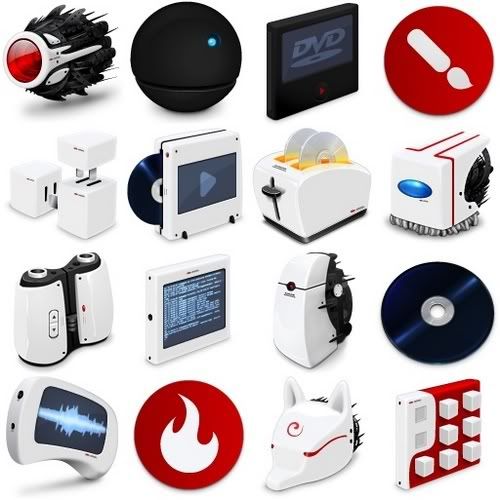
Alien Aqua Icons
iconsalienaquapb0.jpg

30 PNG
256x256
1.73Mb

http://rapidshare.com/files/55067737/Icons-Alien__Aqua.rar
Graphix Icons
iconsgraphixiconsbb6.jpg

41 Icons
PNG & ICO
15.5 МB

http://rapidshare.com/files/57224184/Icons-Graphiix.41.PNG.rar
PNG 3D Icons Pack
icons3diconpackpngkv8.jpg

(232 PNG l 18MB)

http://rapidshare.com/files/51881217/Icons-pack_3D_.png.rar
Amora Icons Pack
iconsamoraiconsnr8.jpg

(129 PNG l 1.1MB)

http://rapidshare.com/files/49031251/Icons-Amora_Icons.rar
:whew: Phù :D Hết hơi rồi . Khi nào Rảnh sẽ up tiếp:wink:
 
XDeskPhoto v1.2.0.511-Tạo "slideshow" trên màn hình desktop​
xdeskphotow3001155555e1rr8.jpg
XDeskPhoto cho phép người dùng đưa hình chụp hay hình vẽ lên desktop. Nó là một chương trình rất " nhẹ kí " , không ngốn tài nguyên hệ thống và không lấy nhiều diện tích trên desktop.
PM này thật giàu những tính năng nổi bật !
*Tạo hình ảnh tự thay đổi trong thư mục đặc biệt
*Hỗ trợ nhiều loại hình ảnh và giao diện
*Hỗ trợ tự động set hình ảnh ở dạng wallpaper
*Rất gọn nhẹ với dung lượng khoảng 500KB
*Hỗ trợ nhiều hệ điều hành Windows khác nhau
*Có thể dán ảnh lên desktop
*Phím tắt sử dụng nhanh chóng
*Giao diện dễ sử dụng
*Và còn nhiều tính năng nữa....

Có gì mới:
*Hỗ trợ làm đâm/mờ hình ảnh
*Hơn 10 giao diện được bổ sung

XDeskPhoto allow user put photos or pictures on the desktop. It is a very lightweight application that doesn't use much system resources or take much space on your desktop.

It's Rich in Features!

* Auto change pictures in specify folder with customizable interval
* Supports multi-photos and skins
* Supports auto set picture as Wallpaper
* Very lightweight application that Only use about 500KB system resources
* Supports Windows transparency
* Can stick photos to the desktop (i.e. doesn't hide with Show Desktop)
* Hotkeys for quick access and Show Case
* Easy skinning with an UI
* and more...

What's New

* Support photo fade in and fade out
* 10+ skins added

Hướng dẫn sử dụng :
Tools này không những giúp bạn lồng các tấm ảnh vào nhiều khung hình khác nhau lên màn hình desktop một cách rất tự nhiên, mà nó còn có thể tự động thay đổi từng tấm hình ở mỗi khung nữa đấy (như kiểu slideshow í).

Với công cụ này, bạn có thể treo bao nhiêu khung hình tùy thích, chọn lựa rất nhiều loại frame theo ý mình và thay đổi kích thước cũng như vị trí của nó.
Mã:
http://s228406439.onlinehome.us/Mega/leech_nick_cat/files/XDeskPhoto_v1.2.0.511.rar
Skin :-s nhưng phải có Acc -_-
Mã:
http://www.xdesksoft.com/xdp_skins.asp
 
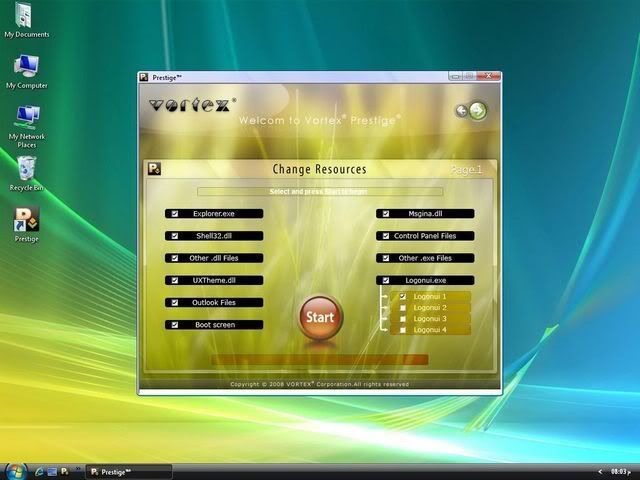
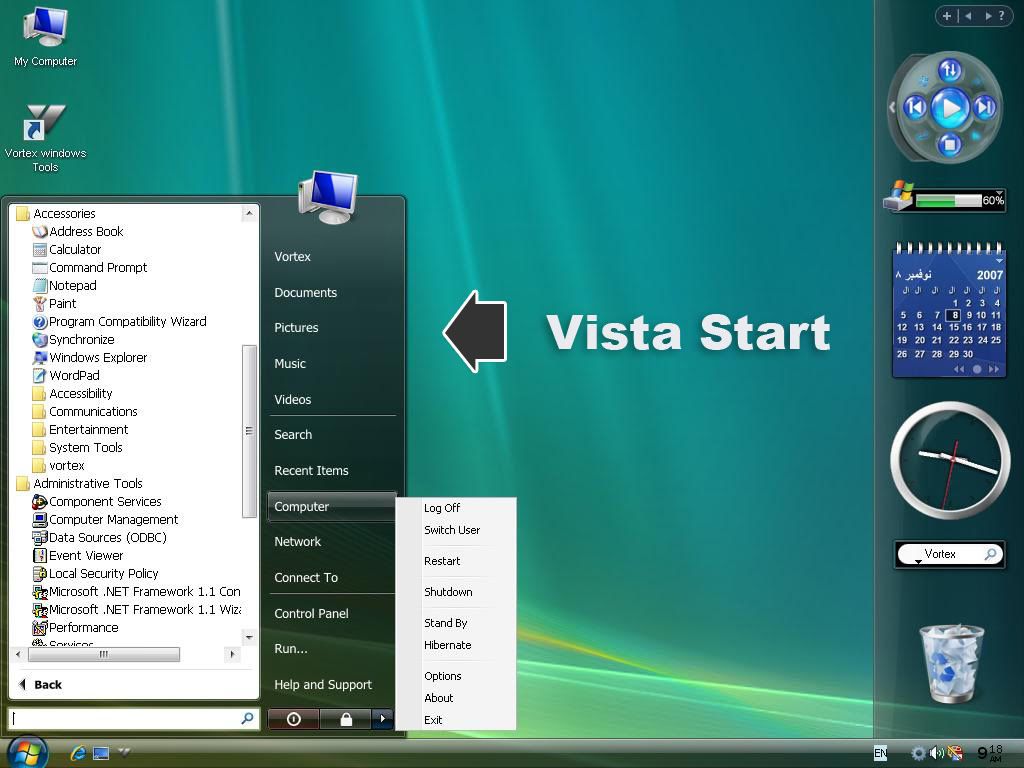
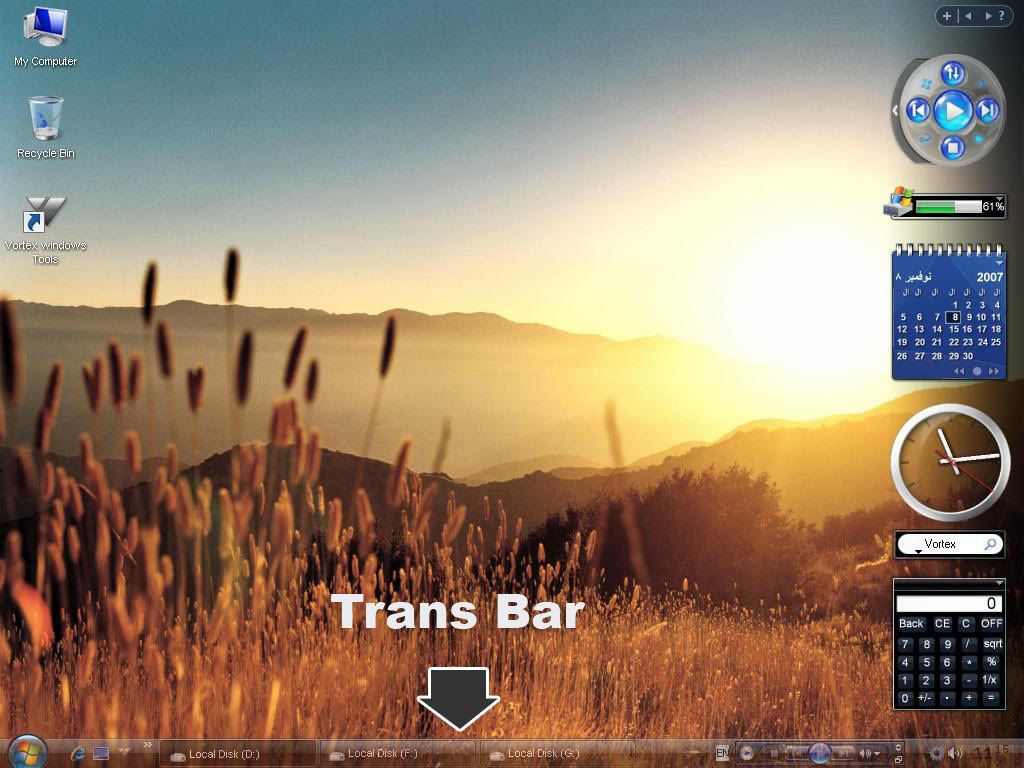
VISTA VORTEX@PRESTIGE 2008​
HANGE XP SP2 TO VISTA VORTEX-TRANFORMATION PACK


* Vortex Prestige not only will transform your Windows XP to Windows Vista easly but also quickly and safely, all windows resources will be changed to look exactly like Windows Vista and there are other tools and features which will simulate the wonderful performance and appearance of Windows Vista.Vortex Prestige is not only a transformer software but also a software manager you will be able to control your add-ons and other features easly more than ever every time you use Vortex Prestige.


System Requirements.

* Windows® XP Professional Edition
* Windows® XP Home Edition
* Windows® 2003 Server
* Windows® XP SP 1
* Windows® XP SP 2
* CPU: 300 MHz or higher
* RAM: 128 MB or higher
* Disk space: 100 MB

DOWNLOADS LINK
prestige_screenshot_04_thumb.jpg

2.jpg

4-1.jpg
Mã:
http://www.fileflyer.com/view/DhIKrB7
 
Back
Top