Tổng hợp các software thay đổi giao diện desktop | Đọc luật #1

Stardock WindowBlinds Enhanced 6.02

WindowBlinds 6.02 is a maintenance release designed fix some reported bugs, improve skin changing speed, and add support for MyColors themes.

Download Full:
Mã:
http://rapidshare.com/files/85621826/Stardock_WindowBlinds_6.02_Enhanced.zip

@ken: giống vista thật :))
 
MyColors 2008

winterwonderlandvistawk7.jpg


Stardock has released MyColors 2008. MyColors is a program that allows users to change their entire Windows experience by applying MyColors themes.

Unlike other customization options, MyColors focuses on allowing users to purchase individual themes rather than purchasing individual programs to customize an aspect of Windows. MyColors is compatible with other Stardock programs including Object Desktop and WindowBlinds.

There are hundreds of MyColors themes to choose from thanks to Stardock teaming up with the NHL, NCAA, GM, Ford, NBA, and others to create branded desktops. Moreover, Stardock has formed its own design team called Stardock Design by bringing together the art teams from both Pixtudio and SkinPlant into a single design house.

To celebrate its official launch, Stardock is giving away a free theme so users can experience a MyColors desktop for themselves.

*********************************************************

Hiện Stardock đang cho đăng kí miễn phí bản quyền, không biết bao giờ thì thôi đợt khuyến mãi nên cứ tranh thủ làm vài cái, chả mất gì :))
Mã:
http://www.stardock.com/products/mycolors/freedownload.asp
 
Pulse pack​
th4000.jpg
Mã:
Gồm:
102 icons :
.png : 512, 256, 128, 64, 32
.ico : vista, xp, dock
.icns : all talls
3 wallpapers
5 skins
+ bonus
Mã:
http://uploadcool.com/download.php?file=4d66d048968def6549d267fa68d9c2ce
 
rockerdock với ObjectDock có khác nhau không dzị . Mình có thế thay icon cho ObjectDock được không ?
Stardock IconX Enhanced v1.10
07233844pjvfi6.jpg

Stardock IconX enhances your Windows desktop icons. Give them shadows, make them any size, have them zoom up on mouse-over and much more. In short:
Make your desktop icons look totally awesome!

Add cool looking effects to your icon text labels to make them easier to read and better looking.

Set your icons to be any size and react to different mouse states. Use the built in pre-loads for easy use or go in and set it up for yourself.

Set up special effects for your icons
Control which icons show up on your desktop
Easily replace any icon on your desktop with a new icon or PNG image

Good icons look great and great icons look awesome thanks to effects like shadows, anti-aliasing, and dynamic resizing.


http://depositfiles.com/files/679342
Nếu ai shared rồi thì sr nha :D . Nhưng mà khó hiểu wa' , không biết xài . Chỉ biết làm mấy cái efects cho Icon thôi àh ::(
Có ai có Icondeveloper & SkinStudio hông ? Cho dzo'i :D
 
2 cái như nhau
còn mún convert Png => icon thì có soft
kenzabo post ở đau rồi đấy ko nhớ
tìm lại xem
Đấy,đơn giản gọn nhé :'>
30 char 30 char
 
Vistapack Xp 2.2​
screen1-xp.jpg

screen3-xp.jpg
Mã:
http://hostfile.org/vistapackxp.zip
:'>
 
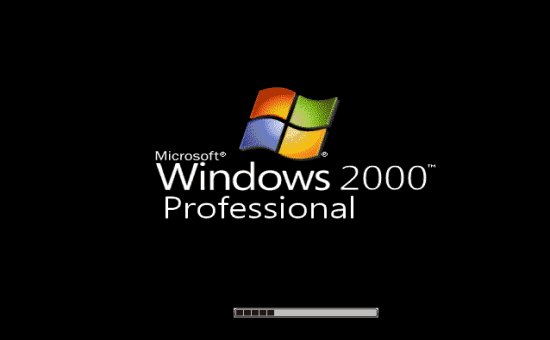
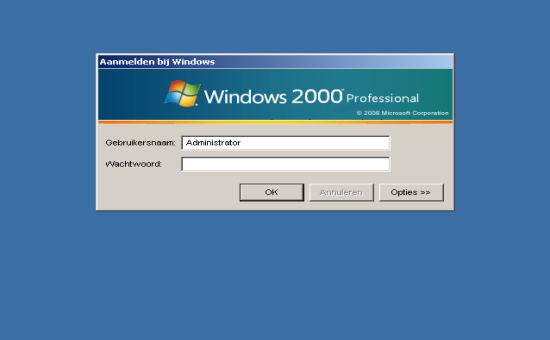
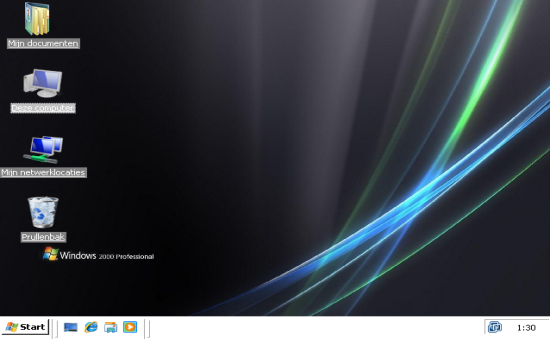
Vistapack 2000 v2.2 _ Biến đổi giao diện cho Window 2000​
boot.png

logon.png

desktop.png
Mã:
http://hostfile.org/vistapack2000.zip
:'>
 
Icon Glass khá đẹp :'>
th1026.jpg
Mã:
http://uploadcool.com/download.php?file=bd7817e4f00479d85e503381eb073416
Rhors System Files ICO Format​
Mã:
http://fc05.deviantart.com/fs22/f/2008/016/b/e/Rhors_System_Files_ICO_Format_by_Rhor.rar?id=Rhors_System_Files_ICO_Format_Megasharesvn.rar
:'>
 
mấy pác có ai xài IconX không ?
xài Avedesk ngon hơn đấy nhưng Setting khá mệt :'>
SideSlide​
sideslide2105.jpg
Mã:
http://www.northglide.com/SideSlide_v2.2.02b.zip
:'>
 
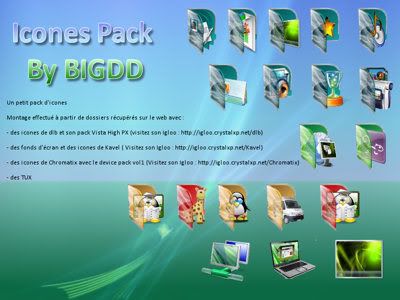
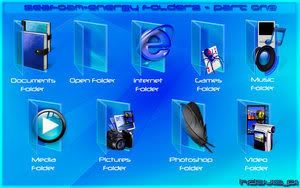
có mấy cái Folder Icon đẹp kinh :'>
BigDD__s_Icones_Pack_by_bigdd.jpg
Mã:
http://fc01.deviantart.com/fs20/f/2007/285/6/c/BigDD__s_Icones_Pack_by_bigdd.zip
Seafoam_Energy_Folders_Part_1_by_hd.jpg

Mã:
http://fc04.deviantart.com/fs16/f/2007/178/8/c/Seafoam_Energy_Folders_Part_1_by_hdavispi.zip
Leopard_Image_Folders_by_bodysoulspirit.jpg

Leopard_Image_Folders_by_bodysoulspirit.zip
Mã:
http://fc01.deviantart.com/fs21/f/2007/246/6/e/Leopard_Image_Folders_by_bodysoulspirit.zip
:devil:
 
Vista Magic Pack 4.0​
89top41.jpg

Vista Magic pack là một chương trình cho phép bạn đổi giao diện của Xp như Vista.
Chương trình này gồm nhiềm thêm của nhà sx thứ 3 mà sẽ làm cho giao diện vista của bạn đẹp hơn. Có cập nhật thêm nhiều thêm, và thêm vài chương trình mới
Mã:
http://www.download.com/3001-2347_4-10784314.html?spi=33d764b357c328ff59fdb0326a24e86b
Or
http://savefile.com/projects/808553674
Or
http://www.download.com/VistaMagicPack/3000-2347_4-10784313.html?tag=lst-0-1#rateit
:'>
 
Vista Explorer Background Images​
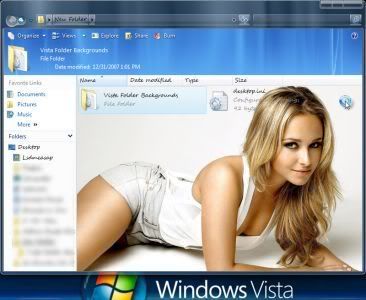
Hot hot,Ai xài Vista Test thử xem =))
vistabgimage488sg0.jpg
Mã:
http://megasharefilecenter.com/azqsxwdc/leech/files/FolderBackgroundVista_Azq_megasharesvn.com.rar
Mirror
Mã:
http://rapidshare.com/files/80408648/FolderBackgroundVista.rar
http://www.megaupload.com/?d=XZ8IQUJL
http://w13.easy-share.com/13703391.html
Mã:
Pass: megasharesvn.com
 
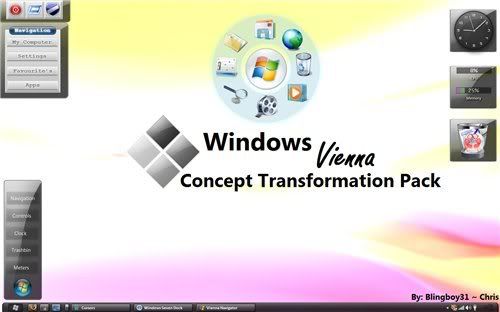
Windows Vienna Transformation Pack​
i1766_6xs395d.jpg
Mã:
Gồm:
-wallpaper
-bootscreen
-Icons (coming soon)
-ShellStyle
-Sounds
-Login
-Cursors
Mã:
http://www.mediafire.com/?4odxbypx9fw
 
ôi cái này Clear luôn rồi con gì :x
Aero_2_Icon_Set_Volume_1_by_SliWoady.jpg
Mã:
http://www.deviantart.com/download/30263489/aerov2.zip
 
ai test thử cái này xem ;))
WindowBlinds 6.02 Build 43 Enhanced​
INSTRUCTIONS:

1) Install WindowBlinds
2) Close activation window (twice)
3) Start task-manager and kill Process:
-> vista: WbVista.exe (and VistaSrv.exe if listed)
-> xp: WBINST~1.exe
4) Start the keyfilemaker and apply the patch WbSrv.dll
5) Generate a keyfile and save it in the same folder

NOTE: this is build 32 for XP and 49 for Vista
Mã:
http://www.mediafire.com/?b49dzz2utdl
 
Aston 1.9.6​
1677_1.jpg
Nếu đã ngán với những giao diện Vista hào nhoáng thì bạn nên thử qua Aston 1.9.6 một lần để rồi lựa chọn nó luôn vì tính tiện lợi và giao diện trực quan của chương trình. Bộ Skin của chương trình đủ khiến Fan của Vista theme phải ngả mũ bái phục.
Mã:
http://www.mediafire.com/?cnv9nnejbif
 
Chào các bạn, có ai biết phần mềm nào có thể chia monitor ra làm 2 phần (có thể nói như double déktop) nhưng hiển thị 1 lúc cả 2 màn hình trên 1 màn hình.
Máy mình là 1280x800, giờ muốn chia déktop ra làm 2 phần 1 phần là 1024x800, và 1 phần là (1280-1024=256)x800.
ví dụ: mình xài win Vista, có cái sidebar, mình muốn khi xem phim fullscreen side bả vẫn hiện ra bên cạnh màn hinh fullscreen đó. và đương nhiên, khi đang xem phim, mình vẫn có thể di chuột qua bên déktop nhỏ để làm việc trên side bả hoặc 1 chương trình gì khác.
có 2 cách nghĩ: thứ 1.windows tạo 2 déktop để chia màn hình thành 2 phần khác nhau, hoặc cách thứ 2, windows tạo 2 déktop, 1 cái là 1280x800 chạy ở sau, 1 cái là 1024x800 chạy ở trước. Miễn làm sao mà khi đang fullscreen déktop 1024x800 mình vẫn có thể nhìn thấy déktop 1280x800 á.
mình rất cần phần mềm này mà tìm mãi không ra, mong bạn nào biết chỉ giúp.
Thankx
Chỉ có dùng 1 lúc 4 desktop ảo thôi, như kiểu Space của Mac OS X 10.5 ý
spaces_hero20071016.png


http://www.apple.com/macosx/features/spaces.html

Nếu thích kiểu như vậy thì dùng altdesk - search 2pic
 
WinBubbles 1.6

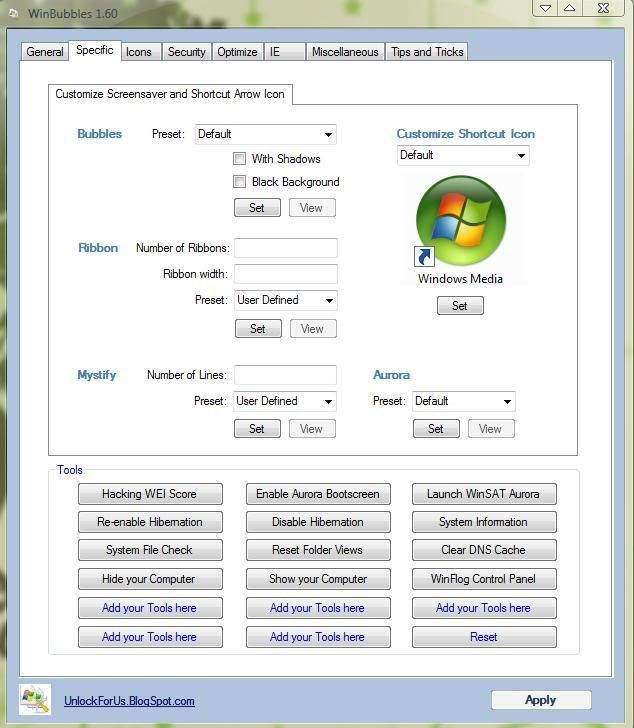
Công cụ cho phép bạn sửa sang 1 số thứ trên win vista lại theo ý mình :) , cách xài đơn giản dễ dùng :'> lưu ý chỉ cho win vista nha :)
win.jpg

Mã:
http://www.mediafire.com/?exinznmb0jz
 
Back
Top